
Is Tenorshare 4DDiG Data Recovery Safe?
Tenorshare 4DDiG is a functional utility for recovering deleted files from healthy drives. Their website publishes advice that contradicts established hardware engineering, including instructions to connect water-damaged phones via USB and to place wet devices in rice. They market software as capable of recovering data from dead phones and factory-reset devices, both of which are physical and cryptographic impossibilities. Their published Refund Policy removes the advertised money-back guarantee once a buyer accepts a replacement product.

What Does Tenorshare Publish About Water Damage, Dead Phones, and Factory Resets?
Tenorshare publishes instructions to connect water-damaged phones via USB (accelerating electrolytic corrosion), place wet devices in rice (which does not remove liquid from under BGA packages), and claims software can recover data from dead phones and factory-reset devices. Dead phones have no USB data pathway, and factory resets destroy the encryption keys that protect user data.
The following findings are from the Tenorshare website. Each entry includes the verbatim quote, a screenshot with an archive.org permanent link, and an engineering correction. These findings are also documented on our documented data recovery myths with evidence page.
Liquid Damage Instructions That Accelerate Corrosion
Instructions that accelerate electrolytic corrosion on water-damaged devices instead of mitigating it.
Should you plug a water-damaged phone into USB?
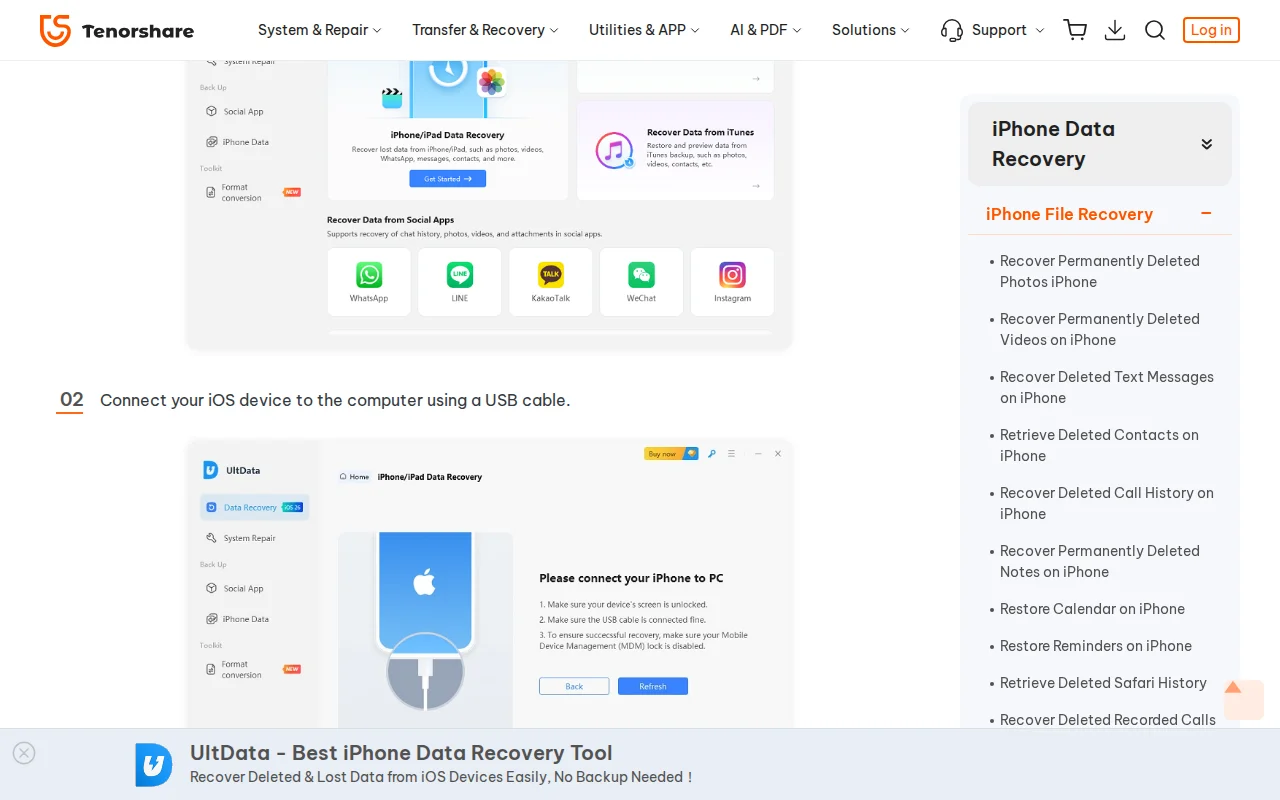
Consequence: Plugging a water-damaged phone into USB accelerates corrosion and can destroy the storage chip, making data permanently unrecoverable.
Can software rescue data from water damage?
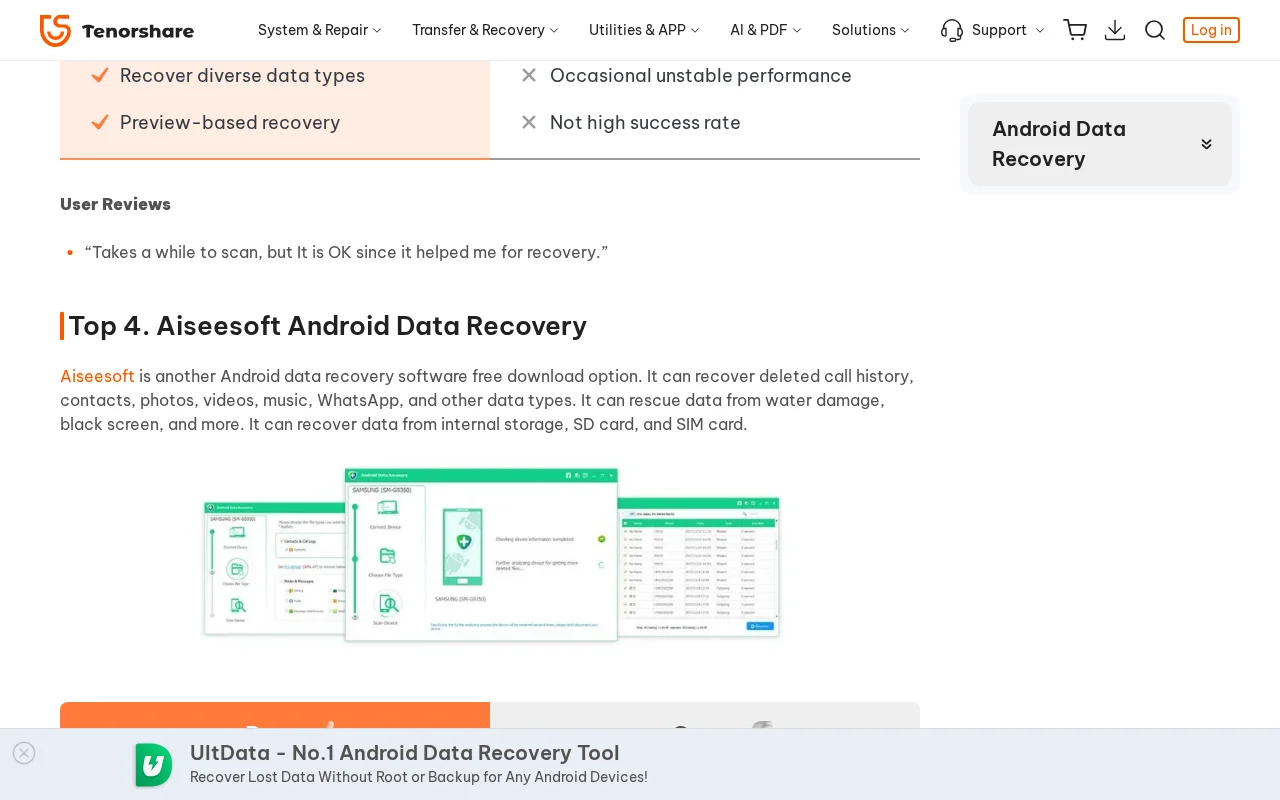
Consequence: Users delay proper treatment (ultrasonic cleaning, microsoldering) while attempting software solutions. Each hour of delay allows corrosion to spread further across the logic board.
Can rice fix a water-damaged phone?
“Samsung Galaxy phone has got bricked due to a water damage, you may want to keep it with uncooked rice in a zip bag overnight”
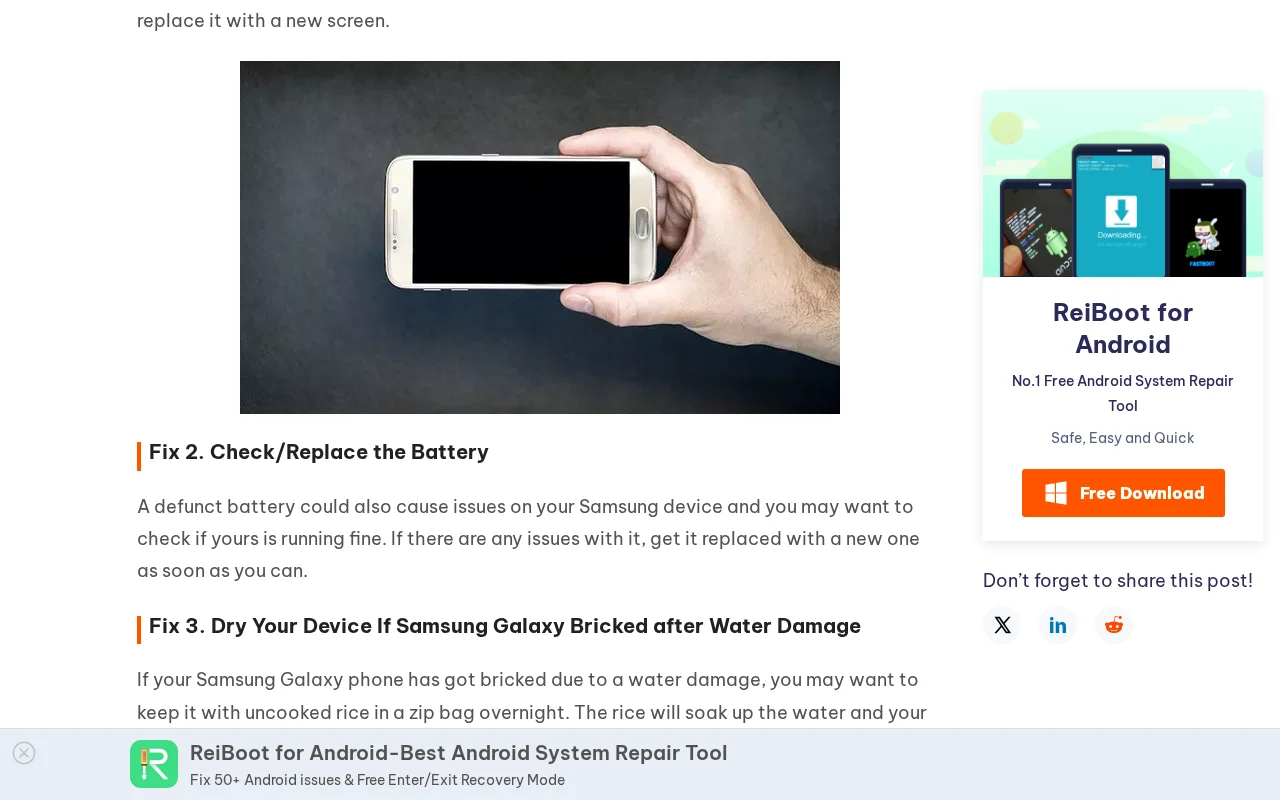
Consequence: Every hour a water-damaged phone sits in rice is an hour of unchecked corrosion dissolving copper traces. By the time the phone is removed, the damage is far worse than it was at the time of the liquid event.
Mobile Recovery Claims That Contradict Device Encryption and Power Requirements
Claims about recovering data from factory-reset and dead mobile devices that contradict the encryption architecture and electrical requirements of modern smartphones.
Can software recover data after a factory reset?
“Tenorshare Android Data Recovery is a best recovery tool that allows you to restore data from Samsung Galaxy S22/S10/S9, Note5/4/3/2 after factory reset in a super-fast speed.”
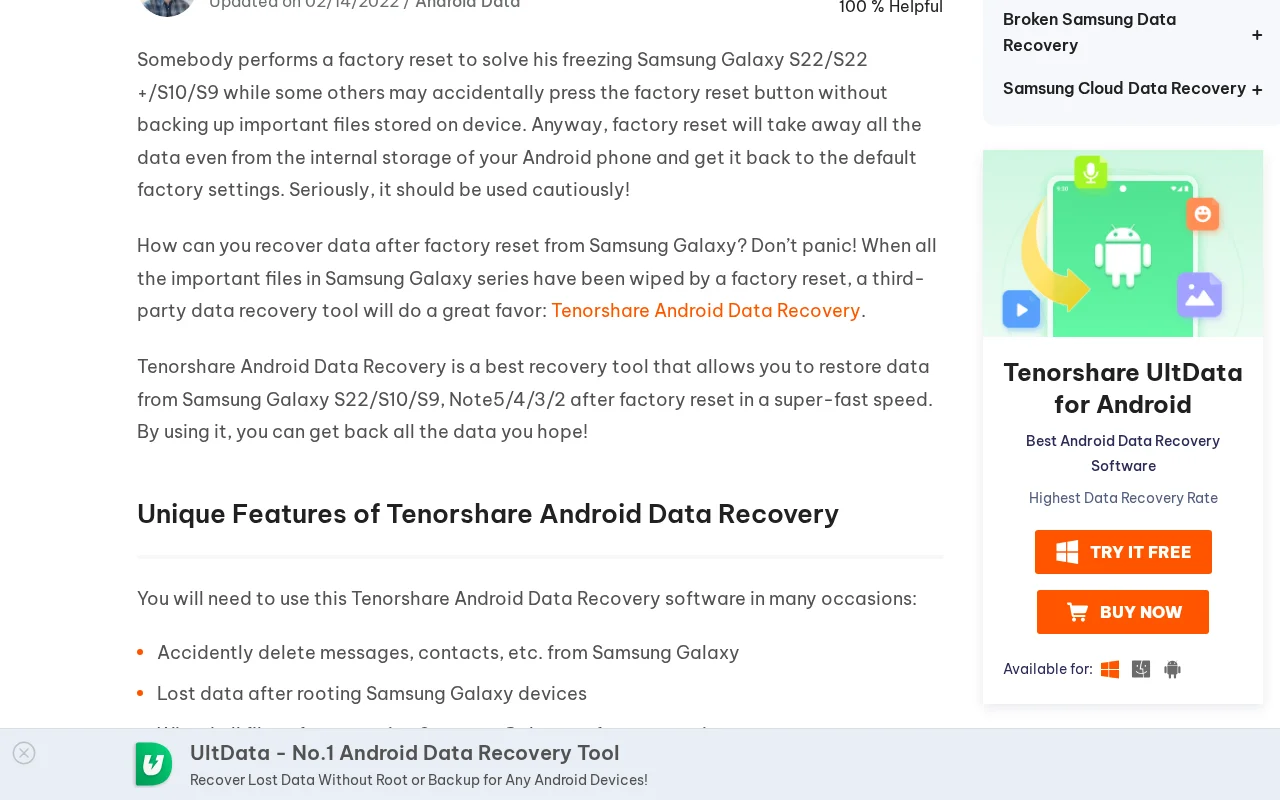
Consequence: Users pay for software that cannot return their files. The encryption keys were destroyed during the factory reset and cannot be reconstructed by any tool.
Can software recover data from a dead phone?
“you can preview all the data on the dead phone and press the Recover icon to store it on the computer”
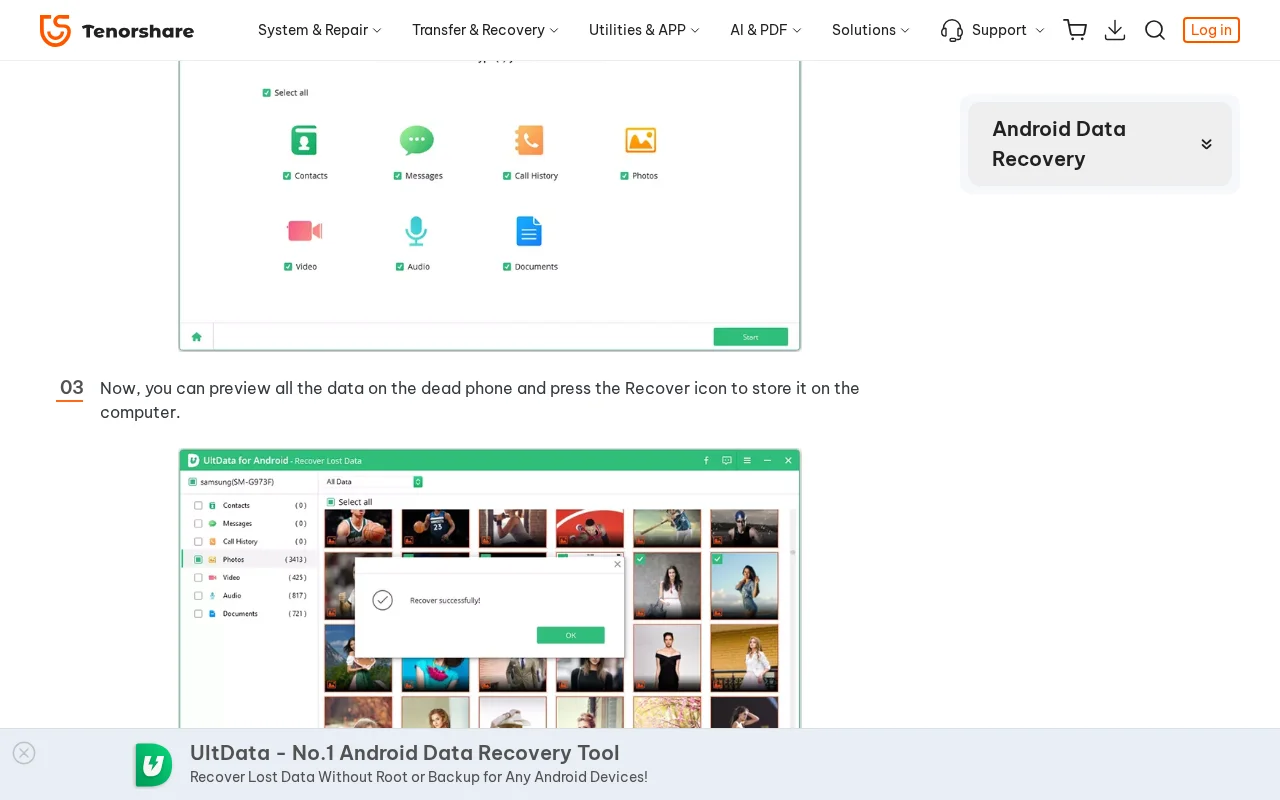
Consequence: Users purchase software expecting to extract data from a phone that cannot power on. The software detects nothing because the phone has no active USB interface.
What Do Independent Users Report About Tenorshare?
Independent users on Reddit and Apple Support Communities report unauthorized subscription charges, denied refund requests, and a Malwarebytes PUP (Potentially Unwanted Program) classification appearing in their own scan logs. The r/setupapp subreddit permanently banned discussion of all Tenorshare products. Tenorshare's own published Refund Policy states the refund carve-outs that users describe.
The following patterns are documented on r/datarecovery, r/setupapp, and Apple Support Communities, alongside Tenorshare's own published policy pages. User reports are attributed to their sources; they are not assertions made by this lab.
What Tenorshare's Own Refund Policy Says
Tenorshare's published Refund Policy sets out the refund pattern users describe. The policy advertises a “30-day Money Back Guarantee”, then sets out the carve-outs, verbatim:
“Once you agree to replace it with any other product you like, any refund request is not acceptable”
“If the product conforms to the content promoted on the website and faithfully executes the task according to the function description, Tenorshare will not refund”
“The automatic subscription service is not requested to be canceled before the renewal date arrives, no refund will be given if customers get charged on the renewal date”
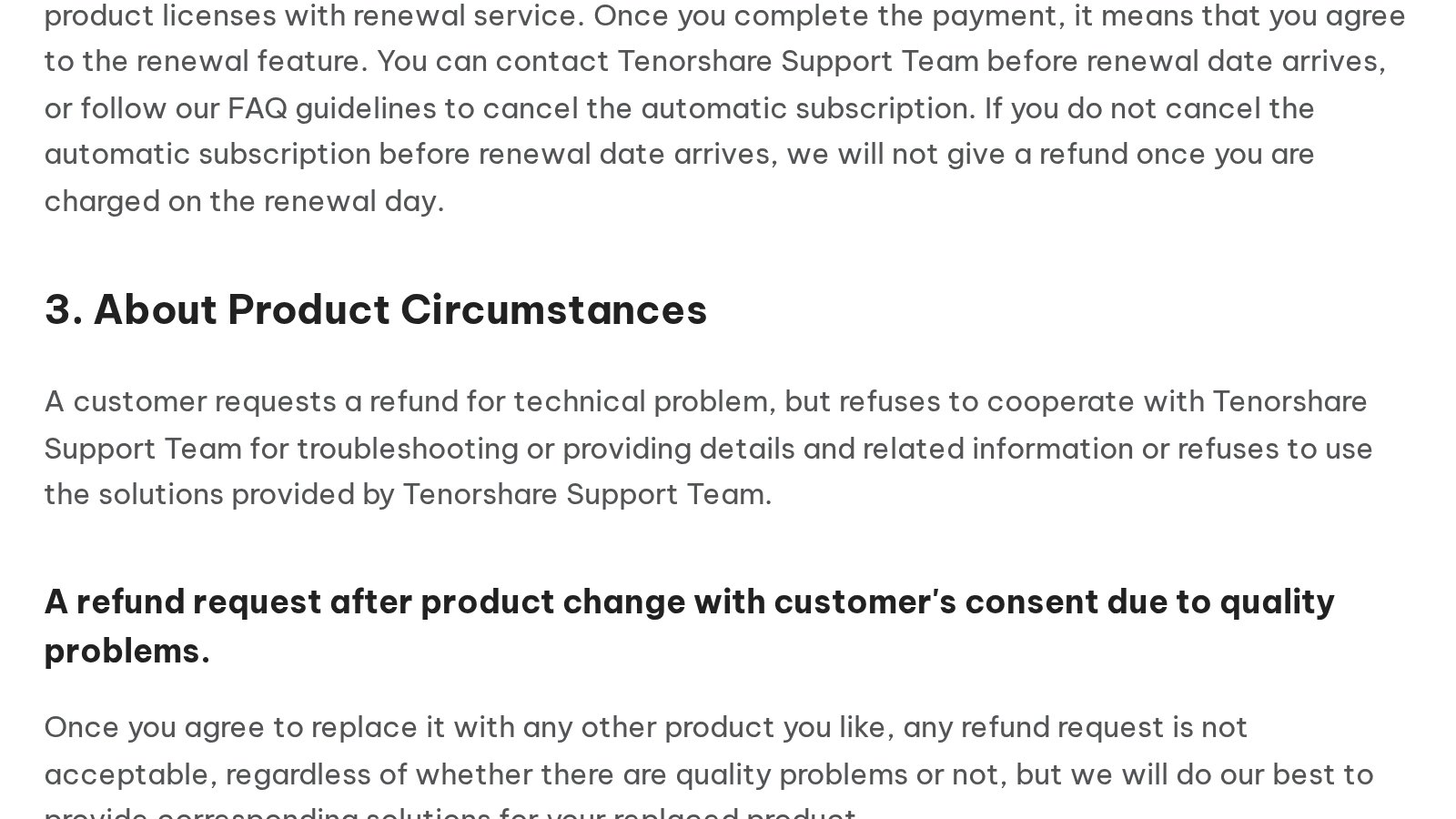
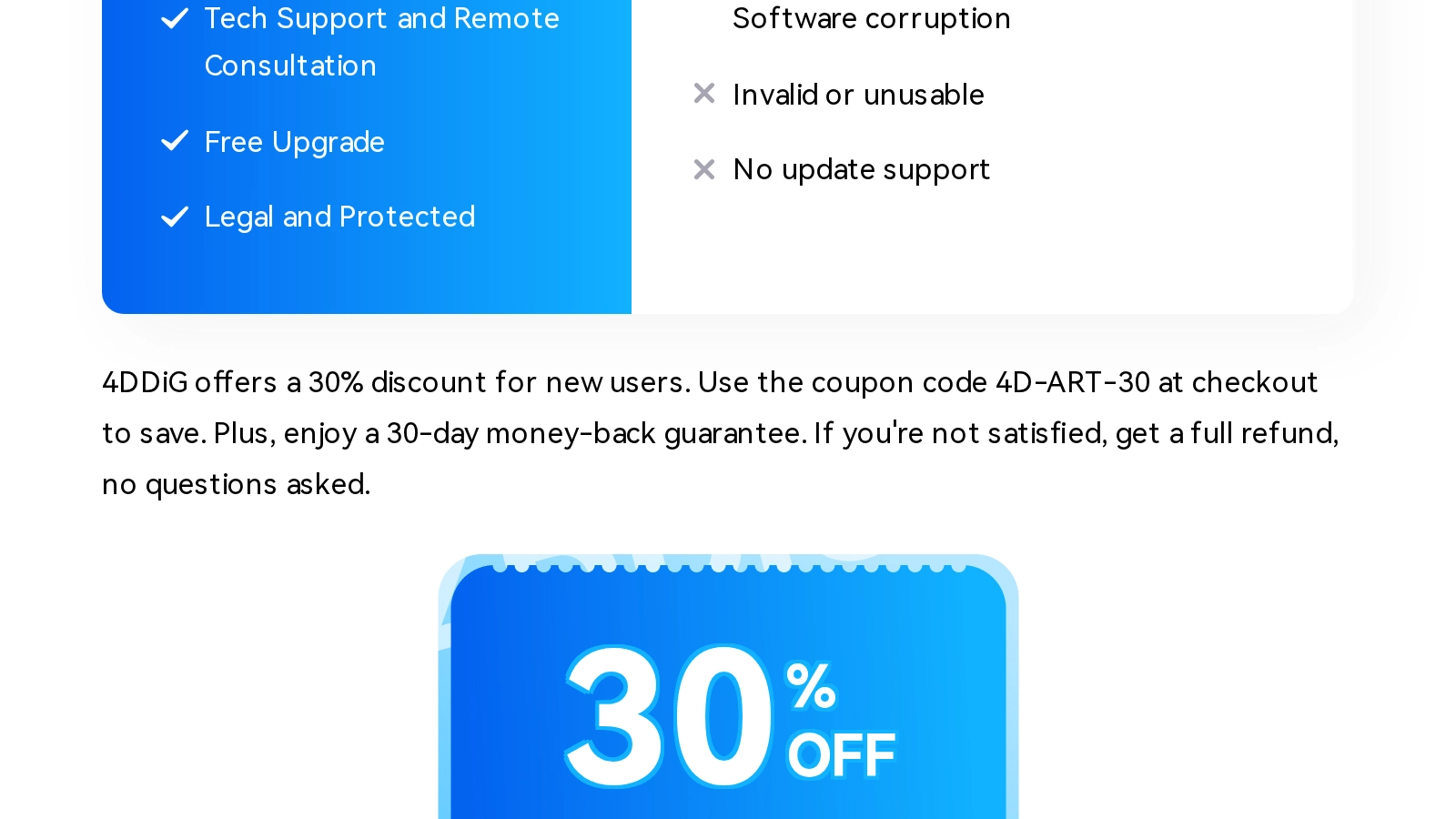
Read the second carve-out against the claims documented on this page. The dead phone and factory reset promises are “the content promoted on the website”, so a buyer who purchased on one of those promises has no refund route under the policy's own terms. Meanwhile Tenorshare's 4DDiG marketing pages promise, in plain words: “Plus, enjoy a 30-day money-back guarantee. If you're not satisfied, get a full refund, no questions asked.” That run appears verbatim on the 4DDiG key-registration page at 4ddig.tenorshare.com/windows-recovery-solutions/tenorshare-4ddig-key-registration-code.html (plain-text URL, archived ), and the 4DDiG review page makes the same promise for the same 30-day window. The carve-outs above are not about the window; they are the questions the marketing says nobody will ask.
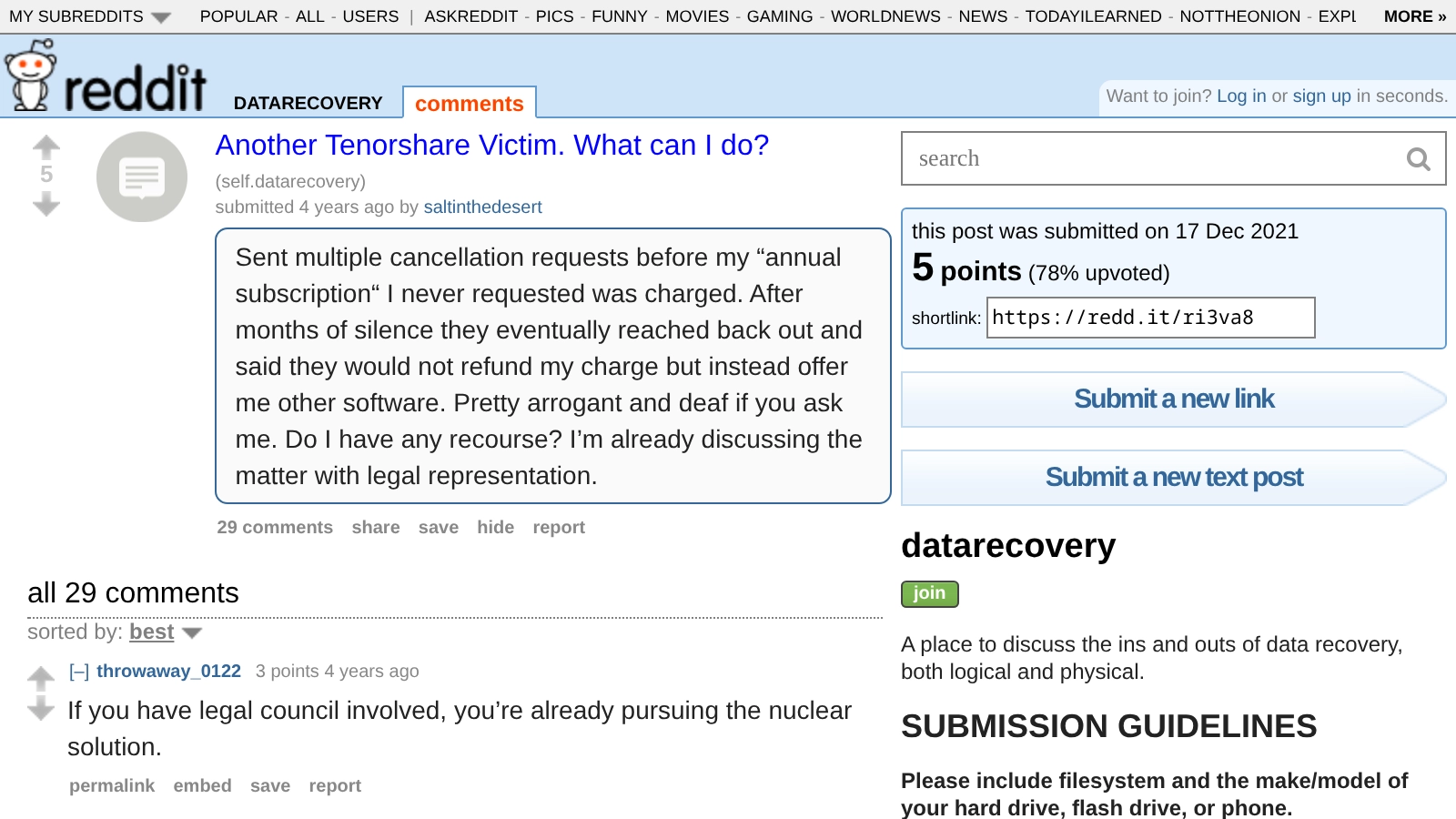
The user reports match the policy mechanics. The replacement-product offer that extinguishes the refund right is exactly what this r/datarecovery poster described:
“Sent multiple cancellation requests before my 'annual subscription' I never requested was charged. After months of silence they eventually reached back out and said they would not refund my charge but instead offer me other software...”
A Malwarebytes PUP Classification in a User's Scan Log
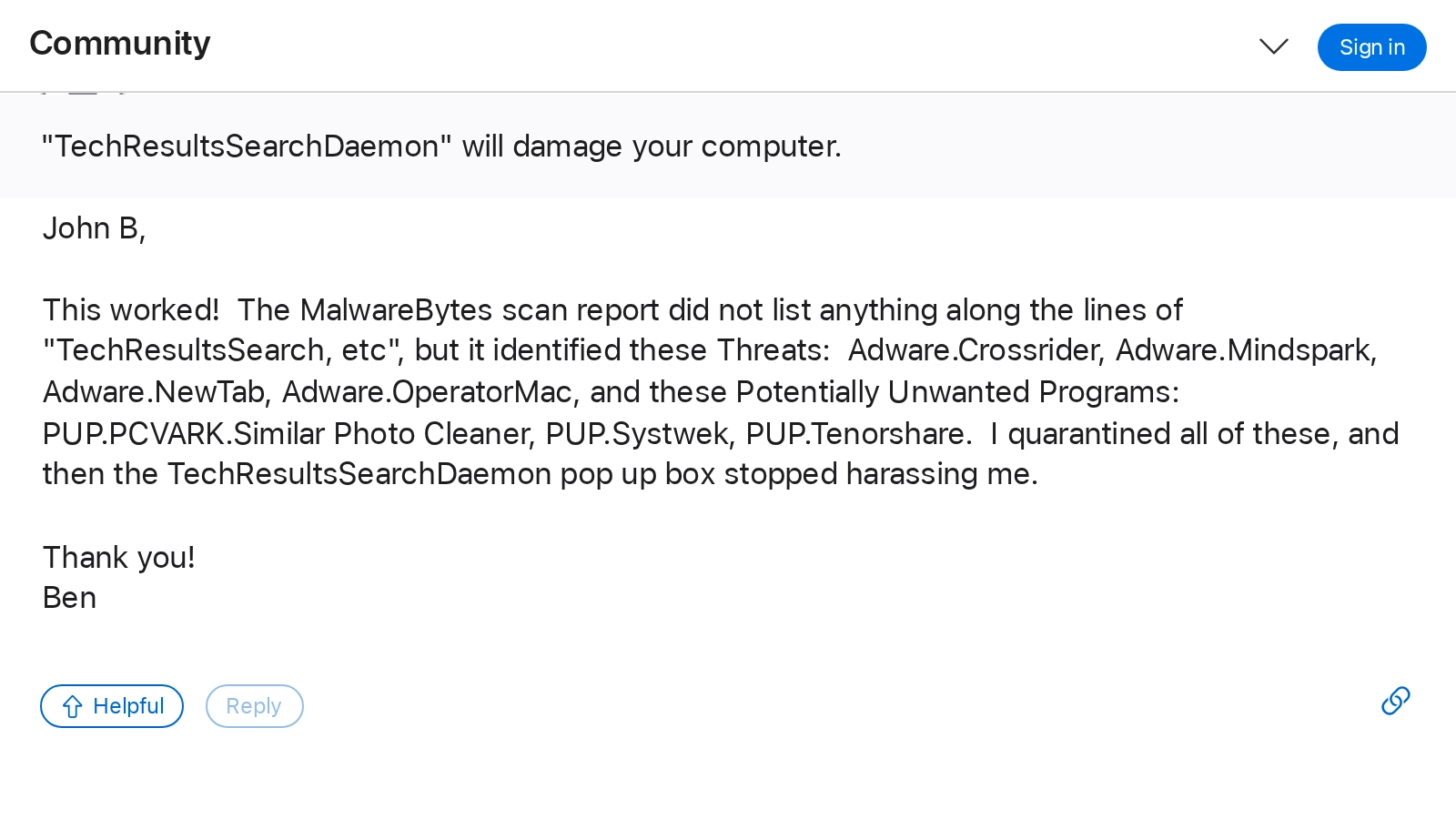
PUP.Tenorshare is a Malwarebytes classification, and it appears in a scan log that an Apple Support Communities user posted in June 2020. The log is that user's own Malwarebytes output, in which Tenorshare's classification appears alongside known adware families. A PUP flag is a vendor's potentially-unwanted-software label, not a malware detection. The user's scan was hunting a different program; Malwarebytes flagged this list instead.
“The MalwareBytes scan report... identified these Threats: Adware.Crossrider, Adware.Mindspark, Adware.NewTab, Adware.OperatorMac, and these Potentially Unwanted Programs: PUP.PCVARK.Similar Photo Cleaner, PUP.Systwek, PUP.Tenorshare. I quarantined all of these...”
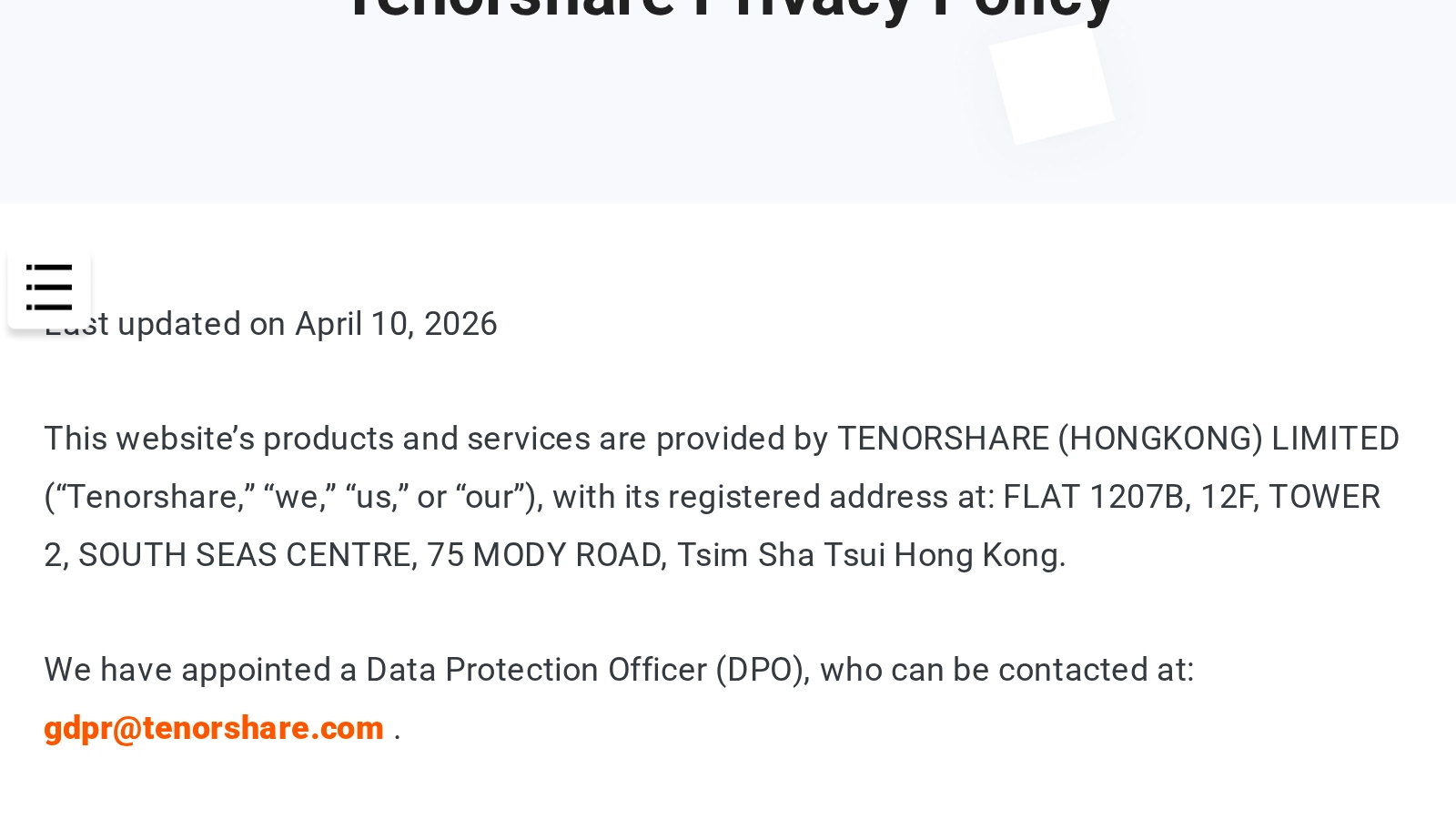
Tenorshare's Privacy Policy Names the Legal Entity
Tenorshare's own Privacy Policy names the legal entity behind the service, verbatim:
“This website's products and services are provided by TENORSHARE (HONGKONG) LIMITED ('Tenorshare,' 'we,' 'us,' or 'our'), with its registered address at: FLAT 1207B, 12F, TOWER 2, SOUTH SEAS CENTRE, 75 MODY ROAD, Tsim Sha Tsui Hong Kong.”
The GLEIF legal-entity registry corroborates it: LEI 98450052CP5CCF751A25 for Tenorshare (hongkong) Limited, jurisdiction Hong Kong, registered at the Hong Kong Companies Registry (RA000388) under registration 73371036, entity created September 16, 2021, status ACTIVE, corroboration level FULLY_CORROBORATED. The registry record is live and machine-readable at search.gleif.org . The same record gives the entity's Chinese legal name, 軟牛科技(香港)有限公司. The site footer says “Copyright © 2007-2026”; the registry says the Hong Kong entity was created in 2021. Both statements are quoted here as written.
The mainland side of the record: tenorshare.cn's own footer names 深圳软牛科技集团股份有限公司 (Shenzhen Ruanniu Technology Group Co., Ltd., our translation) at a Bao'an District, Shenzhen address, with Guangdong ICP filing 粤ICP备14071614号 (archived ). That Shenzhen company's own brand directory at afirstsoft.cn lists Tenorshare and 4DDiG among its brands, under the same ICP filing number (archived ). GLEIF does not publish a parent LEI for the entity; the record instead carries a direct-parent reporting exception, category DIRECT_ACCOUNTING_CONSOLIDATION_PARENT, reason NON_PUBLIC, which is what the registry records when an entity states it has a consolidating parent that is not itself public. No document we found states the whole relationship, so we are not asserting one. The three statements above stand as published, from three separate sources.
r/setupapp Banned All Mention of Tenorshare Products
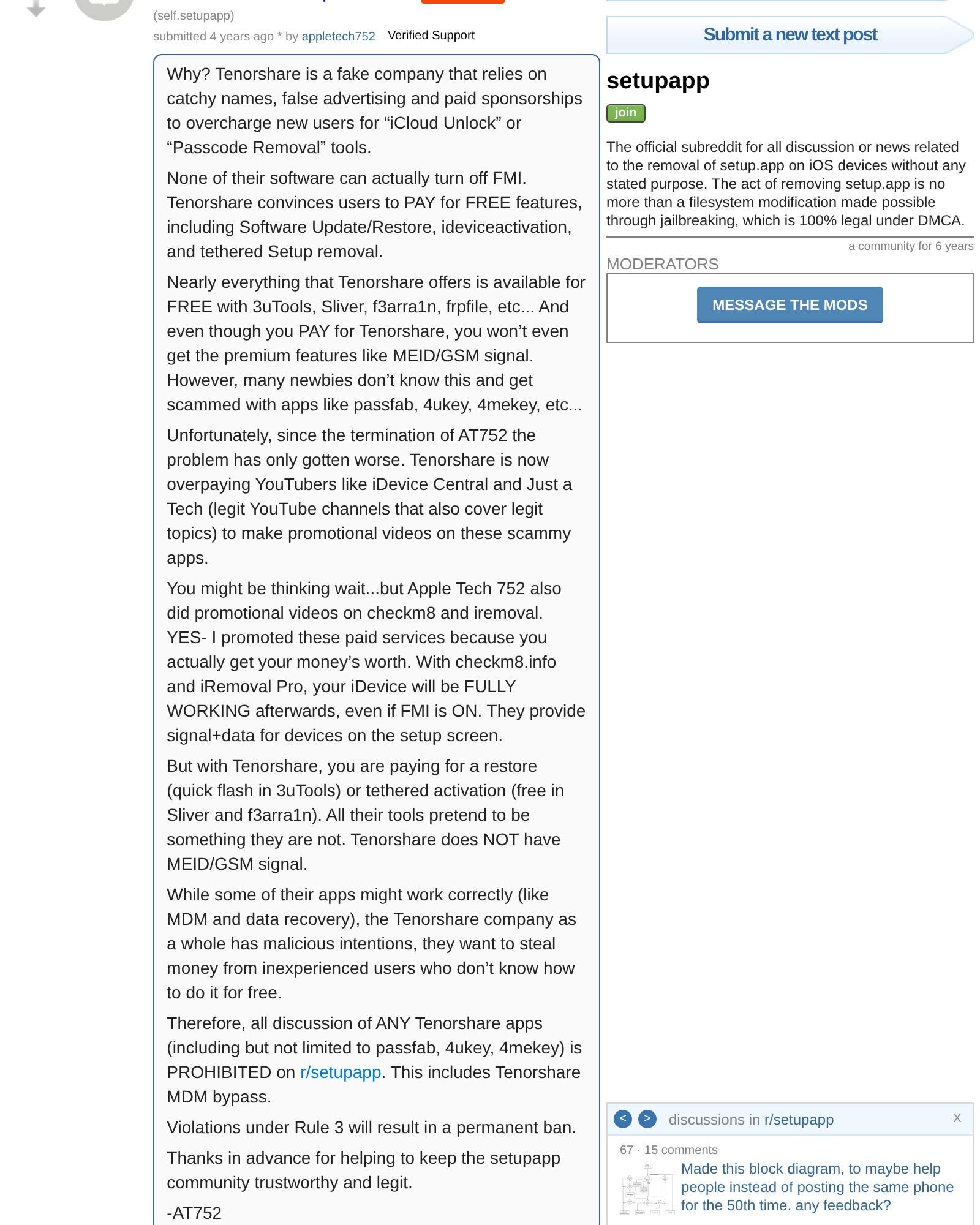
The r/setupapp subreddit, a technical iOS device engineering community, permanently banned all mention of Tenorshare products in a stickied December 2021 post that remains in force. The moderators gave their reasons in that post. The characterizations below are theirs.
“Tenorshare is a fake company that relies on catchy names, false advertising and paid sponsorships to overcharge new users for 'iCloud Unlock' or 'Passcode Removal' tools... all discussion of ANY Tenorshare apps (including but not limited to passfab, 4ukey, 4mekey) is PROHIBITED on r/setupapp.”
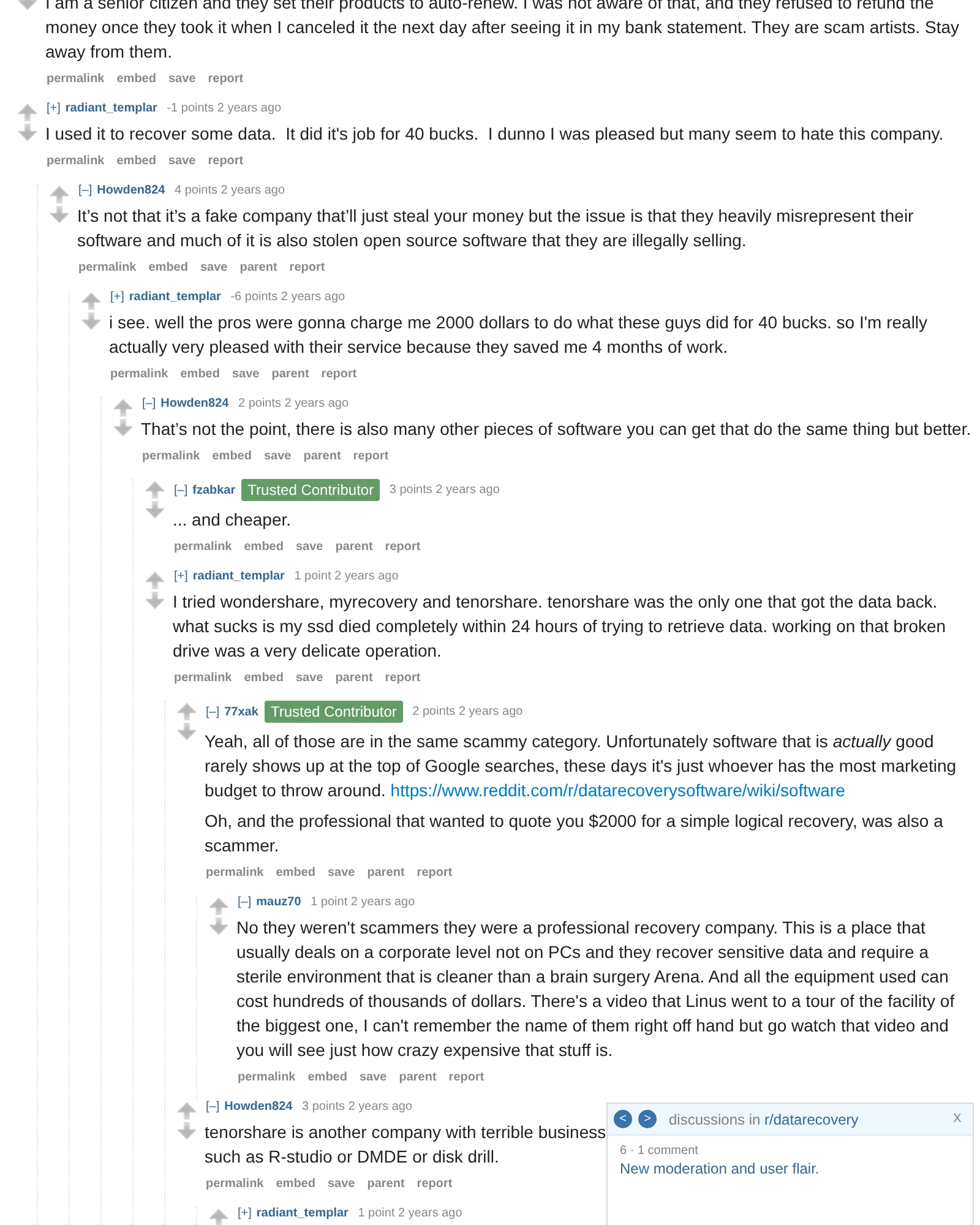
What One r/datarecovery Commenter Said About Open-Source Reuse
A commenter in the same May 2024 r/datarecovery thread this page cites elsewhere made the following allegation about the software's sourcing. It is that commenter's characterization and legal conclusion, quoted verbatim and not adopted here; we have not audited 4DDiG's code or licenses. The r/setupapp moderator post quoted above separately states that free tools cover the same functions, naming 3uTools, Sliver, and f3arra1n.
“It's not that it's a fake company that'll just steal your money but the issue is that they heavily misrepresent their software and much of it is also stolen open source software that they are illegally selling.”
Why Do the Same 4DDiG Recommendations Keep Appearing in r/datarecovery?
Six Reddit accounts recommended Tenorshare 4DDiG in r/datarecovery within roughly six hours on August 11, 2026. Two of the six comments are character-corrupted copies of sentences other accounts had posted earlier the same day. A screenshot posted by the user who maintains the subreddit's recommended-software wiki shows automated labels reading “Possible 4DDiG / Tenorshare promotion”. Screenshots and archives are below.
I do not know who runs these accounts. I have not identified a person behind any of them, I have no evidence that anyone was paid, and I am not claiming Tenorshare created them or told anyone to post them. What I have is what the accounts did, in public, with timestamps. It is all below with links and archives so you can check every line of it yourself.
u/disturbed_android Published a Screenshot of Six 4DDiG Comments
On August 11, 2026 at 14:24 UTC, the r/datarecovery user who maintains the subreddit's recommended-software wiki, posting under the handle u/disturbed_android, published a screenshot showing six comments recommending 4DDiG, each from a different account, posted between roughly one and six hours earlier. In the screenshot, two comments carry an automated label reading “Possible 4DDiG / Tenorshare promotion”, one carries “Low karma top-level reply filtered for review”, and three display as “Removed”. Those labels are moderator-facing strings; they exist in our record only as they appear in this published screenshot, and I am citing the screenshot, not the subreddit's configuration.
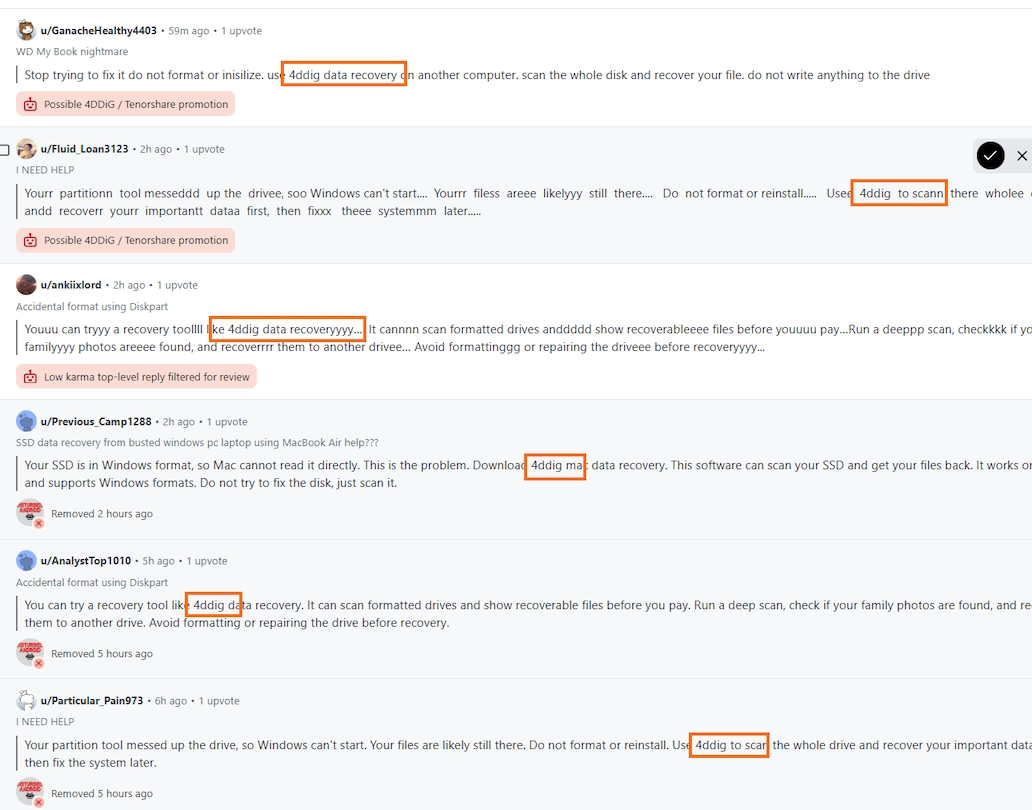
Published by u/disturbed_android in r/datarecovery on 2026-08-11T14:24:34Z. Source: reddit.com/r/datarecovery/comments/1vliwz4/ (plain-text URL). The orange boxes around the product name were drawn by the original poster. Three of the comments it shows are no longer retrievable anywhere else; this screenshot is the surviving record of them. A sourcing note applies to every Reddit citation in this section: when we asked the Internet Archive to capture these URLs on August 13, 2026, Reddit refused the crawler for nearly all of them (one profile listing did capture, and it is linked where it exists). Where no snapshot exists, the card says so and the screenshot plus our retained raw data is the record.
Two Accounts Posted the Same Sentence in the Diskpart Thread
On August 11, 2026, two accounts posted the same 4DDiG recommendation into the same r/datarecovery thread, titled “Accidental format using Diskpart”, 2 hours 50 minutes apart. u/AnalystTop1010 posted it in standard spelling at 08:59:39 UTC. u/ankiixlord posted it again at 11:49:48 UTC with letters repeated inside the words. Strip the repeated letters and the two comments match sentence for sentence, all four sentences. Both texts are public.
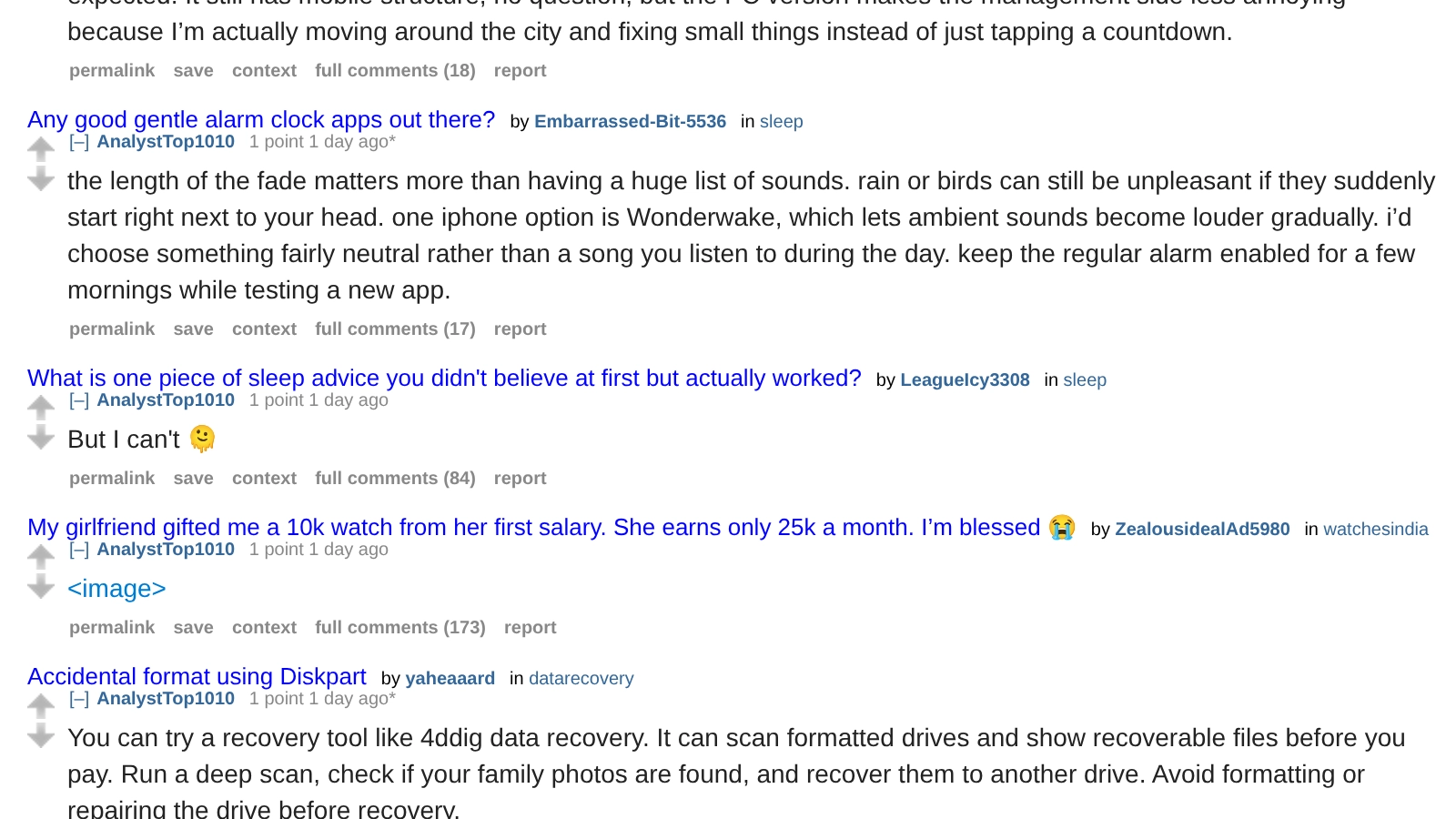
Posted first, standard spelling: u/AnalystTop1010, 2026-08-11T08:59:39Z
“You can try a recovery tool like 4ddig data recovery. It can scan formatted drives and show recoverable files before you pay. Run a deep scan, check if your family photos are found, and recover them to another drive. Avoid formatting or repairing the drive before recovery.”
Source: reddit.com/r/datarecovery/comments/1vky0fn/accidental_format_using_diskpart/p302w04/ (plain-text URL). At observation on August 13, 2026, that permalink renders no comment; the text remains publicly readable on the account's own comment listing at reddit.com/user/AnalystTop1010/, which is what the screenshot below shows and what the archive captures. Reddit does not display who removes a comment from a thread, or why, and I make no claim about either. The comment carries an edited timestamp of 09:16:22 UTC, 17 minutes after posting.
Archived copy of the account's comment listing (Wayback snapshot, August 13, 2026), containing this comment's full text.
Posted 2 hours 50 minutes later, repeated characters: u/ankiixlord, 2026-08-11T11:49:48Z
“Youuu can tryyy a recovery toollll like 4ddig data recoveryyyy…. It cannnn scan formatted drives anddddd show recoverableeee files before youuuu pay…Run a deeppp scan, checkkkk if your familyyyy photos areeee found, and recoverrrr them to another drivee… Avoid formattinggg or repairing the driveee before recoveryyyy...”
Quoted exactly as posted, including the repeated characters. Source: reddit.com/r/datarecovery/comments/1vky0fn/accidental_format_using_diskpart/p30q9vz/ (plain-text URL). That permalink also renders no comment as of August 13, 2026; the text remains publicly readable at reddit.com/user/ankiixlord/. The comment carries an edited timestamp of 12:17:18 UTC, 27 minutes after posting. The account's only other visible comment, posted 14 minutes after this one in an unrelated subreddit, promotes a different app with the same letter-repetition pattern.
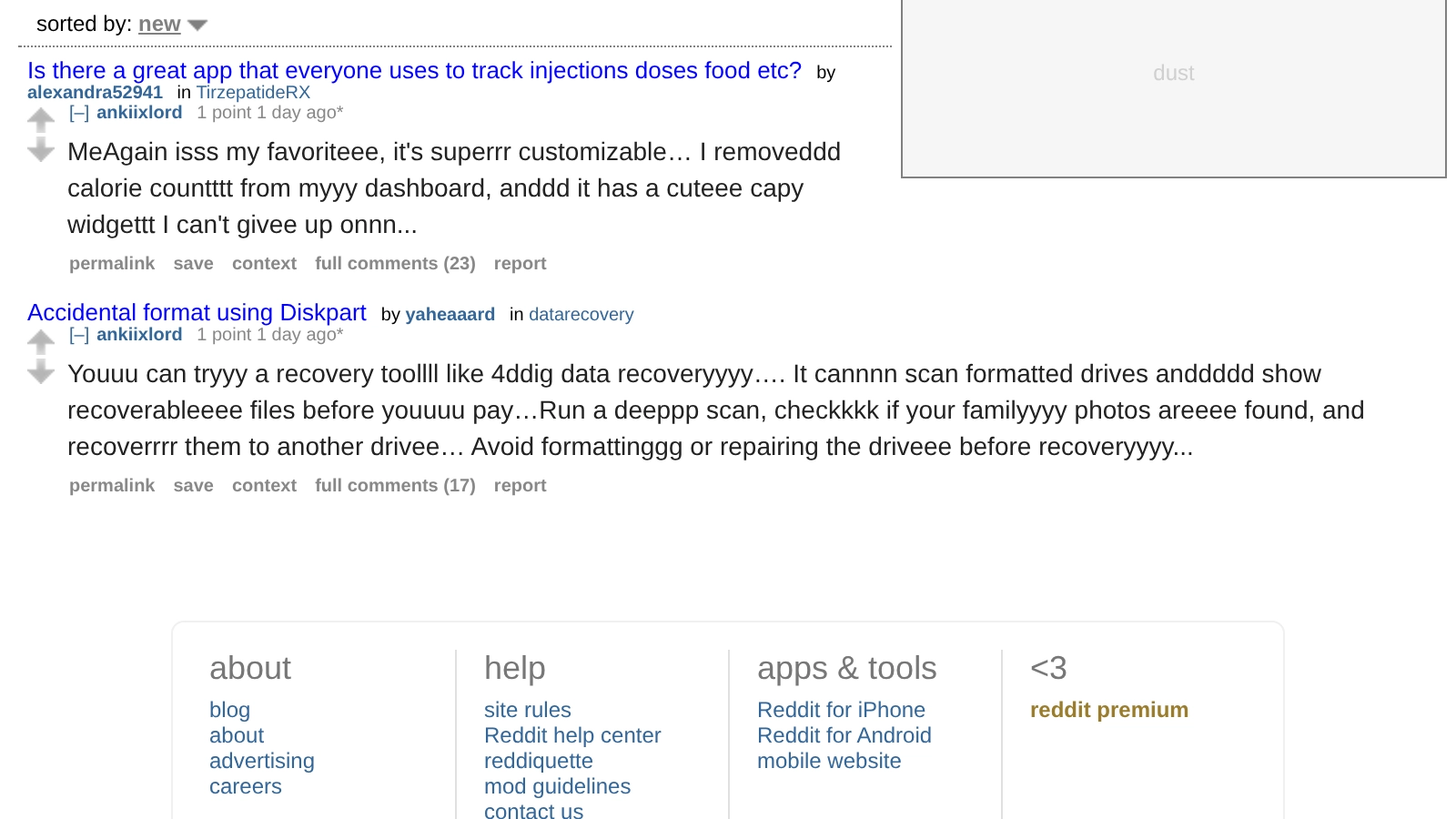
The Internet Archive has no snapshot of this listing; we requested one on August 13, 2026 and Reddit refused the crawler. The screenshot above and our retained raw data are what we kept.
A Second Matched Pair Appears in the I NEED HELP Thread
The same shape appears in the thread titled “I NEED HELP”. At 11:52:41 UTC on August 11, u/Fluid_Loan3123 posted a 4DDiG recommendation with characters repeated throughout and no-break space characters between words. The screenshot above shows an earlier comment in the same thread, from u/Particular_Pain973, carrying the same sentence in standard spelling and displaying as “Removed 5 hours ago”. That earlier comment is no longer retrievable: the account displays as suspended by Reddit, its comment listing returns an error, and no archive exists from while the comment was visible. The screenshot published by u/disturbed_android is the surviving record of it, its text is cut off at the image's right edge, and the legible portion differs from the later comment by one word. I am not quoting it as if I fetched it, and the opinion below does not rest on this pair.
u/Fluid_Loan3123, 2026-08-11T11:52:41Z
“Yourr partitionn tool messeddd up the drivee, soo Windows can't start.... Yourrr filess areee likelyyy still there.... Do not format or reinstall..... Usee 4ddig to scann there wholee drivee andd recoverr yourr importantt dataa first, then fixxx theee systemmm later.....”
Quoted exactly as posted, including the repeated characters and spacing; the wide gaps are no-break space characters present in the comment itself. Source: reddit.com/r/datarecovery/comments/1viit4r/i_need_help/p30qr9c/ (plain-text URL). Same at that permalink on August 13, 2026: no comment renders, while the text stays readable at reddit.com/user/Fluid_Loan3123/. The comment carries an edited timestamp 25 minutes after posting.
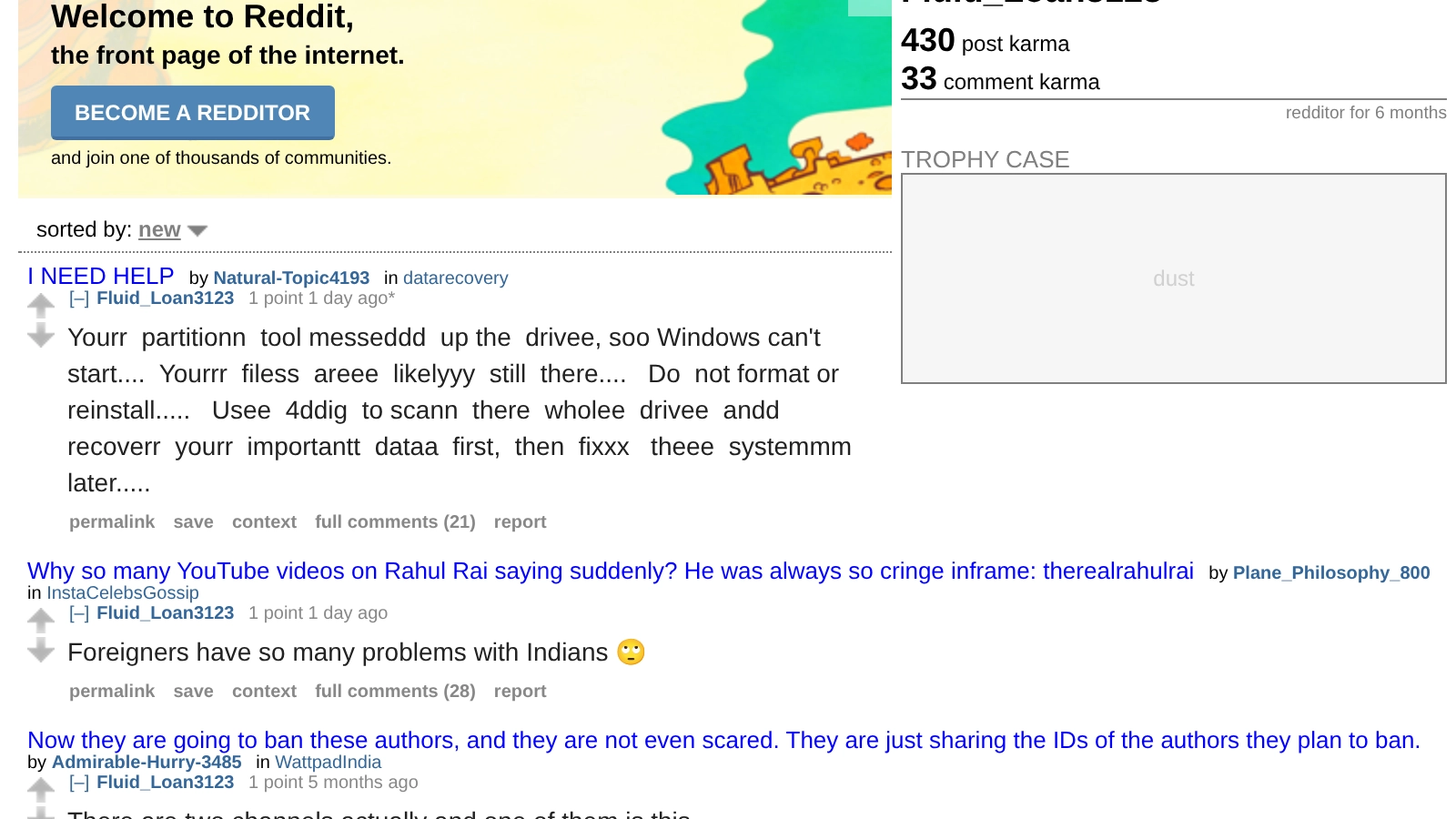
No Wayback snapshot of this listing exists. The screenshot and our retained raw data stand in for it.
The corruption in these comments is character repetition inside otherwise correctly spelled words. Nothing is transposed and nothing is spelled the way it sounds; the repeated characters are the correct characters typed again, which is not what a keyboard-adjacency typo produces. The repetition lands on different words in each comment while the underlying sentence holds. In the matched pair from the Diskpart thread, the standard-spelling version was posted first and no longer renders at its permalink; the corrupted version was posted 2 hours 50 minutes later and, in the published screenshot, carries an automated review label rather than a removed state. Every one of the four retrievable 4DDiG comments in this set also carries an edited timestamp between 17 and 55 minutes after it was posted.
In my opinion that is not sloppy typing. Sloppy typing does not double letters in four different words while leaving the sentence intact, and it does not produce the same sentence from two accounts in one thread three hours apart. My read is that the text was mangled on purpose to get past whatever automated matching the subreddit runs. I cannot prove intent, and I am not claiming to. Who mangled it is not something the text can show, and I will not speculate.
Displayed Facts for All Six Accounts
| Account | Comment posted (UTC) | Parent thread | Account created | Status at observation |
|---|---|---|---|---|
| u/GanacheHealthy4403 | Shown as 59 minutes before the screenshot | “WD My Book nightmare” | Not observable | Profile returns 404 |
| u/Fluid_Loan3123 | 2026-08-11 11:52:41 | “I NEED HELP” | 2026-02-07 | Profile visible; comment absent from thread, readable on profile |
| u/ankiixlord | 2026-08-11 11:49:48 | “Accidental format using Diskpart” | 2026-07-11 | Profile visible; comment absent from thread, readable on profile |
| u/Previous_Camp1288 | Shown as 2 hours before the screenshot | “SSD data recovery from busted windows pc laptop using MacBook Air help???” | Not observable | Profile returns 404 |
| u/AnalystTop1010 | 2026-08-11 08:59:39 | “Accidental format using Diskpart” | 2026-07-28 | Profile visible; comment absent from thread, readable on profile |
| u/Particular_Pain973 | Shown as 6 hours before the screenshot | “I NEED HELP” | Not observable | Displayed as suspended by Reddit |
Values as displayed on August 13, 2026 (UTC). “The screenshot” is the August 11, 2026 14:24 UTC post shown above. A profile that returns 404 is not retrievable; Reddit does not say why. Suspension is a displayed account state; Reddit does not disclose reasons, and none is claimed here.
Of the three retrievable accounts, all were created in 2026. u/AnalystTop1010's public listing showed 22 comments across 14 subreddits: 2 name 4DDiG, and 3 more name other products, including a wig boutique, an iPhone alarm app, and a mobile game. Its second 4DDiG comment, in a thread about a formatted car SD card, responds to the original poster's report that EaseUS lost the folder structure by asserting “4ddig can restore original folders and file paths.” (Source: reddit.com/r/datarecovery/comments/1vjo71q/accidently_formatted_my_cars_sd_card_which_is/p2tfqqr/, plain-text URL; at observation that permalink renders no comment and the text remains readable on the account's listing.) u/ankiixlord's listing showed 2 comments, both posted within 14 minutes on August 11, both with repeated letters, each recommending a different product.
Four Posts by One User Documented the Comment Activity Over Two Weeks
The August 11 screenshot is the fourth post about promotional comment activity by the same r/datarecovery user in two weeks. The dates and titles are the record; the titles are the author's own words, quoted verbatim.
- July 29, 2026: “Our most 'popular' spammers”. About repeated spam comments generally; the title does not name 4DDiG.
- August 7, 2026: “Confused 4DDig spammers”. The post quotes a spam comment caught by the subreddit's AutoModerator that read, verbatim, “Download 4DDiG trial ,run deep scam”. The word is the comment's own typo for “scan”, and the bold emphasis is the original post's.
- August 10, 2026: “Astroturfing for 4DDiG”. The title is that author's characterization, not mine. The attached screenshot shows five more 4DDiG comments from five more accounts in the moderation queue.
- August 11, 2026: “Next batch of 4PPiG shills arrived ..”, the screenshot post documented above. “Shills” is the author's word.
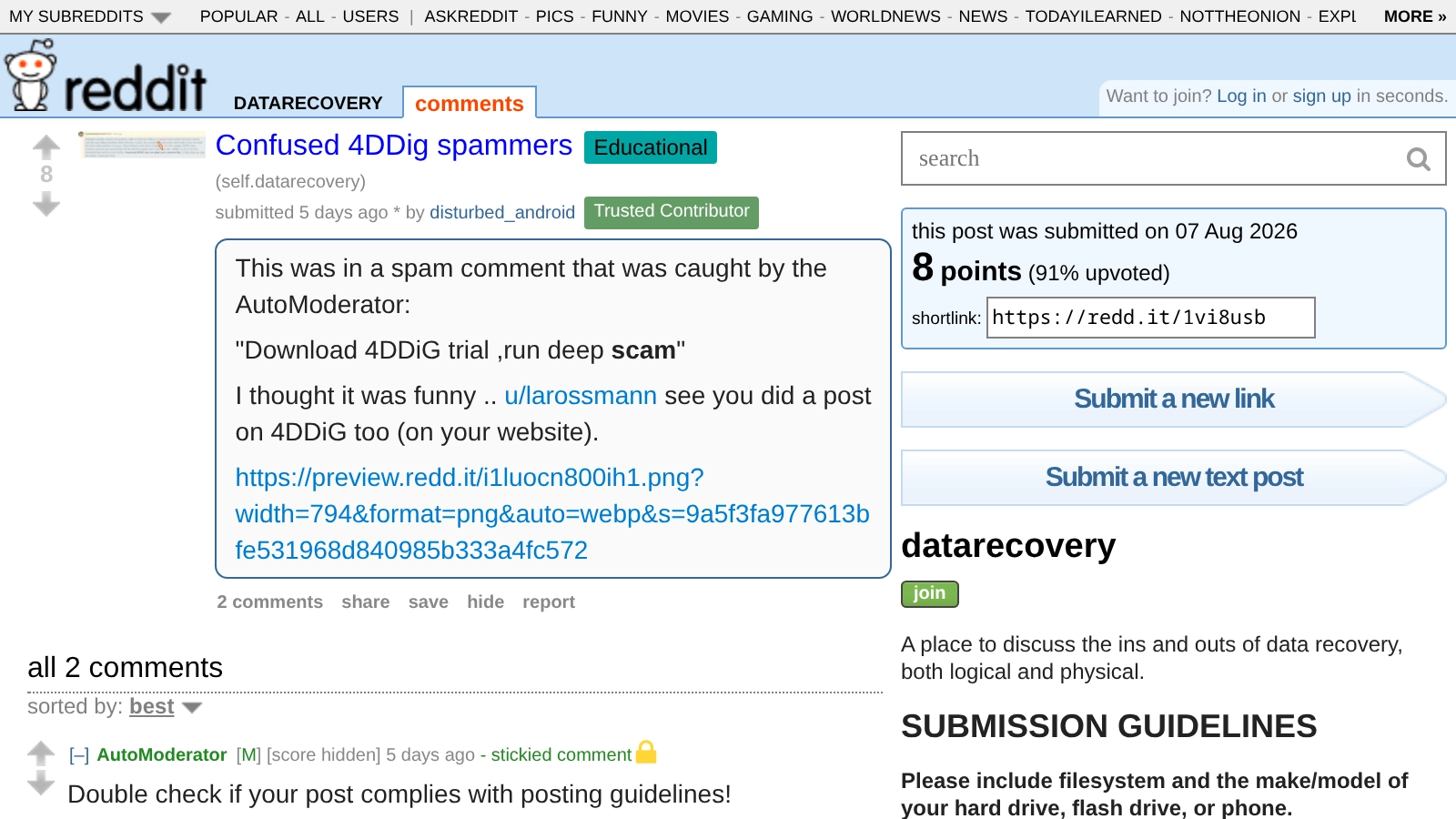
Source: reddit.com/r/datarecovery/comments/1vi8usb/ (plain-text URL). No Wayback snapshot of this thread exists; the screenshot is what we have.
What One Buyer Said About a Reddit Thread
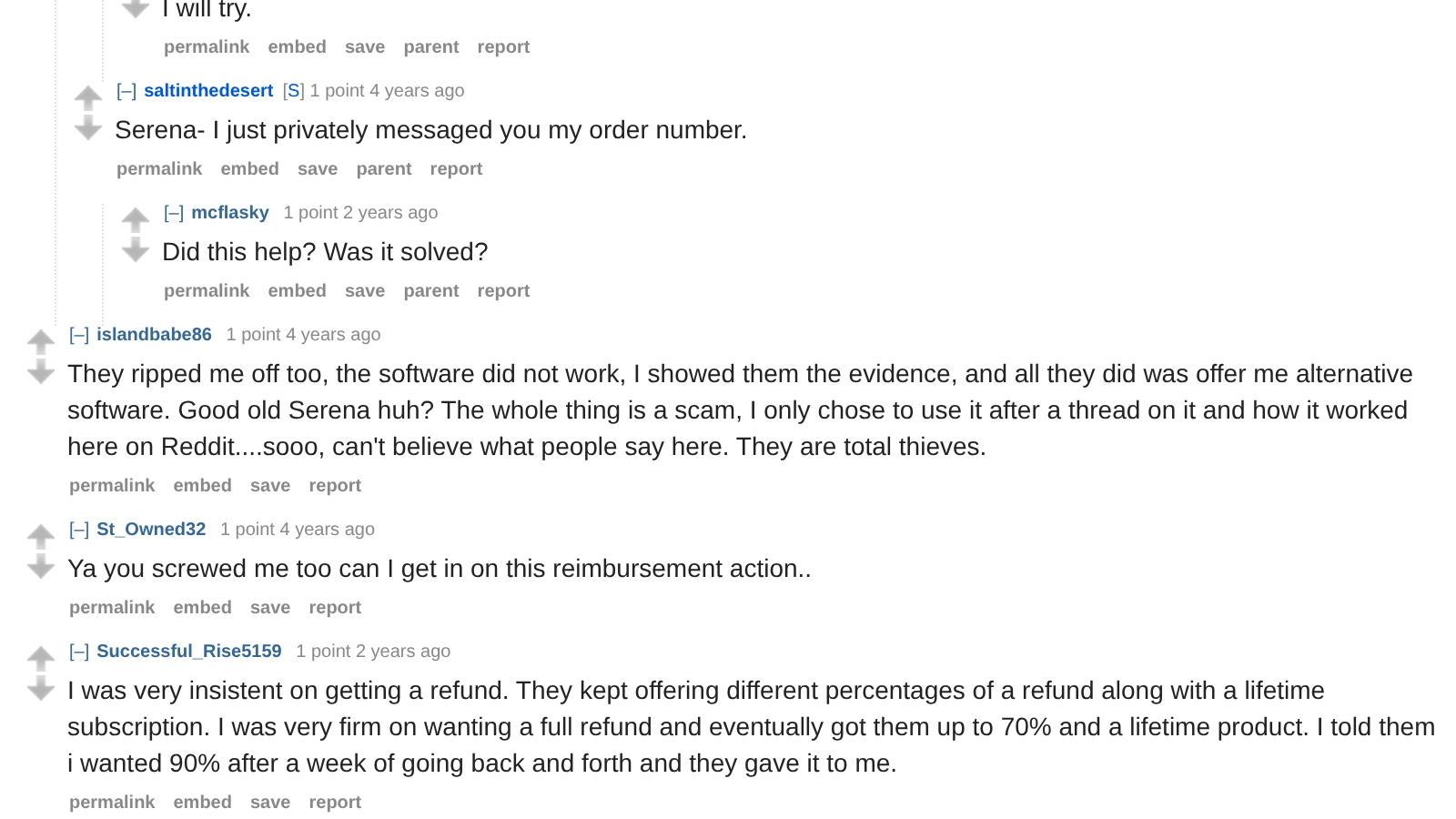
People buy based on these threads. One buyer said so in her own words, in a thread this page already cites:
“They ripped me off too, the software did not work, I showed them the evidence, and all they did was offer me alternative software. Good old Serena huh? The whole thing is a scam, I only chose to use it after a thread on it and how it worked here on Reddit....sooo, can't believe what people say here. They are total thieves.”
An Earlier Investigation by a Reddit User
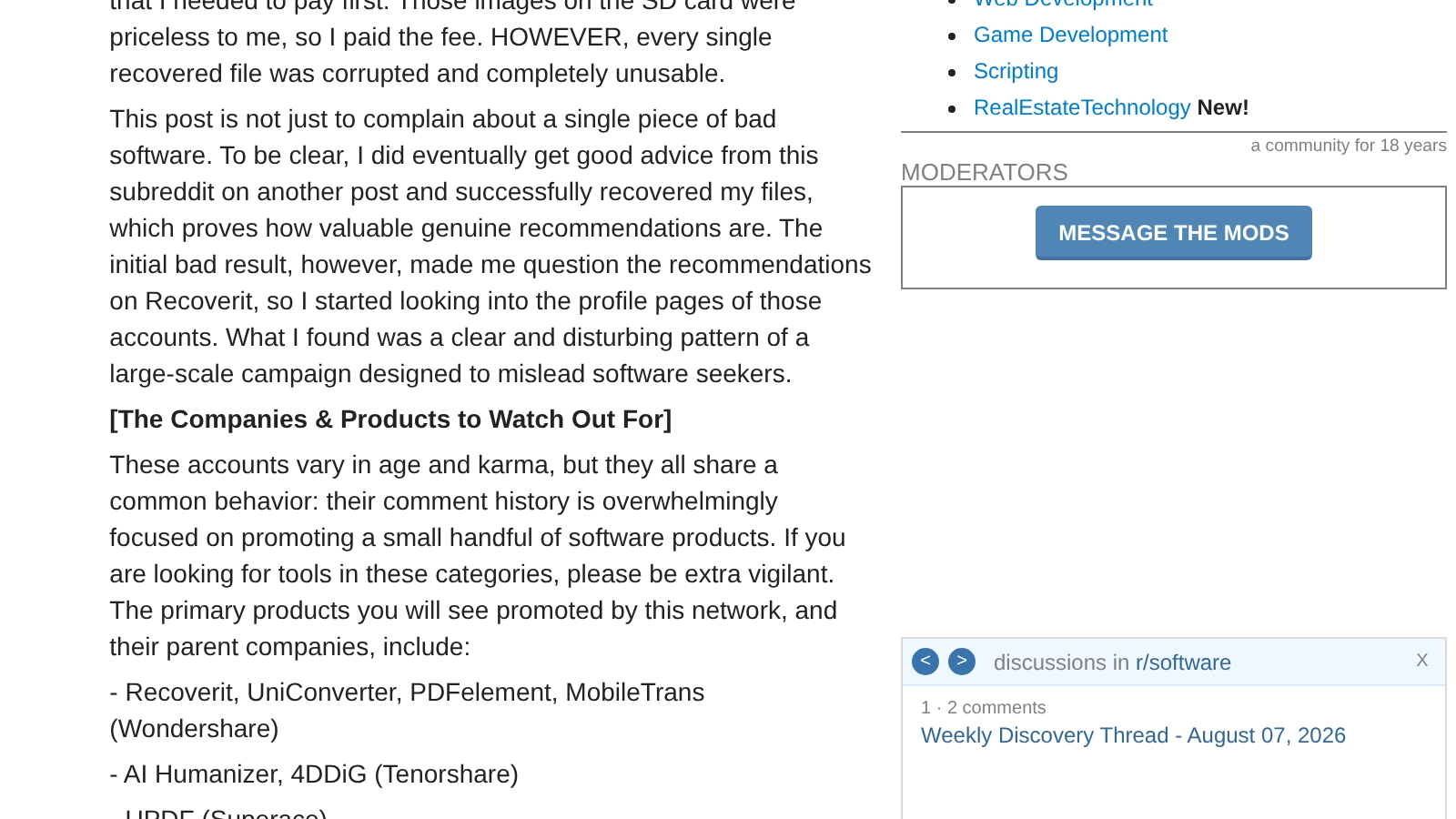
A year before the comments above, on August 7, 2025, a Reddit user posting as u/Extreme-Pie-2078 published a post in r/software titled “The search for good software on Reddit is being manipulated. This is the astroturfing I found.” At observation it showed a score of 542. It names “AI Humanizer, 4DDiG (Tenorshare)” among the products it says a network of accounts promotes, alongside products from two other companies, and it describes two tactics. That is one Reddit user's published documentation rather than a finding of mine. A score of 542 is a vote count; it says nothing about whether the post is right. The post also alleges tracking parameters on shared links. I did not observe those parameters in any link myself, so I am not repeating them.
“Concentrated Spamming: They swarm posts asking about specific software needs (e.g., 'Convert video to AV1,' 'Best PDF editor?'), no matter when the post was created. They then mechanically comment, recommending their target products or web pages.”
“Profile Dilution: To appear like genuine users, they post meaningless, nonsensical comments or memes in large, unrelated subreddits to water down their promotional history and hide their true purpose.”
Tenorshare Publishes an Affiliate Program Offering Up to 80% Commission
Tenorshare publishes an affiliate program on its own website, at tenorshare.com/company/partners.html (plain-text URL). The page's banner reads “80% Commission Await”. Its body offers “commissions of up to 80% per order”, its stat strip lists a 60-day cookie duration and labels 80% the “Average Commission”, and it names the partners it recruits:
- Influencer
- Blogger
- YouTuber
- Entrepreneur
- Publisher
- Ad Network
- Affiliate Network
The page also advertises reseller and OEM white-label programs.
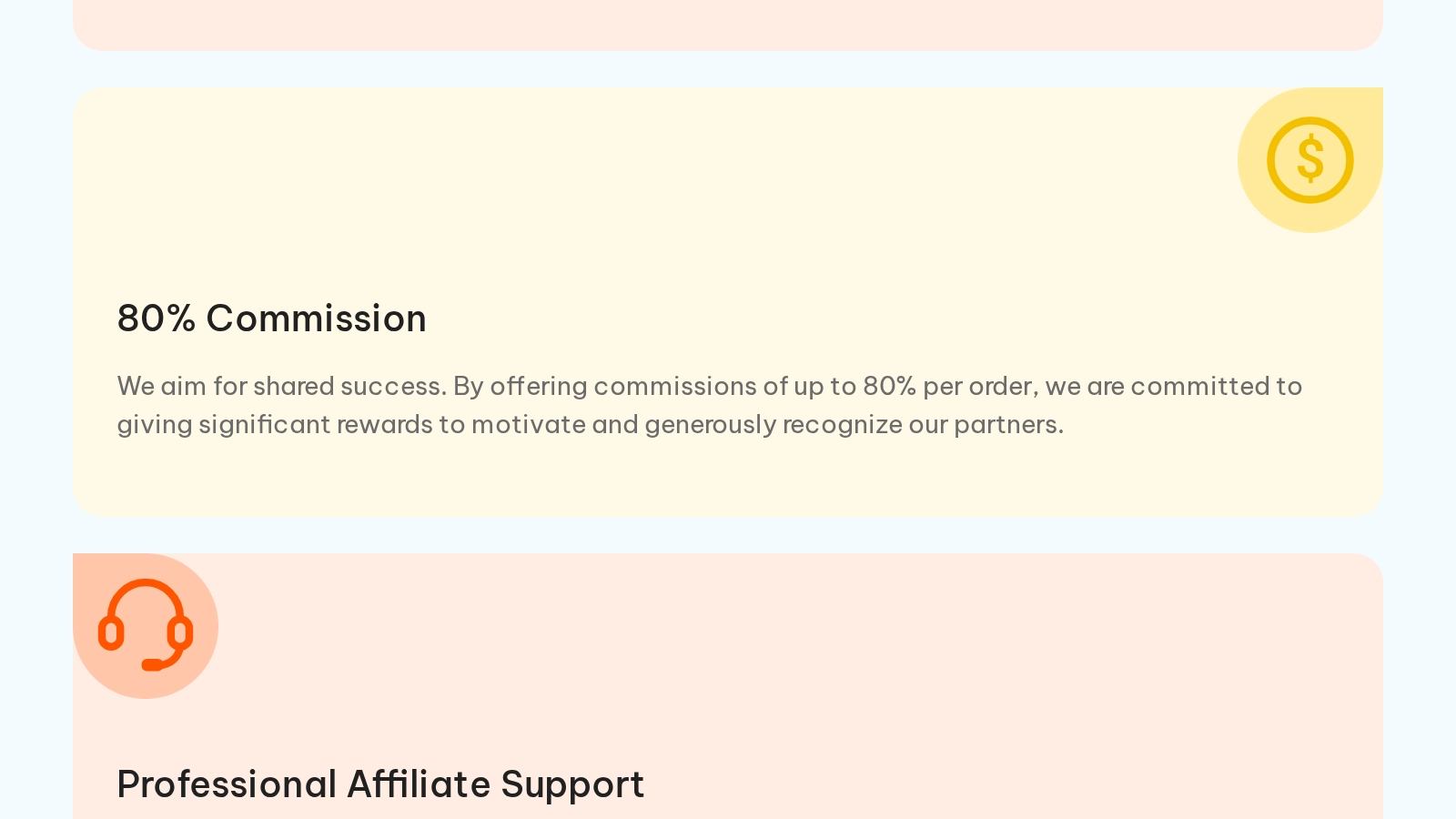
Archived copy of the affiliate program page. The commission figures are Tenorshare's own published claims about its program, quoted from its page; the affiliate networks it lists have not confirmed them to us.
That is a description of a public commission program, not a claim about the accounts above. I have no evidence that any of those accounts is enrolled in it, and I am not saying they are. The program exists and it pays what its own page says it pays. That is context worth having when you see this product recommended.
In January 2025, a r/datarecovery commenter posting as u/Living-Thing89 published what they described as an email they received from Tenorshare support. I did not receive that email and I cannot authenticate it. I am not asserting Tenorshare sent it. Here is what the commenter posted, verbatim:
“Now you have a chance to get a free registration code from our support team, so we hope you can write a 200-word 5-star review to rate our service, yes, about our service, not about the product. Thank you in advance.”
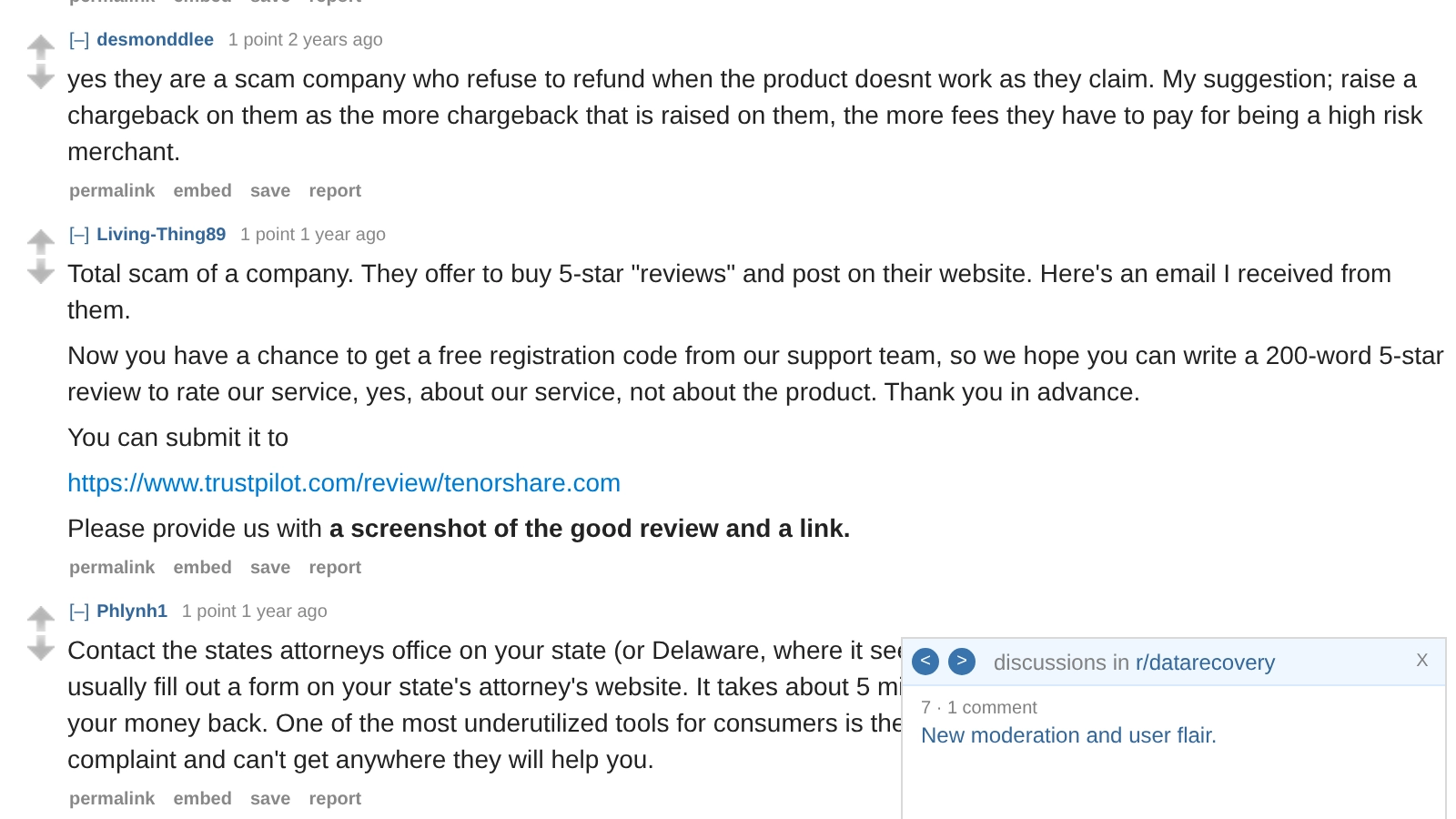
For contrast: Tenorshare's own site publishes no review-for-license offer that I could find. Its published program is commission on sales.
4DDiG Review Hosted on Tenorshare's Own Domain
Tenorshare's own domain hosts a page titled “Tenorshare 4DDiG Full Review 2026 [Must-Read]”, written in reviewer voice about its own product (“we will explain whether Tenorshare 4DDiG Data Recovery is the best option available”). Its cons list contains exactly one entry: “It's not cost-free.” It carries an embedded 30% discount code, and its safety section rests on testimonials, including this one:
“I dropped my laptop completely on the floor. I tried saving it with my foot, but it didn't break the complete fall. The laptop was not damaged. But the hard drive didn't work again after that. Then I used this program and retrieved my data...”
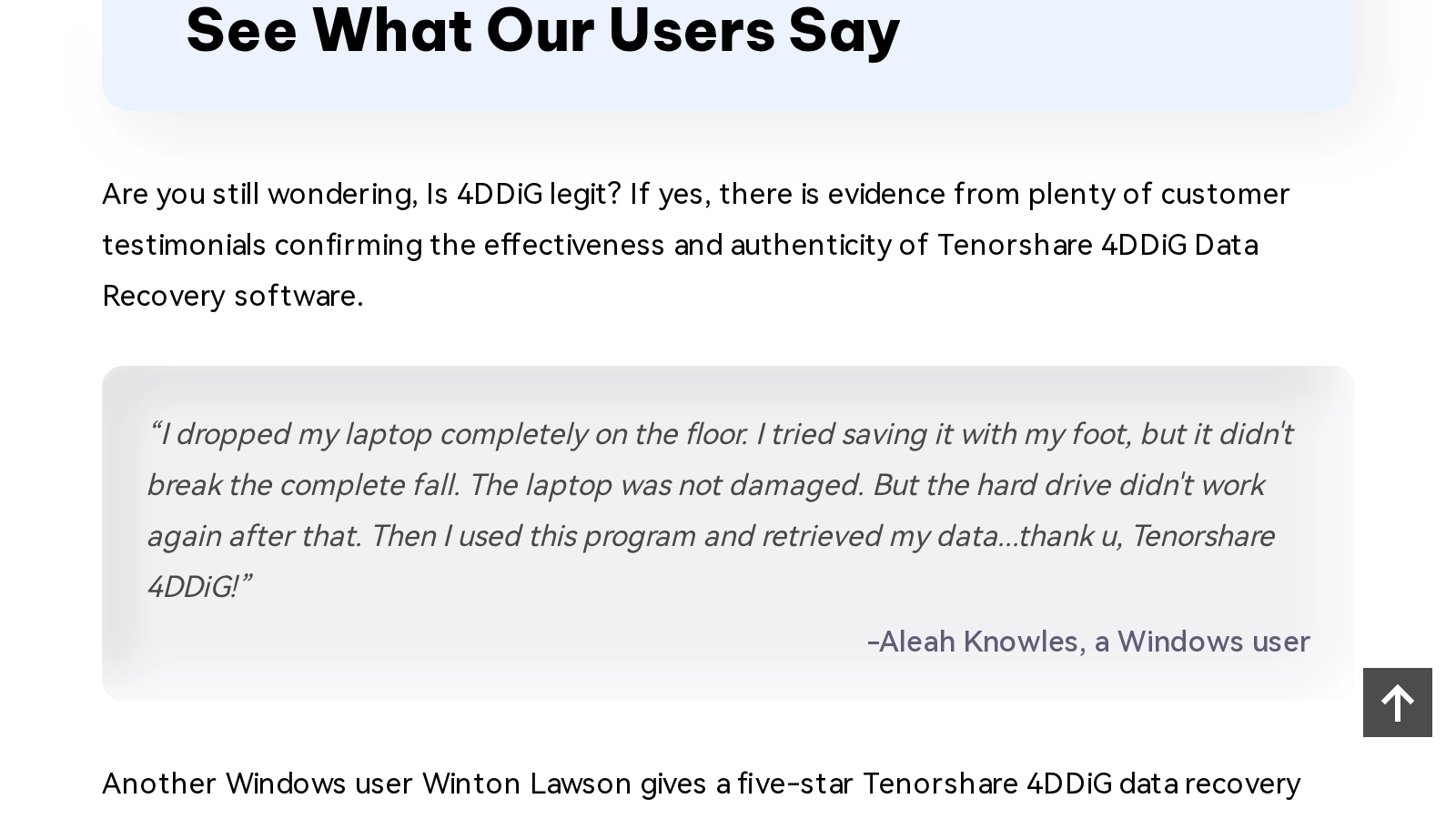
A hard drive that stops responding after a fall is a mechanical problem. Impact can slap the read/write heads into the platter surface or damage the head stack itself, and a drive in that state answers a full-surface software scan with thousands of read retries over the sectors it cannot read, every retry dragging weak heads back across damaged media. Software cannot see a drive that no longer enumerates at all. The correct first step for a post-drop drive is diagnosis, not scanning: if the heads are intact, the drive is imaged on hardware built for degraded media, a DeepSpar Disk Imager or PC-3000, and if they are not, the head stack is replaced in a 0.02 micron ULPA-filtered clean bench first and the image is taken after. A vendor-hosted page titled “review”, whose only listed con is the price and which credits scanning software with rescuing a dropped drive, is a marketing page occupying a review search result.
The same domain also hosts pages titled “Is Tenorshare 4DDiG Crack Safe to Use” and “Free Tenorshare 4DDiG Key Registration Code [2026]”, both linked from the review page. I note what the domain hosts and leave it there.
Drive Condition and Encryption State in the Four Parent Threads
Every one of the six comments recommends running scanning software. Whether that advice is harmless or destructive depends on what the parent post described.
Two threads described logical loss. “Accidental format using Diskpart” was a mis-targeted format on a working drive, and “I NEED HELP” was a partition-resize accident. On healthy media, scanning software is a defensible suggestion, and this page's own capabilities section says so. Even there, the thread's experienced posters warned about something the template comments skipped: on an SMR drive with TRIM, the format itself may have already trimmed the data, after which the drive returns zeros for those sectors whether or not the cells have been physically erased yet. That is why their first advice was a CrystalDiskInfo screenshot to identify the drive, and an unplugged drive, not a scan.
The other two threads were not healthy-drive situations. “WD My Book nightmare” described a burned diode from a wrong power adapter, a suspected voltage spike, and an attempted re-initialization; the informed advice in that thread was to image the drive first and work from the image, which is exactly how a lab handles it. “SSD data recovery from busted windows pc laptop” turned out to be a BitLocker-encrypted volume; the poster recovered everything with the BitLocker recovery key, and no amount of scanning would have produced readable files without it. The 4DDiG comments in those threads engaged with neither the voltage damage nor the encryption, as far as either comment is legible. Each recommended the same scan.
The rule underneath all four threads is the same. A drive with a degrading head stack answers a full-surface scan with thousands of read retries over the sectors it cannot read, and every retry drags weak heads back across damaged media. A hard drive that clicks or drops out of BIOS belongs on an imager built for failing hardware, a DeepSpar Disk Imager or PC-3000, and an SSD that stops enumerating belongs on the bench for firmware-level work or board repair. Neither belongs under consumer scanning software. That is the standard we apply in our own hard drive data recovery and SSD data recovery work, and it is the same standard the subreddit's own wiki teaches.
What the Thread's Participants Said
Two commenters in the August 11 thread characterized the activity. I quote them with attribution; what they conclude is theirs:
“Has been going on for moths, but previous mod just let them. What they used to do is either comment on month old posts or edit their months old own comments and add the spam. It appears they don't do it to convince anyone, maybe it's a SEO thing. This last batch makes them look like a bunch of morons ..”
“Persistent aren't they... Must be decent money in it.”
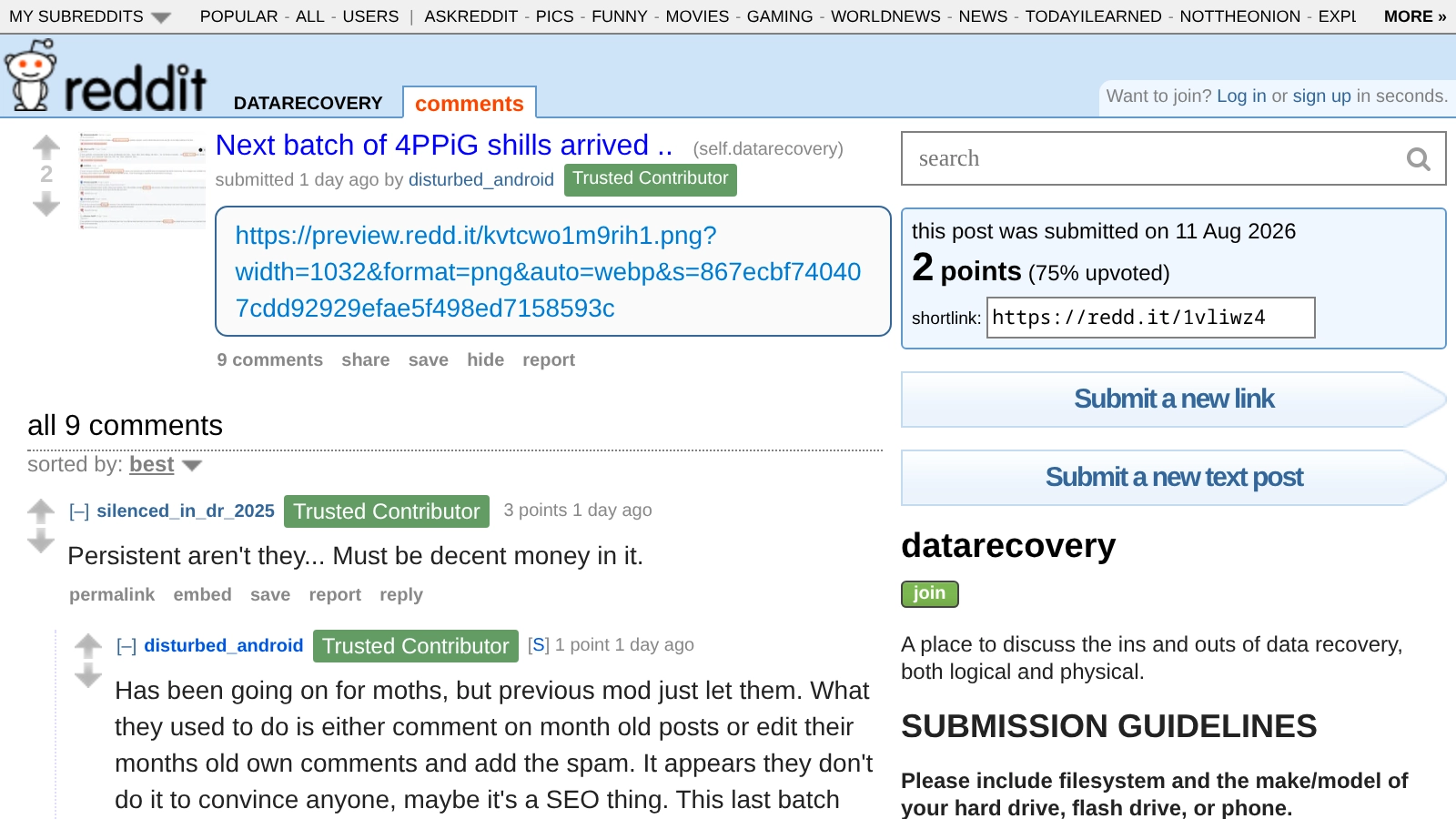
Source: reddit.com/r/datarecovery/comments/1vliwz4/ (plain-text URL). No Wayback snapshot of this thread exists.
Here is my opinion, and you have the same facts I do. Six accounts recommended one product inside roughly six hours, and one of those comments is a sentence a different account had already posted in the same thread 2 hours 50 minutes earlier, reposted with letters doubled inside the words. I do not think that is six people who each independently had a good experience with a file recovery tool. I think it is promotion. I cannot tell you who is behind it, and I am not going to guess in public.
When Does Tenorshare 4DDiG Actually Work?
Tenorshare 4DDiG works for logical file recovery on physically healthy drives. If the storage device is detected by BIOS, makes no abnormal sounds, and the deleted data has not been overwritten or TRIM-erased, the software can locate and recover files by scanning file system metadata and unallocated disk space.
The r/datarecovery comment activity documented in the section above says nothing about whether this software recovers files. 4DDiG performs file system scanning for logical recovery on healthy media, and that capability is real. The problem with those particular comments is where they were posted and what the parent posts described, not that the product exists.
The software scans NTFS Master File Table entries, FAT32 directory structures, HFS+ catalog records, partition tables, and raw sectors for recognizable file signatures. It works when:
- You accidentally deleted files on a healthy drive (no hardware failure)
- You formatted a partition where TRIM has not yet executed (HDDs or SSDs with TRIM disabled)
- The drive is detected by BIOS/UEFI with its correct model number and capacity
- The drive makes no unusual sounds (clicking, beeping, grinding) when powered on
Tenorshare sells multiple products: 4DDiG for desktop drive recovery, UltData for iOS and Android mobile recovery. The desktop tool supports NTFS, FAT32, exFAT, HFS+, and APFS. Licensing is subscription-based with monthly, annual, and lifetime options. The free version limits recovery to a small preview.
In these scenarios, Tenorshare 4DDiG, R-Studio, DMDE, and similar tools are appropriate starting points. Professional lab recovery would be unnecessary overhead for a logical failure on a healthy drive.
How Does Tenorshare Pricing Compare to Professional Lab Recovery?
Tenorshare and professional lab recovery address different failure types and are not interchangeable. Software handles logical failures on healthy drives where the hardware can service read commands. Lab recovery handles hardware failures where the device has broken down, including board-level microsoldering for dead phones that no software can access.
| Service | Tenorshare | Rossmann HDD | Rossmann SSD | Rossmann iPhone |
|---|---|---|---|---|
| Starting price | Subscription-based | From $100 | From $200 | From $500 |
| Diagnostic fee | N/A (software scan) | Free | ||
| Handles hardware failure | No | Yes (head swap, firmware repair, NAND extraction, microsoldering) | ||
| Dead phone recovery | Marketed but non-functional | Yes (board-level microsoldering to restore power path) | ||
| No-data-no-fee guarantee | Money-back (conditions disputed) | No data, no recovery fee | ||
| Published pricing | Yes (software tiers) | Yes, published pricing tiers | ||
Rossmann pricing from published tiers. HDD from $100, SSD from $200, iPhone from $500.
When Should You Use Software vs. a Professional Lab?
Software recovery operates through the operating system's storage interface or USB protocol stack. If the hardware can service read commands and establish a USB handshake, software works. If the hardware has failed (the drive clicks, the phone is dead, or firmware has crashed), no software can extract data. Physical intervention is required.
| Failure Type | Software (Tenorshare, R-Studio, etc.) | Professional Lab |
|---|---|---|
| Accidental deletion (no TRIM) | Functional | Functional |
| Formatted partition (no TRIM) | Functional | Functional |
| Clicking/grinding drive | Destructive (forces dying heads across platters) | Functional (head swap in clean bench) |
| Liquid-damaged phone | Destructive (USB power accelerates corrosion) | Functional (microsoldering required) |
| BitLocker (lost key) | Non-functional | Non-functional |
| SSD deletion (TRIM active) | Non-functional | Non-functional |
For scenarios where both software and lab recovery are functional, software is the more cost-effective path. For hardware failures and dead devices, no software can help. To compare professional alternatives to Tenorshare for hardware failure scenarios, see our detailed alternative page.
What Are the Most Common Questions About Tenorshare 4DDiG?
Common questions about Tenorshare 4DDiG focus on whether the software is safe to install, whether it can recover data from dead phones or factory-reset devices, why antivirus programs flag it as a PUP, and whether refunds are available when recovery fails. The answers depend on the failure type and the device's physical state.
Is Tenorshare 4DDiG safe to use?
Does Tenorshare actually recover data?
Can Tenorshare recover data from a dead iPhone or Android?
Does Tenorshare refund if recovery fails?
Can Tenorshare recover photos after a factory reset?
Is Tenorshare a virus or malware?
Why do antivirus programs flag Tenorshare?
Why do so many Reddit comments recommend 4DDiG?
Are the 4DDiG recommendations on Reddit genuine user reviews?
Does Tenorshare pay people to recommend 4DDiG?
What are the risks of running Tenorshare on a failing drive?
Need Professional Data Recovery?
Free evaluation. No diagnostic fees. No data, no recovery fee. HDD recovery from $100. SSD recovery from $200. iPhone recovery from $500.
Since 2008
Established
As Featured In
Related services