“Five weeks ago, my 10 year old daughter's 5th gen iPad stopped charging. My husband and I suspected a loose connection, but when we took it to Apple, they ran some test and concluded the logic board died. Since the iPad was set up under me when she got it (at the age of 6), I had disconnected her from *my* iCloud. Apple basically couldn't sell me a new iPad because we had no data backup. Based on Apple's recommendation, we sent it to their data recovery partner, DriveSavers, who quoted me $2800 for data recovery due to "widespread corruption" on her logic board. We declined.”
Since 2008 | No Data, No Fee | Nationwide Mail-In | $300–$650
iPhone Data Recovery Services
We recover data from iPhones that won't turn on, have liquid damage, or are not detected by your computer. Our Austin lab performs board-level microsoldering to get your phone working just long enough to safely copy your photos, messages, and contacts. No data = no charge.


How Much Does iPhone Data Recovery Cost?
iPhone data recovery at Rossmann Group costs $300–$450 for pre-X models and $450–$650 for iPhone X and newer. We recover photos, messages, and contacts from dead, water-damaged, and non-responsive iPhones through board-level microsoldering repair. The evaluation is free; if we cannot recover your data, you pay nothing.
Apple does not offer data recovery; their model is device replacement. We repair the logic board just enough for it to boot, enter your passcode, and copy data directly from the encrypted storage. No iCloud or iTunes backup is required.
Most recoveries complete in 2 to 7 business days after evaluation, with difficult cases taking several weeks. DriveSavers charges $3,000 to $4,000+ for the same board-level work. Walk in to our Austin lab or mail your iPhone in from anywhere in the U.S.
What iPhone Recovery Customers Say
“Great service! Walked in last minute after calling in for an estimated price on an ipad and macbookair. Ofcourse i understand things can change once my devices are actually looked at but i liked the fact i could get a quote. This made me actually want to come in. Once at the shop i was greeted and attended to quickly.”
“HIGHLIGHT & CONCLUSION ******Overall I'm having a good experience with this store because they have great customer services, best third party replacement parts, justify price for those replacement parts, short estimate waiting time to fix the device, 1 year warranty, and good prediction of pricing and the device life conditions whether it can fix it or not.”
“It took me a while to write this. I visited this shop with high skepticism trying to have my iPhone fixed while traveling. I was expecting to hear oh you might as well buy a new phone or it will cost $500+ to fix this. I was shocked when I heard that it will cost me $120.88 to fix my phone in short time. well done.”
What happened to your iPhone?
Select your situation below to see how we can help
Water or Liquid Damage
Phone got wet and now won't turn on, or it died days after water exposure. We remove corrosion and repair the power circuits to recover your data.
Typical cost: $300–$650
Phone Won't Turn On
Went dead overnight or won't charge? We diagnose the power circuits and fix just enough to boot it and copy your data safely.
Typical cost: $300–$650
Not Detected by Computer
Phone turns on but iTunes or Finder won't see it? This often points to a charging port or board issue we can fix.
Typical cost: $300–$450
What is iPhone data recovery?
iPhone data recovery is a board-level microsoldering service that repairs a non-booting logic board so the device can power on, pair with its Secure Enclave, and copy photos, messages, and contacts off the encrypted NAND. Software tools like Dr.Fone or UltData require a phone that already boots and talks to USB; they cannot help a dead, water-damaged, or no-image iPhone.
The work is physical, not forensic. For a not-recognized-by-computer fault, a technician replaces the Tristar USB controller IC on iPhone 5 through 7, or the Hydra USB controller IC on iPhone 8 through 14, under a microscope. For water damage, shorted capacitors on the PMIC power rails are located with a FLIR thermal camera and removed with a microsoldering iron or scalpel. Since the iPhone 5s, the SoC, NAND, and EEPROM are cryptographically paired at the factory, so all three chips must move together to a donor board or the encrypted data cannot be decrypted. You also need the device passcode; no commercial tool bypasses Secure Enclave file-based encryption.
At Rossmann Group, iPhone data recovery starts at $300–$450 for pre-X models and $450–$650 for iPhone X and newer, performed in-house at our Austin, TX lab. If we cannot recover your data, you pay nothing.
iPhone Data Recovery Pricing
iPhone data recovery costs $300–$450 for pre-X models and $450–$650 for iPhone X and newer. Complex cases with severe corrosion or broken boards are quoted individually after a free evaluation. You get a firm quote before any work begins.
If recovery turns out easier than expected, you pay less. If we can't recover your data, you pay nothing. See all service pricing for a complete breakdown.
Pre-X iPhones
Older devices without Face ID. Simpler power paths make recovery more straightforward.
$300–$450
iPhone X and Newer
Face ID models with higher integration. More complex board work required.
$450–$650
Complex Cases
Severe corrosion, heavy jumper work, or long screw damage requiring extensive repair.
Quoted after evaluation
Important: Don't repeatedly power on a water-damaged iPhone. Every attempt can worsen corrosion and damage the storage power rails.
Full iPhone Recovery Pricing Breakdown
Pre-iPhone X Models
Standard complexityiPhone 5s through iPhone 8 Plus
Older iPhones without Face ID
$300–$450
2-7 business days after evaluation; difficult cases may take several weeks
Single-layer logic board. Simpler power architecture with separate Tristar or Hydra USB controller IC. Fewer board layers to diagnose.
iPhone X and Newer
Higher complexityMost CommoniPhone X, XR, XS, 11, 12, 13, 14, 15, 16 series
Face ID models with stacked sandwich board design
$450–$650
2-7 business days after evaluation; difficult cases may take several weeks to 2 months
Sandwich board architecture (two PCBs soldered together). Hydra USB controller IC. Higher component density increases diagnostic and repair time.
Complex / Catastrophic Cases
Case-by-caseAny model with severe physical or corrosion damage
Severe corrosion, heavy jumper work, long screw damage, or full CPU/NAND/EEPROM transplant
Quoted after evaluation
Several weeks to 2 months
Board separation, extensive trace reconstruction, donor board transplant of cryptographic triad (SoC + NAND + EEPROM), or multi-fault repair across both sandwich layers.
Requires in-person or mail-in evaluation to scope the repair
Hardware Repair vs. Software Locks
Our "no data, no fee" policy applies to hardware recovery. We do not bill for unsuccessful physical repairs. If we replace a hard drive read/write head assembly or repair a liquid-damaged logic board to a bootable state, the hardware repair is complete and standard rates apply. If data remains inaccessible due to user-configured software locks, a forgotten passcode, or a remote wipe command, the physical repair is still billable. We cannot bypass user encryption or activation locks.
No data, no fee. Free evaluation and no diagnostic charges. Full guarantee details. All work performed in-house at our Austin, TX lab.
How We Recover iPhone Data
iPhone data recovery requires repairing the original logic board, not running software. We use Hakko FM-2032 microsoldering irons and FLIR thermal cameras to locate shorted components on power rails, replace them, and boot the phone so the Secure Enclave can decrypt your files for safe extraction. Evaluation is free.
Most recoveries complete in 2-7 business days after evaluation. Every modern iPhone encrypts its storage using the Secure Enclave inside the SoC, making chip-off extraction impossible. We diagnose shorted power rails, replace failed components through board-level microsoldering, and restore enough board function for the CPU to boot, decrypt the NAND, and copy your data directly.
Our goal is simple: get your phone working just long enough to safely copy your data. We don't restore phones for daily use; we focus entirely on your files.
- 1
Evaluate
We document the symptoms, model, and any prior repair attempts. No charge for evaluation.
- 2
Repair the Board
Microsoldering to replace damaged components, repair traces, and restore power to the storage.
- 3
Copy Your Data
Once stable, we boot the phone, enter the passcode, and safely image all your files.
- 4
Deliver
Your data is copied to a new drive or your own media. We verify key files before delivery.
Read more about our full recovery process.
Why iPhone X and Newer Cost More to Recover
iPhone X and newer boards cost $450–$650 vs. $300–$450 for pre-X models because Apple introduced a sandwich board design: two separate PCBs soldered together with hundreds of micro-connections. Corrosion trapped between those layers requires separating them with controlled heat and specialized tooling before any diagnosis can begin.
The sandwich board houses all major ICs across both layers: the CPU with Secure Enclave, NAND storage, power management IC, and supporting components. Water damage can corrode connections on either layer or between them, requiring layer separation before the fault can even be located.
When a water-damaged iPhone stops working, the corrosion often sits between these two boards where it cannot be reached without separating the layers. A standard cleaning of the outer surfaces does nothing for corrosion trapped between the sandwich. Separation requires controlled heat, specialized tooling, and re-balling the BGA pads after the repair.
Diagnostics on sandwich boards follow a systematic process: inject a known voltage from a DC power supply, measure current draw to identify short circuits, then use component-level testing (diode mode readings, capacitance measurements) to isolate the fault to a specific rail or IC. The goal is to identify exactly which component failed so we can replace it with microsoldering, rather than guessing.
This sandwich architecture is why iPhone X and newer models cost more to recover ($450–$650) compared to pre-X models ($300–$450). The additional board layer adds diagnostic time and repair complexity.
Board-Level Micro-Soldering for iPhone Data Recovery
iPhone recovery requires repairing the original logic board with the SoC, NAND, and EEPROM intact and paired. Those three chips form a cryptographic triad at the factory; removing any one breaks the encryption key chain permanently. Microsoldering to repair the board, boot the device, and copy files from the running phone is the only viable recovery path.
iPhone data recovery is different from hard drive or SSD recovery. Three chips on the logic board form a cryptographic triad: the System-on-Chip (SoC) containing the Secure Enclave, the NAND storage, and the EEPROM. These three components are paired at the factory. The Secure Enclave inside the SoC holds the hardware key that decrypts the NAND; the EEPROM stores calibration and pairing data that the SoC checks during boot. Remove any one of the three, and the encryption key chain breaks permanently.
This is why "chip-off" does not work on modern iPhones. A competitor can desolder the NAND and read its raw contents, but every byte is AES-256 encrypted. Without the paired SoC and its Secure Enclave, that data is indistinguishable from random noise. The only viable recovery path is to repair the original logic board to a bootable state using micro-soldering, enter the passcode, and copy files from the live device.
Catastrophic Damage: CPU, NAND, and EEPROM Transplant
When the original logic board is physically snapped, burned, or corroded beyond trace-level repair, standard micro-soldering cannot restore it. In these cases, the recovery path is a full component transplant: the SoC (with Secure Enclave), NAND storage chip, and EEPROM are desoldered from the damaged board and transplanted onto a matching functional donor board. All three chips must transfer successfully because they are cryptographically paired; if the SoC is cracked or the EEPROM is lost, the data is permanently locked. This procedure requires thermal profiling to avoid damaging the silicon die inside the SoC during removal.
Hydra and Tristar: The USB Controller ICs
When an iPhone charges but is not recognized by iTunes, Finder, or any data recovery software, the fault is often the USB controller IC on the logic board. On models before the iPhone 8, this is the Tristar IC. On iPhone 8 and newer, it is the Hydra IC (U6300). A power surge from a damaged cable or third-party charger can destroy the IC, severing the data handshake between the phone and the computer. The phone still draws current (it appears to charge), but no USB data passes through. Replacing the Hydra or Tristar IC via micro-soldering restores the data line and allows normal file access.
A-Series SoC Generations and Recovery Complexity
Each Apple SoC generation changes the board layout. The A16 Bionic (iPhone 14 Pro) uses a Lightning-based USB 2.0 data path routed through the Hydra IC. The A17 Pro (iPhone 15 Pro) integrates a USB 3.2 Gen 2 controller capable of 10 Gbps directly into the SoC, with USB-C data lines routed differently on the board. Diagnosing a "not recognized by computer" fault on an A17 Pro requires different schematic references and diode mode readings than the same symptom on an A16 Bionic device. The core requirement remains identical across all generations: the SoC and its Secure Enclave must be functional to decrypt the NAND. If the SoC is physically destroyed, recovery is not possible, and you pay nothing.
Each generation introduces different board layouts, but the core procedure for data recovery for iPhones remains the same: diagnose the power fault, repair the board with microsoldering, boot the device, and copy files from the running system.
Board-Level Failure Modes on iPhone Logic Boards
Most iPhone data recovery failures trace to one of four IC families: the charging controller (Tristar, Tigris, or Hydra), the audio codec, the baseband subsystem, or the NAND package. Each has a characteristic symptom pattern and a specific rework procedure performed on Hakko FM-2032 irons, an Atten 862 hot air station, and a Zhuo Mao BGA rework station at our Austin lab.
The work happens at 2410 San Antonio Street in Austin. Pricing stays at $300–$450 for pre-iPhone X boards and $450–$650 for iPhone X and newer sandwich boards; the procedure below is what the price covers.
Tristar, Tigris, and Hydra: Three Charging IC Generations
Apple has shipped three distinct charging controller ICs across the iPhone line, and the fault signature differs for each. The Tristar IC (CBTL1608 family, board reference U2) runs on iPhone 5 through iPhone 6s and handles Lightning data plus USB power negotiation on a single die. Tigris (reference U4001 on iPhone 7 and 7 Plus) splits the charging and data functions into separate blocks; a blown Tigris commonly reads as a short on VBUS with the phone drawing 400-500 mA at idle. Hydra (U6300) ships on iPhone 8 and every model after, routes the USB 2.0 data lines through the SoC rather than a discrete USB PHY, and fails in a way that looks like a charging fault but is actually a data-handshake fault.
The reason this matters for data recovery: if a phone charges but isn't detected by iTunes or Finder, the fault is almost always the charging IC rather than the NAND. We confirm by measuring pin 7 (USB_DP) and pin 8 (USB_DM) against known-good reference voltages on a bench DC supply. If those lines float, we remove the Tristar, Tigris, or Hydra with the Atten 862 set to a programmed reflow profile, reball the BGA pads, and solder a replacement using the Zhuo Mao station. That restores the data line without touching the encrypted NAND, which is how data recovery software fails on these devices: the software never sees the phone because the USB subsystem itself is dead before any handshake can occur.
Audio IC Cold Solder on iPhone 7 and 7 Plus
The iPhone 7 and 7 Plus ship with a documented reliability defect in the audio codec IC (U3101 on the 7, U3500 on the 7 Plus). Normal chassis flex during everyday use propagates into the board underneath the audio IC and fatigues the solder joints on the BGA pads over 12 to 24 months. Customers see the symptom as a grayed-out voice memo recorder, no microphone audio on phone calls, and a Bluetooth audio icon that refuses to connect. Apple's service answer is board replacement at flat-rate cost, which destroys the data because the NAND is paired to the original logic board.
The recovery path: we preheat the board on the Atten 862 preheater, remove the audio IC with hot air, clean the pads with flux and braid, reball the package on the stencil, and reflow the IC back in place with a programmed thermal profile that compensates for the underfill. This repair doesn't touch the cryptographic pairing between the SoC, NAND, and EEPROM. Once audio is back online, we boot the phone, enter the passcode, and copy your photos and messages. For a phone that was bootlooping on top of the audio fault, we diagnose the secondary cause on the same visit.
Baseband Reflow for No-Service and Water-Damaged Phones
A $450–$650 recovery on an iPhone X or newer often involves the baseband subsystem when the phone has taken liquid damage. The baseband CPU varies by generation and carrier. iPhone X, XS, XR, and most iPhone 11 units ship with Intel XMM basebands (XMM7480 on X/XS, XMM7660 on 11); Apple moved the entire line to Qualcomm Snapdragon X55 (SDX55M) on iPhone 12, X60 (SDX60M) on iPhone 13 and 14, and X71 (SDX71M) on iPhone 15. The baseband CPU and its companion baseband PMIC (Infineon PMB-series for Intel basebands, Qualcomm PMX-series for Snapdragon basebands) sit on the bottom layer of the sandwich board. Corrosion under either package creates a short on the VDD_CORE_RF rail; the phone then boots to the Apple logo, displays No Service, and drains the battery in under an hour.
Recovery starts with ultrasonic cleaning to halt active corrosion. We then separate the two sandwich layers on the Zhuo Mao rework station using an underfill-safe profile, inspect the baseband underfill for residue, and reflow the baseband CPU back onto clean pads. A baseband reflow isn't a chip swap; the same silicon goes back onto the original pads once the underfill is cleared and the joints are remade. That preserves the radio calibration data in EEPROM, which is why the phone returns to service after the repair. If the baseband CPU itself has died (rare, usually from a direct short), the recovery path changes to water-damage data copy only; cellular service isn't restored because the baseband CPU is paired to the SIM tray and the SoC at manufacture.
NAND Reball vs Chip Swap on Face ID Devices
On iPhone 8 and every model since, the NAND package is cryptographically paired to the Secure Enclave inside the SoC at the point of manufacture. A chip-off recovery (pulling the NAND and reading the raw flash on a programmer) cannot work on these devices because the AES-XTS master key lives inside the Secure Enclave; the raw bytes read from the NAND are ciphertext with no recoverable plaintext. The NAND has to stay paired with the original SoC for the encryption chain to hold.
The recovery procedure we use is a reball, not a swap. If the NAND package has lifted from the pads after a drop or water damage, we remove it with hot air on the Atten 862, clean the BGA pads on both the chip and the board, reball the same package on a stencil, and reflow it back down. The NAND never leaves the original board. That keeps the cryptographic triad of SoC, NAND, and EEPROM intact and lets the phone decrypt user data after boot. A competitor who swaps the NAND to a donor chip has broken the pairing; the phone will boot but the data partition will fail to mount, and no software can rebuild the destroyed key. If the SoC itself is physically broken and a full triad transplant is required (SoC, NAND, EEPROM to a donor board), recovery moves into the complex tier at quoted after evaluation. If any one of the three chips is destroyed beyond transplant, the data is unrecoverable and you pay nothing.
Turnaround on a standard board-level repair is 2-7 business days after evaluation, with multi-fault cases taking several weeks.
Why Choose Rossmann for iPhone Data Recovery?
Rossmann Group performs all iPhone board-level microsoldering in-house at our Austin, TX lab. Founded in 2008, we have 4.9 stars across 1,837+ Google reviews and have filmed hundreds of board-level recoveries on YouTube. There are no middlemen: the technician diagnosing your phone is the same person repairing it.
iPhone data recovery requires board-level repair skill, not magic software. We do all the work in-house at our Austin lab using the same techniques we teach to millions on YouTube.
Board-Level Expertise
Microsoldering, PMIC diagnostics, and trace repair. Real engineering, not software tricks.
Transparent Pricing
Upfront price ranges, free evaluation. No data recovered means no payment.
Nationwide Mail-In
Ship from anywhere in the U.S. Clear instructions and fast turnaround.
Proven Track Record
2.49M+ YouTube subscribers. 4.9 star average across 1,837+ reviews.
What Makes Us Different
Why iPhone Data Recovery Is Different
iPhone data recovery has no overlap with hard drive or SSD recovery. Every byte of user data is AES-256 encrypted by the Secure Enclave inside the SoC, and the decryption key is permanently tied to the original paired hardware. The only viable path is to repair the logic board to a bootable state, then enter the passcode to access your files.
iPhone data recovery has nothing in common with hard drive recovery. With a mechanical hard drive, technicians can image the platters. With a non-encrypted solid-state drive, technicians can sometimes read the NAND chips directly. Many modern SSDs use hardware encryption by default, which complicates direct NAND access. With an iPhone, no commercially viable method exists to do this.
Encryption challenges:
Every iPhone since the 5s relies on hardware-level Data Protection tied to the Secure Enclave coprocessor. The complete decryption chain requires the original paired NAND storage, the System-on-Chip (SoC) housing the Secure Enclave, and the user's passcode. Because of this cryptographic binding, traditional "chip-off" data extraction by desoldering just the storage chip is impossible; if the main SoC is physically fractured or destroyed, the keys are lost forever.
This means there is exactly one path to your data: repair the logic board enough to boot the phone, enter the passcode, and copy the files directly from the running device. That is board-level microsoldering work; not software, not "chip-off," and not magic.
- Secure Enclave
- A dedicated security coprocessor inside the iPhone's main chip. It stores encryption keys and handles passcode verification. If the Secure Enclave is physically destroyed, the data cannot be decrypted.
- NAND Storage
- The flash memory chip that holds all user data: photos, messages, contacts, and app data. NAND is durable and typically survives drops, water, and power failures. The data is encrypted at rest.
- Logic Board
- The main circuit board containing the CPU, Secure Enclave, NAND, power management IC (PMIC), and all supporting components. Board-level repair means diagnosing and replacing individual components on this board using a microscope and microsoldering iron.
- Microsoldering
- Soldering individual components (capacitors, resistors, ICs) on a circuit board under a microscope. In catastrophic data recovery, this extends to repairing severed internal copper traces, reconstructing ripped BGA mounting pads, and reballing critical chips on severely fractured logic boards. This is the core skill that separates board-level data recovery from standard phone repair.
| Model Family | Encryption | Supported |
|---|---|---|
| iPhone 5s - 8 Plus | Secure Enclave | Yes |
| iPhone X - 11 Series | Secure Enclave | Yes |
| iPhone 12 - 14 Series | Secure Enclave | Yes |
| iPhone 15 - 16 Series | Secure Enclave | Case-by-case |
This is why your passcode is required, why software tools cannot help, and why Apple's "replace the whole phone" approach means they cannot recover your data.
Data Recovery Software Will Not Help a Dead iPhone
Software tools like Dr.Fone, UltData, and PhoneRescue require the iPhone to be powered on and communicating over USB. If your phone is dead, water-damaged, or not detected by your computer, no software can reach the encrypted storage. Board-level microsoldering to repair the power circuits is the only path forward.
If you search "iPhone data recovery," you will find dozens of ads for software recovery tools like Dr.Fone, UltData, and PhoneRescue. These programs only work on phones that are already functioning. They scan iTunes or iCloud backups, or communicate with a working phone over USB. If your iPhone is dead, water-damaged, or won't turn on, no software on earth can reach the data.
Software Tools
- Require a phone that powers on and connects via USB
- Read from iTunes/iCloud backups you already have
- Cannot access encrypted storage on a dead device
- Typically $50-$100 for software that does nothing useful
Board-Level Repair
- Works on phones that are dead, water-damaged, or broken
- Repairs the hardware so the phone boots again
- Accesses data directly from the running device
- The only method that works for physically damaged iPhones
Save your money. If your phone won't turn on, no download will fix that.
Apple Does Not Offer Data Recovery
Apple does not do board-level repair. Their service model is to swap the entire phone, which means your data stays on the old board and goes in the bin. Board-level repair labs routinely recover data Apple says is lost, because the storage chip inside your iPhone is durable; in most cases the data is still there.
Apple's "unrecoverable" verdict means Apple cannot do it, not that it cannot be done. Board-level repair specialists recover data Apple says is lost. The phone cannot access the data because of a failed power circuit, corroded connector, or damaged trace. Apple does not have the tools or business model to repair those faults.
Before you accept "unrecoverable": If Apple, a local repair shop, or another lab told you recovery is not possible, get a second opinion from a board-level repair specialist. "We can't do it" is not the same as "it can't be done."
If you also have a dead Mac, we provide board-level MacBook data recovery and SSD data recovery.
What To Do Right Now
If your iPhone just died or got wet: stop powering it on, and do not put it in rice. Every power-on attempt on a water-damaged phone can short corroded circuits and destroy components needed for recovery. Get it to a board-level lab as fast as possible; time is the biggest factor in water damage outcomes.
If your iPhone just stopped working or got wet, follow these steps immediately.
Stop trying to turn it on
Every power-on attempt on a water-damaged phone can short corroded circuits and destroy components needed for recovery. If it fell in water, do not plug it in and do not press the power button.
Do not put it in rice
Rice does not fix corrosion. Water wicks under shielding and corrodes microscopic components on the logic board. Drying the outside does nothing for the damage already happening inside. Rice wastes time while corrosion spreads.
Do not try data recovery software
Software requires a working phone connected via USB. It cannot communicate with a dead device. Downloading software will not help and you will waste money.
Contact a board-level repair lab
The sooner a technician opens the phone, cleans the board, and stops the corrosion, the better your chances. Time is the biggest factor in water damage recovery. Contact us for a free evaluation or ship it to our lab.
First Aid for a Water-Damaged iPhone
If your phone just got wet, follow these steps in order.
- 1
Do NOT plug it in or charge it
Plugging a wet phone in causes rapid electrolysis that destroys board components and traces. Leave the cable out.
- 2
Power off and dry the exterior
Power it off immediately and dry the outside thoroughly with a towel.
- 3
Do NOT open the SIM tray yet
If the phone is dripping wet, opening the SIM tray breaks the water seal and channels water directly onto the logic board. Wait until the exterior is fully dry.
- 4
Skip the rice and hairdryers
Rice does nothing to clean corrosion under BGA chips. Heat from hairdryers damages the battery. Neither reaches the actual damage inside.
- 5
Send to a board-level repair lab
Ultrasonic cleaning is the only method that reaches corrosion under BGA chips and RF shields. Contact us or ship it today.
For a detailed explanation of each step, read our full water damage recovery guide.
Water Damage Diagnostics: Power Rail Short Circuits on iPhone Logic Boards
Liquid does not destroy data directly; it creates short circuits on the logic board power rails that prevent the CPU from booting. The most common failure is a short to ground on VDD_MAIN. We identify the shorted component using a FLIR thermal camera and remove it with a Hakko FM-2032 iron to restore normal current draw.
When water bridges two exposed pads under an RF shield, the resulting electrolytic corrosion creates a direct path to ground that drains the battery and collapses the voltage feeding the Power Management IC (PMIC). Without stable VDD_MAIN, the PMIC cannot generate the secondary step-down voltages required to power the CPU and NAND.
Our diagnostic procedure: after confirming a short using a multimeter in diode mode, we inject a low, current-limited voltage directly onto the shorted rail, bypassing the battery connector to prevent the charging MOSFET from absorbing the heat and masking the fault. We then use a thermal camera to identify the specific surface-mounted ceramic capacitor that is conducting to ground. Removing that shorted component with a microsoldering iron restores normal current draw and allows the PMIC to sequence the power rails. Once VDD_MAIN and VDD_BOOST are stable, the CPU initializes the Secure Enclave, mounts the encrypted NAND, and the phone boots to the passcode screen.
Software tools like Dr.Fone and Tenorshare instruct users to plug wet phones into a computer via USB. This sends 5V through the Hydra IC into a board with active liquid bridging, accelerating the very electrolytic corrosion that is already destroying components. The hard drive data recovery industry has similar misconceptions; users run consumer software on failing mechanical drives instead of seeking professional board-level diagnosis first.
What iPhone Data Recovery Actually Costs
iPhone data recovery at an independent board-level lab costs $300–$650. DriveSavers charges $3,000 to $4,000+ for the same microsoldering work. The price gap reflects overhead from marketing, Apple referral commissions, and a legacy pricing model built for hard drives, not electronics repair.
Pricing in this industry varies wildly because some companies use "value-based pricing"; they charge based on how desperate you are, not what the work actually costs. Here is what you can expect.
| DriveSavers | Rossmann Group | |
|---|---|---|
| iPhone Recovery | $3,000 - $4,000+ | $300–$650 |
| Evaluation Fee | Free (cursory; no board diagnostics) | Free (full board-level inspection) |
| Who Does the Work | Varies; some outsource | In-house, Austin lab |
| Talk to Technician | Usually a salesperson | Yes, directly |
| Repair Process on Video | "Proprietary methods" | Streamed on YouTube |
Ontrack (formerly Kroll Ontrack) is another large lab Apple refers to. Their single-device recovery pricing typically starts around $900. Like DriveSavers, their core expertise is hard drives and enterprise storage, not iPhone board-level microsoldering. See our full comparison of alternatives to DriveSavers.
Why the gap? It comes down to overhead, pricing models, and what their "evaluation" actually involves. Read our detailed breakdown.
Why DriveSavers Charges $3,000+ for iPhone Recovery
DriveSavers is a hard drive recovery lab whose pricing model was built for platter work, where they charge based on percentage of data recovered. iPhone recovery is nearly all-or-nothing because data is cryptographically bound to the main processor, so DriveSavers charges the top of their range for any recoverable iPhone, plus Apple referral commissions and national advertising overhead.
Why Percentage Pricing Doesn't Work
iPhone data recovery requires advanced component-level repair to restore power to the encrypted storage subsystem. Because the data is cryptographically bound to the main processor, a successful board repair typically allows the processor to decrypt and mount the entire user partition; in practice, recovery is nearly all-or-nothing. Partial recovery scenarios are rare but possible with filesystem damage or NAND degradation. DriveSavers' percentage-based model means they charge the top of their quote range for any recoverable iPhone, because the recoverable percentage is nearly always complete.
Their "Free Evaluation" Often Skips Board Diagnostics
DriveSavers' free evaluations frequently do not involve opening the phone or performing board-level diagnostics. This leads to situations where they quote thousands of dollars for problems that turn out to be straightforward hardware fixes. Documented examples include:
$2,800 DriveSavers quote
Actual problem: a bad screen. A screen replacement fixed the phone and recovered all data.
Source: "How to Replace an iPhone Screen for $2800" Jessa Jones, iPad Rehab
$3,500 DriveSavers quote
Actual problem: also a bad screen. Apple had damaged the phone during a prior repair. The phone was fully functional once the screen was replaced.
Source: "Apple BROKE Megan's Phone. I lose my mind." Jessa Jones, iPad Rehab
$900 - $2,000 DriveSavers quote
Actual problem: a broken screen. A local repair shop fixed the phone for a fraction of the cost.
Source: "An Important Message About DriveSavers" Louis Rossmann
For more context on Apple's stance toward independent repair, see Jessa Jones on Apple's ban of independent data recovery.
When an evaluation does not include opening the phone and inspecting the board, the technician cannot tell you what is actually wrong. They give a range quote that covers every possible scenario, and the customer pays for the worst case even when the actual problem is simple.
The Apple Referral Pipeline
Apple refers customers to DriveSavers because Apple does not do board-level repair themselves. Apple Store employees hand out DriveSavers cards at the Genius Bar when they cannot help. This is a business referral arrangement, not a technical endorsement. It does not mean DriveSavers is the best or most cost-effective option for iPhone recovery specifically.
"Unrecoverable" Does Not Always Mean Unrecoverable
Multiple independent labs have successfully recovered data from devices that DriveSavers declared unrecoverable. "Unrecoverable" sometimes means "we do not have the microsoldering capability to fix this specific board issue." DriveSavers is a hard drive lab. Their strength is platters, RAID arrays, and enterprise storage. iPhone board-level repair requires a different skill set entirely.
A note on marketing imagery: DriveSavers' website has featured photos of technicians working on the baseband power management chip on an iPhone X lower board. That chip is not required for the iPhone to boot for data recovery. The entire lower board of the iPhone X does not contain user data and is irrelevant to iPhone data recovery.
What DriveSavers Charges vs. What the Problem Actually Was
Louis Rossmann breaks down a real case where DriveSavers quoted $900-$2,000 for an iPhone that needed a screen replacement. The customer found a local shop that fixed the phone for a fraction of the cost.
Full breakdown and discussioniPhones Do Not Need a Cleanroom for Data Recovery
Cleanrooms are required for hard drive head swaps, where a single dust particle on an exposed platter destroys data. iPhones store data on a NAND flash chip soldered to a sealed board; there are no spinning platters. iPhone recovery is board-level electronics repair requiring a microscope, microsoldering station, and multimeter, not a cleanroom.
Some data recovery companies advertise "Class 100 cleanroom" or "ISO 5 cleanroom" environments for iPhone recovery. This terminology applies to hard drive data recovery, where spinning magnetic platters and mechanical read/write heads are exposed during the repair process. A single dust particle on a platter surface can destroy data. That is why laminar-flow clean benches with ULPA filtration matter for HDDs.
iPhones have no spinning platters, no mechanical heads, and no exposed read/write surfaces. Data is stored on a NAND flash chip soldered to the logic board. iPhone data recovery is board-level electronics repair: diagnosing shorted power rails, replacing corroded capacitors and ICs, and restoring power to the encrypted storage subsystem. The tools required are a microscope, microsoldering station, DC power supply, and multimeter. Not a cleanroom.
When a company advertises cleanroom iPhone recovery, they are applying hard drive marketing to a solid-state device. The cleanroom adds nothing to the repair process. It does, however, add to the price.
How to Choose an iPhone Data Recovery Service
The key question is whether the shop does board-level microsoldering in-house or ships your phone to a third party. Many services are middlemen who add a markup and return your phone weeks later. Before sending your device anywhere, ask these five questions.
Do you do board-level repair in-house?
If they outsource it, you are paying a middleman. Ask where the actual work happens.
Can I talk to the technician who will work on my phone?
At big labs, you talk to a salesperson. A good shop lets you talk to the person doing the repair.
What does your 'free evaluation' actually include?
Some companies look at the outside of the phone and give a range quote. A real evaluation means opening the phone and inspecting the board.
What is your actual price range for my model?
If they won't give you a range until they have your phone, that is a red flag. Legitimate shops can give you a ballpark based on model and symptoms.
Can I see examples of your work?
Ask for videos, case studies, or reviews showing actual board-level repair. Transparency is the best trust signal.
Watch Real iPhone Data Recoveries
We stream our repair work on YouTube so you can see exactly what we do. No "proprietary methods"; just skill, experience, and a microscope.
Water Damage Recovery
Board-level repair of an iPhone 6S Plus after liquid damage. Power rail diagnosis, corrosion cleanup, and successful data extraction.
Full breakdown and transcriptDead Logic Board Recovery
Complete walkthrough of recovering data from a completely dead iPhone. Short circuit diagnosis, capacitor-level repair, and successful boot for data extraction.
Full breakdown and transcriptSupported iPhone Models
Our Austin lab performs data recovery for every iPhone generation Apple has released, from the iPhone 5s through the iPhone 16 series. Pre-X models use a single-layer board and cost $300–$450. iPhone X and newer use a sandwich board design and cost $450–$650. All models use Secure Enclave encryption; your passcode is required for every recovery.
Our Austin lab performs data recovery for iPhone models across every generation Apple has released. Because Apple changes the logic board architecture between generations, each model family requires different schematic references and diagnostic procedures during board-level repair.
| Model Family | Board Type | Price Range |
|---|---|---|
| iPhone 16, 16 Plus, 16 Pro, 16 Pro Max | Sandwich board, USB-C | $450–$650 |
| iPhone 15, 15 Plus, 15 Pro, 15 Pro Max | Sandwich board, USB-C | $450–$650 |
| iPhone 14, 13, 12 series (all variants) | Sandwich board, Lightning | $450–$650 |
| iPhone 11, X, XS, XS Max | Sandwich board, Lightning | $450–$650 |
| iPhone XR | Single-layer board, Lightning | $450–$650 |
| iPhone 8, 8 Plus, 7, 7 Plus, SE (all gen) | Single-layer board, Lightning | $300–$450 |
| iPhone 6s, 6s Plus, 6, 6 Plus, 5s | Single-layer board, Lightning | $300–$450 |
All models listed above use Secure Enclave encryption. The user passcode is required for every recovery. Pre-X models use a single-layer logic board with simpler power architecture, which is why they cost less. Most iPhone X-era and newer models use Apple's sandwich board design with two PCBs soldered together, adding diagnostic time and repair complexity. The iPhone XR and SE series are exceptions that use single-layer boards despite their newer release dates. See our full pricing page for details.
Technical Details
For those who want to understand what actually goes wrong and how we fix it. Click to expand each section.
Long Screw Damage (LSD)
Phone died after a screen repair? Wrong screw length can sever internal traces.
Long Screw Damage (LSD)
Phone died after a screen repair? Wrong screw length can sever internal traces.
Long screw damage happens when an over-length screw is driven into the standoff near the display connector. It drills through inner PCB layers and cuts traces for image, touch, or boot-critical nets.


Our fix: Remove torn copper, reconstruct the path with micro-jumpers, protect with conformal coating, then stabilize for data imaging.
Apple Says Recovery Isn't Possible
Why Apple support says no, and why they're wrong.
Apple Says Recovery Isn't Possible
Why Apple support says no, and why they're wrong.
Apple's service model is device replacement, not board-level repair. They don't offer data recovery because their business model doesn't include component-level work.
iPhone storage is hardware-encrypted to the CPU and Secure Enclave, so "chip-off" reads won't work. The only path to your data is to repair the logic board enough to boot, enter the passcode, and export your files.

Board-level repair labs like ours routinely recover data Apple says is lost.
Why "Rice" and Drying Don't Work
Water corrodes components under shields. Drying doesn't fix electrical damage.
Why "Rice" and Drying Don't Work
Water corrodes components under shields. Drying doesn't fix electrical damage.
Water wicks under RF shields where it corrodes capacitors and IC pins on critical power lines. That's why "rice" or simple drying fails. The corrosion causes electrical shorts that prevent the phone from booting.

Proper treatment: Remove shields, ultrasonic clean the board, diagnose and repair damaged power paths, then boot long enough to copy your data.
Common iPhone Restore Error Codes
iTunes and Finder error codes during restore indicate the specific hardware or software fault preventing recovery. Hardware-based errors like 4013 and 4014 require microsoldering. Storage-based errors like 1110 and 14 require specialized software techniques to free partition space without erasing user data.
When iTunes or Finder fails to restore your device, it throws an error code. Codes like Error 4013 usually indicate a hardware fault on the logic board, requiring physical microsoldering to repair. Error 1110 is a different category entirely: it is a logical partition exhaustion issue where the phone ran out of storage space during an iOS update and cannot boot. Error 1110 recovery relies on specialized software exploit techniques to free partition space and rebuild the filesystem without wiping user data, not on hardware repair.
Common iPhone Error Codes in iTunes and Finder
These error codes appear when iTunes or Finder fails to restore your iPhone. Each one points to a specific hardware or storage problem that software cannot fix.
Error 14
Most commonly a storage-full bootloop during an iOS update. Can also be caused by USB faults or corrupt firmware. A standard restore will wipe your data.
Error 14 recovery detailsError 1110
Storage exhaustion during an iOS update prevents the restore from completing. The data partition is full and the phone cannot boot. Specialized tools can clear space without erasing your data.
Error 1110 recovery detailsError 4013
On FaceID iPhones, most commonly caused by liquid damage to the earpiece speaker flex or ambient light sensor shorting the I2C line. Physical hardware isolation or microsoldering is required to clear the short so the CPU can communicate and boot.
Error 4013 recovery detailsError 4014
While related to Error 4013, Error 4014 usually occurs earlier in the boot sequence and points to a more severe low-level hardware failure, such as a communication break between the CPU and NAND or RAM.
Error 4014 recovery detailsBoot Loop
Phone restarts every few minutes or is stuck on the Apple logo. Causes range from software corruption to missing sensor detection to ear speaker flex damage on Face ID models.
Boot loop recovery detailsWater Damage
Liquid exposure causes corrosion on power rails, PMIC pins, and BGA pads. The phone may die immediately or days later as corrosion spreads under RF shields. Board-level ultrasonic cleaning and microsoldering are required.
Water damage recovery guideStuck in DFU Mode
The phone boots straight to a black screen (DFU mode) and cannot load firmware. Usually indicates a NAND communication failure: loose resistors near the storage chip, a shorted power rail, or ripped pads underneath the NAND.
DFU mode recovery detailsStop the restore attempts. Each failed restore attempt risks permanently destroying access to your data. Contact us for a free evaluation before trying again.
iPhone Recovery by Problem Type
Each failure type has a different diagnostic path and repair approach. Find your specific problem below for detailed technical information.
Won't Turn On
No screen, no response. DCPS current draw analysis identifies shorted capacitors, failed Tristar/Tigris ICs, and PMIC faults.
Boot Loop
Apple logo appears then restarts. Caused by missing sensors on aftermarket flex cables, software corruption, or hardware faults.
Water Damage
Ultrasonic cleaning, shield removal, and microsoldering to repair corroded power circuits after liquid exposure.
NAND / DFU Mode
Stuck in DFU mode. NAND area resistor replacement, PP3V0_NAND rail repair, and micro-jumper wire repair for ripped pads.
Error 4013 / 4014
Restore failure from I2C shorts. Usually liquid damage to the earpiece flex cable on FaceID models.
Error 14
Storage full during iOS update. Specialized tools clear space on the data partition without wiping your photos or messages.
Error 1110
Storage exhaustion during restore. Same root cause as storage-full Error 14 but with a different error code path.
Frequently Asked Questions
Quick answers to common questions. Click any question to see the full answer.
Can you get data off a dead iPhone?
Can you recover data from a water-damaged iPhone?
Can I recover data without a backup?
Can Apple recover my data?
What if my phone died after a screen repair?
How long does recovery take?
What if you cannot recover my data?
Do I need to know my passcode?
How much does iPhone data recovery cost?
Does data recovery software work on a dead iPhone?
What should I do if my iPhone gets wet?
Can data be recovered from an iPhone that was in water for days?
Is iPhone data recovery worth it?
Why does Apple say data recovery is not possible?
What is the difference between a big lab and an independent repair shop?
Is DriveSavers worth it for iPhone data recovery?
Why is DriveSavers so expensive for iPhone recovery?
Are there cheaper alternatives to DriveSavers for iPhone data recovery?
Why did my iPhone data recovery software fail?
Can a data recovery company remove the memory chip from my iPhone to get data?
Why won't my computer recognize my dead iPhone for data recovery?
Does the iPhone 15 Pro USB-C port change the data recovery process?
Can I use data recovery software on a water-damaged iPhone?
Why do competitors charge $3,000+ for iPhone data recovery when you charge $300–$650?
What is an iPhone data recovery service?
Can you recover data from a physically broken iPhone?
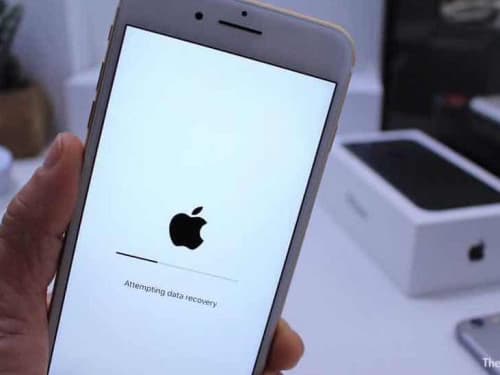
My iPhone screen says 'Attempting Data Recovery' during an iOS update. What does this mean?
Can you recover deleted photos or text messages from an iPhone?
Is there an iPhone data recovery service near me?
How does data recovery work for an iPhone with water damage?
Can you fix an iPhone 7 with no audio or a grayed-out microphone?
My iPhone says No Service after water damage; can you still recover the data?
Secure Mail-In from Anywhere in the US
1 Business Day
FedEx Priority Overnight delivers to Austin by 10:30 AM the next business day from most US addresses.
- New York City 1 Business Day
- Los Angeles 1 Business Day
- Chicago 1 Business Day
- Seattle 1 Business Day
- Denver 1 Business Day
Fully Insured
Use FedEx Declared Value to cover hardware costs. We return your original drive and recovered data on new media.
Packaging Standards
- ✓Use the box-in-box method: float a small box inside a larger box with 2 inches of bubble wrap.
- ✓Wrap the bare drive in an anti-static bag to prevent electrical damage.
- ✗Do not use packing peanuts. They compress during transit and allow heavy drives to strike the edge of the box.
Hardware Repair vs. Software Locks
Our "no data, no fee" policy applies to hardware recovery. We do not bill for unsuccessful physical repairs. If we replace a hard drive read/write head assembly or repair a liquid-damaged logic board to a bootable state, the hardware repair is complete and standard rates apply. If data remains inaccessible due to user-configured software locks, a forgotten passcode, or a remote wipe command, the physical repair is still billable. We cannot bypass user encryption or activation locks.
Data Recovery Standards & Verification
Our Austin lab operates on a transparency-first model. We use industry-standard recovery tools, including PC-3000 and DeepSpar, combined with strict environmental controls to make sure your hard drive is handled safely and properly. This approach allows us to serve clients nationwide with consistent technical standards.
Open-drive work is performed in a ULPA-filtered laminar-flow bench, validated to 0.02 µm particle count, verified using TSI P-Trak instrumentation.
Transparent History
Serving clients nationwide via mail-in service since 2008. Our lead engineer holds PC-3000 and HEX Akademia certifications for hard drive firmware repair and mechanical recovery.
Media Coverage
Our repair work has been covered by The Wall Street Journal and Business Insider, with CBC News reporting on our pricing transparency. Louis Rossmann has testified in Right to Repair hearings in multiple states and founded the Repair Preservation Group.
Aligned Incentives
Our "No Data, No Charge" policy means we assume the risk of the recovery attempt, not the client.
Technical Oversight
Louis Rossmann
Louis Rossmann's well trained staff review our lab protocols to ensure technical accuracy and honest service. Since 2008, his focus has been on clear technical communication and accurate diagnostics rather than sales-driven explanations.
We believe in proving standards rather than just stating them. We use TSI P-Trak instrumentation to verify that clean-air benchmarks are met before any drive is opened.
See our clean bench validation data and particle test videoReady to recover your iPhone data?
Get a free evaluation and honest assessment of your recovery chances. No data, no fee.