“My story isn't much different than anyone else on here leaving a Rossmann review, but I feel compelled to write all this anyway. After importing 14GB of RAW photos from my brand new camera to my 13" MBP (A2338), I started to excitedly sift through my gorgeous sunset photos in Lightroom. After 5 minutes of editing, my MacBook died. Wouldn't turn on, wouldn't charge, wouldn't make any sound. It's always been well taken care of and I was dumbfounded as to why this happened. Absolutely clueless as to what to do next, I took it to the "Genius Bar".”
MacBook Data Recovery
Dead MacBook? Liquid spill? 'Not turning on'? We recover data from soldered-SSD MacBooks by performing safe, in-house board-level work. Free estimate, and no data = no charge.


What MacBook Data Recovery Customers Say
“I used their mail-in service and followed their simple instructions on how to send it it. First fill out a form, then you get a ticket number and write it down and put it in the box you ship the device in. Few days later from delivery I got an email indicating diagnosis was beginning.”
“I just got my Macbook Pro back from RRG. I have to say I was overjoyed and honestly getting my Macbook Pro back was the one time I felt pure joy in a while. I caught Louis on the phone a couple of the times that I called and he is super nice, incredibly nice to customers. I called in to tell him I wanted rush service and he noted that I approved $45 rush service.”
“True story: I found the shop through Louis's youtube. Love his content. So I didn't even think twice about trusting the repair I needed for my macbook 13" 2017. One of my usb-c ports died, and my battery was bad. Here's where things get interesting. I got an update saying my facetime camera failed during QA testing after the repair.”
Overview
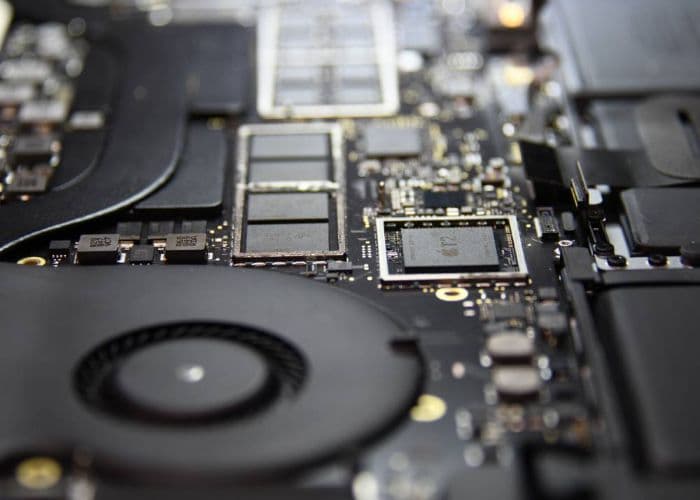
Many modern MacBooks use soldered SSDs tied to security silicon (T2/Apple Silicon). If your MacBook won't power on, you can't just unplug your drive. Our team performs board-level work in-house to safely access your data.
Local to Austin? Walk in for a free evaluation. Not nearby? Mail your MacBook to us from anywhere in the U.S.

Common Symptoms
If you're seeing any of the following, data recovery is likely possible even when Apple or others said it isn't:
- • MacBook does not turn on (no power / no image).
- • Liquid spill aftermath: random shutdowns, won't boot, or no response.
- • "Not charging" or won't run on battery; suddenly dead after adapter unplug.
- • T2/M1/M2 model: storage is soldered and can't be removed.
- • Data needed from a machine Apple wants to board-swap or replace.
Apple T2 Chip Data Recovery
The T2 chip, present in late 2017 through 2020 Intel Macs (starting with the iMac Pro), serves as both a security controller and encryption engine. Every write to the internal SSD passes through AES-256 encryption managed by the T2's Secure Enclave. The encryption key exists only inside the specific T2 chip on that specific board.
The practical consequence: removing the NAND and reading it elsewhere is not viable. Chip-off produces only ciphertext with no accessible key. Recovery requires repairing the logic board so the T2 can power on and decrypt in place. On pre-T2 Touch Bar models (2016-2017), the Lifeboat connector provided a direct path to the SSD. However, T2-era models (2018-2020) do not have this port; recovery strictly requires repairing the board to a bootable state where the T2 chip can initialize and decrypt the drive. Note: 2016-2017 Touch Bar MacBook Pro models (A1706, A1707) use the T1 chip, not T2. T1 manages Touch Bar and Touch ID but does not control SSD encryption. The recovery approach for these models differs from T2 and Apple Silicon Macs.
Typical repair path: locate the failed component using thermal imaging, replace the shorted PMIC or capacitor under a microscope, restore enough board function for the T2 to initialize, then offload data over Thunderbolt. We do not accept payment on cases where this path is not viable.
M1/M2/M3/M4 Mac Data Recovery: Soldered NAND
Apple Silicon Macs (M1 onward) integrate the NAND directly onto the logic board, and the encryption keys are bound to the Secure Enclave inside the M-series SoC. There is no separate security chip; the controller, Secure Enclave, and encryption logic share the same package as the CPU.
On these machines, data recovery is board repair. Restoring the power rails, replacing a failed PMIC, or correcting a shorted component gives the Secure Enclave enough power to initialize and decrypt the volume. Data is then extracted via DFU mode or Target Disk Mode over Thunderbolt. Chip-off is not a viable alternative; the raw NAND holds only AES-256 ciphertext, and the key is inaccessible without the original Secure Enclave running on the original board.
See our logic board repair page for documentation of the component-level repair process.
Don't Let Apple Replace Your Board
Apple's standard repair for a dead logic board is full board replacement. This destroys your data permanently: the replacement board contains a new Secure Enclave with new encryption keys. The old NAND, still on the old board, holds your data but becomes unreadable because the decryption keys are gone. There is no recovery path after a board swap.
We repair the existing board. Fixing the power management circuit, replacing a shorted component, or correcting a failed charging path restores function without discarding the board that holds your encryption keys. If Apple has your Mac and you have not yet authorized a board replacement, contact us before proceeding.
Our Process
- Free Evaluation: We examine the MacBook to confirm the failure and safest path. You approve a flat-rate before work proceeds.
- Board-Level Access: We repair the logic board as needed. For T2/Apple Silicon, this is essential to access soldered storage.
- Secure Imaging: Once readable, we image and extract your files to a target drive, verifying integrity.
- Delivery: We return your data on your drive (or one purchased here) and discuss next steps if you want the Mac fully repaired.
Pricing Snapshot
Flat-rate data recovery for soldered-SSD MacBook models. No data = no charge.
| Model Era | Price | Models |
|---|---|---|
| 2016-2019 (select) | $325 | A1706, A1707, A1932, A2179, A1989 |
| 2018-2021 + M1 (select) | $425 | A1990, A2141, A2338, A2337, A2289, A2251, A2159 |
| 2021-2024 Pro/Air (M1 Pro/M2+) | $600 | A2442, A2485, A2779, A2780, A2918, A2991, A2992 |
These prices cover board-level work required to access and extract your data. If recovery is simpler than expected, we charge less. No surprise fees.
Why Choose Rossmann?
We built our reputation by fixing what others won't. Your data stays in our Austin lab, handled by experienced technicians.
In-house board-level work
We don't outsource. We repair the logic board to access your soldered SSD safely and quickly.
No data, no charge
If we can't recover anything, you owe $0 for the recovery attempt. Simple and fair.
Transparent, flat-rate pricing
Know the cost up front. If the job is easier than expected, we bill less - never more.
T2 / Apple Silicon specialists
We understand the security and architecture of modern Macs and work within it to retrieve your data.
Nationwide mail-in
Not in Austin? Ship your MacBook to us. We'll evaluate free and contact you before paid work.
Real engineering, zero paid marketing
We invest in tools & people, not marketing buzzwords. We'll show you what we actually do.
Frequently Asked Questions
Can you recover data from a MacBook that won't turn on?
Does the T2 or Apple Silicon (M1/M2) chip prevent recovery?
How long does MacBook data recovery take?
Will my MacBook be fully repaired after recovery?
What do you need from me to start?
Is my data private?
How much does it cost if recovery fails?
How do I send my Mac if I'm not in Austin?
Ready to get your data back?
Free estimate. No data = no charge. Austin walk-in or mail-in from anywhere in the U.S.