
Water Damaged Phone:
Why Software and Rice Make It Worse
Software vendors publish instructions to connect water-damaged phones to USB because their products require it. Tech publications recommend rice because it generates search traffic. Both categories of advice cause permanent, irreversible data loss. This page documents 15 verified quotes from 10 companies, each contradicting the physics of printed circuit board electrochemistry and the official guidance of Apple and Samsung.

Plugging a wet phone into USB or placing it in rice both lead to permanent data loss.
USB introduces 5V to a corroded board, causing copper traces to dissolve via electrolytic corrosion and form permanent dendritic short circuits that destroy the CPU and its hardware-fused encryption keys. Rice cannot extract liquid from the sub-0.05mm capillary gaps beneath BGA packages where the actual damage occurs.
While the phone sits in rice, battery voltage continues driving corrosion unchecked.
Companies Documented on This Page:
Browse by company:
Rice Followed by USB Power: Combined Failure Mechanism
Two software vendors instruct users to first place a water-damaged phone in rice for 24 to 50 hours, then connect it to a computer via USB to run their recovery software. The rice period lets dissolved minerals crystallize into conductive bridges across the logic board. The subsequent USB connection drives 5V through those bridges, destroying the processor and its hardware-bound encryption keys in a single event.
Tenorshare: Rice for 48 Hours, Then Connect to USB
The Misconception
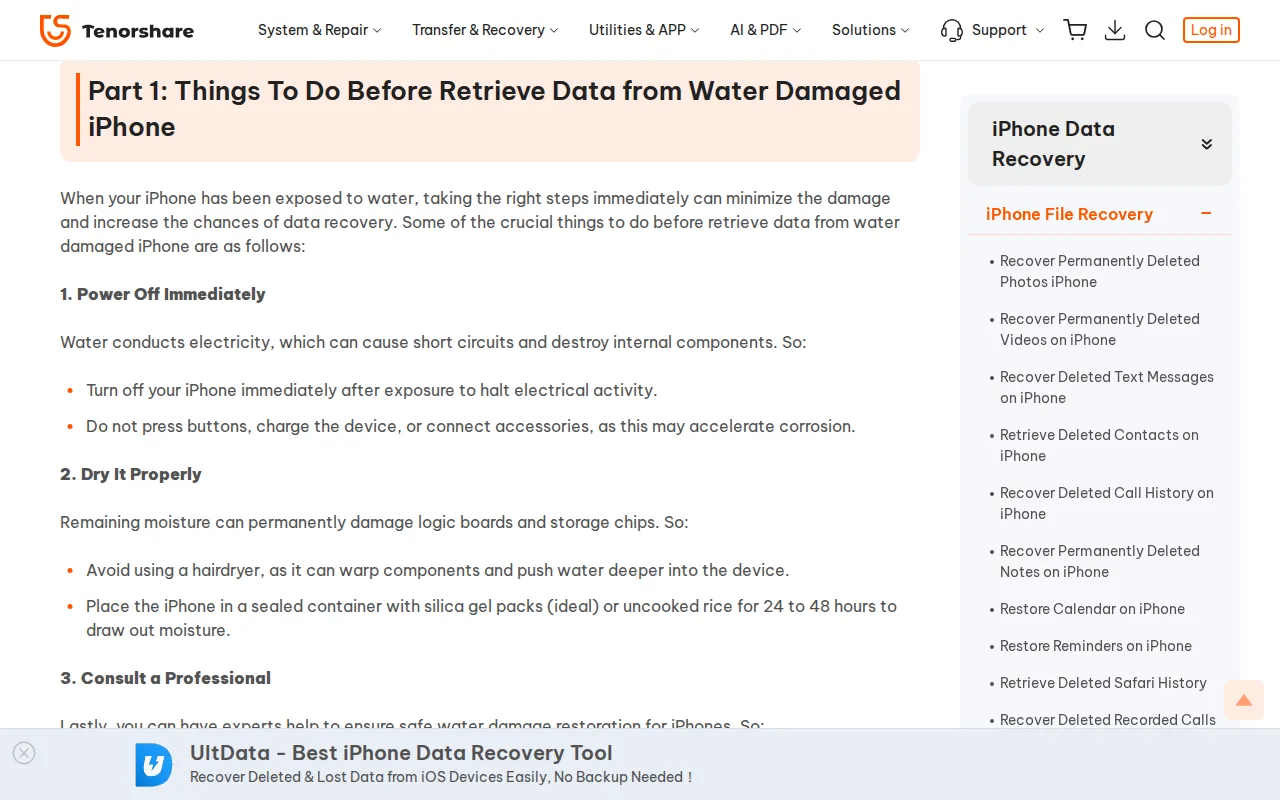
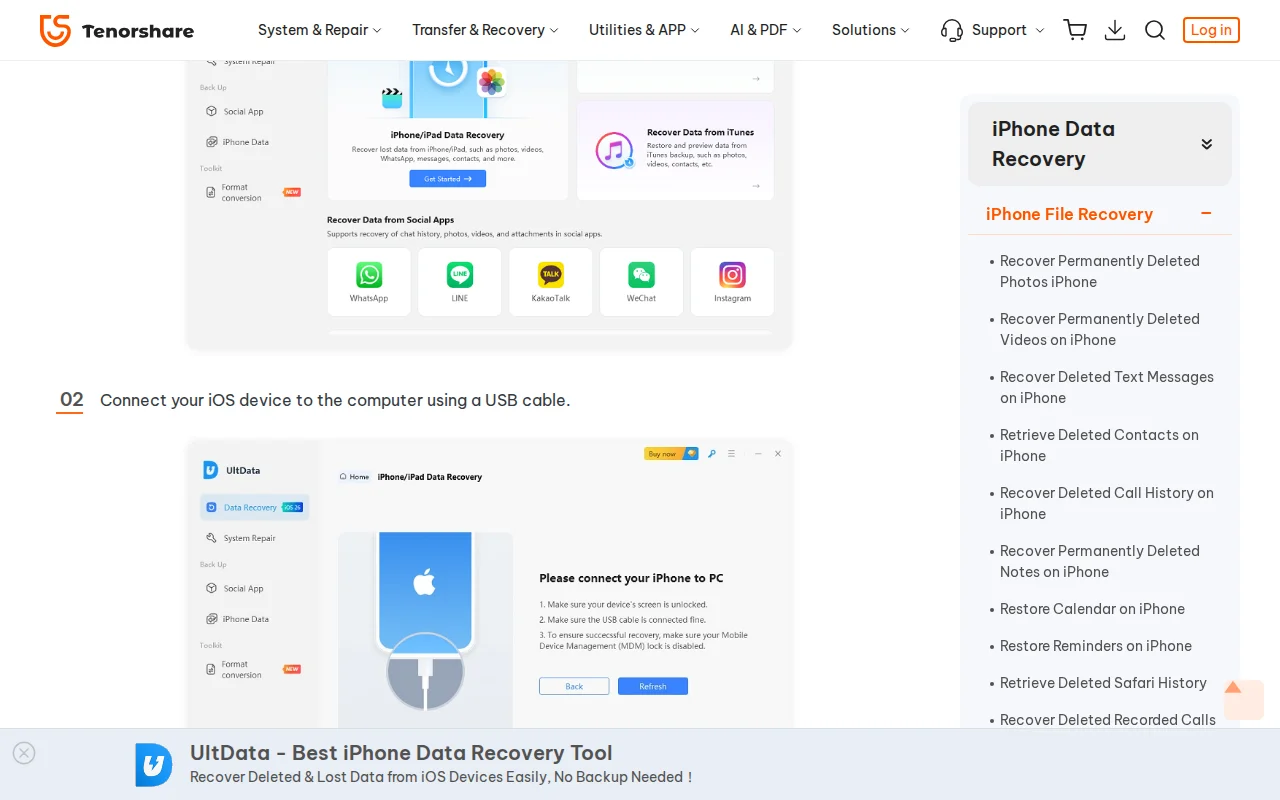
Tenorshare's water damage recovery guide instructs users to place the iPhone in rice or silica gel for 24 to 48 hours, then connect it to a computer via USB to run their UltData software scan.
Source: Tenorshare
“Place the iPhone in a sealed container with silica gel packs (ideal) or uncooked rice for 24 to 48 hours to draw out moisture.”
 Click to enlarge screenshot
Original: https://www.tenorshare.com/iphone-recovery/recover-data-from-water-damaged-iphone.html
Captured 2026-03-23
Source: Tenorshare
“Connect your iOS device to the computer using a USB cable. Pick the data types to recover and click Scan.”
 Click to enlarge screenshot
Original: https://www.tenorshare.com/iphone-recovery/recover-data-from-water-damaged-iphone.html
Captured 2026-03-21
The Reality
The 48-hour waiting period in rice ensures complete evaporation of the solvent, precipitating dissolved mineral solutes across the pins of the CPU, NAND, and PMIC into highly conductive crystalline bridges. When the user connects the 5V USB cable, the Tristar/Hydra logic IC authentication is bypassed by these mineral bridges, driving 5V directly into the 1.8V logic rails. The Secure Enclave Processor is destroyed on contact.
Why This Matters
The iPhone's CPU is permanently destroyed by overvoltage, and the hardware-fused encryption keys inside the Secure Enclave are physically destroyed. The encrypted data becomes mathematically unrecoverable because the key no longer exists.
Correct Recovery Procedure
Source: Electrochemical migration: dendritic growth mechanism under DC bias in presence of dissolved ionic contaminants
Stellar: Rice for 50 Hours, Then Boot Android and Enable USB Debugging
The Misconception
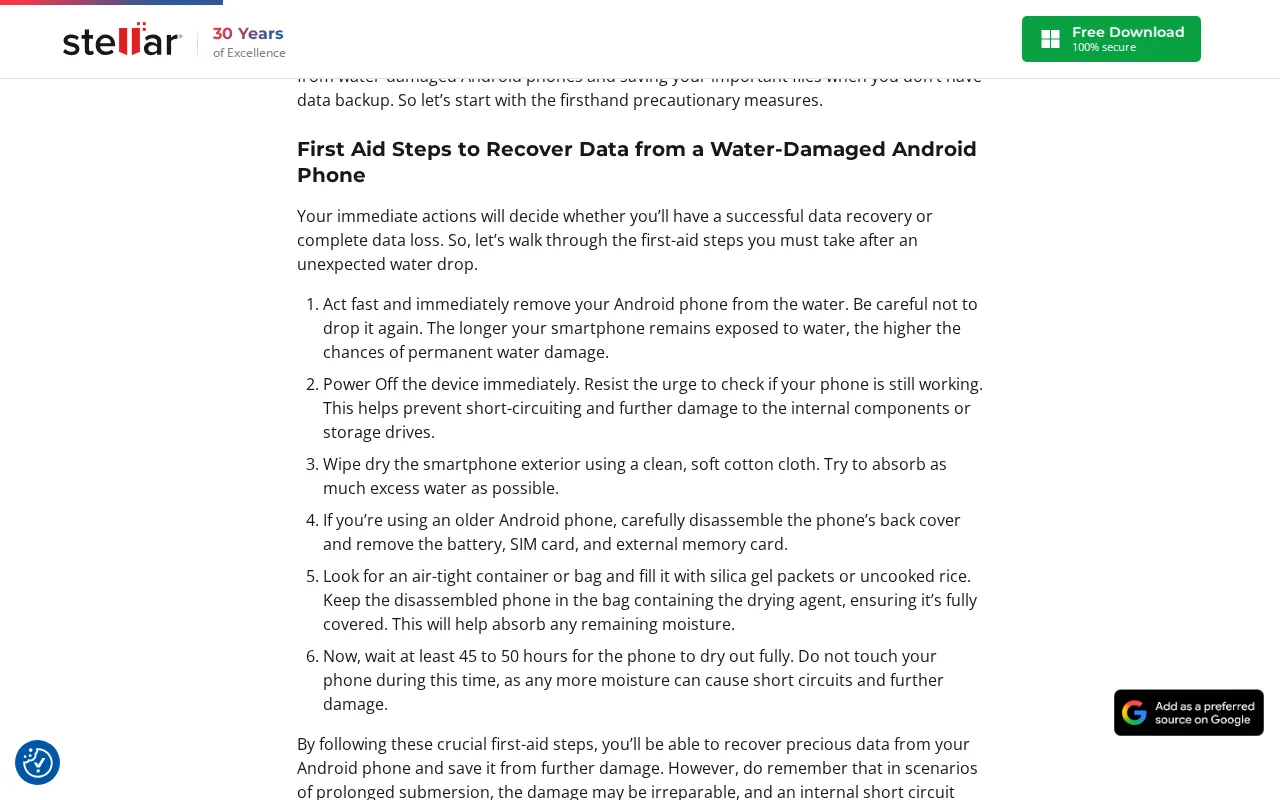
Stellar's guide instructs users to keep a water-damaged phone in rice or silica gel for 45 to 50 hours, then boot into Android, navigate the UI, tap "File Transfer," enable USB Debugging in Settings, and connect to their desktop software.
Source: Stellar
“Look for an air-tight container or bag and fill it with silica gel packets or uncooked rice. Keep the disassembled phone in the bag containing the drying agent... wait at least 45 to 50 hours for the phone to dry out fully”
 Click to enlarge screenshot
Original: https://www.stellarinfo.com/blog/recovering-data-from-water-damaged-phone/
Captured 2026-03-23
The Reality
This procedure is physically impossible to execute safely. Tapping File Transfer requires the device to be fully booted into Android with the screen backlight drawing 15V to 25V through the display driver IC. Applying USB power while forcing the backlight driver to operate under a mineral-crusted, corroded load guarantees a high-voltage short across the logic board.
Why This Matters
The 50-hour rice period maximizes mineral crust formation across all solder joints. Booting the phone and connecting USB drives battery plus USB current through those crusts, burning through PCB substrate layers and destroying the SoC encryption keys.
Correct Recovery Procedure
Source: PCB electrochemistry: hygroscopic mineral crust conductivity after solvent evaporation
USB Connection on a Wet Phone: 8 Software Vendors That Publish This Advice
Desktop data recovery software requires an active USB handshake with the phone's processor to scan the storage. This architectural requirement creates a structural conflict of interest: the vendor's product cannot function unless the customer plugs in the wet phone. Every vendor listed below publishes explicit instructions to do so on pages that reference water damage by name.
Wondershare: Connect Water-Damaged Phone and Force Download Mode
The Misconception
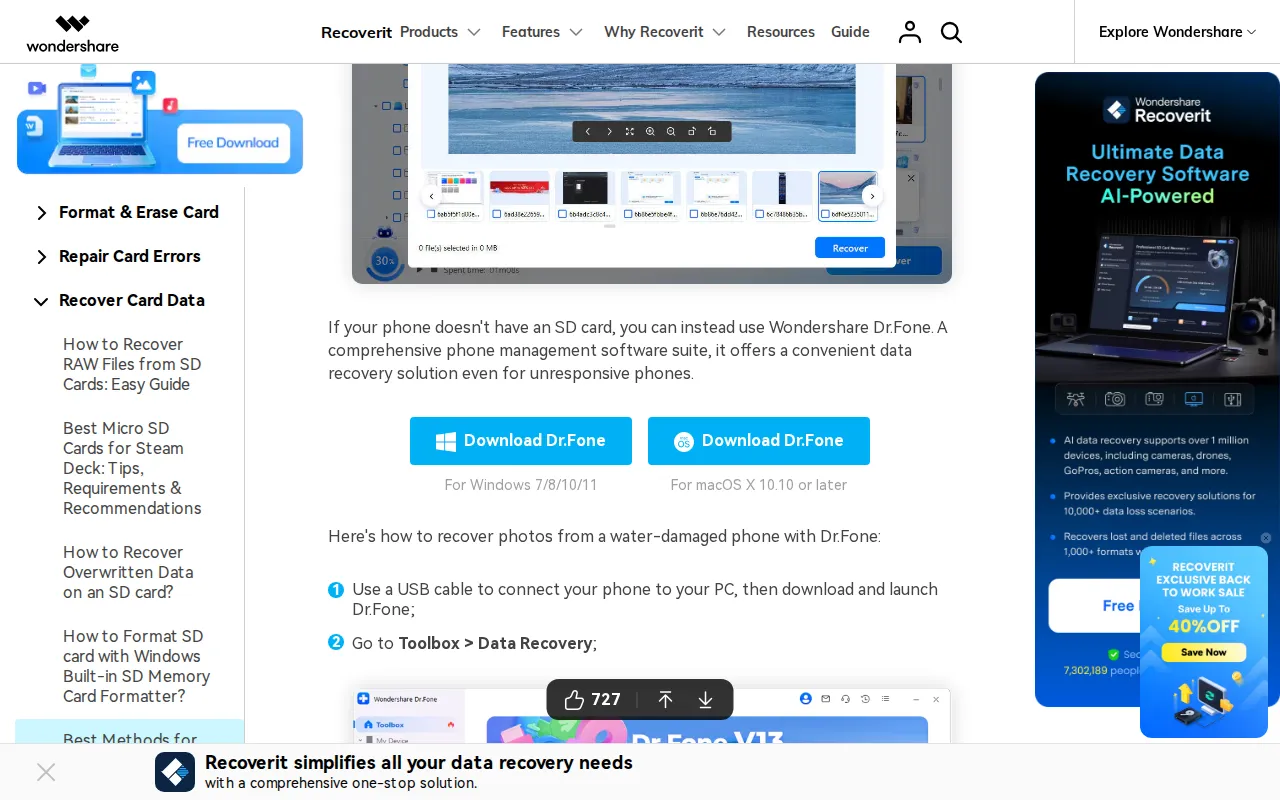
Wondershare instructs users to connect a water-damaged phone to a PC via USB, launch Dr.Fone, and force the device into Download Mode. The same page also recommends leaving the phone in silica packets overnight.
Source: Wondershare
“Use a USB cable to connect your phone to your PC, then download and launch Dr.Fone... Follow the on-screen instructions to put your device in download mode, then click Next;”
 Click to enlarge screenshot
Original: https://recoverit.wondershare.com/memorycard-recovery/recover-data-from-water-damaged-phone.html
Captured 2026-03-23
The Reality
Forcing a water-damaged device into Download Mode wakes the Application Processor from its low-power sleep state, energizing the high-current CPU core voltage rails (0.9V to 1.2V). Simultaneously connecting the 5V USB cable across a wet, mineral-bridged board forces rapid copper trace dissolution. The dissolved copper precipitates as green copper chloride deposits visible under a stereo microscope.
Why This Matters
The phone's processor is destroyed within seconds of USB connection, permanently sealing the hardware-encrypted user data.
Correct Recovery Procedure
Power off the phone. Do not charge it. Send to a board-level repair lab for ultrasonic cleaning and component-level diagnosis before any power source is connected.
Source: Anodic dissolution: copper chloride precipitation under 5V DC bias across dissolved ionic contaminants
iMyFone: USB Connection for a Phone That Will Not Turn On
The Misconception
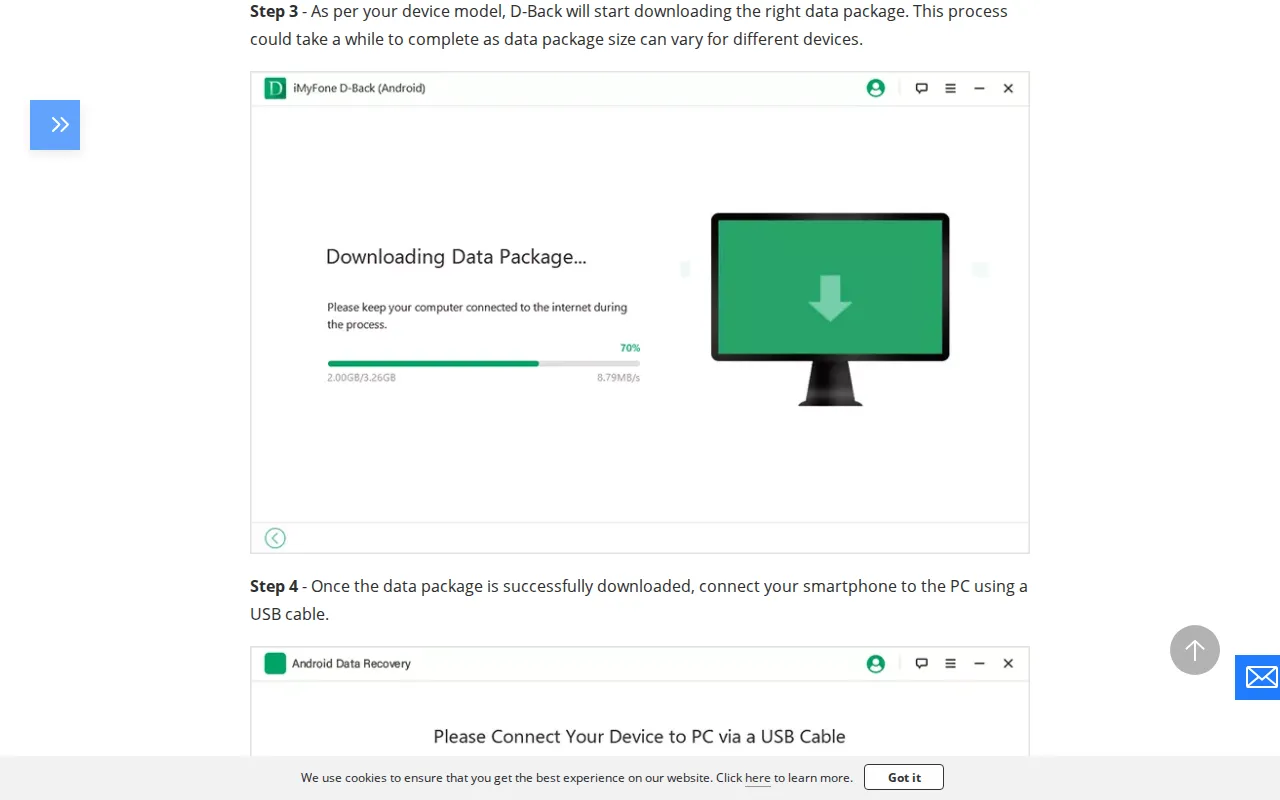
iMyFone instructs users to connect a water-damaged Android phone that "won't turn on" to a PC via USB cable to run their D-Back recovery software.
Source: iMyFone
“Once the data package is successfully downloaded, connect your smartphone to the PC using a USB cable.”
 Click to enlarge screenshot
Original: https://www.imyfone.com/android-recovery-tips/recover-data-from-water-damaged-android/
Captured 2026-03-23
The Reality
A device that refuses to power on after water exposure has already triggered an overcurrent protection circuit or suffered a hard short to ground on a primary rail. Applying external 5V USB power forces unmetered current into these failed protection circuits. Under thermal imaging with a FLIR camera, the shorted component glows as a hotspot on the board.
Why This Matters
The 5V USB power drives current through already-failed protection circuits directly into the CPU data lines, destroying the processor and its hardware-fused encryption keys.
Correct Recovery Procedure
Board-level diagnosis: remove EMI shields, probe voltage rails with a multimeter, identify the shorted component under a microscope, and replace it with a Hakko FM-2032 microsoldering iron before any power is applied.
Source: Overcurrent protection circuit failure mode: 5V bypass of failed PMIC protection FETs
Tenorshare iOS: Connect Water-Damaged iPhone 6s via USB
The Misconception
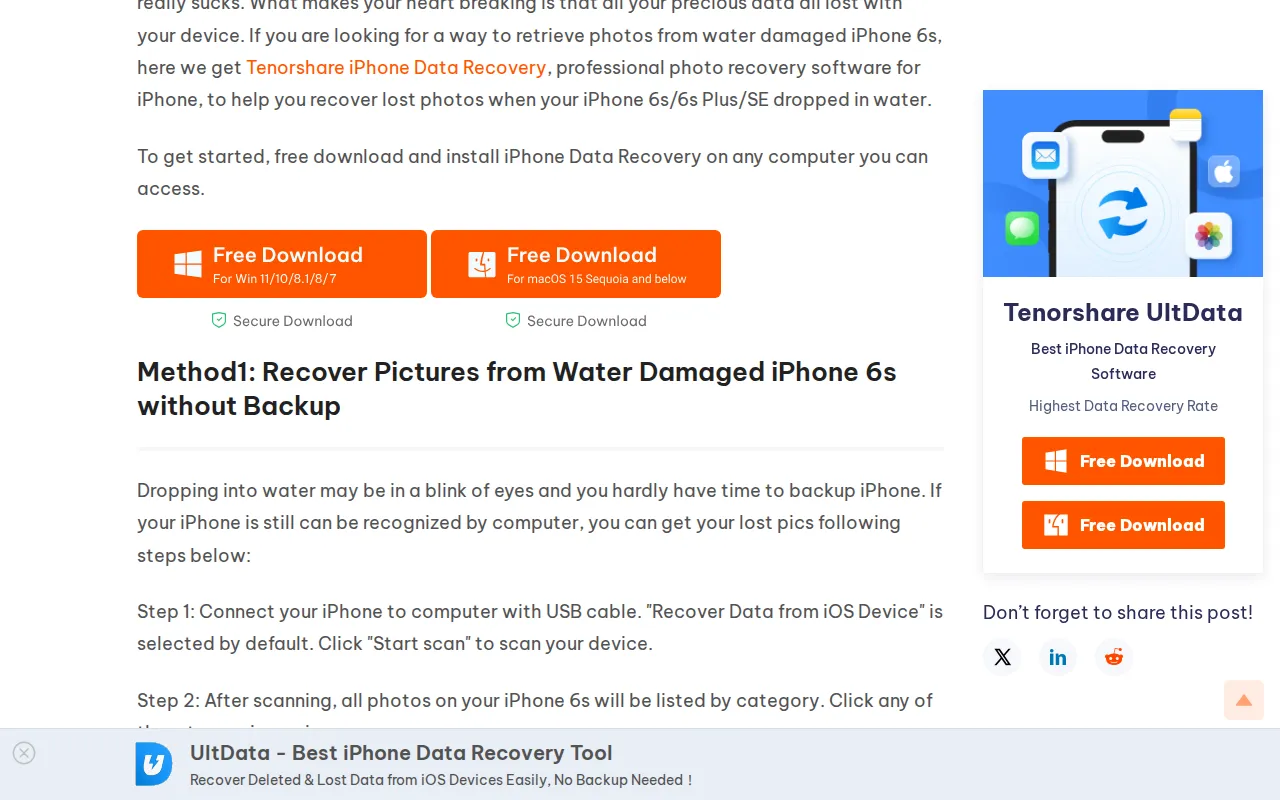
Tenorshare's iPhone Data Recovery page instructs users to "Connect your iPhone to computer with USB cable" and "Click Start scan" as the first step for recovering photos from a water-damaged iPhone 6s.
Source: Tenorshare
“Step 1: Connect your iPhone to computer with USB cable. Recover Data from iOS Device is selected by default. Click Start scan to scan your device.”
 Click to enlarge screenshot
Original: https://www.tenorshare.com/iphone-data/how-to-recover-photos-from-water-damaged-iphone-6s.html
Captured 2026-03-23
The Reality
Apple's Lightning architecture relies on the Tristar (or Hydra on later models) logic IC to authenticate the USB handshake before allowing voltage to pass to the main board. Liquid bridging the Tristar IC's pins allows the incoming 5V VBUS to jump the authentication gate entirely, sending unmetered 5V power into the 1.8V I2C communication lines. The A-series processor's silicon gates blow instantly.
Why This Matters
The Secure Enclave is permanently dead. All photos, messages, and data on the iPhone are cryptographically sealed forever.
Correct Recovery Procedure
Ultrasonic cleaning of the bare logic board in 99% IPA. Tristar/Hydra IC inspection under a stereo microscope at 20x magnification. Component replacement using a Hakko FM-2032 if charred pads are found around the IC footprint.
Source: Apple Lightning architecture: Tristar/Hydra IC voltage authentication gate bypass via liquid bridging
Tenorshare Android: Connect Wet Samsung via USB While Display Is Active
The Misconception
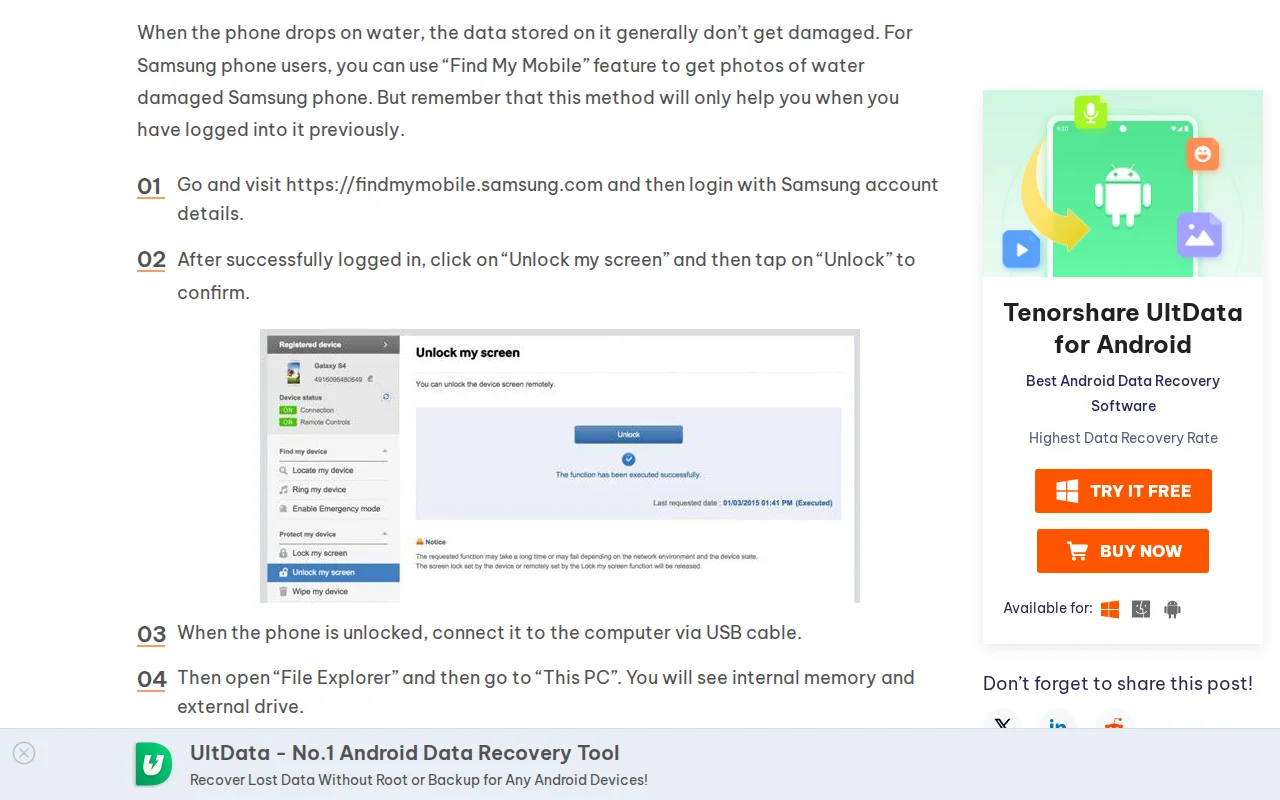
Tenorshare instructs users of a water-damaged Samsung Galaxy S6 to unlock the phone and "connect it to the computer via USB cable. Then open File Explorer and then go to This PC."
Source: Tenorshare
“When the phone is unlocked, connect it to the computer via USB cable. Then open File Explorer and then go to This PC.”
 Click to enlarge screenshot
Original: https://www.tenorshare.com/samsung/how-to-recover-photos-from-water-damaged-samsung.html
Captured 2026-03-23
The Reality
This instruction requires the Samsung device to be fully powered on, unlocked, and operating its high-voltage display circuits while wet. Connecting the USB cable introduces an external 500mA to 2000mA current source, supercharging the rate of electrochemical corrosion. As the copper traces dissolve under this load, the connections between the CPU and the UFS storage chip sever completely.
Why This Matters
The electrical connections between the CPU and storage are permanently severed by accelerated corrosion, and the hardware encryption keys become unreachable.
Correct Recovery Procedure
Power off immediately. Do not unlock or interact with the screen. Send the device for ultrasonic cleaning and board-level inspection.
Source: UFS data line copper trace dissolution under externally applied 5V USB current load
FoneLab: USB Connection With Forced Download Mode Button Combo
The Misconception
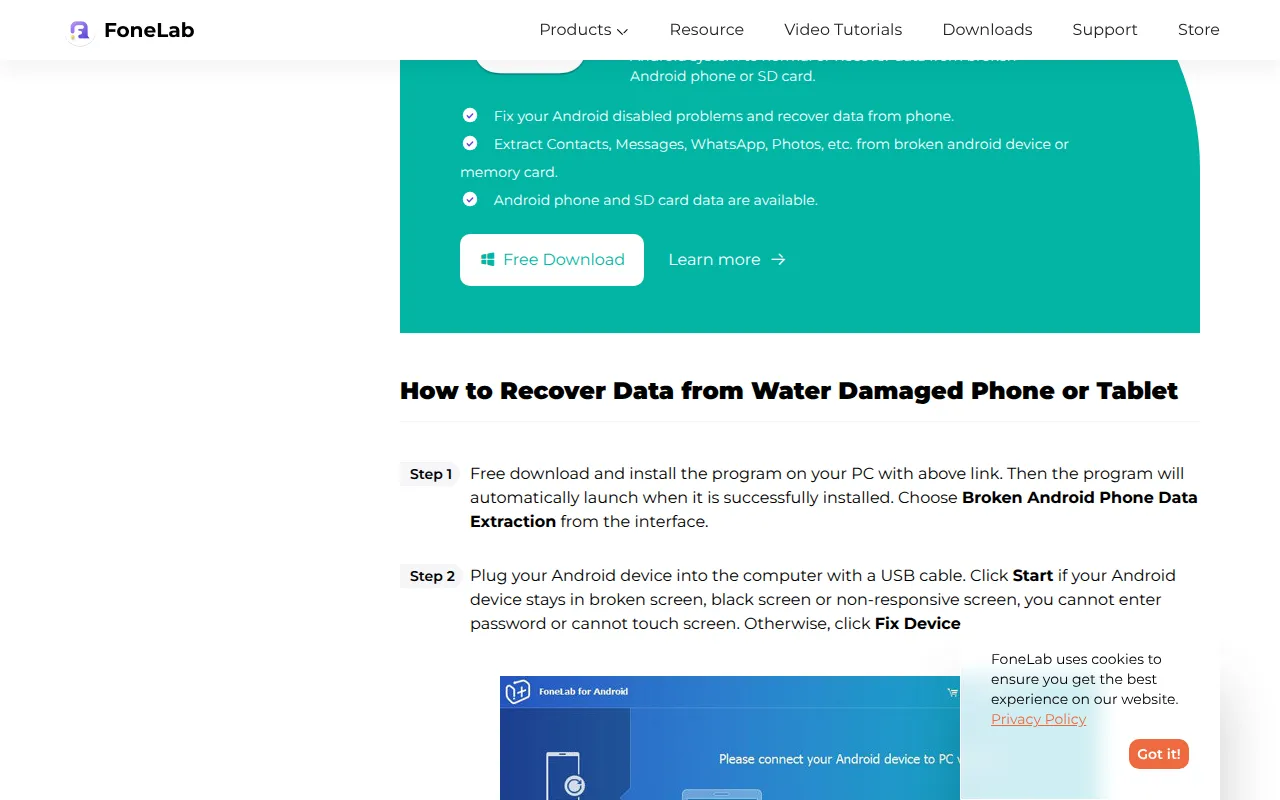
FoneLab instructs users to plug a water-damaged Android phone into a computer via USB, then force it into Download Mode by pressing "Volume Down + Home + Power" simultaneously on the wet device.
Source: FoneLab
“Step 2 Plug your Android device into the computer with a USB cable... This step will lead your Samsung phone to enter Download mode. Follow the on-screen instruction to enter: power off the phone – press and hold the Volume Down + Home + Power button together...”
 Click to enlarge screenshot
Original: https://www.fonelab.com/resource/retrieve-media-files-from-water-damaged-android-phone-and-tablet.html
Captured 2026-03-23
The Reality
Manually depressing hardware buttons on a wet device forces mechanical switch contacts to close through liquid. If liquid is present in the switch membranes, the electrical resistance drops, causing unpredictable current paths. Commanding the user to apply USB power while pressing wet hardware switches to force Download Mode guarantees that massive electrical loads are drawn across liquid-bridged circuits.
Why This Matters
The combination of USB power and forced Download Mode activation on a wet board causes cascading short circuits that destroy the SoC and its encryption keys.
Correct Recovery Procedure
Do not press any buttons on a wet phone. Do not connect USB. Send to a board-level repair lab for proper disassembly and cleaning.
Source: Mechanical switch contact resistance variation in presence of liquid electrolyte
EaseUS: Water Damage Listed as Recoverable via USB Software
The Misconception
EaseUS lists "Water Damage" alongside "Broken Screen" and "Damaged Devices" as a supported recovery scenario for their MobiSaver software, which requires connecting the iPhone to a PC via USB.
Source: EaseUS
“Accidentally Deletion, Locked/Disabled, Damaged Devices, Upgrade/Downgrade, Stuck, Water Damage, Virus Attack, Broken Screen, Jailbreak Failure, Factory Reset, Lost/Stolen”
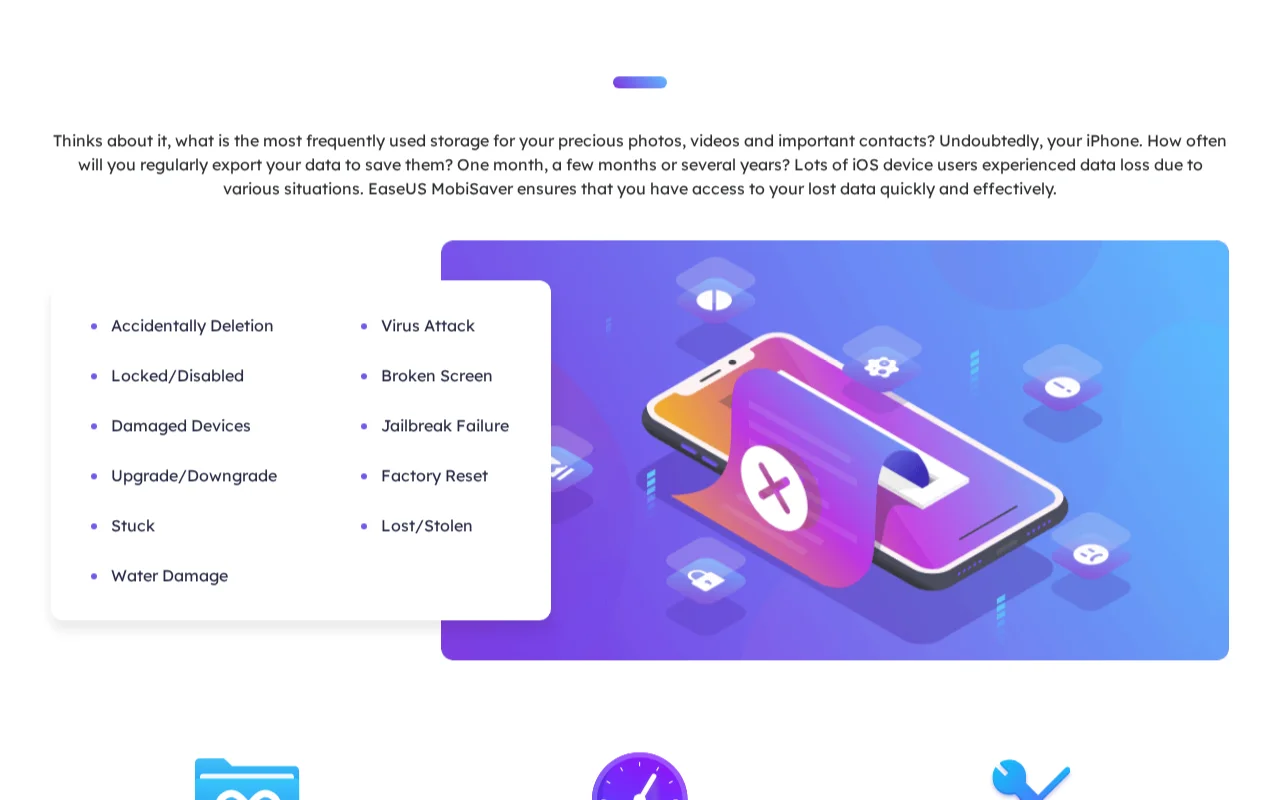 Click to enlarge screenshot
Original: https://www.easeus.com/mobile-tool/iphone-data-recovery-pro.html
Captured 2026-03-23
The Reality
The software's fundamental workflow requires plugging the water-damaged device into a PC. Subjecting a wet Apple logic board to active USB polling triggers the Tristar IC to attempt an electrical handshake, causing liquid to bridge the 5V VBUS into the processor's logic grid. The silicon gates blow, and the hardware encryption keys are permanently destroyed.
Why This Matters
The USB handshake attempt on a wet board bridges 5V into the 1.8V logic domain, destroying the Secure Enclave and all hope of data recovery.
Correct Recovery Procedure
Source: USB polling handshake: Tristar IC voltage gate bypass via liquid bridge on 5V VBUS rail
iMobie: USB Connection for Water-Damaged Android With Black Screen
The Misconception
iMobie's DroidKit page lists "water damage" as a supported scenario and instructs users to "connect your device via USB cable and choose From System Crashed Device mode" to recover data from a phone with a black screen.
Source: iMobie
“Download and run DroidKit on your PC, connect your device via USB cable and choose From System Crashed Device mode.”
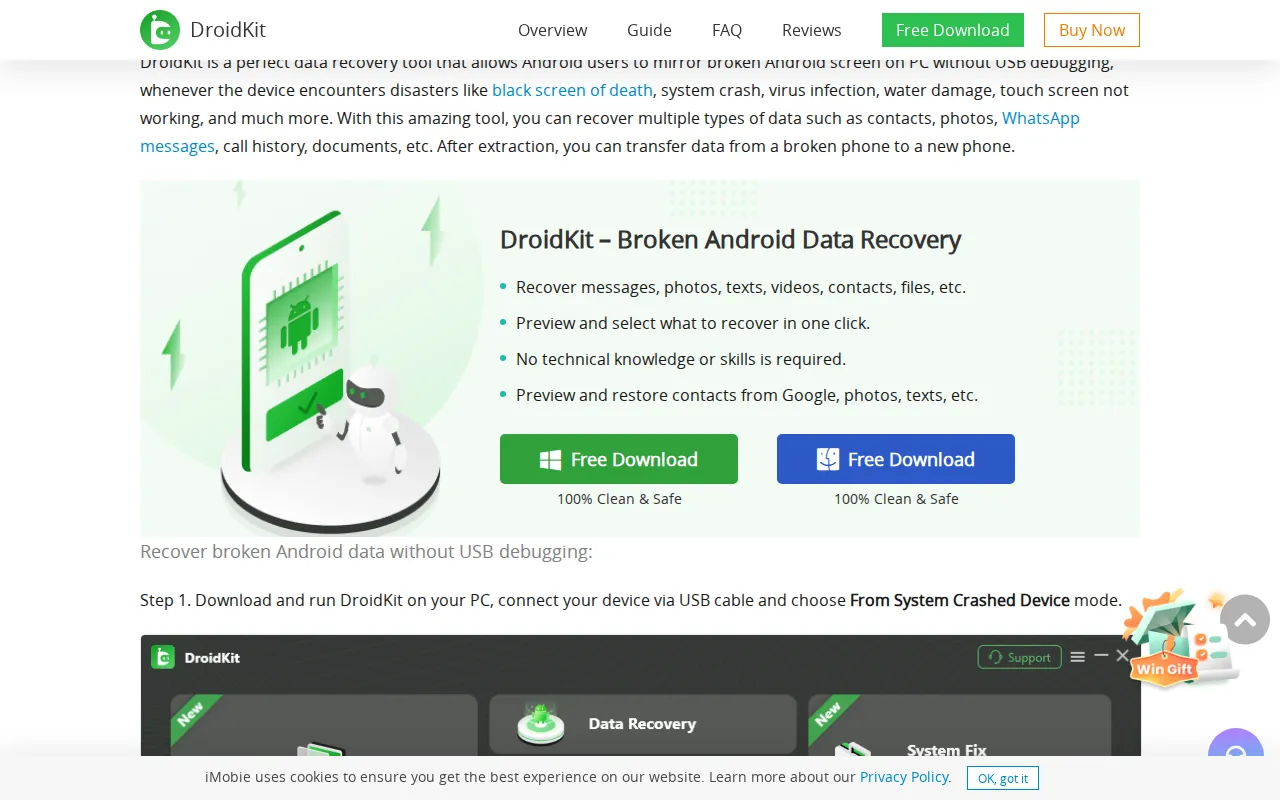 Click to enlarge screenshot
Original: https://www.imobie.com/android-recovery/broken-android-data-recovery.htm
Captured 2026-03-23
The Reality
A black screen caused by water damage indicates the display driver or backlight circuitry (which operates at 15V to 25V) has failed due to liquid shorts. Injecting a 5V USB signal into this unstable, wet electrical environment guarantees that high-voltage shorts cascade across the logic board, destroying components in multiple voltage domains simultaneously.
Why This Matters
High-voltage display driver shorts cascade into the low-voltage CPU domain, destroying the SoC and its hardware-bound encryption keys.
Correct Recovery Procedure
Full disassembly, ultrasonic cleaning, and systematic voltage rail diagnosis with a multimeter before applying any external power.
Source: OLED/LCD backlight driver IC: 15V-25V boost converter short propagation into 1.8V logic domain
FonePaw: USB Connection and DFU Mode on Water-Damaged iPhone
The Misconception
FonePaw instructs users with "water-damaged" iPhones to connect to their software via USB, then enter "recovery mode or DFU mode" to re-flash the operating system as a repair step.
Source: FonePaw
“Connect your iPhone to the program. The program will detect that your iPhone is in an abnormal state. Click Start to begin repairing your broken device. Your iPhone need to be fixed under recovery mode or DFU mode.”
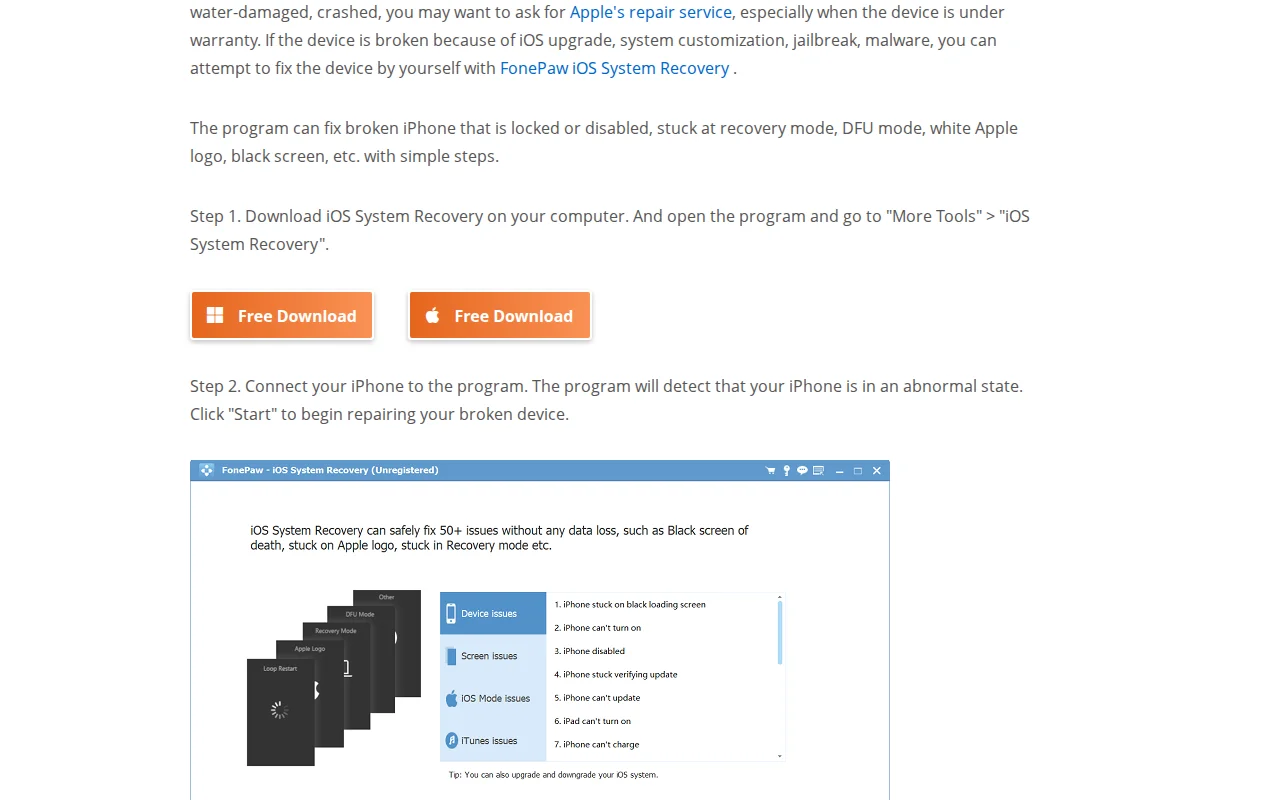 Click to enlarge screenshot
Original: https://www.fonepaw.com/tutorials/recover-data-from-broken-iphone.html
Captured 2026-03-23
The Reality
DFU mode is a low-level hardware state where the bootrom awaits a firmware image transfer over USB. On a water-damaged board, the firmware flash forces sustained high-bandwidth data transfer across corroded, liquid-bridged traces. When the board crashes mid-flash due to physical shorts severing the NAND data lines, the file system is permanently bricked.
Why This Matters
The mid-flash crash permanently corrupts the file system on top of the existing physical damage, compounding recovery difficulty.
Correct Recovery Procedure
Source: DFU firmware flash: NAND trace short during iBSS/iBEC transfer sequence
Passive Desiccants: 5 Publications That Contradict Manufacturer Guidance
Apple's official support page (updated 2024) states: "Don't put your iPhone in a bag of rice." Samsung's moisture detection warning is a software halt specifically designed to disable the USB port and prevent electrical shorts. The publications listed below contradict both manufacturers and recommend passive desiccants that have zero physical mechanism to reach liquid trapped under BGA chip packages.
CNET: 24 to 48 Hours in Rice, Then Power On
The Misconception
CNET instructs readers to "Place your phone in an airtight container and completely cover it with your choice of desiccant. Leave the container for 24-48 hours." The article also recommends removing the battery, which is physically impossible on modern sealed smartphones without specialized heat plates.
Source: CNET
“If you don't have any lying around, uncooked rice will do nicely. Place your phone in an airtight container and completely cover it with your choice of desiccant. Leave the container for 24-48 hours for the material to draw all the moisture out of your handset.”
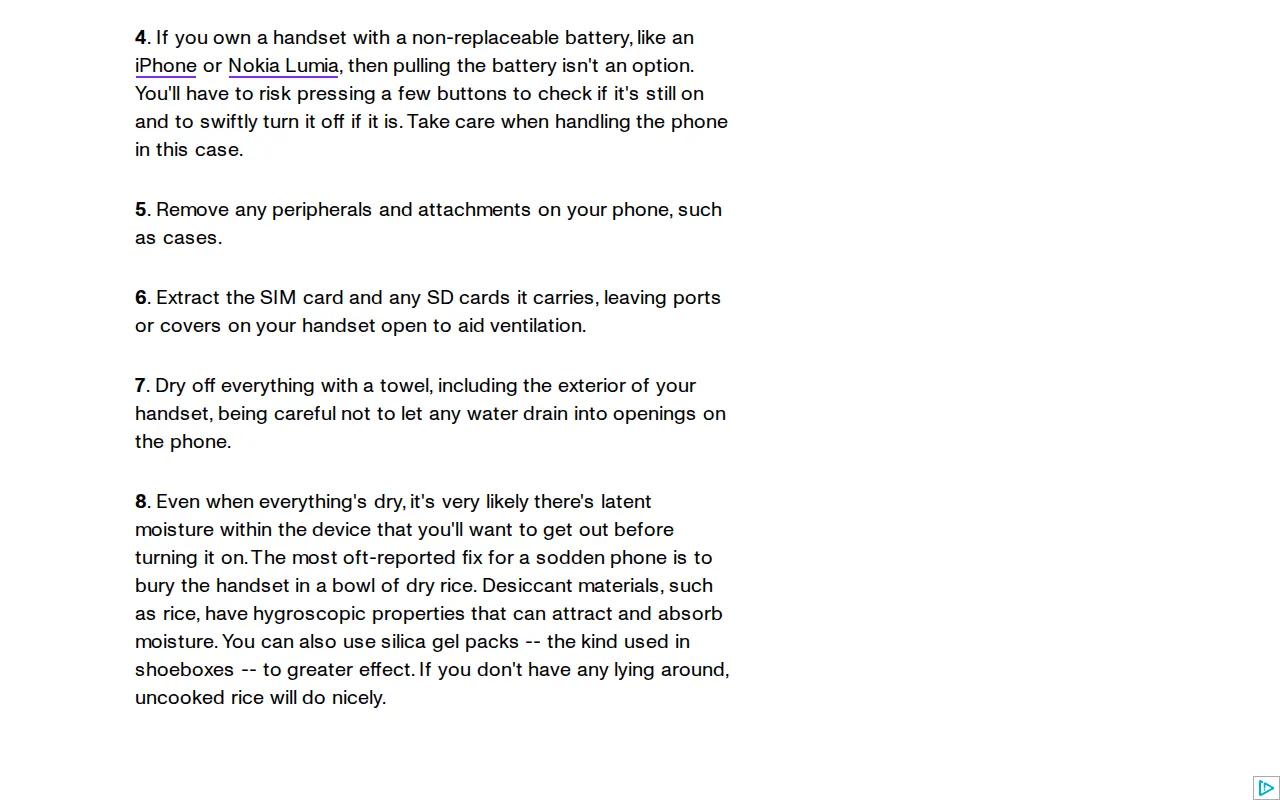 Click to enlarge screenshot
Original: https://www.cnet.com/tech/mobile/how-to-save-a-wet-mobile-phone-and-what-not-to-do/
Captured 2026-03-23
The Reality
Passive desiccants absorb ambient humidity from the surrounding air. They have zero physical mechanism to extract liquid from the microscopic capillary voids (less than 0.05mm) between the PCB substrate and the underside of BGA chip packages. The surface tension holding fluid in these capillary gaps is orders of magnitude stronger than any osmotic gradient rice can generate.
Why This Matters
24 to 48 hours of unchecked corrosion dissolves copper traces and forms conductive mineral bridges. Powering on after rice drives current through those bridges, destroying the board.
Correct Recovery Procedure
Immediate professional disassembly and ultrasonic cleaning. Time spent in rice is time surrendered to unchecked corrosion.
Source: Capillary fluid dynamics: surface tension vs. osmotic gradient in BGA underfill voids
CNET: Oatmeal and Couscous as Phone Desiccants
The Misconception
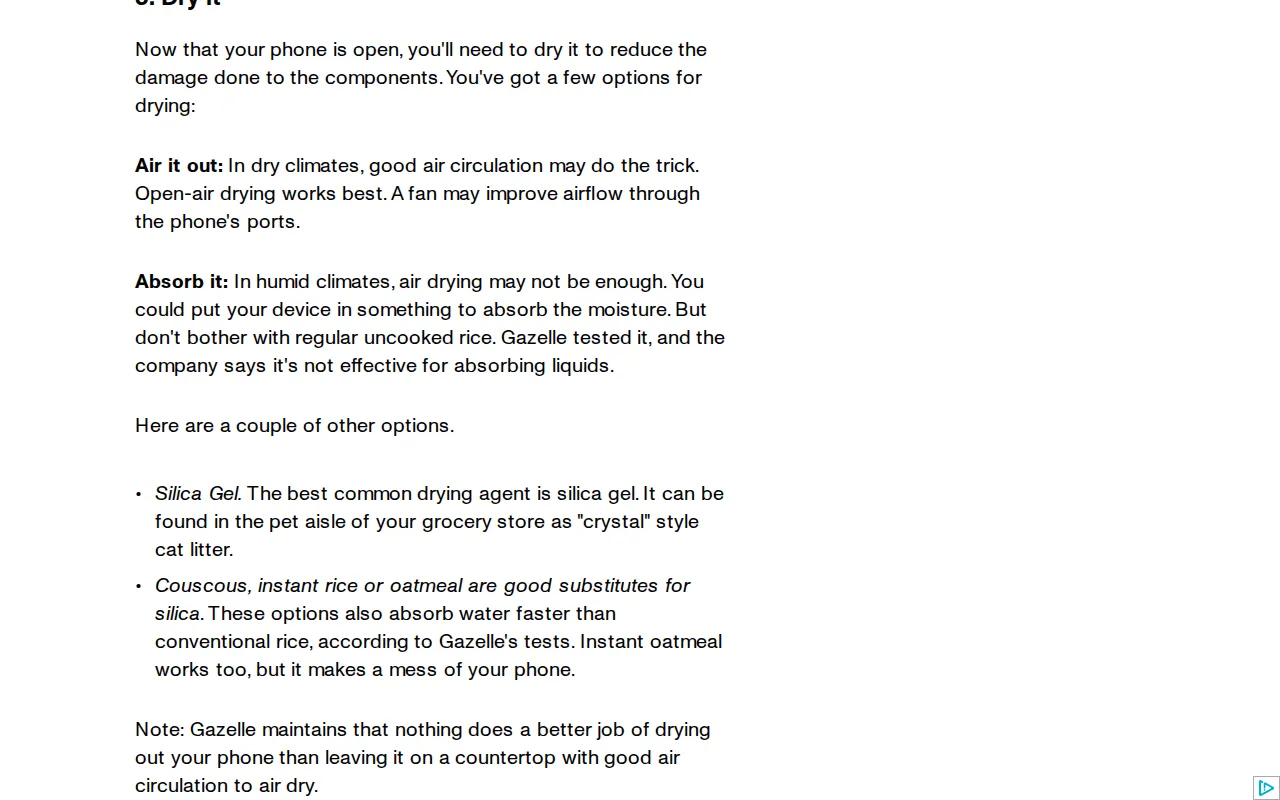
A second CNET article recommends "Couscous, instant rice or oatmeal" as "good substitutes for silica" and notes that "Instant oatmeal works too, but it makes a mess of your phone."
Source: CNET
“Couscous, instant rice or oatmeal are good substitutes for silica. These options also absorb water faster than conventional rice, according to Gazelle's tests. Instant oatmeal works too, but it makes a mess of your phone.”
 Click to enlarge screenshot
Original: https://www.cnet.com/tech/mobile/splish-splash-what-if-your-phone-takes-a-bath/
Captured 2026-03-23
The Reality
Fine particulate dust from oatmeal and couscous acts as an organic adhesive when mixed with water, forming a starchy paste that infiltrates charge ports, speaker grilles, and SIM tray seals. This paste solidifies as it dries, creating a hardened crust that is far more difficult to remove during professional ultrasonic cleaning than the original liquid damage alone.
Why This Matters
The starchy paste from food-grade desiccants contaminates the board far worse than water alone, while the underlying corrosion continues unchecked.
Correct Recovery Procedure
Do not place any food products near a wet phone. Oatmeal-contaminated boards require extended ultrasonic bath cycles and manual brushing under a microscope to remove starch residue from underneath BGA packages.
Source: Organic particulate contamination: starch gelatinization in PCB capillary voids
WikiHow: 48 to 72 Hours in Cat Litter or Couscous
The Misconception
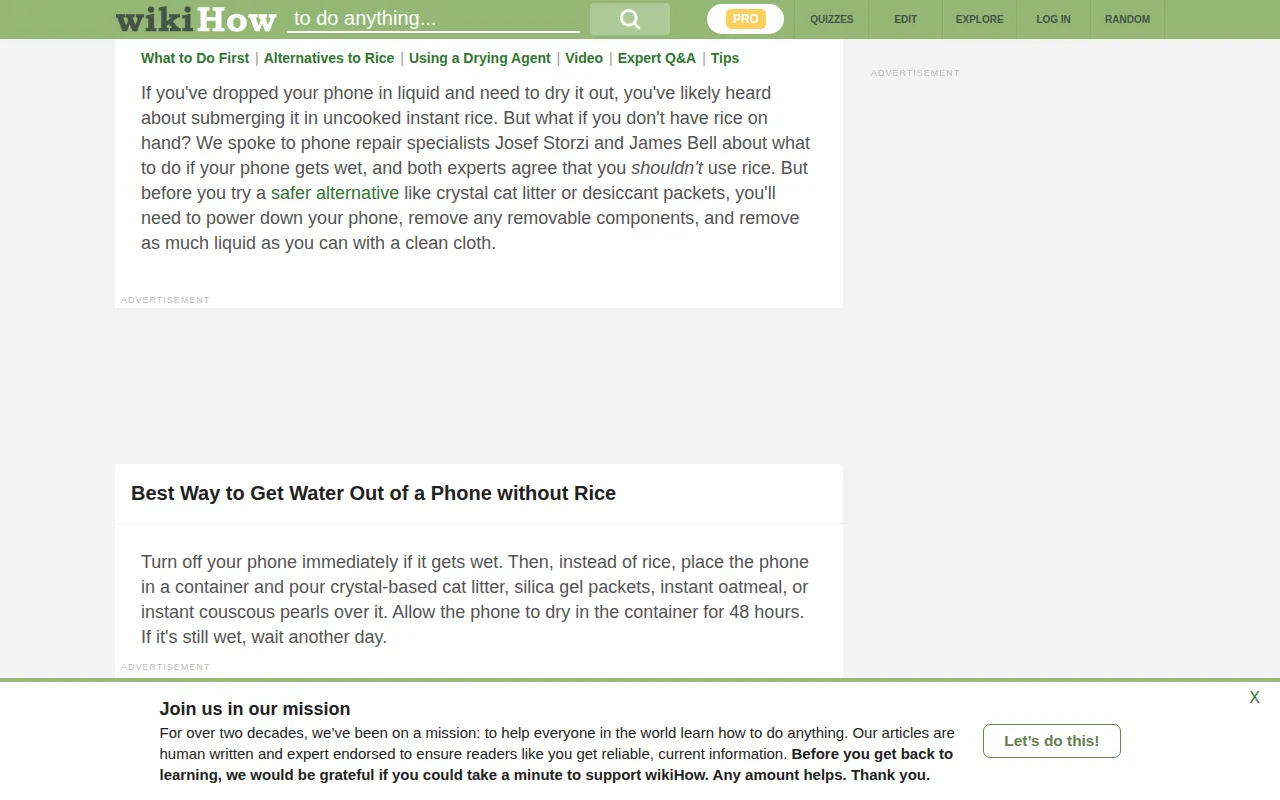
WikiHow instructs users to "Place the phone in a large container and pour crystal-based cat litter, instant oatmeal, silica gel beads inside synthetic desiccant packets, or instant couscous pearls over it. Check to see if the phone is dry after 48 hours. If it's still wet, wait another day."
Source: WikiHow
“Place the phone in a large container and pour crystal-based cat litter, instant oatmeal, silica gel beads inside synthetic desiccant packets, or instant couscous pearls over it. Check to see if the phone is dry after 48 hours. If it's still wet, wait another day.”
The Reality
By instructing the user to wait up to 72 hours, this guide maximizes the duration of unchecked electrolytic corrosion. Even with the device powered off, the internal battery remains connected to the primary power rail (VDD_MAIN), and liquid bridging this rail to ground actively dissolves copper traces via anodic dissolution for the entire three-day waiting period.
Why This Matters
Three days of battery-powered corrosion dissolves copper traces to the point where board-level repair becomes far more complex. Crystal cat litter introduces silica dust particles into charge ports and speaker openings.
Correct Recovery Procedure
Never wait days before seeking professional help. Every hour of delay allows corrosion to spread to additional solder joints and traces.
Source: Anodic dissolution rate: copper trace mass loss vs. time under battery-supplied VDD_MAIN potential
CPR Cell Phone Repair: Rice Overnight and Vacuum Cleaner
The Misconception
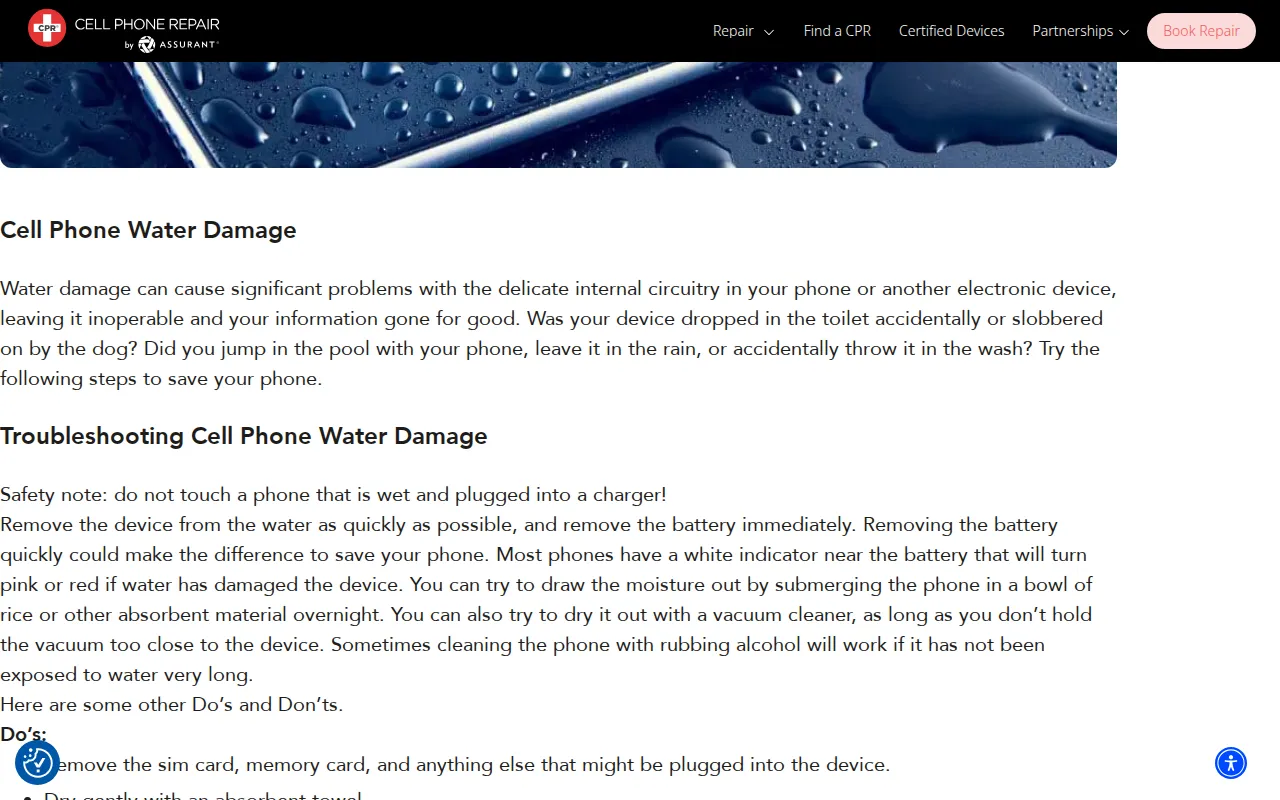
CPR Cell Phone Repair instructs customers to "draw the moisture out by submerging the phone in a bowl of rice or other absorbent material overnight" and also recommends drying it "with a vacuum cleaner."
Source: CPR Cell Phone Repair
“You can try to draw the moisture out by submerging the phone in a bowl of rice or other absorbent material overnight.”
 Click to enlarge screenshot
Original: https://www.cellphonerepair.com/common-issues/11494-water-liquid-damage-d146c
Captured 2026-03-23
The Reality
The rice recommendation suffers from the same physics failure as every other passive desiccant: no osmotic gradient can extract liquid from BGA capillary voids. The vacuum cleaner recommendation introduces a separate risk: electrostatic discharge (ESD). The rapidly moving air and plastic nozzle generate massive static voltage potentials. Bringing this nozzle close to a smartphone charge port can inject thousands of volts of static electricity directly into the power management IC.
Why This Matters
The rice does nothing to stop corrosion, and the vacuum cleaner introduces ESD that can blow the PMIC or CPU in a single static discharge event.
Correct Recovery Procedure
A household vacuum is the opposite of a controlled ESD environment.
Source: Electrostatic discharge: triboelectric charging from high-velocity air through plastic nozzle geometry
SalvageData: Rice for 24 Hours Plus Heat for a Wet Flash Drive
The Misconception
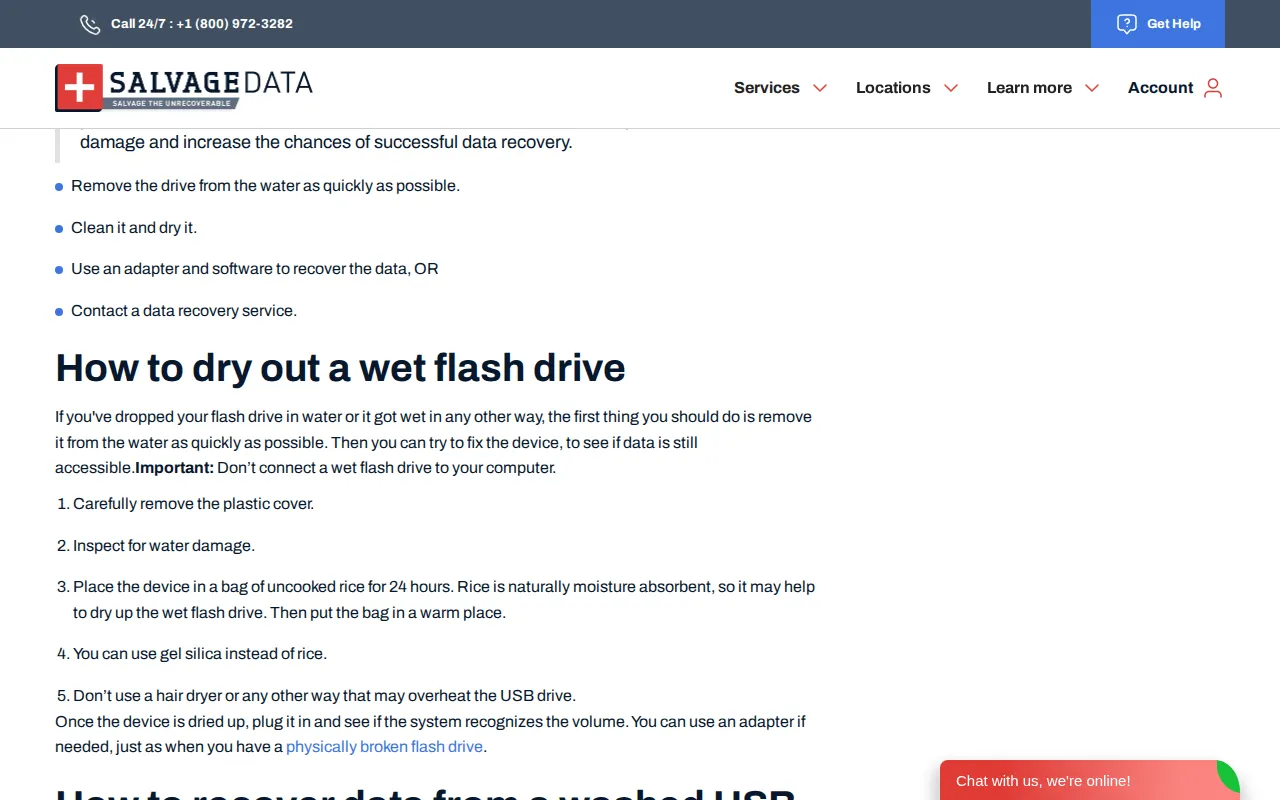
SalvageData instructs users to "Place the device in a bag of uncooked rice for 24 hours" and "Then put the bag in a warm place." While this finding targets USB flash drives, the physics are identical to phone recovery.
Source: SalvageData
“Place the device in a bag of uncooked rice for 24 hours. Rice is naturally moisture absorbent, so it may help to dry up the wet flash drive. Then put the bag in a warm place.”
 Click to enlarge screenshot
Original: https://www.salvagedata.com/blog/wet-flash-drive-what-to-do
Captured 2026-03-23
The Reality
The additional instruction to put the bag in a warm place actively accelerates the electrochemical corrosion. Heat acts as a catalyst for anodic dissolution, meaning the copper trace dissolution occurring between the tightly packed pins of the NAND flash controller IC is accelerated by the thermal input.
Why This Matters
The heat accelerates corrosion on the flash controller's solder joints, and the rice provides a false sense of security while the real damage progresses.
Correct Recovery Procedure
Dry the flash drive at room temperature. If it shows read errors after drying, image it with a hardware write-blocker before attempting any data extraction.
Source: Arrhenius equation: electrochemical corrosion rate doubling per 10C temperature increase
What the Manufacturer Actually Says
The advice published by the software vendors and publications above directly contradicts the official 2024 engineering guidance from Apple and Samsung. Both manufacturers explicitly warn against the exact procedures these companies recommend.
| What the vendor/publication says | What the manufacturer says |
|---|---|
| Tenorshare: "Place iPhone in rice for 24-48 hours" | Apple (2024): "Don't put your iPhone in a bag of rice. Doing so could allow small particles of rice to damage your iPhone." |
| Stellar: "Keep phone in rice for 45-50 hours" | Samsung: Moisture detection warning halts USB port to prevent electrical shorts. Users who bypass via rice or forced resets risk logic board death. |
| CNET: "Uncooked rice will do nicely. Leave for 24-48 hours." | Apple (2024): "Don't insert a foreign object, such as a cotton swab or a paper towel, into the connector." |
| All 8 USB vendors: Connect wet phone to computer via USB | Apple (2024): "Don't charge your iPhone until it's completely dry." Samsung: Moisture error disables USB charging. |
iPhone Water Damage Recovery: $500–$750
Pre-X models (original iPhone through 8 Plus): $500. Face ID models (iPhone X and newer): $750.No data, no fee. Free evaluation. No diagnostic charges. iPhone water damage data recovery.
How Does Electrolytic Corrosion Destroy Phone Data?
When liquid contacts a powered circuit board, dissolved minerals transform the liquid into a conductive electrolyte. Voltage applied across this electrolyte causes copper traces to dissolve at the anode and re-deposit as dendritic crystals at the cathode, creating permanent short circuits that destroy silicon logic gates.
- Anodic Dissolution
- Copper atoms on the PCB traces lose electrons and enter the electrolyte solution as Cu²⁺ ions. The trace physically dissolves, severing electrical connections between components. Under a microscope, this appears as thinned or completely missing trace segments.
- Dendritic Crystal Growth
- The dissolved copper ions migrate through the electrolyte toward the cathode, where they precipitate out as branching metallic crystals (dendrites). These dendrites create permanent conductive bridges between pads that should be electrically isolated, shorting 5V power rails into 1.8V or 0.9V logic lines.
- 5V VBUS Routing Through Tristar/Hydra ICs
- On Apple devices, the 5V USB power line passes through the Tristar (pre-iPhone 8) or Hydra (iPhone 8 and later) logic IC, which authenticates the connection before allowing voltage to reach the main board. Liquid bridging this IC's pins bypasses the authentication gate, injecting 5V directly into 1.8V I2C communication lines connected to the A-series processor.
- Secure Enclave / TEE Key Destruction
- All modern smartphones use hardware-bound encryption. On iPhones, the Secure Enclave Processor (SEP) resides inside the CPU silicon die. On Android, the Trusted Execution Environment (TEE) or Titan M chip serves the same function. When 5V overvoltage blows the CPU's silicon logic gates, the hardware-fused decryption keys (UID) are permanently destroyed. The NAND flash data becomes random noise with no mathematical method of recovery.
Why Can Rice Not Reach Liquid Under BGA Packages?
Passive desiccants function by absorbing ambient humidity from the surrounding air. They have no physical mechanism to extract liquid from the microscopic capillary voids where the destructive corrosion occurs. The liquid is held in place by surface tension forces that vastly exceed any weak osmotic gradient a bag of rice can generate.
- BGA Underfill Gaps
- Ball Grid Array (BGA) packages sit on the PCB connected by an array of solder balls. The gap between the chip and the board is typically less than 0.05mm. Liquid drawn into this gap by capillary action is held by surface tension forces that no external desiccant can overcome from outside the device chassis.
- Surface Tension vs. Osmotic Gradient
- The surface tension holding liquid in a 0.05mm capillary gap is on the order of thousands of Pascals. The vapor pressure differential that rice or silica gel creates in the surrounding air is measured in single Pascals. The mismatch is three orders of magnitude. Rice grains sitting outside the device chassis have no physical pathway to pull water from beneath a tightly soldered PMIC.
- Hygroscopic Mineral Crusts
- If the water molecules evaporate (which rice may help marginally), the dissolved minerals are left behind at 100% concentration. Chlorides and salts form a crystalline mineral crust that is itself hygroscopic, continually pulling moisture from ambient air humidity. The board remains in a perpetual state of semi-conductivity long after the original liquid has dried.
- VDD_MAIN Remains Energized
- The phone's internal battery keeps the primary power rail (VDD_MAIN) energized even when the device is "off." This voltage drives continuous anodic dissolution across any liquid bridge on the board for the entire 24 to 72 hours the phone sits in rice. The IPC-9202 standard documents the relationship between time, voltage, and surface insulation resistance degradation on PCB substrates.
Why Does DFU Restore Destroy Data on a Wet iPhone?
Device Firmware Update (DFU) mode is a low-level hardware state where the iPhone's bootrom accepts a firmware image directly over USB, bypassing the normal boot sequence. On a water-damaged board with corroded traces, this process fails catastrophically mid-transfer, leaving the file system in a permanently corrupted state.
- DFU mode forces sustained high-bandwidth data transfer across corroded, liquid-bridged NAND data traces
- When a liquid short severs a NAND trace mid-flash, the firmware write terminates with a partial, corrupted image
- iTunes/Finder reports Error 4013 or 4014 after the data has already been overwritten by the partial firmware flash
- The device now has both physical damage (corrosion) and logical damage (corrupted file system), compounding recovery complexity
If your water-damaged iPhone shows Error 4013 after water damage or is stuck in a boot loop after liquid exposure, the board needs ultrasonic cleaning and component-level repair before any firmware operation is attempted.
What Is the Correct Recovery Procedure for a Liquid-Damaged Phone?
The only scientifically valid procedure is immediate power isolation followed by ultrasonic cleaning in a non-conductive solvent. This halts the electrochemical reaction and removes conductive mineral deposits from underneath BGA packages where no brush, cloth, or passive desiccant can reach.
- Power off immediately. Do not charge. Do not connect USB. Do not press buttons to test if it still works.
- Disassemble the device. Remove the display, disconnect the battery, and extract the logic board.
- Remove EMI shields. The metal shields covering IC packages trap liquid underneath. Remove them using an Atten 862 hot air rework station to expose all components.
- Ultrasonic cleaning in 99% IPA. Ultrasonic cavitation generates millions of microscopic shockwaves that physically blast mineral deposits out from underneath BGA chips. This is the only method that reaches corrosion in sub-0.05mm capillary voids.
- Microscopic inspection. Examine every component under a stereo microscope. Look for charred pads, missing traces, and green copper chloride deposits.
- DC bench power supply test. Apply 1V through a current-limited bench supply and monitor amperage. A healthy board draws milliamps. A shorted board draws hundreds of milliamps or more at 1V, indicating a short.
- FLIR thermal imaging. Apply power and observe the board through a FLIR thermal camera. A shorted component appears as a bright hotspot, identifying the exact IC or capacitor that needs replacement.
- Component replacement. Replace damaged ICs, capacitors, and resistors using a Hakko FM-2032 microsoldering iron on an FM-203 or FX-951 base station. Reconstruct severed traces with jumper wires.
For detailed service information, see our iPhone water damage data recovery page or our general water damage data recovery service page. For a broader look at why data recovery software fails on hardware problems, see our software vs. professional service comparison.
Frequently Asked Questions
Should you plug a water-damaged phone into a computer?
Can rice fix a water-damaged phone?
Are silica gel packets better than rice for a wet phone?
Should you put a water-damaged iPhone in DFU mode?
Should you put a water-damaged Android in Download Mode?
Can data recovery software recover data from a water-damaged phone?
How much does water-damaged iPhone data recovery cost?
What is the correct procedure for a water-damaged phone?
Since 2008
Established
As Featured In
Related services
Need Recovery for Other Devices?
Board-level microsoldering for liquid-damaged iPhones. $500–$750.
Recovery for water-damaged hard drives, SSDs, phones, and MacBooks.
All data recovery myths debunked with engineering evidence.
All iPhone data recovery services including water damage, boot loop, and NAND failure.
Need Water Damage Recovery?
Call (512) 212-9111 or ship your device to our Austin lab. No diagnostic fee. No data, no recovery fee.