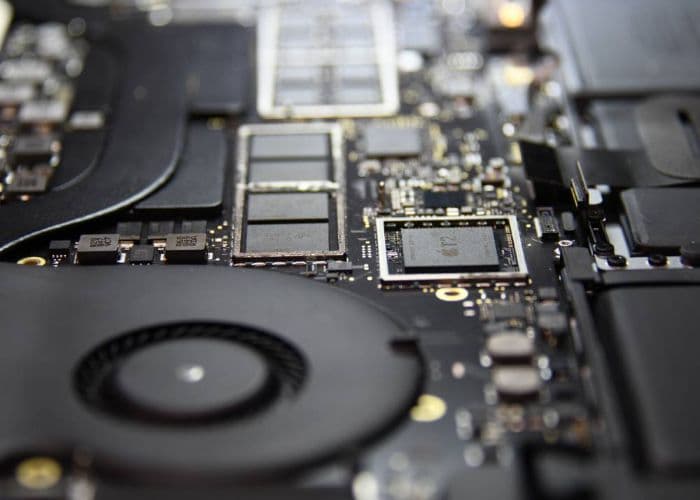
The T2 chip, present in late 2017 through 2020 Intel Macs (starting with the iMac Pro), serves as both a security controller and encryption engine. Every write to the internal SSD passes through AES-256 encryption managed by the T2's Secure Enclave. The encryption key exists only inside the specific T2 chip on that specific board.
The practical consequence: removing the NAND and reading it elsewhere is not viable. Chip-off produces only ciphertext with no accessible key. Recovery requires repairing the logic board so the T2 can power on and decrypt in place.
On pre-T2 Touch Bar models (2016-2017), the Lifeboat connector provided a direct path to the SSD. T2-era models (2018-2020) do not have this port; recovery strictly requires repairing the board to a bootable state where the T2 chip can initialize and decrypt the drive.
Note: 2016-2017 Touch Bar MacBook Pro models (A1706, A1707) use the T1 chip, not T2. T1 manages Touch Bar and Touch ID but does not control SSD encryption. The recovery approach for these models differs from T2 and Apple Silicon Macs.
Typical repair path: locate the failed component using thermal imaging, replace the shorted PMIC or capacitor under a microscope, restore enough board function for the T2 to initialize, then offload data over Thunderbolt. We do not accept payment on cases where this path is not viable.
T2 Board-Level Recovery Procedure
- Attempt a DFU Revive. Connect the dead T2 Mac to a second Mac running Apple Configurator 2 over USB-C and run Revive. This reinstalls BridgeOS and iBoot without touching the APFS Data volume or the Secure Enclave's encryption keys.
- Isolate the shorted power rail. If Revive cannot complete, the board has an electrical fault. We extract the logic board and inject a known voltage into each rail (PP3V3_G3H, PPBUS_G3H, PP1V8_S5, others) using a bench power supply while monitoring current draw.
- Locate the failed component with thermal imaging. A short on a rail produces a localized hot spot under load. A FLIR thermal camera reveals the failed capacitor, PMIC, or USB-C controller in seconds.
- Replace the failed component under microscope. Working at our 0.02µm ULPA-filtered clean bench with Hakko FM-2032 microsoldering irons and Zhuo Mao precision BGA rework stations, we remove the shorted part and install a verified replacement.
- Re-power and verify T2 initialization. The board is reconnected to the chassis battery, powered on, and the T2 Secure Enclave is checked for normal boot sequence. If the Mac reaches the firmware boot, the encryption keys are live.
- Image the decrypted volume over Thunderbolt. On T2 Macs we use Target Disk Mode over Thunderbolt 3 to mount the decrypted APFS volume on a host Mac and pull a bit-image to a target drive before returning the data to you.
- T2 Secure Enclave
- An integrated security controller that encrypts every SSD write with AES-256. The encryption key exists only inside the specific T2 chip on that specific board.
- Chip-Off Recovery on T2 Macs
- Not viable. Desoldering the NAND and reading it externally produces only ciphertext. The decryption key never leaves the T2 silicon.
- Lifeboat Connector
- Available only on 2016-2017 Touch Bar models (A1706, A1707). Does not exist on T2 or Apple Silicon Macs. If a shop claims they can use a Lifeboat on your 2018+ MacBook, they are misinformed.