Since 2008 | No Data, No Fee Guarantee | Nationwide Mail-In | $100–$2,000
Helium-sealed drives (WD and HGST Ultrastar He, the Seagate Exos X series, and the helium-sealed members of the Toshiba MG line) are a separate, higher tier at $200–$5,000+: sealed chamber, exact-match donor, and in-house helium refill push the cost above standard air drives. Capacity alone won't tell you which kind you have. Seagate also ships air-filled enterprise drives such as the Exos 7E8.
Professional hard drive data recovery for clicking, beeping, and not detected drives. Hard drive repair restores a working disk; HDD data recovery extracts files from a disk we never expect to use again.
Our Austin lab takes HDD and SSD recoveries by local drop-off and nationwide mail-in. We extract files in-house with PC-3000 tools and clean-bench procedures. No data = no charge. Every tier is published on this page before you ship.
Hard drive recovery, hard disk recovery, and HDD data recovery all describe the same Austin-lab workflow: triage the failure mode, repair mechanical or firmware faults on a clean bench when physically required, image the platters, and return your files on healthy destination media.
Power the hard drive off, write down the symptom, and stop trying repair software. A clicking, beeping, not-detected, or dropped HDD needs failure classification before any scan runs. Our Austin lab checks the PCB, firmware service area, heads, and media before imaging the platters onto healthy storage.
The first decision in hard drive data recovery is not which software to run. It is whether the drive is safe to power. A drive with failed heads, stuck heads, or a damaged voice coil actuator can turn a recoverable head swap into platter damage if it keeps retrying against the same surface.
Hardware fault. We find out which part failed on the bench
Bench diagnosis first. If the heads failed, a donor head swap on the 0.02 micron ULPA clean bench, then imaging on PC-3000 Portable III or DeepSpar Disk Imager
USB bridge damage, head slap, spindle shock, or contaminated media
Board and connector triage first, then mechanical inspection or firmware imaging based on the actual HDD failure
For mail-in customers, pack the powered-off drive and send it directly to 2410 San Antonio Street, Austin, TX. The evaluation has no diagnostic fee, and the no data, no recovery fee policy applies after the lab classifies the failure.
Process
What Is the Step-by-Step Recovery Process?
The recovery process follows six steps: free evaluation, firmware stabilization, mechanical repair on the clean bench if needed, sector-by-sector imaging with write-blocking, file system reconstruction from the image, and secure delivery. We image the drive before any file reconstruction so the original sector map is preserved regardless of what happens during the file carving phase.
1
Evaluate & Protect
Document symptoms, sounds, prior attempts, SMART data, and model/firmware. No CHKDSK or Disk Utility on failing media.
2
Stabilize Access
Correct translator/ID issues, transfer ROM/adaptives, and repair PCB to identify safely via PC-3000.
3
Clean-Bench Mechanics
For failed heads, we do an exact-match donor head swap on the 0.02 micron ULPA-filtered laminar clean bench. Whenever an HDD data recovery case needs mechanical work, the donor has to match the patient drive's preamp revision, head map, and firmware. A simple PCB or head swap without this matching step won't work.
4
Image First, Always
Sector-by-sector imaging with write-blocking. Fast pass for healthy areas, controlled retries for weak regions.
5
Recover from Image
Rebuild file systems on the clone, carve where needed, and verify that priority files open correctly.
6
Deliver & Purge
Copy to your new drive, spot-check with you, and securely purge all working copies on request.
Typical timing: Healthy 1 TB images in a few hours; light bad sectors add days; "not detected"/firmware 3-6 weeks; head swaps with donor parts 4-8 weeks. Severe platter damage may be unrecoverable; we will tell you when to save your money. A +$100 rush fee to move to the front of the queue is available to move to the front of the queue.
Our hard drive and SSD recovery is powered by PC-3000. It's a high-quality product, and it's what makes our work possible.
What is Hard Drive Data
What is Hard Drive Data Recovery?
Hard drive data recovery is the process of retrieving files from a failed, corrupted, or physically damaged hard disk drive. Professional recovery uses specialized hardware to work around firmware faults, replace failed read/write heads, and image platters sector by sector when standard software cannot access the drive.
Also called hard drive recovery, hard disk recovery, or HDD data recovery, the goal is the same: get your files back from a drive that will not cooperate. A hard drive repair search covers 2 different jobs: making a disk usable again, or data recovery, where we stabilize the HDD long enough to image it & then retire it.
Professional data retrieval services use specialized hardware such as the PC-3000 by ACE Lab and DeepSpar Disk Imager to recover data from hard drives when standard software solutions fail. According to Backblaze's Drive Stats data covering a fleet of hundreds of thousands of drives, annualized failure rates are published per model line every quarter. Drives fail in normal service, and some of those failures need professional recovery.
Recovery methods include:
Logical repair
Recovering corrupted partitions, formatted filesystems, and deleted files using sector-level imaging and advanced file carving.
Clean bench head swaps and platter work for clicking or beeping drives with physical head damage, performed under ULPA-filtered laminar flow bench with 0.02 micron ULPA filtration
Hard drive repair vs hard drive data recovery
People searching for "hard drive repair" usually need data recovery, not a working disk. Hard drive repair restores a working disk; hard drive recovery extracts files from a drive we never expect to use again. We stabilize a failing HDD only long enough to image its platters sector by sector onto healthy media, then retire the original. The drive itself is not the deliverable; the files are.
On clicking, beeping, or not-detected drives, attempting repair before imaging risks scoring platters and pushing the job from our firmware tier into our platter-damage tier. At our Austin lab, we only do head swaps or translator rebuilds to get the data off the drive. For a deeper breakdown, see our hard drive repair vs recovery explainer.
The mechanical hard drive repair work itself, including head swap, PCB swap, and firmware repair, is performed in-house at our Austin lab as part of the hard drive recovery process, never shipped to a third party.
Head stack replacement runs on a 0.02 micron ULPA-filtered clean bench with donor-matched parts; firmware corruption is addressed through SA module access on the PC-3000 Portable III; and imaging of the stabilized drive runs on the DeepSpar Disk Imager with head-map control so we read good surfaces before risking weak ones.
When people search for hard drive repair, that engineering work is what we do; we just do it in service of hard drive recovery rather than returning a working disk.
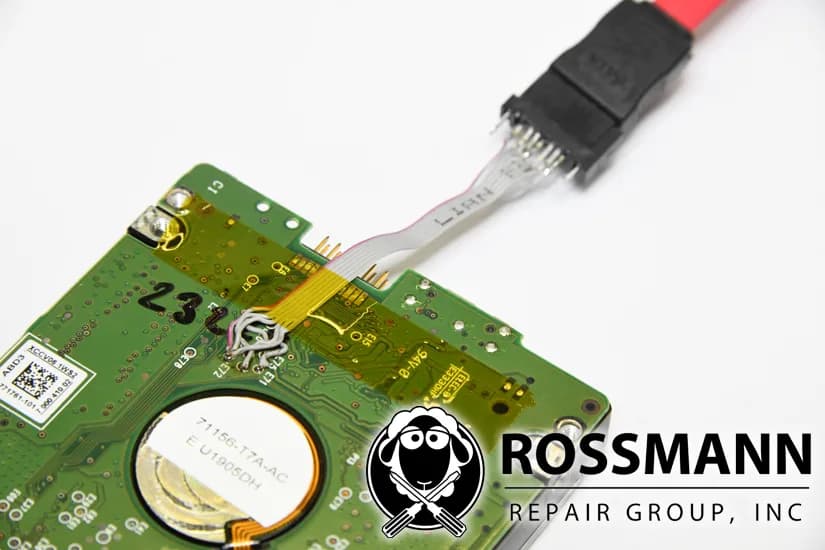
Almost no consumer can do a PCB swap on a modern drive, and here's what real hard drive repair looks like when we do one. Modern HDDs store boot code and calibration unique to that drive, including head-specific adaptive parameters, on an 8-pin SPI flash ROM on the PCB.
Modern PMR heads keep a baseline aerodynamic clearance of a few nanometers and use thermal fly-height control to hold the transducer at an active magnetic spacing of about 1 to 2 nanometers. A donor PCB without the patient's ROM won't initialize the drive, because the adaptive parameters in that ROM belong to this drive's own heads.
We move the original ROM, or its contents, to a family-matched and firmware-matched donor board, and only then power the drive long enough to image it on the DeepSpar. Firmware-tier work follows the same logic: translator rebuilds, P-list and G-list edits, and module repairs such as WD Module 32 through SA access on the PC-3000 Portable III, performed in service of the image rather than to return a working disk to you.
Should you RMA a failed hard drive that is still under warranty?
Recover the data first, then RMA the drive afterward. A manufacturer warranty RMA gets you a replacement or refurbished drive. It doesn't get you the data that was on the failed unit.
When the data matters, the order is fixed. Send the drive to a recovery lab first. Once the image is done and your files are back, RMA the dead unit if the warranty terms still let you return a drive that's been through recovery.
Sending a failed drive to an independent lab does not void the warranty on the rest of the computer. Federal warranty law bars a manufacturer from voiding coverage just because someone other than the maker opened or serviced a component, unless the manufacturer can show that work caused the new fault. Recovering data off a dead drive does not forfeit your laptop's or NAS's remaining warranty.
Last updated: June 16, 2026
What the service includes
What Does the Hard Drive Data Recovery Service Include?
Our hard drive data recovery service runs end to end from one Austin, TX lab: a free evaluation with no diagnostic fee, in-house head-stack & PCB work, head-by-head imaging on the DeepSpar Disk Imager & PC-3000 Portable III, nationwide mail-in, & no data, no recovery fee. Standard drive pricing runs $100–$2,000.
Every hard drive data recovery service request starts the same way: a free evaluation with no diagnostic fee. You ship the drive, we identify the failure class & quote a firm price from the 5-tier schedule before any billable work, & you decide whether to proceed. Opening the case costs nothing.
The goal is a sector-by-sector image, not a drive returned to working order. Drives that still spin up are read head-by-head on the DeepSpar Disk Imager & the PC-3000 Portable III, so strong surfaces come off first & weak ones last. When a drive is clicking or electronically dead, we stabilize it first with a head swap, PCB ROM transfer, or firmware repair, then image it once it can be read.
Head-stack swaps, PCB ROM transfers, & firmware service-area work all happen at our Austin, TX lab. Single location, no franchises, no outsourcing. Head swaps run on a 0.02 micron ULPA-filtered clean bench with a donor matched to the family, head map, and firmware revision. Helium drives get an in-house head swap plus a helium refill once we open the sealed chamber.
Nationwide, the service is mail-in. You pack the drive in ESD-safe materials, hand it to the carrier, & it is logged into the queue on arrival. We have run the lab this way since 2008 out of a single shop, not a network of intake storefronts.
You pay no recovery fee if the files cannot be read off. Standard tiers run $100–$2,000; helium drives run higher because the sealed-chamber work & refill add cost. Turnaround tracks the failure class: a simple copy moves in 3-5 business days, while a head swap is a 4-8 weeks job, & there is a +$100 rush fee to move to the front of the queue.
How to start the hard disk data recovery service
Request the free evaluation. There is no diagnostic fee & no charge to look.
Pack the drive in ESD-safe materials & ship it to the Austin, TX lab.
We identify the failure class & quote a firm price from the tier schedule before any billable work begins.
Approve the price. We recover, return your files on healthy media, & bill no recovery fee if the data cannot be read off.
HDD imaging via DeepSpar
HDD Imaging via DeepSpar: What Hard Drive Data Recovery Actually Involves
Hard drive data recovery in our Austin lab triages each HDD before any power is applied. Drives with clicking heads or seized motors are repaired first on a 0.02 micron ULPA-filtered clean bench. Mechanically stable drives are imaged head-by-head on the DeepSpar Disk Imager and PC-3000 Portable III. The original drive is never the deliverable; the image is.
Hard drive data recovery in our Austin lab is an imaging job first and a repair job second. The HDD never functions as the deliverable. Files come off onto healthy destination media, and the original drive is retired after the image is locked.
What hard drive data recovery actually involves at the lab
If a drive is mechanically stable, we image it before we try any repair. The PC-3000 Portable III and DeepSpar Disk Imager pull a head-by-head, sector-by-sector image with head-map control, so good surfaces are read first and weak surfaces last. We only do a head swap when bench diagnosis shows the read/write heads, not the firmware, have failed.
Head swaps run on a 0.02 micron ULPA-filtered laminar flow bench with a donor matched to the family, head map, and firmware revision; platter handling stays inside that bench from de-lid to image. We handle firmware faults through SA module access on the PC-3000 rather than mechanical work. Standard pricing tiers run $100–$2,000. If we can't read the files off, there's no recovery fee. That's our no-data, no-recovery-fee policy.
Hard drive jobs in our Austin lab go through four procedures.
First, PCB ROM transfer with a board-revision-matched donor, when the original board is dead or has a burned TVS diode. We move the 8-pin SPI flash that holds the drive's own adaptive parameters, or its contents, to a family, firmware, and board-revision-matched donor before we apply any power. A donor PCB without the patient ROM won't initialize the drive.
Second, head and media work on the 0.02 micron ULPA-filtered clean bench when bench diagnosis shows the heads have failed. Third, firmware service-area edits on the PC-3000 Portable III for translator rebuilds, P-list and G-list repairs, and module-level fixes that bring the drive back into a readable state.
Fourth, physical imaging on the DeepSpar Disk Imager once the drive is stable enough to read, with head-map control sequencing the strongest surfaces first. Hard drive recovery and HDD data recovery describe the same four-step workflow; the original drive is never the deliverable, the image is.
Enterprise and forensic
Enterprise and Forensic Considerations
Corporate and forensic hard drive recoveries use the same Austin lab, the same engineers, and the same workflow as consumer jobs, with two additions: NDAs counter-signed before the drive is unboxed, and chain-of-custody documentation.
Corporate and forensic-tier HDD recoveries get the same lab, the same engineers, and the same workflow as a consumer drive, with two additions. NDAs are available on request for legal, medical, financial, and regulated-industry clients; send the document with the intake form and we counter-sign before the drive is unboxed.
We document chain of custody for the case.
All work stays in Austin; no third-party diagnostics, no outsourcing, no offshore handling. For data handling specifics, see our data security and handling page.
Pricing
How Much Does Hard Drive Data Recovery Cost?
Standard hard drive data recovery costs $100–$2,000, depending on the failure type. Every recovery begins with a free evaluation and a firm quote before any work begins. If we can't recover your data, there's no recovery fee. Simple data copies from a functional drive cost $100.
01
Low complexity
Simple Copy
Your drive works, you just need the data moved off it
Functional drive; data transfer to new media
Rush available: +$100
$100
3-5 business days
02
Low complexity
File System Recovery
Your drive isn't recognized by your computer, but it's not making unusual sounds
File system corruption. Accessible with professional recovery software but not by the OS
Starting price; final depends on complexity
From $250
2-4 weeks
03
Medium complexity
Firmware Repair
Your drive is completely inaccessible. It may be detected but shows the wrong size or won't respond
Your drive was dropped, has visible damage, or a head crash scraped the platters
Platter scoring or contamination. Requires platter cleaning and head swap
50% deposit required. Donor parts are consumed in the repair. Most difficult recovery type.
50% deposit required
$2,000
4-8 weeks
Hardware Repair vs. Software Locks
Our "no data, no fee" policy applies to hardware recovery. We do not bill for unsuccessful physical repairs. If we replace a hard drive read/write head assembly or repair a liquid-damaged logic board to a bootable state, the hardware repair is complete and standard rates apply. If data remains inaccessible due to user-configured software locks, a forgotten passcode, or a remote wipe command, the physical repair is still billable. We cannot bypass user encryption or activation locks.
No data, no fee. Free evaluation and firm quote before any paid work. Full guarantee details. Head swap and surface damage require a 50% deposit because donor parts are consumed in the attempt.
Rush fee
+$100 rush fee to move to the front of the queue
Donor drives
Donor drives are matching drives used for parts. Typical donor cost: $50–$150 for common drives, $200–$400 for rare or high-capacity models. We source the cheapest compatible donor available.
Target drive
The destination drive we copy recovered data onto. You can supply your own, or we'll provide one. For larger capacities (8TB, 10TB, 16TB and above), target drives cost $400+ extra. All prices are plus applicable tax.
Sealed helium drives are on their own price list, $200–$5,000+. When a head swap or platter repair opens one, we refill it with helium. That adds $400–$800, and the donor has to be an exact match. Helium drive prices
File system recovery for corrupted partitions, formatted drives, or volumes the operating system no longer recognizes starts at $250. Firmware repair costs $600–$900. That's when the drive's internal software is corrupted and we have to rebuild the translator tables, ROM data, and adaptive parameters on the PC-3000 Portable III.
Mechanical failures that require a donor head swap on our 0.02 micron ULPA-filtered laminar clean bench run $1,200–$1,500 and require a 50% deposit because donor parts are consumed in the procedure. The most severe tier covers platter surface damage from head crashes and starts at $2,000.
Most drives price by the failure tiers above; only helium-sealed drives (WD and HGST Ultrastar He, Seagate Exos X) sit in a higher tier. See helium-sealed hard drive pricing.
Helium-sealed hard drive pricing
Helium recharge after head-swap and lid reseal, performed in-house.
Helium HDD recovery ranges from $200–$5,000+, depending on the failure tier.
Helium drives sit in their own tier because the chassis is hermetically sealed at the factory. When we open one for a head swap, we have to refill the chamber with helium afterward. Donor drives are also scarcer and pricier than equivalent air-filled models. On helium designs with up to nine platters, the head-stack geometry means the donor has to match the exact firmware revision and head map.
WD and HGST Ultrastar He and Ultrastar DC HC5xx and above are helium, and so is the Seagate Exos X series. The air-filled enterprise drives are separate sub-lines, such as the Seagate Exos 7E8, the WD Ultrastar DC HC310, HC320 and HC330, and the Toshiba MG08ADA. Capacity alone won't tell you which kind a drive is.
Helium-tier head swap is $3,000–$4,500 and platter surface damage is $4,000–$5,000. Helium cost: $400-$800 additional for head swap and surface damage tiers. This covers the helium refill required after opening the sealed chamber. Helium donor drives must be an exact match. Typical donor cost: $200–$600 depending on model and availability, plus helium refill cost ($400–$800) required after opening the sealed chamber.
All helium mechanical work, including lid reseal and refill, is performed at the Austin lab. See the dedicated helium drive data recovery page for the full tier table and supported models.
Seagate Rosewood (stuck heads): If the heads are stuck to the platters but undamaged (stiction-only), we unstick and reuse them with no donor drive needed. This falls into the firmware-tier range at $600–$900. If the heads are stuck and damaged, a full donor head swap is required at $1,200–$1,500 plus donor drive cost.
Head condition can only be determined after opening the drive.
Estimate Your Recovery Cost
Estimate Your Recovery Cost
The recovery calculator below maps hard drive symptoms to cost tiers and recovery methods. Select the symptoms your drive is showing to get an estimated cost range. This is a starting point; a firm quote follows after evaluating your drive for free.
Timeline, repair vs recovery
Hard Drive Data Recovery: Timeline and Repair vs Recovery
Simple transfers from a healthy drive take 3-5 business days; firmware repairs take 3-6 weeks; head swaps take 4-8 weeks. We only repair the drive in service of getting your files off it. What you get back is your data, never a working original drive.
How long does hard drive data recovery take
Turnaround depends on the failure tier and donor availability. A healthy 1 TB drive images in a few hours. Light bad sectors add time as PC-3000 retries weak areas. Firmware corruption (drive not detected, wrong reported capacity, busy state) takes 3-6 weeks including SA module diagnostics and translator rebuilding.
Head swaps take 4-8 weeks because we source an exact-match donor with the correct firmware revision, head map, and manufacturing batch. Helium head swaps add time for the resealing and refill cycle. +$100 rush fee to move to the front of the queue; rush moves your job to the front of the queue but does not shorten the procedures themselves. Every quote includes a time estimate alongside the price.
Hard drive data recovery vs hard drive repair
Most people searching for "hard drive repair" need data recovery, not a working disk. Hard drive repair tries to return a usable drive; hard drive recovery extracts files from a drive we never plan to use again. We stabilize a failing HDD only long enough to image its platters sector by sector onto healthy media, then retire the original.
Mechanical work (head swap, PCB swap, SA firmware repair) is performed in-house at our Austin lab as part of the recovery process; the drive itself is not the deliverable, the files are. Running consumer software repairs (CHKDSK, fsck, Disk Utility First Aid) on a failing drive before imaging risks scoring platters and pushing a firmware-tier job into the platter-damage tier. For the full breakdown, see our hard drive repair vs recovery explainer.
How Do You Start a Free Hard Drive Recovery Estimate?
Starting a hard drive recovery estimate involves submitting a request online, using a symptom-based cost calculator, or mailing the drive directly to our Austin lab. Three options exist: professional lab recovery for clicking or undetected drives, a free DIY imaging guide for drives that still spin and read, and mail-in service for customers outside Austin.
How Does Our Nationwide Mail-In Recovery Service Work?
Mail-in recovery eliminates the middleman. You ship directly to our Austin lab; your drive goes straight onto the bench.
Our nationwide mail-in shipping protocol eliminates the middleman. You ship directly to our Austin lab, your drive goes straight onto the bench, and you talk to the engineer doing the work.
We take mail-in recoveries nationwide. Our shipping process uses USPS Priority or FedEx. Pack your drive in an anti-static bag inside a padded box (no bubble wrap directly on the drive).
Does the Service Repair Firmware First or Image the Drive First?
Drive condition
What runs first
Why that order
Drive is detected at the right capacity (deleted files, lost partitions, or bad sectors)
Sector-by-sector imaging on the DeepSpar Disk Imager or PC-3000, write-blocked
The address map is intact, so a forensic clone is the safe first move. Reconstruction then happens on the clone, never the patient drive.
Drive-managed SMR drive (shingled consumer Barracuda, Rosewood, and similar families)
PC-3000 firmware-level write lock, then DeepSpar imaging
The drive runs its own background garbage collection whenever it has power. Only a firmware write lock halts it; a SATA write-blocker cannot.
Firmware-tier work runs $600 on a CMR drive and $900 on an SMR drive, because the shingled mapping is harder to rebuild.
Shingled drives add one more rule. A drive-managed SMR drive keeps rewriting its own shingle bands through background garbage collection every time it has power, with no command from us. A SATA write-blocker stops our writes but not the drive's internal housekeeping, so we issue a firmware-level write lock through the PC-3000 first, then connect the DeepSpar Disk Imager. Skip that order and the drive can overwrite the very data we were sent to recover.
Which Recovery Tier Matches Your Hard Drive Symptom?
Cost tracks the class of work a drive needs, not the model on the label. Logical faults, firmware faults, and mechanical faults each take a different bench path and land in a different published tier. Which one your drive has is established at evaluation, on the bench. Find your symptom in the table below for the tier it usually falls into.
Clean-bench inspection, then platter cleaning and a head swap
$2,000
Prices are starting points. We provide a firm quote after a free evaluation.
Comparison
How Does Our Pricing Compare to a National Lab?
Our five HDD tiers run $100–$2,000 and every one of them is on this page before you ship. DriveSavers publishes no rate card, so their number arrives after the drive does. We do not publish figures for any other lab, because we have no sourced ones to publish.
What you can check before you commit is the only comparison worth making. Our tiers are $100 for a simple copy, From $250 for file system recovery, $600–$900 for firmware repair, $1,200–$1,500 for a donor head swap, and $2,000 for platter surface damage. Donor drives are matching drives used for parts. Typical donor cost: $50–$150 for common drives, $200–$400 for rare or high-capacity models. We source the cheapest compatible donor available.
Evaluation is free, there is no diagnostic fee, and there is no recovery fee if we cannot get your files back. The work happens in-house at the Austin lab. One location, no franchises, nothing shipped to a third party.
We film our recoveries so you can see the process before sending your drive. This video covers why a Seagate external hard drive beeps.
YouTube Authority & HDD Recovery
How Does Louis Rossmann's YouTube Authority Connect to Hard Drive Data Recovery?
Louis Rossmann's YouTube channel has 2.64M subscribers. The same Austin lab that diagnoses MacBooks on camera also performs mechanical hard drive recovery with PC-3000 tools, donor head matching, & clean bench work.
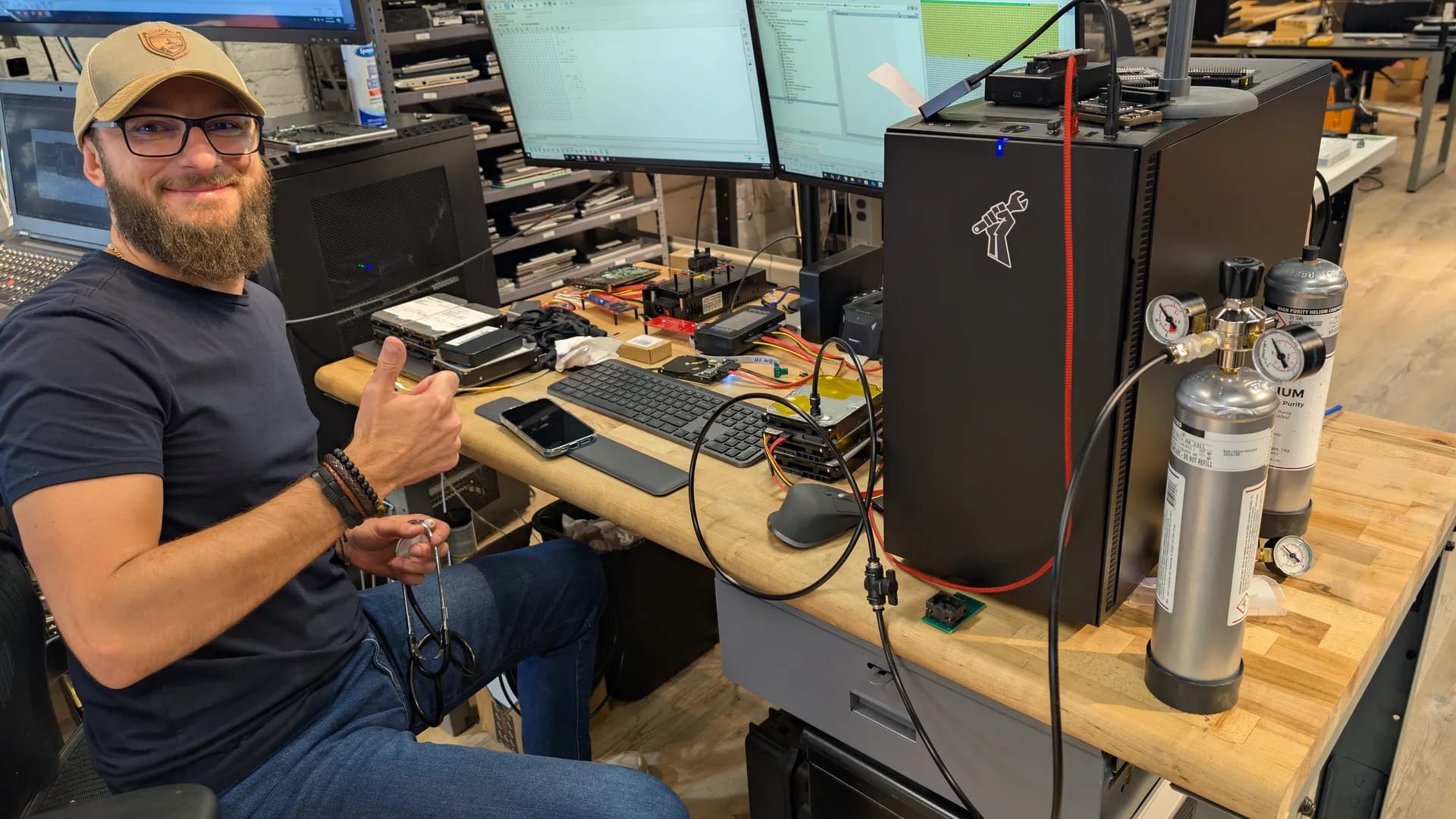
Chris, our lead data recovery technician, runs the day-to-day HDD recovery queue. He matches donor heads from our cataloged inventory by family & firmware revision, rebuilds the translator module in PC-3000 Express, and images damaged drives sector-by-sector with DeepSpar Disk Imager.
Louis films the procedures & posts them to the same channel that covers logic board repair. See earlier bench-recovery work recorded at the lab: hard drive recovery queue at the Austin lab.
Who performs the recovery
Who Performs the Hard Drive Data Recovery at Our Austin Lab?
All hard drive data recovery at our Austin lab is performed in-house by our founder, Louis Rossmann, and our lead bench technician, Chris. Open-drive mechanical work, including head swaps and platter cleaning, runs exclusively under our 0.02 micron ULPA-filtered clean bench. No diagnostic fee. No data, no recovery fee.
Louis Rossmann founded the lab in 2008. Chris leads bench recovery work on physically failed drives. No work is routed to a third-party lab. See earlier on-camera bench-recovery work recorded at the lab: data recovery technician and hard drive recovery queue.
How Do You Clean Hard Drive Platters and Recover from DIY Damage?
Previously opened drives add recovery complexity because dust, fingerprints, or misaligned head assemblies can turn a simple head swap into irreversible platter damage. A matched donor head stack assembly is expensive and consumed in the procedure; installing it into contaminated platters degrades it on contact.
Isolate the drive under the ULPA bench.We move the drive to the 0.02 micron ULPA-filtered laminar flow clean bench before we open it.
Inspect the tribological stack for scoring or contamination from DIY attempts.The damaged head stack is removed using head combs to prevent any slider from contacting platter media during extraction. Platter surfaces are then inspected under magnification to map zones with visible scoring or magnetic layer removal. Metallic shavings, carbon debris, and displaced lubricant from prior opening attempts are catalogued before cleaning begins.
Perform the donor-matched head swap on the clean bench.We clean debris off the platter surfaces inside the laminar flow zone of the 0.02 micron ULPA bench. Then we guide a donor head stack assembly, matched on preamp revision, head map, and firmware, onto the load/unload ramps with head combs so no slider contacts platter media during seating.
We image the drive after the swap, with head-map control.After the donor heads are seated, the PC-3000 Portable III accesses the drive service area to adjust adaptive parameters so the new heads can read weak sectors adjacent to cleaned damage zones. Head-map imaging on the DeepSpar Disk Imager then sequences clean surfaces first, leaving degraded zones for the end of the imaging session to maximize data yield before the donor heads potentially degrade.
Retire the original drive.File system parsing and file extraction run from the cloned image, never from the patient drive. The original drive is held under the customer's shipping instruction. If the image cannot be produced, the no-data-no-recovery-fee guarantee applies and the customer pays nothing (optional return shipping only).
Technical Terms: Clean Bench, Tribological Stack, Head Swap, DeepSpar
0.02 micron ULPA clean bench
A laminar flow bench fitted with a 0.02 micron ULPA filter. The 0.3 micron figure quoted for HEPA filters is their most penetrating particle size, the point of minimum efficiency, not the smallest particle they stop.
Tribological stack / head-platter interface
The interface between the read/write head sliders and the magnetic platter surface. When a slider contacts the rotating platter, it strips the magnetic recording layer off the platter. That generates metallic and carbon debris, which circulates inside the sealed head-disk assembly and scores every data track the damaged head passes over.
Donor-matched head swap
A mechanical recovery procedure that replaces a failed head stack assembly with a compatible donor. Before any swap, we check the donor drive against its head map, preamp silicon revision, and firmware, plus the site code on Seagate drives.
DeepSpar Disk Imager
Hardware imager for head-by-head, sector-by-sector imaging with head-map control on weak heads. It operates at the SATA PHY layer, below the host operating system. The engineer configures millisecond-level hardware timeouts so a degrading head is pulled off a weak track before extended internal firmware retry loops permanently damage the platter surface.
Is It Safe to Open a Hard Drive at Home?
Opening a hard drive outside a filtered environment introduces particles larger than the head flying height into the sealed head-disk assembly. The table below shows how the failure mode and outcome differ between a home opening and the 0.02 micron ULPA-filtered clean bench used in our Austin lab.
Scenario
Failure Mode
Outcome
Home / unfiltered room opening
Dust particles larger than head flying height contact platter surface on spin-up; head slider contacts platter and strips magnetic recording layer
Metallic and carbon debris circulates inside the sealed HDA, scoring data tracks
0.02 micron ULPA clean bench (Austin lab)
Laminar airflow through the 0.02 micron ULPA filter keeps ambient particulates away from the open chassis
Platter surfaces remain clean during head stack transfer; donor heads seat on ramps via head combs without slider-to-platter contact; imaging proceeds on surviving data tracks
If your drive has already been opened outside a clean bench, notify us before shipping. Previously opened drives require platter surface inspection and cleaning before a donor head stack can be safely installed. This adds time to the recovery but does not always change the pricing tier.
From PCB diagnostics to PC-3000
From PCB Diagnostics to PC-3000 Platter Imaging
Component-level PCB repair restores power-on electrical viability so a drive can boot its own microcode. It is the prerequisite for PC-3000 firmware work, not a substitute. PCB rework does not decrypt user data or alter hardware encryption on SED or OPAL drives.
Why a Bare PCB Swap Fails on Modern Drives
Modern hard drives store boot code and unique factory calibration data in a SOIC-8 serial flash ROM on the PCB, including head-specific adaptive parameters and servo calibration tables. These values are tuned to the specific physical head stack assembly inside the patient drive.
A donor board booted with its own ROM will not initialize the patient drive.
When a Transient Voltage Suppression (TVS) diode shorts to ground after an overvoltage event, or a motor driver IC burns open, the recovery workflow starts at the bench supply with a multimeter in diode mode and a FLIR thermal camera to localize the fault. The shorted diode is removed with an Atten 862 hot air station; the SOIC-8 ROM is desoldered with hot air and soldered onto an identical donor board using a Hakko FM-2032 micro-soldering iron.
Western Digital: From RAM Microcode Upload to Translator Reconstruction
On a Western Digital Drive-Managed Shingled Magnetic Recording (DM-SMR) drive, data first lands in a persistent Conventional Magnetic Recording (CMR) cache zone, then a background garbage collection process migrates it into the final shingled bands during idle time.
The dynamic translator module in the Service Area maps logical blocks across the CMR cache and the SMR bands. A power loss during garbage collection desynchronizes that translator. The drive powers on, identifies with the correct capacity, and reads as a string of zeros across the entire logical address space.
Seagate F3: UART Terminal, MCMT, and Safe Service Area Work
Seagate F3 drives have a Universal Asynchronous Receiver-Transmitter (UART) serial diagnostic terminal on the PCB. That goes for everything from the Barracuda 7200.11 generation through Rosewood and Exos. We talk to that terminal at 38400 baud over a COM cable on the test pads. Modern F3 drives ship that terminal locked, so we have to unlock the diagnostic port before any command runs.
Modern thin Rosewood drives are SMR; their equivalent of the WD dynamic translator is the Media Cache Management Table (MCMT) in the System Area, which maps user sectors held in the CMR media cache versus sectors permanently migrated into the shingled user area.
The danger on a modern Seagate SMR drive is that the legacy translator regeneration command from the CMR era will permanently zero the MCMT on an F3 SMR drive. The cached writes still sit on the platters magnetically. The pointers linking them to their final destinations are gone.
The safe way to handle one of these drives on PC-3000 is to back up the translator and MCMT and lock the drive's background media cache migration before any imaging begins. See the mechanical complement at dropped hard drive recovery and donor head alignment.
Where the lab stops and the key begins
Encrypted and Password-Locked Hard Drive Recovery
Yes, if the physical drive can be stabilized and imaged. Our engineers repair the mechanics and firmware to extract a raw sector-by-sector image of the encrypted data, but you must supply the recovery key or password to read it. AES-128 and AES-256 cannot be cracked or bypassed by any laboratory; the lab fixes the hardware, you provide the key.
When an encrypted drive fails mechanically, two separate problems stack on top of each other. The first is hardware: clicking heads, a seized motor, or a shorted board stop the drive from presenting any sectors at all. The second is the encryption envelope wrapped around whatever does come off the platters.
The Austin lab solves the first problem at the physical and firmware layer. The second problem belongs to whoever holds the key. What comes off a BitLocker or FileVault drive during imaging is ciphertext, a stream of encrypted binary that stays unreadable until the correct credential decrypts it.
Lock type
What the Austin lab does
What you must supply
BitLocker (Windows)
Stabilize heads and PCB, then run multi-pass PC-3000 imaging that preserves the redundant -FVE-FS- metadata headers holding the volume master key
The 48-digit recovery key, often backed up to a Microsoft account, Entra ID, or Active Directory
FileVault (macOS)
Resolve bad sectors and firmware faults so the APFS volume can be imaged and mounted on Mac hardware
The alphanumeric recovery key, or the user login password
Hardware-encrypted SED / TCG OPAL
Repair the drive or bridge so its own controller can run the on-board AES engine
The OPAL or pre-boot authentication password
ATA firmware password
Read and edit the drive Service Area on the PC-3000 Portable III to clear the security flag; the platter data is plaintext, not scrambled
Nothing. This is the one lock the lab clears at the firmware level
ATA Firmware Passwords Are Not Encryption
A BIOS or HDD password set on a laptop drive without hardware encryption is an ATA Security lock. It does not scramble the data on the platters into ciphertext. The bytes sit in plaintext; the drive firmware simply refuses to grant the host access to the user area until the correct password arrives at power-up.
The password itself lives in a firmware module in the drive Service Area, the hidden reserved tracks that hold the drive operating system, defect lists, and security settings. On Western Digital drives that security state is held in Module 02.
Our engineers interface with the Service Area on the PC-3000 Portable III, read the relevant module into RAM, and clear the security flag so the user area becomes readable again. This is firmware Service Area access, not cracking or bypassing encryption, and it is the only case here where no customer key is needed.
Never Run a PSID Revert to Unlock a Self-Encrypting Drive
A PSID Revert does not unlock a self-encrypting drive; it destroys the data. The PSID printed on a self-encrypting drive label is a factory reset credential, not a recovery key. Issuing a PSID Revert triggers a cryptographic erase that zeroizes the media encryption key inside the controller. The instant that key is gone, the ciphertext on the drive is unrecoverable by anyone, including us.
If the data matters, do not let anyone run a PSID Revert on the drive. On a hardware-encrypted WD external, the key material survives a dead bridge board. A lost user-set password doesn't. That password still has to come from you.
Encryption also strips away the fault tolerance an ordinary file system has. On a normal drive a cluster of bad sectors costs you a few files; on a BitLocker volume, bad sectors that land across all three redundant copies of the -FVE-FS- metadata can make the volume undecryptable even with the correct key, which is why multi-pass PC-3000 imaging of those metadata regions matters.
Encryption does not change the price of recovery. The physical failure determines the pricing tier, the same tiers published in the pricing table on this page. If the recovery key is permanently lost with no backup to a Microsoft account, Apple ID, or directory service, the data is permanently inaccessible, and no lab, vendor, or law enforcement agency can brute-force AES to bring it back.
We publish which tools do the work, and we film them doing it.
Purair VLF-48 Laminar Flow Bench
A 0.02 micron ULPA-filtered laminar clean bench. Vertical filtered airflow pushes airborne particles down and away from the work surface while a drive is open.
PC-3000 Recovery Platform
Industry-standard hardware and firmware-level tools from ACE Lab. Covers head swaps, platter transfers, seized motors, and firmware-level extraction on failed drives.
Every Recovery on Camera
No stock photos of bunny suits. Watch us work on YouTube, where recoveries are performed on camera, start to finish. The channel has 2.64M subscribers.
Single lab at 2410 San Antonio Street, Austin, TX 78705. All mechanical, firmware, and PCB work performed in-house. No franchises. No outsourcing.
Operating Since
Founded 2008 by Louis Rossmann.
Named HDD Recovery Equipment
DeepSpar Disk Imager for head-by-head sector imaging, FLIR thermal cameras for PCB short and burned-rail diagnosis, PC-3000 Express and PC-3000 Portable III for service area access and translator rebuilds, and a 0.02 micron ULPA-filtered laminar flow clean bench for head stack swaps and helium drive opening.
Can Data Be Recovered From a Dead Hard Drive?
The data on a hard drive is magnetic and persists on the platters even when the drive's electronics, firmware, or read/write heads have failed. Recovery requires stabilizing or replacing the failed component, then imaging every readable sector.
A "dead" hard drive can mean one of three things: the PCB has failed (power surge, shorted TVS diode), the firmware is corrupted (drive not detected, shows wrong capacity), or the read/write heads have failed. None of these conditions destroy the data stored on the platters.
For PCB failures, we transfer the ROM chip (or extract ROM data via PC-3000) to a compatible donor board. For firmware corruption, we access the drive's terminal interface and rebuild translator modules and adaptive parameters. For head failures, we perform a donor head swap on our clean bench.
The data itself remains intact on the platters throughout.
If the platter surfaces themselves are physically destroyed, the data there is gone for good. This happens when a head crash scrapes the magnetic coating off the platters, or when someone runs a clicking drive long enough that the heads grind through the recording layer. If your drive stopped working after a crash or sudden failure, power it off immediately.
Classifying the failure during the free evaluation determines the correct PC-3000 module, donor requirements, and cost tier before any work begins.
How Long Does Data Recovery
How Long Does Data Recovery Take?
Recovery time depends on the failure type and drive capacity. File system recoveries take2-4 weeks. Firmware repairs take 3-6 weeks. Head swaps requiring donor parts take 4-8 weeks. A rush fee is available to move to the front of the queue.
Firmware corruption (drive not detected, wrong capacity) takes 3-6 weeks, including terminal diagnostics and translator rebuilding.
Head swaps take 4-8 weeks because we need to source an exact-match donor drive with the correct firmware revision, head map, and preamp revision. Donor availability varies by model.
Severe platter damage cases may be unrecoverable; we will tell you before spending your money. We provide a time estimate alongside the price quote after the free evaluation.
Technical detail
At a Glance
Hard drive recovery starts at $100 for simple copies and ranges to $2,000 for severe surface damage. Mechanical failures use PC-3000 Portable III and a ULPA-filtered clean bench, all work is performed in our Austin lab, and no data means no recovery fee.
$Cost: From $100 for simple copies, $100–$2,000 for recovery (firm quote after free evaluation)
Equipment: PC-3000 Portable III + a 0.02 micron ULPA-filtered laminar clean bench for mechanical failures
Guarantee: No data recovered = no charge (evaluation always free)
2.64M SubscribersBBC FeaturedRight to Repair
A Message from Our Lead Engineer
A Personal Guarantee from Louis Rossmann
The data recovery industry is filled with “flat rate” scams and companies that prey on your panic. I started this business to be the antidote to that.
I have testified before Congress and State Legislatures fighting for your Right to Repair. I have built a YouTube channel with 2.64M subscribers by showing our work; honestly and transparently; for over a decade. I am not going to throw away that reputation to make a quick buck on your hard drive.
My promise is simple: If we cannot recover your data, you do not pay a cent.No “attempt fees,” no “clean room fees,” no surprises. You deal with engineers, not salespeople.
We do every hard drive recovery in our Austin lab on this equipment: PC-3000 Portable III, PC-3000 Express, PC-3000 SSD, DeepSpar Disk Imager, and a 0.02 micron ULPA-filtered clean bench.
The lab runs FLIR thermal cameras for PCB triage, Hakko FM-2032 microsoldering irons on FM-203 or FX-951 base stations with an Atten 862 hot air rework station for board-level rework, and Zhuo Mao precision BGA rework stations when the recovery requires controller-board repair. We open, head-swap, and refill helium drives in-house at the helium HDD pricing tier. We don't refer helium mechanical cases out.
We handle every HDD data recovery case in-house through our hard drive recovery service, and we don't outsource diagnostics. At our Austin, TX lab we work on the PC-3000 Portable III, DeepSpar Disk Imager, and a 0.02 micron ULPA-filtered clean bench.
Verified Google Business Profile rating across 1,837+ reviews. We also have 2.64M YouTube subscribers.
Transparent Pricing
Published HDD tiers from $100–$2,000; helium HDD tiers from $200–$5,000+; final quote after free evaluation; no surprise fees.
Named Equipment, Not Generic Claims
PC-3000 Portable III, PC-3000 Express, PC-3000 SSD, DeepSpar Disk Imager, 0.02 micron ULPA-filtered clean bench, FLIR thermal cameras.
Clean bench physics
Modern PMR read and write heads hold a baseline aerodynamic clearance of a few nanometers on an air bearing, and use Thermal Fly-height Control to protrude the transducers to an active magnetic spacing of 1 to 2 nanometers.
The bench on the equipment list is a 0.02 micron ULPA-filtered laminar clean bench, and that filtration rating is what the open-drive work is specified on.
ISO 14644-1 specifies particle concentration per cubic meter of air. Vertical laminar flow pushes filtered air downward across the open chassis, deflecting room contaminants and operator shedding away from the exposed platters.
We do all clean bench mechanical work in this lab in Austin, including head stack assembly transfers, platter cleaning, and helium refill. We do not ship opened drives offsite.
Imaging and firmware tooling
The PC-3000 Portable III runs directly on the clean bench. It accesses each drive through vendor-specific commands rather than the standard ATA stack, which is what makes Service Area work possible after a head swap.
On Western Digital Marvell architectures the engineer transfers Module 47 adaptive parameters from the patient ROM, edits the physical head map in Module 0A, and rebuilds Module 190 translator tables on SMR families. On Seagate F3 drives the same hardware connects to the diagnostic UART at 38400 baud to reach the F3 T> prompt for SysFile 28 and media cache map work on Rosewood and other shingled platforms.
The PC-3000 Express sits on a dedicated PCIe card in a separate workstation with four SATA diagnostic ports and two legacy PATA ports.
The DeepSpar Disk Imager runs on a separate PCIe imager and talks to the drive at the SATA PHY layer, below the host operating system. We set millisecond-level hardware timeouts so a read on a weak track is cut off instead of waiting out the drive's own retries.
Reviews, location, guarantee
We have 4.9 stars across 1,837+ verified Google reviews on the Rossmann Repair Group business profile, and 2.64M YouTube subscribers. Read the reviews; watch the videos. You can see the actual bench, the actual engineer, and the actual jobs.
No-fix-no-fee is written into intake. If we cannot return your files, you owe nothing for the recovery attempt and the only optional charge is return shipping. No diagnostic fee, no evaluation deposit, no minimum charge to look at a drive.
One physical lab at 2410 San Antonio Street, Austin, TX, since 2008. No franchises, no satellite offices, no outsourced diagnostics, no white-label routing to someone else's bench. Published HDD tiers from $100–$2,000 and helium HDD tiers from $200–$5,000+ are committed before work begins; the firm quote is set after free evaluation.
Laminar flow vs walk-in cleanroom
Why a Laminar Flow Bench Is Enough for a Head Stack Swap
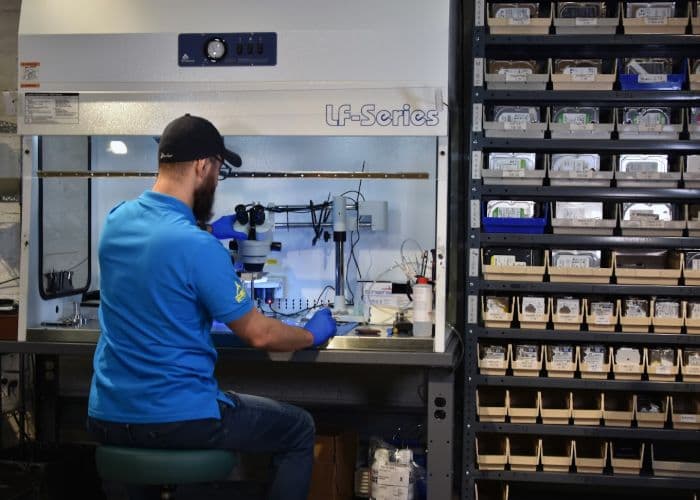
We do open-drive work on a 0.02 micron ULPA-filtered laminar clean bench. Its vertical filtered airflow pushes airborne particles down and away from the open chassis, without the overhead of a walk-in cleanroom.
ULPA laminar flow bench: vertical filtered air across the open chassis.
Which air does a head swap actually depend on?
Open-drive work at this lab runs on a 0.02 micron ULPA-filtered laminar clean bench. Vertical filtered airflow pushes airborne particles down and away from the work surface for as long as the drive is open.
What air reaches the open chassis during a head stack swap?
During a head stack transfer the platters are exposed only to the air immediately above them. Vertical laminar flow pushes ULPA-filtered air downward across the open chassis at a consistent face velocity, deflecting operator shedding, room dust, and ambient turbulence away from the platter surfaces.
Engineering requirement at the platter level
The platters need filtered laminar airflow at the work surface, and the 0.02 micron ULPA-filtered bench gives them that.
All head-stack work, helium refill, and platter cleaning happen on this bench in Austin. For the longer-form physics breakdown see cleanrooms vs laminar flow benches, and for the step-by-step bench procedure see what a head swap involves.
Clicking drive procedure
What Equipment Does the Austin Lab Actually Use to Recover a Clicking 3.5 Inch Hard Drive?
We treat a clicking 3.5 inch drive as a hardware fault and find the failed part on the bench. We check the electronics with FLIR thermal imaging and match donor heads. Then we transplant the head stack on the 0.02 micron ULPA-filtered clean bench and image selectively by head map, pulling healthy surfaces before we retry degraded zones.
Electrical triage on the PCB.Before we open the drive, we isolate the controller board and probe it for shorted TVS diodes on the 5V and 12V rails, blown buck converter outputs, and burned preamp supply lines. A FLIR thermal camera flags hot spots invisible to the eye. If the failure is electrical rather than mechanical, board-level repair with a Hakko FM-2032 microsoldering iron on an FM-203 or FX-951 base station completes the recovery without ever cracking the lid.
Environmental preparation on the ULPA bench.The drive is moved to the 0.02 micron ULPA-filtered clean bench, which generates a vertical laminar airflow envelope over the work surface. ULPA filter media captures 99.9995 percent of particles at 0.12 microns through a combination of diffusion, interception, and inertial impaction. That matters because modern read/write heads fly within a few nanometers of the platter surface.
Donor head matching.A model-number match isn't enough. Before any swap, we check the donor drive against head map and head count, preamp silicon revision, and firmware family and revision. On Western Digital drives, the DCM has to align. On Seagate drives, the part number, site code and date code do.
Head stack transplant inside the bench.We lift the damaged head stack assembly out with head combs and seat the donor stack without letting any slider contact platter media. On helium-sealed drives, we refill the chamber with helium in-house. The helium refill cost is part of the helium HDD pricing tier.
ROM adaptive transfer.The original PCB ROM holds microjog offsets and channel-gain calibration unique to the patient drive. If the PCB also has to be replaced, the PC-3000 Portable III writes the original ROM adaptives to the donor PCB. If the Service Area itself is corrupted, we upload a loader into controller RAM through the vendor-specific diagnostic port so we can repair the firmware in place.
Selective head map imaging via PC-3000.Once mechanical stability is confirmed, the PC-3000 issues vendor-specific commands to log per-head read stability. We disable weak heads in the firmware head map and throttle read requests with imaging-utility timeouts. We image healthy surfaces first onto safe destination media, and we only go back to degraded zones after the rest of the image is locked. The DeepSpar Disk Imager handles the same role for drives that respond to ATA but degrade quickly under sustained imaging load.
File extraction from the clone, not the patient.File system parsing and file extraction run from the cloned image, never from the patient drive. If the image cannot be produced the no-data-no-recovery-fee guarantee applies and the customer pays nothing except optional return shipping. The original drive is held under the customer's shipping instruction.
Head swaps on conventional 3.5 inch drives fall in the head swap tier, $1,200–$1,500. Helium drives carry an additional helium refill cost, listed in the $200–$5,000+ helium HDD tier table.
Why power-cycling a clicking drive destroys data
What Happens When You Keep Powering On a Clicking Hard Drive?
Every power-on attempt on a clicking drive is another chance to put the read/write heads into contact with spinning platters. Heads that touch down scrape the magnetic coating off, liberating metallic debris that abrasively scores surviving data tracks. The read channel collapses under the resulting signal loss, and sectors become permanently unrecoverable before any donor head swap can be attempted.
A clicking drive has a hardware fault, and the sound alone won't tell you the part behind it. Where the fault is in the heads themselves, each additional power-on attempt forces them across spinning platters and can turn a head swap case into a platter-damage case.
If your drive clicks or grinds, unplug it. Do not run CHKDSK, Recuva, SpinRite, or any recovery software on a mechanically damaged drive. Running repair utilities on a degrading mechanical HDD accelerates the failure and removes data we could otherwise image cleanly. See the clicking hard drive recovery page for symptom-specific detail.
Recovery software vs hardware imaging
Should You Run Recovery Software on a Clicking Hard Drive?
No. Consumer recovery software cannot help a clicking drive and makes the damage worse. File-recovery apps wait out long OS block-layer timeouts through the storage driver, while bare-metal repair utilities hammer unreadable sectors with endless read and write loops. Both keep the failing drive spinning and the damaged head reading without hardware-level timeout control. The safe path is to power the drive off and have it imaged on hardware that controls the read physics directly.
People reach for two different kinds of tools when a drive stops mounting, and it helps to separate them, because they fail a mechanically damaged drive in two different ways.
File-recovery software such as EaseUS Data Recovery Wizard, Disk Drill, Stellar, and R-Studio reads the drive through the OS storage driver, scanning file-system metadata and carving files by signature. It assumes healthy mechanics: the drive must spin up, achieve servo lock, initialize its service area, and report correct capacity. On a clicking drive a deep scan stalls on read timeouts or the drive drops offline mid-scan.
Disk-repair utilities such as CHKDSK and SpinRite go a step further and write to the drive. CHKDSK /f fixes errors by writing to the volume, and /r adds a bad-sector scan on top of that. SpinRite hammers a weak sector with repeated read and write cycles to force the firmware to retire it into the growing defect list, which on a head-failure drive means more head passes over damaged media, not a repair.
Why a full-surface deep scan is destructive on a failing drive
A deep scan requests every logical block address in sequence. That drags a failing head across every track on the platter, turning localized damage into rotational scoring.
Because the scan rides the OS storage driver, each unreadable sector stalls behind the operating system block-layer timeout while the drive grinds through its own retry routine. Hardware imagers invert that relationship: they talk to the drive at the SATA PHY layer below the OS, so they govern the read attempt instead of waiting on it.
Behavior
Consumer software and utilitiesEaseUS, Disk Drill, CHKDSK, SpinRite
Hardware imagingDeepSpar Disk Imager, PC-3000
Operating layer
Standard ATA reads through the OS storage driver (EaseUS, Disk Drill, CHKDSK) or bare-metal direct hardware polling from a boot environment (SpinRite). Neither has SATA PHY-layer reset control or can reach the service area or firmware.
SATA PHY layer with vendor specific command terminal access, below the OS.
On a clicking or head-failure drive
Sequential scan drags the failing head across every track; utilities force reallocation and overwrite metadata. Damage spreads.
Builds a RAM head map to exclude the failing head and image healthy heads first. The marginal head goes last.
Read-timeout control
Waits out the OS block-layer timeout on every bad sector while the drive grinds.
Millisecond-level hardware read timeouts, COMRESET or controlled power-cycle on a BSY hang, with auto-relocation turned off.
Hardware imaging is a methodology, not a guarantee, but it is the difference between resting a weak head and punishing it. At the read-channel layer a technician can also tune preamp gain and the equalizer response to pull a marginal signal back into the error-correction window, which no consumer software can touch. Running a deep scan first is how a job that belonged in our head-swap tier ends up in our platter-damage tier.
Platter cleaning before head swap
When Do the Platters Need Cleaning Before a Donor Head Swap?
When the platters carry debris from a head crash or an earlier opening, we clean them on the 0.02 micron ULPA-filtered laminar flow bench before a donor head stack goes in.
Previously opened drives reduce recovery success because dust, fingerprints, or misaligned head assemblies can turn a simple unstick into irreversible platter damage.
Platter cleaning procedure inside the 0.02 micron ULPA-filtered clean bench
All platter handling happens inside the 0.02 micron ULPA-filtered laminar flow bench.
Platter surface inspection under magnification.The damaged head stack is removed using head combs to prevent any slider from contacting platter media during extraction. Platter surfaces are then inspected under magnification to map zones with visible scoring or magnetic layer removal. Cleaning cannot recover data from an abraded zone; it prepares surviving tracks for the incoming donor heads.
Debris and displaced lubricant removal.We clean debris off the platter surfaces inside the laminar flow zone of the 0.02 micron ULPA bench, where filtered air flows down across the open chassis.
Donor head installation via head combs.We guide a matched donor head stack assembly, verified against head count, preamp revision, and firmware family, onto the load/unload ramps with head combs so no slider contacts platter media during seating. On helium-sealed drives, we refill the chamber with helium in-house at our Austin lab.
Read-channel tuning before imaging.After the donor heads are seated, the PC-3000 Portable III accesses the drive service area to adjust adaptive parameters so the new heads can read weak sectors adjacent to cleaned damage zones. Head-map imaging on the DeepSpar Disk Imager then sequences clean surfaces first, leaving degraded zones for the end of the imaging session to maximize data yield before the donor heads potentially degrade.
We do all clean bench mechanical work in our Austin lab, including head stack assembly transfers, platter cleaning, and helium refill. For the full head swap workflow, see the clicking drive procedure section above.
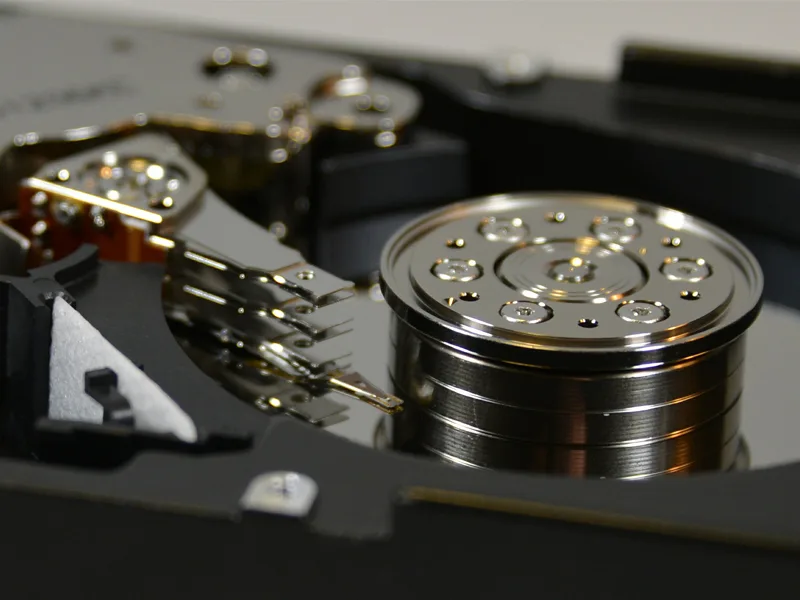
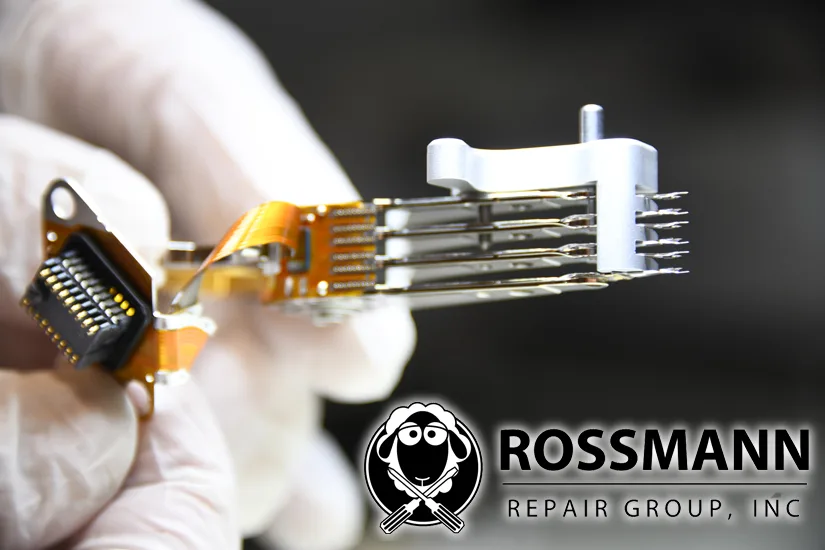
Six-head stack inspection: every slider, preamp, and ramp checked before swap.
Repair vs recovery
Hard Drive Repair vs. Data Recovery
The difference between hard drive repair and data recovery is the final goal. Hard drive repair restores temporary hardware function. Data recovery extracts your files onto healthy media. People searching for "hard drive repair" on a clicking, beeping, or undetected drive usually need data recovery, because mechanically failed HDDs cannot be made trustworthy again.
Our lab performs data recovery, not permanent drive repair.
A mechanically failed hard drive cannot be permanently repaired because head or platter damage is physical and progressive. Our lab performs data recovery: we temporarily stabilize the mechanism long enough to image the platters, then retire the drive.
Hard Drive Repair
Restoring the hard drive itself to a functional, reusable state. Not viable for mechanical failures because head damage, platter scoring, and motor seizure are permanent physical conditions. Spending hundreds to repair the hardware for reuse is not cost-effective.
Data Recovery
Extracting files from a failed drive by temporarily stabilizing the mechanism (donor head swap, firmware patch, PCB transplant), imaging every readable sector through PC-3000, and rebuilding the file system on healthy media. The original drive is not reused.
Here is the difference. When a hard drive fails mechanically (clicking, beeping, grinding), it cannot be permanently "repaired" to be trustworthy again. The damage to the platters or heads is physical.
Our process is Data Recovery. We perform temporary, surgical-grade repairs (like swapping read/write heads from a donor drive) just long enough to extract your data. Once the data is safe, we return it to you on a healthy, new drive.
We don't fix hard drives for reuse. We save the data inside them.
If a drive arrives clicking after a drop and we confirm failed heads on the bench, we open it on the clean bench and replace all read/write heads from a matched donor. Then we image it through PC-3000, using a head map to work around any degraded head. You get your data back on a healthy external drive.
A shop that offers to permanently repair a mechanically failed drive for continued use is conflating repair with recovery; the data should be moved to healthy media, not left on a drive with known physical damage. For more on what works and what does not, see our myths about freezer tricks, board swaps, and DIY platter exposure breakdown.
When Someone Searches "Hard Drive Repair"
When someone searches for hard drive repair, they usually need data recovery. A clicking head stack, a seized spindle motor, or a scored platter cannot be permanently fixed. We bypass the failed component long enough to image the drive, then return your files on healthy media. Repair-for-reuse is not a service any honest hard drive repair shop offers on a mechanically failed HDD.
Clicking on a Seagate Barracuda does not identify the fault on its own. A head-stack failure, a PCB fault, and firmware corruption are separated at the bench, not by ear. Either way, no service visit makes a mechanically compromised drive reliable for reuse. Paying $1,200–$1,500 to fix the failed one for ongoing use isn't cost-effective, and a drive with known mechanical damage shouldn't carry your data going forward.
What we perform is technically data recovery. We open the drive in a 0.02 µm ULPA-filtered clean bench, swap donor heads long enough to image the platters through PC-3000 or DeepSpar, & return the files on healthy external media. The original drive is retired once imaging is complete.
Firmware-side failures (ROM corruption, translator faults, lost adaptives) fall in the $600–$900 tier. Mechanical failures run $1,200–$1,500 plus donor cost. Donor drives are matching drives used for parts. Typical donor cost: $50–$150 for common drives, $200–$400 for rare or high-capacity models. We source the cheapest compatible donor available. +$100 rush fee to move to the front of the queue.
What Does "Hard Drive Recovery" Mean?
Hard drive recovery means bypassing failed physical or firmware components to extract your files. "Hard drive recovery," "hard disk recovery," & "HDD data recovery" name the same service. We use the PC-3000 Portable III to communicate with the drive's service area firmware and the DeepSpar Disk Imager to pull data from degrading platters. Price is set by failure type, not by which variant phrase you searched.
Simple copies from a working drive: $100. Logical recovery (formatted, corrupted, or deleted): from $250. Firmware work: $600–$900.
Head swap on the clean bench: $1,200–$1,500 plus donor. Surface damage to the platters: from $2,000.
Evaluation is free, you get a firm quote before any work starts, & there is no charge if we can't pull the data. For the full hard drive recovery price table, see our detailed breakdown. We have a separate page for each symptom: clicking, beeping, and not detected.
What Hard Drive Repair Work Do You Actually Perform?
Some hard drive repair work is real engineering performed on the way to data recovery. Other "repairs" are myths no validated lab will sell you. The list below separates the two so you can recognize a legitimate hard drive repair service quote from a marketing pitch.
Repair work we do perform (as a path to data extraction)
PCB board work with ROM transplant onto a matched donor. Firmware reflash and translator regeneration through terminal access. Adaptive parameter restoration via service area editing. Component-level soldering of shorted TVS diodes or burnt motor drivers using Hakko irons. Thermal mapping of PCB power-rail shorts with a FLIR camera. These qualify as "repair" in the technician sense; once the drive responds, we image the platters and retire the drive.
Repair work we will not perform (and you should not pay for)
Head swap intended to return the drive to long-term consumer use. Platter polishing for factory reset. Bad-sector remapping for daily-driver rehabilitation. Freezer tricks. Board swaps without ROM transfer. A mechanically failed hard drive is never safe to write new data to. Any drive repair shop quoting these as a permanent fix is selling something we will not touch.
Software-level "hard drive repair" you can attempt yourself first
If SMART is clean and the drive still mounts, file-system repair tools such as chkdsk, fsck, or TestDisk sometimes recover corrupted partitions or deleted files without a lab visit. Stop immediately if the drive starts clicking, slowing down, or showing reallocated sectors. Running repair utilities on a degrading mechanical HDD accelerates the failure and removes data we could otherwise image cleanly.
Component-level repair
Component-Level Repair vs Traditional Data Recovery
Component-level repair is board-level diagnostic work on the hard drive PCB. We identify the ROM chip, dump it natively, and replace a shorted TVS diode. We do this work in-house.
The same microsoldering skill that fixes MacBook logic boards diagnoses an HDD PCB without guesswork.
If you searched "louis rossmann hard drive recovery" or "rossmann data recovery," the entity behind those queries is the same engineer who repairs MacBook logic boards on YouTube. The microsoldering work documented on that channel is the upstream skill that makes hard drive PCB diagnostics tractable rather than guesswork.
The bridge between the two disciplines is the hard drive PCB itself. Every modern Seagate, Western Digital, and Toshiba drive carries unique adaptive parameters in its board ROM.
Recovery work on a dead PCB starts with the same tools that come out for a logic-board repair: a Hakko FM-2032 on an FM-203 or FX-951 base, an Atten 862 hot-air rework station, and a FLIR thermal camera to map a shorted power rail before any chip leaves the board.
HDD PCB failure modes we fix at the component level
Native ROM extraction, not blind PCB swap
A donor PCB without the original ROM will not spin the drive past calibration because the adaptives are unique to the head stack that left the factory with that board. On boards with a discrete 8-pin SOIC ROM, we read it in place with a clip or take it off the board, dump it through a programmer, and write that image to the donor before the swap.
Adaptive parameter transplant after a power event
When the original PCB is intact but the SA module is corrupted, we use PC-3000 terminal access to rebuild the translator and rewrite the adaptive tables. On a Seagate F3 drive that means regenerating SysFile 28 (the primary translator) against the P-list and G-list to reconstruct the LBA-to-PBA map; on a Western Digital SMR drive it means regenerating Module 190 (the T2 translator) that controls shingled-zone mapping. PC-3000 talks to the drive in terminal mode, reads what survives, and patches what does not.
TVS diode replacement after surge or reversed-polarity events
The 5V and 12V TVS diodes on a hard drive PCB are sacrificial. They short to ground when the rail spikes, which protects the controller and the motor driver IC but leaves the drive unable to power on. Replacement is straightforward board-level rework with the Hakko iron: confirm the short with a multimeter, lift the failed diode, install a matched part, verify the rail recovers under load.
PC-3000 SA terminal mode for corrupted translator
The translator is the firmware module that maps a logical block address to a physical sector on the platter. When it corrupts, the drive enumerates with the wrong capacity, with no model string, or hangs in a busy state.
We use the PC-3000 Portable III in terminal mode to rebuild the translator from the surviving G-list and P-list, and bring the drive ready long enough for the DeepSpar Disk Imager to clone the platters. The drive is then retired.
Why microsoldering experience changes the recovery outcome
We do the board work in the same lab, on the same bench, with the same tools used for filmed MacBook board repairs. After the board work, we image the platters through PC-3000 and the DeepSpar Disk Imager in the same lab.
That continuity matters because PCB diagnostics and firmware diagnostics overlap. A drive that does not enumerate could be a bad PCB, a corrupted SA module, a damaged head preamp, or all three; isolating the cause requires moving between scope, programmer, and PC-3000 terminal without handing the drive off mid-diagnosis. Firmware tier pricing is $600–$900. Mechanical work on the clean bench (head swap, donor matching) runs $1,200–$1,500 plus donor cost. Surface damage to the platters: from $2,000. +$100 rush fee to move to the front of the queue.
Deeper reading on HDD board-level work
The technical reference library covers the individual subsystems in more depth: the hard drive PCB components reference documents what each chip on the board actually does, the PCB diagnostics vs logic board repair page maps each diagnostic step from the MacBook bench to the HDD bench, and the what PC-3000 actually does page walks through how the terminal mode interacts with a corrupted translator, module by module.
Data Recovery Standards & Verification
Our Austin lab operates on a transparency-first model. We use industry-standard recovery tools, including PC-3000 and DeepSpar, combined with strict environmental controls to maintain drive integrity. This approach allows us to serve clients nationwide with consistent technical standards.
Serving clients nationwide via mail-in service since 2008. Our lead engineer holds PC-3000 and HEX Akademia certifications for hard drive firmware repair and mechanical recovery.
Our "No Data, No Charge" policy means we assume the risk of the recovery attempt, not the client.
LR
Technical Oversight
Louis Rossmann
Our engineers review all lab protocols to maintain technical accuracy and honest service. Since 2008, his focus has been on clear technical communication and accurate diagnostics rather than sales-driven explanations.
We believe in showing the bench rather than just describing it. Open-drive work runs on a 0.02 micron ULPA-filtered laminar clean bench, and we filmed it.
What Types of Hard Drive Failures Can Be Recovered?
Physical failures (clicking heads, stuck platters, seized motors), firmware corruption, and logical failures (corrupted file systems, deleted files) each have their own recovery method. The failure type determines the recovery method and cost tier. The data is lost wherever a head crash abrades the magnetic coating off the platters.
A persistent click is a hardware fault, and we find the failed part on the bench. We stabilize firmware modules, select usable heads, and image conservatively. Brands: Seagate, Western Digital, Toshiba, HGST, etc.
Common on 2.5 inch Seagate/LaCie Seagate Rosewood models. A beeping external is most often not getting enough power, so rule out the cable, port and power supply first.
Shorted TVS diodes, damaged motor drivers, or corrupted adaptives prevent ID. We perform PCB repairs, transfer ROM/adaptives, and reestablish safe access for imaging. Common symptoms: Drive spins down after seconds, shows wrong capacity (0GB), or shows as generic device name.
When heads contact spinning platters, they scrape the magnetic coating. Grinding noise means active damage. Turn off immediately. We swap the heads on the clean bench and image around the damaged zones.
Seized motor bearings, stiction, or PCB failure. Different from clicking - the platters don't move at all. May require a motor swap or electronics repair. See a real case of a WD drive not powering on.
When a hard drive becomes corrupted, the file system structure is damaged but your data is often still intact on the platters. Our engineers rebuild corrupted partition tables, repair damaged MBR/GPT, and recover files from corrupted NTFS, HFS+, APFS, and EXT4 volumes. Common signs: "Drive needs to be formatted", RAW file system, inaccessible folders, blue screen on boot.
Accidentally deleted files or formatted a conventional hard drive? If SMART is clean and reads are fast, DIY software is a reasonable first try. If reads slow or drop, stop and let us image with pro hardware before it degrades. Common errors: "CRC Error", "I/O Device Error", "You need to format the disk before you can use it".
VMDK, VHDX, and VHD files stored on failed drives or degraded RAID arrays. We image the physical media first, then parse VMFS or NTFS metadata offline to extract intact virtual disks without running a live rebuild.
Important: Previously opened drives (home or retail attempts) arrive with contamination inside the sealed chamber. Dust, fingerprints, or misaligned head assemblies can turn a simple unstick into irreversible platter damage. If your data matters, do not open the HDA. Get it imaged on a 0.02 micron ULPA-filtered laminar clean bench.
Supported
Which Hard Drive Models and Systems Are Supported?
We recover data from all major hard drive brands and form factors: Seagate, Western Digital, Toshiba, HGST, Samsung, Maxtor, and Fujitsu. Recovery covers Windows (NTFS), MacOS (APFS, HFS+), Linux (EXT4, XFS, Btrfs, ZFS), and server environments. We price external drives on the same tiers as bare drives.
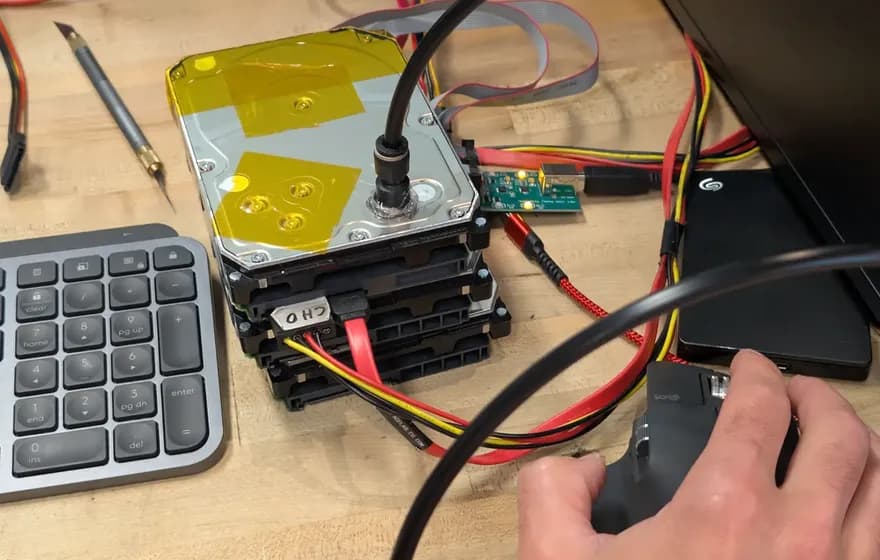
External drive shucked: failing USB bridge bypassed, internal SATA wired to a SATA cable.
External hard drives use 2.5-inch or 3.5-inch drive mechanisms. Many sit behind a USB bridge board. Modern WD portables put the USB interface on the drive's own board. When a USB external drive fails, we rule out the bridge first. Where the drive has a SATA connector, we remove it, connect it directly to our PC-3000 via SATA, and diagnose the actual failure: firmware corruption, head damage, or motor seizure.
Common external drive models we recover include Seagate Backup Plus Slim (Rosewood ST2000LM007), WD My Passport (SMR-based WD20SMZW), LaCie Rugged, and G-Technology G-DRIVE. USB bridge bypass and internal SATA imaging on portable enclosures pricing follows the same five tiers as internal drives: $100–$2,000 depending on failure type.
The enclosure brand does not change the recovery goal, but it can change the extraction step. Seagate portables such as the Backup Plus Slim contain standard SATA drives that connect directly to PC-3000. Modern WD My Passport drives use native USB circuit boards with no SATA connector. We have to transfer the ROM to a SATA donor board before diagnostics can begin.
What Recovery Service Matches Your Hard Drive Symptom?
Pick the symptom that matches what your drive is doing and the page behind it covers that case. A drive that makes a noise it never used to make is a bench job, and the specific fault, including stiction, is established once the drive is open. Corrupted drives often have intact data on the platters despite an inaccessible file system.
Four situations have their own pages: drops causing head damage, water or surge causing PCB failure, gradual read errors from media degradation, and firmware corruption from power interruptions. Each scenario has a different recovery procedure. The correct path depends on the failure type, not the drive capacity.
Real Lab vs Virtual Office: Where Does Your Drive Actually Go?
A real lab is a single physical address where the drive is opened, imaged, and worked on by the engineer you spoke to. A virtual office is a rented mail-drop suite that forwards your drive to a distant subcontractor you never spoke to. The Austin lab at 2410 San Antonio Street is a real lab. There are no franchises, no satellite offices, and no subcontractors.
This is not a moral judgment of every multi-city operator. Some have legitimate regional labs. The problem is that the listing alone gives the customer no way to tell the difference. The questions below are what to ask before shipping a drive anywhere.
Real Lab vs Virtual Office: Side by Side
Attribute
Real lab (Austin, TX)
Virtual-office pattern
Physical facility
One in-house facility at 2410 San Antonio Street, Austin, TX 78705.
Rented mail-drop or coworking suite; no bench, no equipment on site.
Staff at the address
Data recovery technicians on staff in the same building as the drive.
Receptionist or partner-shop clerk who hands the drive to a courier.
Imaging equipment
PC-3000 Portable III, PC-3000 Express, and DeepSpar Disk Imager owned and racked at the address.
No imaging equipment at the listed address.
Open-drive environment
0.02 micron ULPA-filtered laminar flow bench on site for head swaps and platter work.
No clean bench at the listed address; the drive is sealed in a box and shipped.
Helium drive work
Helium head swaps, donor matching, and helium refill performed in-house at the Austin lab.
Donor head matching
Donor library and head-stack matching performed in-house.
Donor selection happens at an off-site facility the customer cannot inspect.
Number of hand-offs
One: customer to the Austin lab.
Three or more: customer, mail-drop, courier, central lab, return courier.
Diagnostic fee
None. No data, no recovery fee.
Questions That Separate Real Labs From Forwarding Suites
What is the street address of the building where my drive will be opened, not the address where it will be received?
Which PC-3000 unit is on site at that address, and what is the serial number range?
Is the laminar flow bench at the same address, and what is its filter rating?
Will the technician who opens the drive speak with me directly, or only through a call center?
If I decline the quote, what fees apply to return shipping?
What "In-House" Means at the Austin Lab
In-house means the drive does not leave 2410 San Antonio Street between intake and return shipment. Imaging on the DeepSpar Disk Imager, head swaps on the ULPA-filtered laminar flow bench, helium refill on hermetic drives, and PC-3000 firmware repair against the service area all run inside one building.
There is no second facility the drive is sent to. There are no franchisees handling cases under the Rossmann name. When the case is closed, the drive ships back from Austin to the customer; it does not pass through a third party again.
Before you ship
What Should You Tell Us Before Shipping Your Drive?
The most useful information: the model number from the drive label, the symptom (clicking, beeping, not detected), what happened before the failure (drop, surge, gradual slowdown), and whether anyone previously opened the drive or ran diagnostic software. If you only know the symptom, that is enough to start.
Model number (printed on the drive label, e.g., ST2000LM007, WD40EFRX)
Capacity (500GB, 1TB, 2TB, etc.)
Form factor (3.5-inch desktop or 2.5-inch laptop/portable)
Firmware revision (if visible on the label)
Failure Context
Symptom (clicking, beeping, not detected, asks to format)
What happened (dropped, power surge, gradual slowdown, sudden failure)
Prior attempts (ran recovery software, opened the drive, sent to another lab)
Priority files (photos, databases, project files; helps us verify recovery)
Clean room
Do You Need a Clean Room for Hard Drive Recovery?
No. We do open-drive work on a 0.02 micron ULPA-filtered laminar clean bench, and that covers the minutes the drive is open.
Cleanroom photography sells: technicians in full spacesuits inside a “certified ISO Class 5 clean room”. Clean room classifications are defined by ISO 14644-1, which specifies maximum allowable airborne particle concentrations.
For data recovery, that level of whole-room infrastructure is marketing theater, not a technical requirement. What actually protects your platters is a 0.02 micron ULPA-filtered laminar clean bench and an image-first workflow.
Clean Room Standards vs Our Clean Bench
Standard
Max Particles ≥0.5µm per m³
Filtration Level
Required For HDD Work?
ISO 14644-1 Class 5
3,520 particles
Not specified by the standard
Industry marketing standard
Our Laminar Bench
Not a room classification
0.02 µm ULPA
Where our open-drive work happens
Filter class is what our bench is specified on, and it is on the equipment list: a 0.02 micron ULPA-filtered laminar clean bench. That is a filtration rating for the air moving across the work surface, not a room classification, and the two are not the same measurement.
You only need clean air in the immediate work zone during the brief window when platters are exposed. A laminar bench provides that.
Particle counter in the filtered air column above the bench, before a drive is opened
Watch the particle counter run at the bench.
Bottom line: The heads do not see room air. They see the air column directly above the open chassis, and that is what a laminar bench controls. We publish which equipment does the work, we publish what each tier costs, and we film the bench. Ask any lab you are considering to do the same.
Cleanroom photos are the industry's favourite trust signal, and they are a picture of a building rather than of the air over your platters. In this video Louis runs a particle counter at the laminar flow bench so you can watch the number the heads actually depend on.
How Do Failure Modes Differ Across Drive Families?
The failure mode dictates the recovery procedure. Generic "data recovery" approaches applied blindly to the wrong family can cause permanent data loss.
HDD PRML Read Channel Tuning
PC-3000 can retune a drive's read-channel adaptives, including the FIR equalizer taps and gain, to read data off degraded heads. For more on that, see our HDD PRML read channel tuning technical reference.
Drive-Managed SMR: Translator and Indirection-Table Failures
Drive-managed Shingled Magnetic Recording (DM-SMR) overlaps adjacent data tracks the way roof shingles overlap. The platter holds more bits per square inch, but the drive can no longer rewrite a single track without touching the tracks above it.
To make this look like a normal hard drive to the operating system, the firmware runs an internal media cache (a small conventional CMR region used as a write buffer) plus a translator that maps host logical block addresses to physical positions inside the shingled zones.
When the translator or its indirection table corrupts, the bench symptoms are unusual. Sudden power loss during a media-cache flush, or a weak head delivering bad ECC over the service-area tracks where the translator module lives, can leave a drive that powers on cleanly but reports 0 GB of capacity, the wrong capacity, or hangs in BSY long after the spindle reaches speed.
The drive can't answer the host's LBA questions because the map from LBA to shingled zone is broken.
Seagate publicly lists this consumer DM-SMR family:
Publicly Documented Consumer DM-SMR Families
Vendor
Family
Form factor
Documented SMR models
Seagate
BarraCuda
3.5-inch
ST4000DM004, ST8000DM004
The recovery workflow doesn't look like a standard CMR translator rebuild. Here's the sequence we run instead:
Connect the drive to the PC-3000 Portable III before any imaging attempt and apply a firmware-level write lock to the user area. Drive-managed SMR runs autonomous background garbage collection at the controller level whenever the drive is powered, and a SATA hardware write-blocker on the host cannot stop it. The firmware itself has to be commanded to halt media-cache flushes before the shingle bands are irreversibly overwritten.
On the same PC-3000 session, attach to the drive's service-area terminal and read the firmware modules that hold the translator and the indirection table for that family.
For drives where the translator module is unreachable through the standard service area, the heads have to be stabilized first. That can mean a head-stack transplant under the 0.02 micron ULPA-filtered laminar flow bench, followed by another attempt at service-area access.
Once the imager has the cleanest possible sector dump, file-system reconstruction runs against the image, not against the original drive. The original drive is never the recovery target; the image is.
SMR translator failures are not always recoverable. Some indirection tables corrupt to the point where the magnetic layout no longer maps cleanly back to the host LBAs the customer is asking for, and partial recovery is the realistic outcome. The lab does not publish family-specific success rates because the variable that decides the outcome is the depth of the table corruption, not the drive's model number.
Seagate Rosewood: LED Errors, Stiction, and Media Cache Failures
One Rosewood failure is the LED error. When firmware corruption occurs, the drive outputs LED status codes such as LED:000000BD over the serial terminal instead of reaching the F3 T> command prompt.
Media cache corruption is another Rosewood failure. Rosewood drives use a media cache region on the platters to buffer writes before committing them to the final LBA locations. If power is lost during a cache flush, the mapping between cache sectors and their destination LBAs can become inconsistent.
PC-3000's Seagate module can read and reconstruct the media cache map, but only if the heads are stable enough to read the cache zone without further degradation.
Western Digital SMR Drives: Translator Fragility
Western Digital ships Device-Managed SMR (DMSMR) drives in its WD Blue line. SMR overlaps write tracks like shingles on a roof to increase areal density. The drive manages a translation layer that maps logical block addresses to physical locations across shingled zones.
SMR secondary translator damage from non-SMR repair: WD SMR drives have a secondary translator in addition to the primary one.
We use PC-3000's WD module with SMR-aware procedures that preserve both translator layers before any firmware manipulation begins.
Helium-Sealed Drives: Recovery Mechanics and Constraints
The WD Ultrastar DC HC5xx series and above are helium, and so is the Seagate Exos X series. Air-filled enterprise drives come in separate sub-lines such as the Seagate Exos 7E8 and the WD Ultrastar DC HC310, HC320 and HC330. So capacity alone won't tell you whether an enterprise drive is hermetically sealed and filled with helium gas.
Helium has one-seventh the density of air, which reduces aerodynamic drag on the platters and lets manufacturers fit more platters into a standard 3.5-inch form factor.
Once a helium drive is opened, the factory helium charge escapes. The heads were designed to fly in helium's lower-density environment. In normal air, the increased drag changes the fly height, and the heads can contact the platters.
We refill the drive with helium after the head swap to restore correct fly height for imaging.
We open the patient drive on our 0.02µm ULPA-filtered clean bench, install the donor heads, and refill the drive with helium before connecting to PC-3000 for imaging. The helium refill restores the fly-height environment long enough to image the drive.
Helium drives that arrive with intact seals but firmware failures (not detected, wrong capacity, slow response) are handled entirely through the serial terminal and PC-3000 without opening the HDA. Keeping the seal intact preserves the helium environment and gives us a normal imaging window.
Mechanical helium drive failures require a hard drive recovery service with both the clean-bench tooling for head swaps and helium refill and the PC-3000 firmware expertise to handle multi-platter translator complexities.
Seagate's F3 firmware architecture arrived in the Barracuda 7200.11 era and is still used on modern drives such as Rosewood.
The 7200.11 was notorious for a firmware bug that bricked drives on power-up. Seagate issued a firmware patch for it.
The system area (also called the service area or SA) is a reserved region on the platters that stores the drive's operating firmware, defect lists (P-list and G-list), and SMART logs.
When the SA degrades due to weak heads or media defects in the service zone, the drive cannot load its operating firmware. It may spin up but fail to identify, or identify with a BSY (busy) state that never resolves.
To recover it, we have to use PC-3000's Seagate F3 utility to access the terminal, read whatever System Files remain, and rebuild the translator.
We back up the original SA before any modification.
WD Marvell Controllers: ROM Architecture
Western Digital built its Palmer and Spyglass 2.5-inch drive families on Marvell architecture.
When a WD drive suffers a PCB failure (power surge, shorted TVS diode, blown motor driver), a simple board swap will not work. The replacement PCB has its own ROM data that does not match the patient drive's platter calibration.
On boards that have a separate 8-pin ROM chip, we desolder the chip from the dead board and transfer it to the donor board.
WD My Passport external drives add another layer: hardware AES encryption, even when no password was ever set. A dead USB board does not take the key with it: the wrapped key sits in the drive's service area and can be read through a compatible SATA donor board.
If the USB board is destroyed, we recover the key material from the drive and decrypt the image with it.
WD Self-Encrypting Drive Recovery
Western Digital's My Passport external drives implement hardware-level AES encryption. On older models with a USB-to-SATA bridge board, the encryption key was stored in a firmware module on the platters alongside the user data.
Newer Spyglass-architecture drives use a native USB board with no separate bridge. The wrapped key still sits in the service area on the platters.
When the encryption board is damaged but the internal platters are intact, recovery depends on extracting the encryption key before imaging the user area. On older bridge-board models, PC-3000's WDC Marvell utility reads the key out of the drive's firmware module over a SATA connection. The key sits in Module 25 or Module 38, depending on the bridge chip. The utility then decrypts the user area in software while we image it.
On native USB Spyglass drives, which have no SATA interface, we move the ROM to a compatible SATA donor board to reach the firmware.
If we can't read the key material from the platters, the data stays AES-encrypted and there's no way to decrypt it.
High-Capacity Drives: Why 2TB+ Failures Are Harder
Matching the model number alone is insufficient. The donor has to match on preamplifier revision, physical head map, and firmware microcode.
The adaptive parameters stored in the ROM are calibrated to the specific platter surfaces in each individual drive.
A head swap on a nine-platter drive means aligning 18 heads simultaneously in a single insertion. One bent head contacting a platter surface during installation will scratch the platter and destroy the data under that head. We use manufacturer-specific head comb tools sized for each family and perform the swap under our ULPA-filtered clean bench.
Recovering Software-Encrypted Drives
Drives protected by BitLocker, Apple FileVault, VeraCrypt, or LUKS add a decryption step after the physical recovery is complete. The mechanical stabilization (head swap, firmware repair, PCB transplant) happens first. Once the drive is stable and reading sectors, we image the raw encrypted volume with PC-3000.
During extraction, we decrypt the BitLocker volume from the sector-level image with the client's recovery key.
Professional recovery does not bypass encryption. Without the client's password or recovery key, the data remains AES-encrypted. We can image the raw ciphertext and return it, but the logical files are inaccessible without the key. This is a hard cryptographic limitation, not a lab capability issue.
Seagate Controller ICs and ROM Adaptive Transfer
A Seagate PCB carries the MCU (microcontroller unit) and the motor controller. If the board has a separate 8-pin SPI flash ROM chip, that chip holds the bootstrap code and adaptive parameters.
That ROM chip is unique to each drive. During factory calibration, Seagate writes adaptive parameters specific to that individual head-platter combination.
Swap the PCB without transferring the ROM, & the donor board's firmware attempts to operate with calibration data written for a different physical drive.
When a Seagate PCB fails (shorted TVS diode, blown motor driver, corroded trace from liquid damage), we desolder the SPI Flash ROM chip from the dead board & transplant it to the donor PCB.
The translator is the firmware module that maps logical block addresses (the sector numbers your operating system reads) to physical locations on the platters.
The translator also references the P-list (primary defect list from factory calibration) & G-list (grown defect list accumulated during field use) to skip known-bad sectors in its logical-to-physical mapping.
When the translator corrupts, the drive may spin up & identify normally, but sector reads return wrong data, zeros, or errors. Your operating system sees a drive that exists but can't produce files.
On Seagate F3 drives, the translator lives in the service area as a group of System Files: the primary LBA-to-PBA map is SysFile 28 and the Non-Resident G-List is SysFile 35. Regenerating that map from the terminal recalculates it from the zone tables and the defect data, which is why the defect lists have to be readable before regeneration is attempted at all.
On Rosewood & newer Barracuda models with media cache, running translator regeneration blindly destroys pending cache entries: data queued for reallocation to its final LBA location is permanently lost. We back up all readable translator modules & media cache mapping tables via PC-3000 before any regeneration attempt.
On WD SMR drives, Module 190 holds the SMR-specific zone translator mapping logical sectors to shingled bands. Corruption here is more severe than on CMR because the shingled architecture adds a second translation layer between the logical address & the physical write zone.
To recover it, we lock the User Area first so background firmware writes can't destroy the damaged translator. Then we rebuild the second-level translator mapping from the saved module data.
SMR firmware cascade
How Does SMR Firmware Cascade Failure Look on WD Blue and Seagate Barracuda?
On consumer SMR drives like WD Blue and Seagate Barracuda, a firmware fault can leave the translator and media cache out of step. Before any imaging begins, we lock the drive's background firmware processes on the PC-3000 Portable III.
SMR-Aware Intake Procedure With PC-3000 Portable III
On any drive we identify as device-managed SMR, the first thing we do is lock the user area against background firmware writes with PC-3000 Portable III firmware utilities.
With the user area locked, we read the translator structures into the PC-3000 module database: Module 190 on Western Digital SMR drives, and the Media Cache Management Table on Seagate SMR drives.
Why customer-managed recovery makes this worse
A device-managed SMR drive looks identical to a CMR drive from the host's point of view. So people plug it into a USB enclosure and run the same consumer recovery software they'd run on any other drive.
If a drive is suspected to be SMR and is showing read errors, the recovery posture is to stop using it immediately and ship it to the Austin lab. Pricing for SMR firmware tier recovery is $900 per the published HDD pricing table, and SMR head-swap pricing is $1,500 plus donor cost. SMR (Shingled Magnetic Recording) drives require more work at the firmware and head-swap tiers due to their overlapping track architecture.
Model reliability data
What Do Documented Failure Patterns Say About HDD Model Reliability?
Backblaze publishes quarterly drive-statistics reports on its own fleet. Here's each HDD model and the failure pattern on record for it. A documented issue does not mean a drive is unrecoverable, but it does change which failure modes we expect at intake.
Model NotesModel-Specific Failure PatternsDocumented issues and the recovery approach each model calls for on the bench
Model
Capacity
Primary Failure Mode
Known Issues
ST12000NM0007
12TB
PCB failure (Very common)
Elevated Failure Rate
ST14000NM0138
14TB
Head failure (Common)
Elevated Failure Rate
ST12000NM0008
12TB
Head failure (Occasional)
Moderate Failure Rate
HGST HUH721212ALN604
12TB
Head failure (Common)
Age-Related Failures
ST16000NM001G
16TB
Head failure (Rare)
None documented
WDC WUH721816ALE6L4
16TB
Head failure (Rare)
None documented
WDC WUH721414ALE6L4
14TB
Head failure (Rare)
None documented
WDC WUH722222ALE6L4
22TB
Head failure (Rare)
None documented
TOSHIBA MG07ACA14TA
14TB
Head failure (Occasional)
None documented
TOSHIBA MG08ACA16TA
16TB
Head failure (Occasional)
None documented
TOSHIBA MG10ACA20TE
20TB
Head failure (Rare)
None documented
HGST HMS5C4040BLE640
4TB
Head failure (Rare)
None documented
Failure patterns reflect issues documented publicly for each model line. Any model can fail; the pattern determines the recovery procedure, not the odds.
A model's failure-rate reputation is a fleet observation, not a verdict on any individual drive.
We handle helium drives in-house. The WD and HGST Ultrastar He line (DC HC5xx and above) and the Seagate Exos X series are helium. The air-filled enterprise drives sit in separate sub-lines such as the Seagate Exos 7E8 and the WD Ultrastar DC HC310, HC320 and HC330. Capacity alone won't tell you which kind a drive is. In-house, we do the head stack transplant on the 0.02 micron ULPA-filtered clean bench, refill the helium before the platters spin, and image the drive after the swap through DeepSpar Disk Imager. Pricing for helium-sealed mechanical recovery is published at $200–$5,000+ depending on capacity and donor availability.
Turnaround at the Austin lab
How Long Does Each Stage of the Mail-In Recovery Workflow Take?
Every recovery moves through four stages at our Austin lab: intake, firmware triage and imaging, mechanical or firmware diagnosis, and return shipping. Healthy donor head swaps take 4-8 weeks, while corrupted SMR translator recoveries take 3-6 weeks. A 100 dollar rush fee prioritizes your drive in the queue without rushing the bench procedure.
Stage 1: Intake at 2410 San Antonio Street
Drives arrive at the Austin storefront by mail or in person. The drive is queued for the imaging bench. Rush cases (+$100 rush fee to move to the front of the queue) move to the front of this queue.
Stage 2: Firmware triage and imaging
Drives identified as device-managed SMR, or that present any sign of translator or service-area corruption, go to the PC-3000 Portable III bench first so that background garbage collection and media cache replay can be locked out before any host-side reads. Drives with a healthy translator and a mechanical or media defect profile move directly to the DeepSpar Disk Imager, which reads sector by sector with full control over command timeouts, retry counts, and head selection. If the drive is unstable, the imager pauses and the case moves to mechanical diagnosis.
Stage 3: Mechanical or firmware diagnosis
Drives that fail to image cleanly move to one of two benches. The firmware bench runs PC-3000 Portable III against the drive's service area to read modules, terminal output, and ROM. The mechanical bench operates inside the 0.02 micron ULPA-filtered clean bench, with FLIR thermal cameras tracking PCB hot spots during pre-swap testing and Hakko FM-2032 stations used for any board-level work. Helium drives get their head swap on the same clean bench, and we refill them with helium before the platters spin. All of that work happens in-house at the Austin lab.
Firmware recoveries on CMR drives generally complete inside the 3-6 weeks window published for the firmware tier. Head swaps fall inside the 4-8 weeks window for the head-swap tier.
Once an image is complete, the captured data is mounted read-only and the file structure is verified against the customer's description of what should be on the drive. Verified data is written to a customer-supplied or lab-supplied target drive and shipped back. Return shipping is the only stage that happens outside the lab; transit time depends on the carrier service the customer selects at intake.
All four stages are performed at the Austin, TX lab. There are no satellite offices, no partner labs, and no outsourced mechanical work. Donor drives are matching drives used for parts. Typical donor cost: $50–$150 for common drives, $200–$400 for rare or high-capacity models. We source the cheapest compatible donor available.
Verification before payment
How Does a Hard Drive Recovery Service Prove the Data Before You Pay?
A finished sector image is not proof the files survived. We mount the cloned image read-only, rebuild the file system from that clone, validate the directory tree, and open representative files before billing. A complete clone with a corrupt file system returns nothing usable, so verification is the stage that confirms readable data exists.
Two tools do two different jobs, and customers conflate them. The DeepSpar Disk Imager & PC-3000 Portable III are imaging hardware; they pull a sector-level clone off the patient drive.
Turning that clone into a readable file tree is a separate software stage that runs against the copy, never the original. A drive can image to 100 percent and still mount to an unreadable file system.
A Finished Image Is Not the Same as Intact Files
Imaging proves we captured the magnetic contents of the platters. It does not prove those contents resolve into files.
The structures that turn raw sectors into readable files, the partition table, the NTFS $MFT, or the drive's own reconstructed translator output, can be damaged even when nearly all user sectors imaged cleanly. Verification is where we find out which.
This is why the order matters. We image first on the DeepSpar Disk Imager, then mount the clone read-only and let file-system reconstruction run against the copy. If reconstruction stalls on a corrupt $MFT, we rebuild the metadata from the clone instead of hammering the failing drive for another read pass.
The Recovery File List You Review Before Final Payment
A recovery service hands you a file list, not a promise. After the file system rebuilds from the clone, we mount it read-only and generate a listing of the recovered tree, then check it against what you told us should be on the drive at intake. That listing is the structural reason no data, no fee works at the result stage and not only at the quote stage: the bill attaches to verified, openable files, starting at $100 for a simple copy, never to an attempt.
Mount the cloned image read-only so the patient drive is never the working copy.
Rebuild or parse the file system from the clone, not from the failing drive.
Validate the partition geometry & directory tree structure before trusting the listing.
Open representative files of each major type to confirm the file bodies, not just the directory entries.
Produce the recovered file list for your review before final billing.
Why a DIY File-Found Count Is Not Verification
DIY software reports a count of entries it found, which is not the same as files it proved. A directory entry can survive in metadata while the file body sits in sectors the heads can no longer read, so a high files-found count overstates what opens. That scan also runs against the failing patient drive directly, spending read cycles a recovery service spends once during imaging & never again.
Single location, in-house, no partner lab ever sees the image. The verification stage is the part of a hard drive recovery service that DIY software has no analog for: it proves the data before money changes hands.
Clean-bench head swaps
Clean-Bench Head Swaps: ULPA Filtration and Donor Matching
A clean-bench head swap replaces a failed head stack assembly inside a 0.02 micron ULPA-filtered laminar flow bench. Donor selection requires matching the HSA by model family, firmware revision, and preamp silicon revision.
Head combs keep each slider off platter media during extraction and seating.
Why Drives Enumerate With 0 LBA, Garbage Capacity, or Wrong Model ID
When a hard drive spins normally but reports zero capacity or a generic model string, the platters and heads are usually intact. The firmware has lost its Service Area mapping. Recovery requires reading the Service Area directly and rebuilding the translator in PC-3000 Portable III RAM without writing to the patient drive.
The firmware that boots a modern hard drive is split between a small flash chip on the PCB and the firmware modules stored in the Service Area on the platters. The PCB ROM holds the bootstrap loader and the unique adaptive parameters calibrated to this specific drive’s heads at the factory. The Service Area on the platters holds the translator, the P-list (factory defects), the G-list (grown defects), and the SMART logs.
A single power loss during a write to one of those modules, or a marginal head that fails to read a critical Service Area track, breaks initialization. The drive then enumerates with one of three diagnostic signatures that map directly to firmware faults rather than mechanical damage. The pages at firmware corruption symptoms and what the PC-3000 actually does cover the diagnostic vocabulary in more depth. The three signatures we use to route a case to firmware repair rather than the 0.02 micron ULPA-filtered clean bench are the following.
Translator corruption: 0 LBA or wrong capacity report
The drive spins up cleanly, makes no clicking, completes the BIOS handshake, and then reports either 0 bytes or a wrong capacity. The Logical Block Address to physical sector mapping is broken. The platters and heads are functional; only the translator module is unreadable or inconsistent.
ROM corruption: generic identifier in BIOS
On Western Digital drives, an electrically damaged or logically corrupted SPI flash chip causes the drive to report a placeholder identifier such as a generic WD ROM model string rather than its real product code. The drive cannot load its calibrated Adaptive Parameters, so it falls back to a minimal identity and refuses to read the platters. Recovery requires either extracting the ROM from the patient PCB or rewriting a donor ROM with the patient’s adaptives before further work.
BSY state: drive permanently busy, undetected by the host
The drive spins up and never returns a ready signal. It accepts no ATA commands.
Translator Rebuild on Drives With Overflowed Defect Lists
On the PC-3000 Portable III, we back up the existing Service Area modules before any repair. Then we image the drive on the DeepSpar Disk Imager with short per-sector timeouts, so a bad read doesn't stall the drive.
On Seagate F3 platforms, the regeneration is invoked over the diagnostic UART serial port at the F3 terminal prompt.
ROM Extraction and Re-Injection via PC-3000 Portable III
Two situations force a ROM-level workflow. The first is a drive whose PCB is damaged badly enough that the original board cannot boot the spindle: a shorted TVS diode, a burned motor driver, or a cracked solder joint on the controller. The second is an architecture such as Western Digital where a generic donor PCB cannot drive the patient heads until the patient’s adaptive ROM contents are transferred onto the donor.
The extraction itself is component-level rework. The flash chip is desoldered under a microscope with a Hakko FM-2032 precision iron on an FM-203 or FX-951 base station or removed with an Atten 862 hot-air rework station with a shielded nozzle. We read the chip on a programmer and write its contents onto the donor board's ROM.
Module-Level Repair of Adaptive Parameters and SMART Modules
Adaptive Parameters are the per-drive calibration values that allow the read-channel to interpret the analog signal coming off the heads. They include read-channel gain, finite impulse response tap weights, thermal fly-height parameters, and microjog offsets that compensate for the small physical difference between the read element and the write element on each head. These values are unique to the specific head stack assembly that the drive was calibrated against at the factory.
When a head swap is required, donor heads are transplanted on the 0.02 micron ULPA-filtered clean bench after donor matching against the patient drive’s site code, head map, and firmware revision. Because the donor heads carry their own physical impedance and flight characteristics, the original adaptives no longer track the platters accurately. PC-3000 can retune the read-channel adaptives, such as the FIR equalizer taps and gain, so the read channel resolves sectors with the donor heads in place.
SMART modules are a separate problem. On Seagate F3 drives, a corrupted SMART system file can stop the drive from initializing, which is one of the conditions behind LED:000000CC.
Helium Drive Firmware Repair Stays In-House
Enterprise helium-sealed drives such as Toshiba's MG08ACA and later helium models and equivalent high-capacity platforms from other vendors are hermetically filled with helium to reduce aerodynamic drag on the platters. Translator corruption, G-list overflow, and ROM faults on these drives are repaired with the PC-3000 Portable III without touching the hermetic seal. When a helium drive also has mechanical failure that requires a head swap, the drive is opened under the 0.02 micron ULPA-filtered clean bench at the Austin lab, then resealed and purged and refilled with helium through a calibrated manifold before the platters are ever spun, with helium refill, platter cleaning, and seal reassembly. Helium head swap, platter cleaning, and high-purity helium refill are performed entirely in-house at the Austin lab.
Mechanical work on helium drives uses the helium tier from $200–$5,000+, with +$100 rush fee to move to the front of the queue available for cases that need to skip the standard queue. Non-helium mechanical recoveries fall under the HDD tier published at $100–$2,000. No diagnostic fee applies in either case; if the data is not recovered, there is no recovery fee.
PCB & Microsoldering Bridge
How Does MacBook Board Repair Translate to Hard Drive PCB Recovery?
The same component-level diagnostic work we run on MacBook logic boards is the foundation of our hard drive PCB recovery: schematic-driven rail probing, hot-air rework, & SOIC-8 SPI flash extraction under magnification. We pull adaptive ROM data from a dead HDD PCB & migrate it onto a donor board.
The Rossmann lab built its reputation on filmed MacBook board repair: rail measurement against schematic, FLIR thermal hunting for shorted regulators, & component-level rework on multi-layer PCBs. That toolset transfers one-for-one to hard drive PCB diagnostics. The same Hakko FM-2032 precision irons (on FM-203 or FX-951 base stations), the same Atten 862 hot-air rework, & the same FLIR thermal cameras we use to find a shorted PMIC on a MacBook are the same hardware we use to lift a SOIC-8 ROM chip off a burned WD or Seagate PCB. Detail on the board layout is collected in our hard drive PCB components reference.
A dead HDD PCB can start with a shorted TVS diode on the 5V or 12V rail, a cracked main controller, or a burned spindle driver. Those are board-repair faults, not data-recovery faults; they get isolated under the stereo microscope before any firmware work begins. When we have to go around the controller, we desolder the SOIC-8 SPI flash that holds the per-head adaptive set with the Atten 862 and read it in an external programmer. Then we either reflow it onto a matched donor PCB with the Hakko FM-2032 or keep it as the patient's ROM of record for SA work.
A straight donor PCB swap fails on every modern hard drive, even when the silkscreen board number matches. The reason is that the adaptive parameters, per-head preamp gain, channel coefficients, microjog offsets, & thermal fly-height control values, are unique to the head stack that left the factory in that chassis. Modern PMR read/write heads hold an active magnetic spacing of about 1 to 2 nanometers over a few nanometers of baseline clearance. If the donor PCB drives the patient heads with the wrong calibration, the drive can't initialize its heads. The actual procedure is ROM transfer first (or, on WD, the ROM copies kept in the Service Area when the chip is cracked), then the donor PCB, then translator work on a PC-3000.
Even with the ROM in the right place, a healthy PCB only buys SATA identification. A drive with a corrupted translator still reports 0-byte capacity, a factory alias, or hangs in BSY because the firmware can't map LBA requests to physical sectors. From there the work moves to the PC-3000 Express. We back up the SA modules, upload the loader (LDR) into controller RAM, and then regenerate the translator. The procedural detail of that workflow is documented in our PC-3000 procedure reference.
On a modern hard drive, the actual job is board-repair work followed by firmware reconstruction. PCB diagnostics, ROM extraction, & SA / translator rebuilds all fall in our Firmware Repair tier at $600–$900 (CMR drive: $600. SMR drive: $900.) with 3-6 weeks turnaround. We do that work at the same Austin bench where we do our MacBook logic-board work.
How Does DeepSpar Multi-Pass Imaging Protect a Marginal Read Head?
A degrading read head loses signal-to-noise margin before failing outright. Operating system retries keep that head loaded over the damaged region while the drive's internal error recovery grinds on each sector. DeepSpar Disk Imager controls reads at the ATA command layer, limiting destructive retry loops before a donor head swap is required.
A hard drive's read channel shapes the analog signal off the heads with an FIR equalizer and decodes it with a Partial-Response Maximum-Likelihood (PRML) detector, using per-head adaptive values from the drive's firmware. A failing head does not produce garbage right away: more and more reads need retries before they succeed.
The DeepSpar Disk Imager is the hardware we use to do that extraction. It operates as an independent host bus adapter on the bench, bypasses the host BIOS and operating system, and controls every read at the ATA command layer.
Firmware Retry Loops Grind a Damaged Head Over a Damaged Surface
When an operating system asks a drive to read a marginal sector, the drive's firmware initiates its internal error-recovery routine. It retries the read again and again, and it can keep working a single sector long past the point where a host would have given up. Through all of it, the damaged head stays loaded over the surface that already failed to read once, applying thermal and mechanical stress to the actuator and heads.
This is the destructive failure mode that kills marginal drives in consumer tools. On a drive that is already shedding debris, every additional pass over the damaged zone risks scoring the platter further.
The reliable fix is to keep the internal retry loop from running at all: abort the read quickly, log the sector for a later pass, and move on. That is what DeepSpar does.
DeepSpar Imaging Parameters for a Marginal Drive
DeepSpar Disk Imager controls every read at the ATA command level, which lets us tune the following parameters per drive and per imaging phase. The settings below are starting points; actual values are adjusted by the technician based on how the patient behaves on the bench.
Read timeout in milliseconds. If the drive does not return the sector within the configured window, DeepSpar aborts the read. The sector is logged as bad, and the imager advances.
Hardware PHY reset and COMRESET. When a drive hangs mid-read, DeepSpar issues a COMRESET or hardware power-cycle to unfreeze the SATA link.
Variable read block size. The initial pass uses large multi-sector blocks to maximize throughput on healthy zones. When an error is detected, the imager returns to that block in a later pass with the block size dropped to 1 sector, which isolates the bad LBAs without discarding the healthy sectors that surround them.
Background auto-relocation disabled. DeepSpar commands the drive to suppress the firmware's internal reallocation of sectors flagged as weak. Auto-relocation writes to the service area. It also eats spindle time.
Healthy heads first. The imager pulls all data mapped to healthy heads before it attempts the degraded head, which means the bulk of the drive is safely cloned before the weak head is ever used.
Every one of these settings is aimed at the same goal: pull the maximum amount of data off the drive while giving the damaged heads and platters the minimum amount of work.
Why This Extends the Window Before a Head Swap
A donor head swap is a last-resort procedure on our bench because it is expensive for the customer and carries real risk of platter contact during the transfer. Pricing for a head swap sits at the $1,200–$1,500 tier on air drives and climbs on helium models where the helium refill is required after the swap. If the patient still has electrically viable heads, the correct move is to image as much data as possible with those heads first, then fall back to a swap only for the remaining unrecovered LBAs.
DeepSpar multi-pass imaging is what makes that triage possible. With auto-relocation turned off, the drive doesn't write to the service area during imaging and doesn't add new G-list entries we'd have to clear later. Because the head map tells DeepSpar to use healthy heads first, the weak head is only engaged for the sectors no other head can cover. We run the targeted retry pass on the weak head before we consider a swap.
When the weak-head pass stops producing new sectors, we move to a donor head swap on the 0.02 micron ULPA-filtered clean bench and reimage only the LBAs mapped to that head. That's how a drive that would otherwise go straight to a mechanical quote can sometimes finish imaging.
PC-3000 SA firmware repair
PC-3000 SA Firmware Repair: Module 190 Translator Rebuild, ROM Extraction, and Seagate F3 Terminal Access
PC-3000 SA firmware repair rebuilds the translator module that maps logical block addresses to physical platter sectors. On WD SMR drives, Module 190 controls the T2 translator architecture that manages shingled-zone mapping. On Seagate F3 drives, the equivalent translator rebuild runs through direct PCB TX/RX pad access at 38400 baud, where the Media Cache Management Table governs whether that rebuild is survivable at all.
ROM extraction transfers the 8-pin SPI flash ROM from the patient PCB to a family-matched donor before any power is applied. That ROM holds microjog offsets, thermal fly-height values, and per-head channel tuning written at the factory. A donor board without that ROM cannot initialize the drive. On WD drives, PC-3000 can rebuild the ROM contents from the copies kept in the Service Area on the platters.
SA defect lists, the G-list and P-list, map bad sectors so the drive routes read and write operations around them.
Hard drive recovery starts by classifying the failure before any file work begins. That classification comes from SMART data, how the drive behaves under controlled imaging, and direct inspection once the chamber is open. Each path from there uses different PC-3000, DeepSpar, clean-bench, and donor-matching steps.
The examples below describe failure modes, not past customer jobs. We use them to explain how a technician decides between firmware repair, donor head matching, platter inspection, and sector-by-sector imaging before quoting a tier from our published HDD pricing.
If an external drive beeps, check the power first: cable, port and supply. If it still beeps on a known-good supply, we find the failed part on the bench.
If the translator is corrupt but the heads still read, PC-3000 backs up SA modules, rebuilds the translator in RAM, and images by head before file reconstruction starts.
If a hard drive is opened outside a clean bench, platter contamination changes the job. The workflow becomes platter inspection, surface cleaning, donor head matching, and conservative DeepSpar imaging.
If read/write heads fail on an enterprise HDD, donor matching checks firmware revision, head map, preamp family, and adaptives before the head stack is transferred.
If a drive powers on but never identifies, PC-3000 terminal access checks BSY state, ROM compatibility, SA module integrity, and translator access before imaging starts.
Helium Drive Extraction: Hermetic Seal Physics, SMART Attribute 22, and In-House Refill
Helium drive extraction requires breaching the hermetic seal, installing a donor HSA before any spin-up attempt, resealing the chassis, and purging and refilling it with high-purity helium through a calibrated manifold. Helium is roughly one-seventh the density of air, so a chamber left full of atmospheric air alters the aerodynamic lift the sliders were designed around, and spinning the platters in that state risks head-platter contact.
SMART Attribute 22 (0x16) reports helium level on WD and HGST helium drives. Seagate Exos helium drives expose internal environmental telemetry through the F3 diagnostic terminal on the PCB TX/RX pads, which we read before any spin-up attempt on a drive suspected of seal compromise.
Toshiba's MG07ACA, MG08ACA and MG09ACA helium drives use Attributes 23 and 24 instead of Attribute 22. Current flagship helium designs pack up to nine platters and 18 heads into the standard 3.5-inch chassis. Breached-lid staging on the ULPA clean bench requires head-comb alignment fixtures matched to the specific platter spacing of each geometry. We do all mechanical work, including lid reseal and helium refill, in-house at the Austin lab. Helium cost: $400-$800 additional for head swap and surface damage tiers. This covers the helium refill required after opening the sealed chamber.
Verified recovery cases from our lab. Filter by device type or failure mode. The database spans HDD data recovery cases from firmware repairs and head swaps to PCB transplants across all major drive families. Each entry shows the drive model, failure type, and the tools and procedures used in the recovery.
Watch recovery
Watch Our Engineers Work
We film our recoveries so you can see the tools and procedures before sending your drive.
We believe in total transparency. That is why we film our work. Watch Louis Rossmann and the team perform real data recovery procedures, such as head swaps, so you know what happens to your drive.
Callout
Not sure what failed? Send the model number, symptoms, and any sounds the drive makes.
Sometimes. If the drive spins normally and reads, you can safely image it with ddrescue before attempting file recovery. If the drive clicks or grinds, stop. A beeping external drive is most often short on power, so rule out the cable, port and power supply first. Running CHKDSK or recovery software on a mechanically failing drive forces endless read retries that wear out weak heads and can score the platters.
Sometimes. Run through this quick safety checklist before spending money on professional recovery.
Safe to Try at Home
✓Try a different cable or port. Test with a known-good SATA or USB cable before assuming the drive is dead.
✓Check Disk Management (Windows) or Disk Utility (Mac). On Windows, if the drive's partition shows up with no drive letter, assigning one in Disk Management can be all it needs.
✓Use ddrescue to clone a readable drive. If the drive spins normally and reads, you can safely image it with our free ddrescue guide before attempting file recovery.
Do NOT Do This
✗Do not open the hard drive. Exposing platters to unfiltered air introduces particles that cause permanent scratches.
✗Do not put it in the freezer. The freezer trick is a myth that puts condensation inside the drive, which can crash the heads and short the board.
✗Do not run CHKDSK or Disk Utility on a clicking/beeping drive. These tools force endless read retries that wear out weak heads and can score the platters.
✗Do not keep power-cycling a failing drive. If it clicks persistently or grinds, power it off.
When to Call a Professional
If your drive makes any abnormal sounds (clicking, beeping, grinding), is not detected by your computer, or was physically damaged (dropped, water, surge), stop using it and contact us for a free evaluation. Professional recovery is necessary when the hardware itself has failed; no software can fix a broken read/write head.
When contacting a hard drive recovery service, describe the exact sound the drive makes, the event that preceded the failure (drop, surge, or gradual slowdown), and whether anyone has previously opened the drive or run diagnostic software on it.
That depends on what is on the drive. If the files are irreplaceable (family photos, business records, legal documents, research data), the value of recovery exceeds the cost. Our pricing starts at $250 for partition recovery and $1,200–$1,500 for a head swap on a standard hard drive. A free evaluation determines whether recovery is viable before any work begins.
Standard hard drive pricing ranges from $100–$2,000. A corrupted partition recovery starts at $250. A head swap costs $1,200–$1,500. Before committing, you get a free evaluation and a firm quote. We do not start work until you approve the price. If we can't recover your data, there's no recovery fee under our no data, no fee guarantee.
You pay nothing to find out whether recovery is possible, and you only pay if we deliver your files. Our standard hard drive head-swap tier is $1,200–$1,500, and you see that price before you ship.
Failure-Mode Procedures
Specialized Hard Drive Recovery Procedures by Failure Mode
The procedures below cover mechanical failure modes, firmware and PCB electronics, platter and head media recovery, brand and model specific procedures, and helium-filled drive recovery in the Austin lab.
The sub-procedures below cover each category in technical detail, linking to dedicated write-ups for each symptom, component, platform, and brand we handle in the Austin lab.
Media-side work is where clean-bench discipline matters most. The reference on how hard drive platters store data explains the magnetic grain layer that every recovery is built to preserve, and how hard drive heads work covers the voice coil actuator, slider aerodynamics, and preamp chip the head stack depends on. Successful head swaps require strict donor compatibility, documented in how donor drives are matched. For a filmed clean-bench platter transfer onto a donor spindle, with head-comb removal and the imaging pass that followed, see the hard drive platter swap lab video.
An opened helium drive has to be refilled with helium before its platters spin again, because its heads are calibrated to fly in helium, not air. For helium drive data recovery, we do head swaps with helium refill, firmware service area repair, and PCB component-level work in-house on the helium models of the WD Ultrastar, Seagate Exos, and Toshiba MG lines. The work is performed in-house at the Austin lab under the no data, no recovery fee guarantee. Environmental controls and head-stack handling are documented through the lab's clean-bench platter swap procedures. Lab-wide customer feedback aggregates to 4.9 stars across 1,837+ Google reviews.
Related Hard Drive Recovery Topics
The pages below cover the specific symptoms, failure modes, drive brands, and lab procedures that fall under hard drive recovery. Use the category that matches what your drive is doing, or jump to the technical reference if you want to understand how the recovery work gets done.
Service Area Firmware Repair on the PC-3000 Portable III
A healthy-sounding drive that reports the wrong capacity or hangs Busy can have a corrupted Service Area. Repair runs on the PC-3000 Portable III using vendor-specific interfaces: UART for Seagate F3 and SATA commands for WD Marvell.
The repair workflow uses vendor-specific ATA commands routed through the PC-3000 Portable III rather than any host-OS storage driver. For a longer description of how hard drive firmware works end-to-end, and a separate page on what PC-3000 actually does at the hardware level, see the linked technical references.
What the Service Area actually is
The Service Area is a reserved set of tracks on the platters that no host operating system can see. It holds the drive's on-platter firmware: the translator, the defect lists, adaptive calibration values for each physical head, vendor housekeeping flags, and on Seagate SMR drives the Media Cache Management Table. When the drive powers on, the controller executes a small bootstrap loader from an SPI flash ROM on the PCB, reads the Service Area, and loads the remaining firmware modules into controller RAM before announcing itself on the ATA bus.
When any of these on-platter modules fail to load, the drive either hangs in a Busy state, reports a capacity of zero, returns a factory default model alias such as "WDC ROM MODEL", or accepts ATA Identify but returns zeros across the full LBA range.
Seagate F3 System Files versus Western Digital Marvell Modules
Seagate F3 drives organize firmware as numbered System Files, accessed through the F3 T> diagnostic prompt. Western Digital organizes its firmware as numbered Modules under the ROYL architecture. The table below lists the critical identifiers we read or patch during a typical SA repair.
Function
Seagate F3 SysFile
WD Marvell Module
Configuration / background flags
Config SysFile in the Service Area
Module 02
Factory defect map (P-list)
SysFile 1B
P-list inside Module set
Primary LBA translator
SysFile 28
Resident translator
Grown defect list (G-list)
SysFile 35 (Non-Resident G-List)
G-list in the Service Area
Adaptive parameters and microjog offsets
RAP, CAP and SAP adaptives in the PCB ROM
Module 47
Media Cache Management Table
MCMT
Module 190 (T2 translator on SMR)
Translator rebuild without destroying the user data
The translator answers a simple question for every read: given an LBA from the host, which physical track, head, and sector holds the data. When SysFile 28 or the WD resident translator gets corrupted, that mapping is gone, and the host sees zero capacity or an Identify failure.
On legacy Seagate F3 drives the rebuild recalculates the primary translator from the zone tables and the defect data. That is why the defect lists have to read back cleanly before regeneration is attempted at all.
Translator regeneration is catastrophic on shingled drives in the Rosewood family if issued against the platter. The act of regenerating the translator wipes the Media Cache Management Table, and any user data still queued in the conventional cache zone waiting to be shingled is orphaned.
Why a PCB swap alone fails: adaptive parameters and ROM extraction
The bootstrap ROM on a modern hard drive PCB holds more than the initial loader. It also stores adaptive parameters calibrated for the exact head stack inside that specific drive at the factory. The parameters tune the PRML read channel for each head individually and include:
Microjog corrections for off-track positioning
FIR equalizer tap coefficients
The right way is to desolder the original SPI flash ROM and reflow it onto the donor, or extract the ROM contents on a programmer and write them to the donor board's ROM.
Firmware corruption versus head-stack degradation: differential symptoms
Two failure classes look superficially similar from the host side, but the repair paths are entirely different. Firmware corruption is logical; head-stack degradation is mechanical.
Firmware corruption
Drive spins up smoothly and holds a steady rotational velocity. It either fails the ATA Identify handshake, reports zero capacity, identifies under a factory alias such as "WDC ROM MODEL", or hangs in a Busy state with LED:000000CC (Init SMART Fail / corrupted-translator condition) visible on the diagnostic terminal.
Head-stack degradation
Drive may spin, but the actuator fails to lock onto servo tracks and slams the ramp stops. Reads that do complete are slow and throw uncorrectable read errors.
Common Questions; Real Answers
Is hard drive repair the same as hard drive data recovery?
No. Hard drive repair means making a disk usable again; hard drive data recovery means stabilizing a failing HDD long enough to extract files. Our HDD recovery pricing runs $100–$2,000: $100 simple copy, From $250 file system recovery, $600–$900 firmware repair, & $1,200–$1,500 head swap work when read/write heads fail. If the drive has no recoverable data, you don't pay the recovery fee under our no data, no recovery fee policy. We retire the failed drive after imaging because a recovered HDD is not reliable storage.
What's your data recovery success rate?
We do not publish a single recovery percentage because outcome depends on the failure type and media condition. Logical failures, firmware faults, head failures, and platter damage are different jobs. We inspect the drive first, explain the failure mode, and quote only after we know what work is required.
How expensive is data recovery?
Hard drive data recovery pricing runs $100–$2,000, depending on failure type. Simple copies are $100. File system recovery is From $250. Firmware repair is $600–$900. Head swaps are $1,200–$1,500. Surface damage is $2,000.
How long does it take to recover a 1 TB HDD?
A simple copy from a working drive takes 3-5 business days. Firmware repairs take 3-6 weeks. Head swaps that need donor parts take 4-8 weeks. Severe platter damage takes 4-8 weeks and may be unrecoverable.
How do you handle data security during recovery?
Your device stays inside our Austin lab. We do not claim compliance certifications that are not documented in our canonical business records.
Are you 'authorized' by manufacturers?
No. We do not claim manufacturer authorization or manufacturer certification. The recovery work is performed in-house at our Austin lab, and you are quoted for the actual failure mode rather than a badge or vendor relationship.
Can you recover data from water damaged hard drives?
Yes. If you do not power it on wet, do not bake it with heat, and get it to the lab quickly, the odds are better. Salt water is worse than fresh water; fire cases usually include corrosive residue from suppression. Once in-lab, we address PCB corrosion or shorts, transfer ROM adaptives when required, and image with controlled timeouts.
What's the difference between logical and physical failure?
Logical failure means the hardware works but the file system is damaged: deleted files, corrupted partitions, or formatted volumes. Recovery usually falls into $100 or From $250 work. Physical failure means the hardware itself is degrading or broken: bad sectors, stuck heads, seized motor, shorted PCB. Recovery requires clean-bench work, donor parts, or firmware work, usually in the $600–$900 to $2,000 tiers.
What is hard drive recovery?
Hard drive recovery is the process of extracting files from a failing or failed HDD that the operating system can no longer read. A professional lab triages the failure, repairs firmware or replaces read/write heads on a clean bench when physically required, images the platters sector-by-sector with hardware like the PC-3000 Portable III and DeepSpar Disk Imager, and delivers your files on new media. The original drive is retired.
Is hard drive recovery the same as hard drive data recovery?
Yes. Hard drive recovery, hard disk recovery, and hard drive data recovery all describe the same goal: extracting files from a failing or failed HDD. Sometimes people mean DIY software on a drive that still works, but a clicking or undetected disk needs clean-bench head work or PC-3000 firmware repair, not software. We retire the original drive after imaging it.
What does a hard drive recovery service include?
Hard drive recovery service includes a free evaluation, failure-mode diagnosis, firmware work or mechanical work when the drive needs it, clean bench handling for opened HDDs, sector-level imaging with PC-3000 Portable III or DeepSpar Disk Imager, file system reconstruction, file extraction, and delivery on new media. The work is performed at our Austin, TX lab; you can drop off locally or mail the drive from anywhere in the United States.
What is hard drive recovery process?
Six steps: (1) Evaluate symptoms and protect the media. (2) If heads are stuck or mechanically damaged, replace them on a clean bench using exact-match donors. (3) Correct firmware or translator issues via PC-3000. (4) Acquire a head-mapped, sector-level image using controlled timeouts. (5) Rebuild the file system and extract files from the image. (6) Verify integrity and deliver on a new device.
Can a hard drive be repaired?
A hard drive can be temporarily repaired by data recovery professionals, but it cannot be permanently fixed for continued everyday use. Hard drive repair in a professional lab means replacing damaged read/write heads from a matched donor, patching corrupted firmware via PC-3000, or transplanting the ROM chip to a working PCB. These repairs stabilize the drive long enough to image every readable sector and extract your files. Once the data is safe, the failing drive is retired. Spending hundreds of dollars on permanent hard drive repair is not practical when replacement drives are inexpensive commodity parts.
Can a hard drive be repaired and still keep the data?
Yes, but the repair is temporary and only done for data recovery. A head stack swap, PCB repair with ROM transfer, or PC-3000 firmware patch is used to make the failed HDD readable long enough for sector-level imaging. Your files are recovered to new media because the original drive is no longer reliable storage after mechanical, electronic, or firmware failure.
Is it worth repairing a hard drive?
Repairing a hard drive is only worth it if you need the data stored on it. Replacing the failed hardware is cheaper than repairing it for reuse. However, if the drive contains irreplaceable files, paying for professional data recovery ($100–$2,000 depending on failure type) is the practical form of hard drive repair. You pay for the data extraction, not for making the old drive work again. We evaluate the drive for free and tell you whether recovery is possible before you're charged anything. Under our no-data-no-fee guarantee, if we can't recover your files, there's no recovery fee.
Does removing hard drive remove all data?
No. Removing a hard drive from a computer does not erase it. Data remains on the platters until it is securely overwritten or the drive is cryptographically erased. If you need a wipe, request a verified secure erase with documentation.
Can Geek Squad recover your data?
Retail computer service counters can handle some simple software recoveries, but head swaps, clean-bench cases, firmware faults, and helium drive work require a data recovery lab. We perform recovery in-house in Austin, including helium drive head swaps with helium refill, clean-bench procedures, PC-3000 imaging, direct technician communication, and transparent pricing.
Why is my Seagate hard drive beeping?
On an external drive, a beep most often means the drive is not getting enough power, so try another cable, port and power supply once. If it still beeps, power it down and leave it down. Repeated power-on attempts can turn a recoverable drive into an unrecoverable one. We establish which fault is responsible on the bench, from SMART data, how the drive behaves under controlled imaging, and inspection once it is open. Power-cycling, tapping the drive, opening the HDA, or running repair utilities can scratch platters and turn a $1,200–$1,500 head swap into a $2,000 surface-damage case.
Why is my LaCie hard drive beeping?
A beeping LaCie external is most often not getting enough power, so try another cable, port and power supply once. If it still beeps, unplug it and stop retrying it. We remove the drive from the enclosure and diagnose it on the bench rather than from the enclosure's behaviour. Do not power-cycle, tap, or open the drive; those moves can turn a $1,200–$1,500 head swap into a $2,000 surface-damage case.
How do I recover data from a crashed hard drive for free?
If the drive still spins and is detected, you can try the free SystemRescue + ddrescue method: clone the drive to an equal-or-larger target, then recover from the clone. Do a fast pass to grab good sectors, then a retry pass for bad areas. Do not run CHKDSK/Disk Utility repairs on the original. If it clicks/beeps or isn't detected, stop.
Does data recovery void my hard drive warranty?
No. Under the Magnuson-Moss Warranty Act (15 U.S.C. 2302, full text at law.cornell.edu), a manufacturer cannot void your warranty simply because you used an independent service provider. The burden of proof is on the manufacturer; they must demonstrate that the independent repair caused the specific defect they are refusing to cover.
How long does hard drive data recovery take?
Turnaround depends on the failure type. A simple copy takes 3-5 business days. File system recovery takes 2-4 weeks. Firmware repairs take 3-6 weeks. Head swaps take 4-8 weeks, because we have to source a matching donor drive. Rush: +$100 rush fee to move to the front of the queue. We provide status updates throughout.
When should I use recovery software vs a professional lab?
Use software if: the drive spins up normally, appears in Disk Management/Disk Utility, and has no clicking or grinding sounds. Try ddrescue or R-Studio on a clone. Use a lab if: the drive clicks, beeps, grinds, isn't detected, or shows S.M.A.R.T. errors. Running software on a physically failing drive can destroy the heads and turn a $600–$900 firmware job into a $1,200–$1,500 head swap or total loss.
How does Rossmann compare to DriveSavers?
We publish HDD pricing at $100–$2,000 across 5 tiers and perform the work in-house at our Austin lab. The comparison point is operational: direct technician communication, PC-3000-class tools, clean-bench mechanical work, and published pricing before you approve recovery.
Can you recover data if I already tried DIY recovery software?
Yes. Software like Recuva or Disk Drill is safe for logical failures (deleted files, corruption). If your drive clicks or grinds, software can't help and repeated attempts may worsen the damage. Send it in.
What if my drive was already opened by another shop?
We recover drives other shops gave up on. Opening a drive outside a clean environment introduces contamination, which makes recovery harder but not always impossible. We'll look at it and tell you what we can recover. Send it for a free evaluation.
Can you recover data from a formatted hard drive?
Yes, if it's a hard drive that doesn't support TRIM. On those drives, a 'quick format' only erases the file system index, and your data stays on the platters until new files overwrite it. We clone the drive first with PC-3000/DeepSpar, then carve files from the raw image. Success depends on how much new data was written after formatting. If you accidentally formatted a drive, stop using it immediately and contact us.
Can data from a dead hard drive be recovered?
Yes. 'Dead' typically means a PCB failure, seized motor, stuck heads, or firmware corruption. Stop powering the drive and ship it for evaluation.
Can you recover data from a clicking hard drive?
Yes. The clicking sound (sometimes called 'click of death') occurs when the drive cannot lock onto the servo tracks on the platter surface. Servo tracks are pre-written positioning data embedded in each platter during manufacturing; they guide the heads to the correct cylinder. Several faults break that: physical shock from a dropped drive, age-related head degradation, preamplifier failure, Service Area firmware the drive cannot read, and a board carrying adaptive parameters that do not belong to the head stack. The bench separates them before anything is opened. We stabilize access using PC-3000, create a head map to disable failing heads while imaging from healthy heads, and use controlled retry parameters to recover sectors in weak zones. Where the heads themselves are damaged, we perform an exact-match donor head swap on our 0.02 micron ULPA-filtered laminar clean bench. Recovery success depends on whether the platters were scored before the drive was powered off. The sooner you stop powering a clicking drive, the better the recovery odds.
Can you recover data from an external hard drive?
Yes. External hard drives (WD Passport, Seagate Backup Plus, LaCie Rugged, G-Technology) contain regular HDDs or SSDs inside a USB enclosure. Where the enclosure holds a standard SATA drive behind a removable USB bridge, we take the drive out and connect it directly. Modern WD My Passport drives have the USB interface built into the drive's own board. Many WD enclosures also encrypt at the bridge. Those take a different path. Once we've got the drive connected, we recover it the same way as an internal drive: logical, firmware, or mechanical repair, depending on the failure. Common external drive failures include dropped drives, beeping 2.5-inch Seagates, and PCB damage from power surges.
Is hard drive data recovery worth the cost?
Yes, when the data is irreplaceable. For businesses, lost client records, financial data, or intellectual property can justify $100–$2,000 in recovery fees. For individuals, family photos, years of creative work, or graduate research may be worth the recovery cost. Our no-data-no-charge policy means you only pay if we recover your target files.
What causes a hard drive or HDD to fail?
Hard drives fail from four main causes: mechanical wear, electronic damage, firmware corruption, and logical errors. Backblaze's 2025 Drive Stats report covering 341,664 drives recorded a fleet-wide annualized failure rate of 1.36%. Mechanical wear includes head crashes, bearing seizure, and motor failure from age or physical shock. Electronic damage covers power surges, PCB shorts, and controller failure. Firmware corruption involves ROM errors, translator bugs, and service area module damage. Logical errors include file system corruption, accidental deletion, and partition table damage. External factors like overheating, moisture, and sudden impacts accelerate all failure types.
What should I do if my hard drive is not detected?
First, try a different cable and USB/SATA port. Check Disk Management (Windows) or Disk Utility (Mac) to see if the drive appears without a drive letter. If the drive spins but isn't detected, it's likely a firmware or PCB issue. If the drive doesn't spin at all, it could be a seized motor, stuck heads, or dead PCB. Do not run CHKDSK or repair utilities on an undetected drive. If basic troubleshooting doesn't help, power it off and contact us for a free evaluation.
Can you recover data from a Seagate Barracuda hard drive?
Yes. Barracuda desktop drives develop firmware issues, head failures, and bad sector growth. We handle Barracuda failure modes with PC-3000: firmware repair for drives not detected, head swaps for clicking drives, and sector-level imaging for degraded media.
How do you recover data from a Western Digital My Passport?
WD My Passport drives are 2.5-inch portable drives that commonly fail from drops and cable yanks. Recent models use hardware encryption even when no password was ever set, and modern boards integrate the USB interface and encryption engine into a single native-USB PCB, so a bare drive read over SATA shows only encrypted data. The wrapped Data Encryption Key is stored redundantly in the drive's firmware Service Area; we extract it with PC-3000 and decrypt the imaged data even when the original board is dead. Older My Passport models without encryption are more straightforward: we remove the drive from the enclosure and image via SATA. Common failures include stuck heads from drops.
What's different about Toshiba hard drive recovery?
Toshiba drives carry their own firmware architecture, and firmware work on them runs on PC-3000 like any other family. Some Canvio models, such as the MQ04UBB400, are native-USB drives with no SATA connector. On a Toshiba, the hard part is finding donors for the less common models.
Can you recover data from a Hitachi or HGST Deskstar?
Yes. Hitachi/HGST drives are now part of Western Digital, and we handle their firmware with PC-3000.
How do you handle Samsung hard drive recovery?
We repair Samsung firmware on the PC-3000 and stock compatible donors for head swaps. Samsung exited the HDD market in 2011 (Seagate bought the division), but Samsung SpinPoint drives are still common in older systems. If your Samsung drive clicks or isn't detected, it's likely a firmware or head issue.
What about Maxtor hard drive data recovery?
We maintain a small Maxtor donor inventory for head swaps on these aging drives. Maxtor was acquired by Seagate in 2006, but Maxtor drives still show up in old NAS units or desktop PCs from the mid-2000s. Recovery success depends on how badly the platters have degraded.
How do you recover data from a WD Elements drive?
WD Elements are budget external drives. Common failures: dropped drives with stuck/damaged heads, USB port damage, and age-related bad sector growth. If your Elements drive clicks after a drop, stop powering it. We find out whether the heads are damaged at the lab.
Can you recover LaCie external hard drive data?
Yes. LaCie externals (Rugged, d2, Mobile Drive) contain Seagate mechanisms since Seagate acquired LaCie in 2012. We treat these as Seagate recoveries: remove from enclosure, diagnose via SATA, and apply standard Seagate recovery procedures. LaCie Rugged RAID models require RAID reconstruction after individual drive recovery.
My hard drive was dropped: can data be recovered?
Yes. If the drive was running when dropped, the heads may have scored the platters, which reduces recovery chances. The critical factor: do NOT power the drive on after a drop if it makes unusual sounds. Every power cycle with damaged heads risks platter scoring. Ship it to us unpowered for a free evaluation.
Can data be recovered from a hard drive after a power surge?
Yes. Power surges typically damage the PCB (printed circuit board) and sometimes the preamplifier inside the head assembly. Recovery involves transplanting the ROM chip (containing drive-specific calibration data) from the damaged PCB to a matching donor PCB, or using PC-3000 to read and rewrite the ROM adaptives. If the surge also damaged the heads or preamplifier, a head swap may be needed.
How do you recover data from a hard drive that won't spin?
A drive that won't spin has either a seized spindle motor, stuck heads preventing rotation, or a dead PCB. We diagnose it electrically on the bench. When we free stuck heads on the clean bench and keep the original heads, that falls in the $600–$900 tier. Seized motors and platter damage usually fall in the $2,000 tier. Dead PCB cases may require firmware or file-system recovery work depending on whether the drive can be stabilized. The platters hold your data regardless of why the motor isn't spinning.
Can you recover data from a hard drive with platter damage?
It depends on the extent of the damage. Severe scoring from prolonged operation with damaged heads: the recoverable portion drops sharply. Circular scoring (ring of death): data in the scored zone is typically unrecoverable, but data on undamaged tracks can be saved. The earlier you stop powering a clicking drive, the less platter damage accumulates.
What is a head crash and can data be recovered?
A head crash occurs when the read/write heads physically contact the spinning platter surface, scraping off the magnetic coating that stores data. This creates visible circular scoring and metallic debris inside the drive. Recovery depends on severity. If the drive ran for hours with crashed heads, scoring can be extensive. We perform head swaps on our clean bench, clean debris from the platters using specialized techniques, and image conservatively to recover as much data as possible.
Can data be recovered from a hard drive that was in a fire?
Yes, depending on temperature exposure. Water from fire suppression systems causes PCB corrosion, connector oxidation, and head contamination. We clean and inspect fire-damaged drives on our clean bench, transplant ROM chips to donor PCBs, and image the platters.
Can you recover data from a hard drive with bad sectors?
Yes. We use PC-3000 and DeepSpar to image the drive with controlled read retries, timeouts, and head disabling to work around bad areas. A drive with a growing bad sector zone may indicate degrading heads, in which case we image aggressively before the heads fail completely. Do not run CHKDSK or fsck on a drive with growing bad sectors.
Can data be recovered from an encrypted hard drive?
It depends on the encryption type. Hardware-encrypted drives (WD My Passport): we can recover data even when the USB board has failed, since the wrapped encryption key is stored redundantly in the drive's firmware Service Area. We extract the key and decrypt the imaged drive. Software-encrypted drives (BitLocker, FileVault, VeraCrypt): we can recover the encrypted volume, but you need the password or recovery key to decrypt it. We cannot bypass encryption without the key. Full-disk encryption with a working key: we image the drive, then you decrypt the image. The encryption itself doesn't affect our ability to recover the raw data; it's the decryption step that requires your key.
Can you bypass BitLocker or Apple FileVault if I lost the recovery key?
No. Professional data recovery restores the hardware's ability to read sectors from the platters. It does not break AES encryption. BitLocker defaults to AES-128 (configurable to AES-256 via Group Policy). VeraCrypt and LUKS support AES-256. All encrypt the volume at the block level. Without the user's password or recovery key, the sectors we image contain ciphertext that cannot be decrypted by any lab. We can deliver the raw encrypted image, but extracting usable files requires your key. If you have the key, we decrypt the volume during extraction and return your files in the clear.
If I deleted files from my hard drive, can they always be recovered?
On older CMR hard drives, deleted files remain on the platters until the operating system overwrites those sectors with new data. Recovery software or professional imaging can retrieve them as long as the sectors are intact. On modern SMR hard drives, device-managed background cleanup can remap or zero sectors that the host marked unused. Once that happens, the deleted data is no longer available to imaging tools. Check your model number against the manufacturer's SMR documentation before assuming deleted files are recoverable.
How does a clean room vs clean bench affect recovery success?
Both provide particle control for hard drive data recovery when properly validated; the difference is scope. A clean room controls an entire room. A clean bench creates a localized clean zone at the workstation using HEPA or ULPA filtration with unidirectional airflow. For head swaps and platter work, the critical area is directly above the open drive, not the entire room. Our laminar-flow bench uses 0.02 micron ULPA filtration for open-drive procedures.
What is PC-3000 and why does it matter for data recovery?
PC-3000 is professional data recovery hardware and software manufactured by ACE Lab. PC-3000 talks directly to a hard drive's firmware through vendor-specific terminal commands (Seagate F3, WD ATA). It can repair corrupted service area structures, extract and rewrite ROM data, disable failing heads via head maps, and control read timeouts at the sector level. We use the PC-3000 Portable III and PC-3000 Portable PRO along with DeepSpar Disk Imager for controlled sector-level imaging with configurable retry and timeout parameters.
What file systems can you recover data from?
We recover from all common file systems: NTFS and FAT32 (Windows), HFS+ and APFS (Mac), ext2/ext3/ext4 and XFS (Linux), UFS (FreeBSD), and ZFS. We also handle RAID-specific file systems and NAS configurations (Synology, QNAP, TrueNAS). We image the raw drive first (bypassing the file system entirely), then reconstruct files from the image. Even if the file system is completely destroyed, file carving can recover documents, photos, and videos based on file signatures.
What is firmware corruption and how does it cause data loss?
Firmware corruption causes a drive to not be detected, misidentify its capacity, or refuse to read data. Hard drive firmware is microcode stored in a reserved area on the platters called the Service Area (SA), plus a small ROM chip on the PCB. The SA contains dozens of modules that control how the drive operates: the translator module maps logical block addresses (LBAs) to physical head/cylinder locations, adaptive parameters store per-head calibration data, and the P-list/G-list track defective sectors. Common causes include power loss during a firmware update, bad sector growth encroaching into the SA tracks, and age-related magnetic degradation of the service area. PC-3000 communicates with drives at the firmware level through vendor-specific terminal protocols (Seagate F3, WD ATA commands) to read, repair, and rewrite these modules.
Why is a Seagate F3 translator regeneration dangerous on newer drives?
Translator regeneration rebuilds a Seagate drive's LBA-to-physical map from scratch through the F3 terminal. On older pre-cache drives (7200.11, 7200.12) that is a viable repair when the heads can still read the service zone. On Rosewood and newer Barracuda models with media cache it is not: running a generic regeneration command on a drive showing media-cache exception codes wipes the Media Cache Management Table (MCMT), and data queued in the media cache for reallocation to its final LBA location is permanently destroyed. A drive that was a recoverable firmware case becomes a permanent data loss. We back up all readable System Files and media cache mapping tables via PC-3000 before any regeneration attempt. If you found a terminal command on a forum, do not run it without knowing whether your specific drive family uses media cache.
Can data be recovered after running CHKDSK or Disk Utility?
Yes, but CHKDSK and Disk Utility can make recovery harder. These tools make write operations to 'repair' the file system: they rebuild directory entries and sometimes move data. On a physically failing drive, the scan forces repeated read retries over damaged sectors, which exhausts weak heads and can score the platters. On a logically corrupted drive, CHKDSK may orphan files or overwrite directory structures. But prevention is better: never run repair tools on a drive with suspected physical issues. Clone first, repair the clone.
How do you recover data from a RAID array with a failed drive?
For RAID 1 (mirror): we recover data from the surviving drive, or recover the failed drive individually. For RAID 5: we image all drives, rebuild the array virtually, and reconstruct using parity. A single-drive RAID 5 failure is straightforward if the remaining drives are healthy. For RAID 0 (striped, no redundancy): we must recover all drives and reconstruct the stripe order. RAID 6 tolerates two simultaneous failures. We handle all RAID levels and common NAS configurations (Synology DSM, QNAP QTS, TrueNAS). Important: do not attempt RAID rebuilds on degraded arrays with failing drives. The rebuild process can kill the second drive.
Why is data recovery so expensive at some companies?
Data recovery gets expensive when intake, sales, advertising, and subcontracting overhead are built into each job. We keep HDD pricing at $100–$2,000 across 5 published tiers because the work is performed in-house at the Austin lab. The quote is based on the failure mode: simple copy, file system recovery, firmware repair, head swap, or surface damage.
What's included in a free data recovery evaluation?
Our free evaluation includes: (1) We inspect the outside of the drive for damage. (2) We inspect the PCB for burnt components or corrosion. (3) We listen for mechanical sounds like clicking or grinding. (4) If it's safe, we connect the drive to PC-3000 for firmware-level diagnosis. (5) We work out the failure type: logical, firmware, or mechanical. (6) We give you a firm price quote for recovery. We don't attempt recovery during the evaluation. We diagnose first and quote a fixed price. You approve before any chargeable work begins. If we determine recovery is unlikely to succeed, we'll tell you honestly rather than charge for an attempt.
How do I ship my hard drive safely for mail-in recovery?
Wrap the drive in anti-static bubble wrap or an anti-static bag. Place it in a box with at least 2 inches of padding on all sides (foam or bubble wrap). Do NOT use packing peanuts alone; the drive can shift and impact the box walls. Mark the box 'FRAGILE' and use a tracked shipping method (USPS Priority, UPS, FedEx). Include a note with your name, email, phone, and a description of the problem. Customers pay shipping to the lab and are billed for return shipping. Ship to: Rossmann Repair Group, 2410 San Antonio Street, Austin, TX 78705.
Do you offer emergency or rush data recovery?
Yes. +$100 rush fee to move to the front of the queue. Rush availability depends on current lab workload and the complexity of your case. Firmware and logical recoveries are easiest to rush; head swaps requiring specific donor sourcing may have minimum lead times regardless of priority level.
How do I know my data is secure during recovery?
Your drive stays in our Austin lab.
What's the difference between Level 1, 2, and 3 data recovery?
Level 1 is logical recovery: the drive works physically, but data is lost from deletion, formatting, or corruption. Level 2 is firmware recovery: the drive spins but is not detected or reports the wrong identity, requiring PC-3000 work before imaging. Level 3 is mechanical recovery: stuck or failed heads, a seized motor, or surface damage requiring donor parts and clean-bench work. Our HDD pricing uses 5 published tiers from $100.
What happens if you can't recover my data?
You don't pay. Our no-data-no-charge policy means if we cannot recover your target files, there is no charge for the recovery attempt. We provide a file listing before delivery so you can verify we recovered what you need. We eat the cost of technician time and clean bench work on unsuccessful cases. We bill you for return shipping.
How does Rossmann compare to Ontrack for data recovery?
Rossmann is built around published HDD pricing, direct technician communication, and in-house work at the Austin lab. Our HDD recovery tiers run $100–$2,000. Large enterprise providers may be a better fit for some complex corporate engagements, while we are a better fit for individual drives and small business recoveries where price transparency and direct technical communication matter.
What's the difference between Rossmann and SecureData Recovery?
We publish HDD pricing at $100–$2,000 and perform the work at our Austin lab. The operational difference is direct access to the technician handling your drive, in-house PC-3000 and clean-bench procedures, and a fixed quote after evaluation. We do not rely on compliance-certification claims or local-office language to sell recovery work.
Why choose Rossmann over a local data recovery shop?
Questions to ask any local shop: Do you have PC-3000 equipment? Do you do head swaps in-house? Can I speak to the technician? We do all work in-house in Austin with PC-3000 Portable III and a 0.02 micron ULPA-filtered clean bench. Customers pay shipping to the lab and are billed for return shipping.
Does Rossmann publish hard drive recovery prices before intake?
Rossmann publishes HDD recovery pricing instead of waiting until after intake to quote the job. Firmware repair is $600–$900, head swaps are $1,200–$1,500, and surface damage is $2,000. The technical work is PC-3000 diagnosis, clean-bench mechanical repair when needed, and sector-level imaging. We keep overhead low by doing the work in-house at the Austin lab.
Can you recover data from a NAS (Synology, QNAP, etc.)?
Yes. NAS recovery involves imaging each drive individually, then virtually reconstructing the RAID array and file system. Synology uses Linux-based mdadm with Btrfs or ext4. QNAP QTS uses mdadm with ext4; QNAP QuTS Hero uses ZFS with its own volume management. We handle RAID 0, 1, 5, 6, 10, and SHR (Synology Hybrid RAID). Common NAS failures: multiple drive failures in a degraded array, firmware update failures, and volume corruption. Important: if your NAS reports a degraded array, do NOT attempt a rebuild if any remaining drives show S.M.A.R.T. warnings. The rebuild stress can kill the next weakest drive and make recovery much harder.
How long does data last on hard drive platters?
Magnetic data on hard drive platters can persist for decades under proper storage conditions (cool, dry, away from strong magnetic fields). Modern platters typically use cobalt-based alloys (such as CoCrPt) with high coercivity suitable for perpendicular magnetic recording, meaning the magnetic orientation that encodes data resists change from external fields or thermal fluctuation. The practical risk is mechanical degradation. If you have an old drive you need data from, don't power it on. Send it for professional evaluation.
Can overwritten data be recovered from a hard drive?
On modern high-density drives, no. Once data is overwritten, the original magnetic pattern is destroyed. The myth that overwritten data can be recovered with an electron microscope originates from Peter Gutmann's 1996 paper 'Secure Deletion of Data from Magnetic and Solid-State Memory,' which studied low-density MFM/RLL drives. Modern drives use perpendicular magnetic recording (PMR) at very high track densities; at this density, a single overwrite pass is sufficient to make the original data unrecoverable. NIST Special Publication 800-88 ('Guidelines for Media Sanitization') confirms that a single-pass overwrite is adequate for modern magnetic media. This means: if you deleted files and then wrote new data to the same sectors, those files are gone. Files in sectors that have not yet been overwritten can still be recovered via file carving techniques.
My hard drive is making a grinding noise: what should I do?
A grinding noise means severe mechanical failure: something inside the drive is in physical contact that should not be. The documented causes are head-platter contact, debris circulating inside the sealed enclosure, and a failing spindle bearing, and only bench inspection separates them. Power off immediately and do not power it on again. If the heads are on the platters, data is being removed with every rotation, so the drive gets powered off first either way. This is a clean bench case. Ship the drive to us unpowered with padding.
Can you recover data from a Mac hard drive or Fusion Drive?
Yes. Mac HDDs use HFS+ or APFS file systems, both of which we support. Fusion Drives combine a hard drive with another storage device into a single logical volume. We image the HDD component and reconstruct the Fusion volume when the companion device is available. For older Macs without T2, the HDD recovery process is the same whether the drive came from a Mac or PC.
What do S.M.A.R.T. errors mean for data recovery?
S.M.A.R.T. errors indicate the drive is actively degrading and should be imaged before it fails completely. Key indicators: Reallocated Sector Count (spare sectors used to replace bad ones; rising counts mean the drive is degrading), Current Pending Sector (sectors waiting to be reallocated; indicates active bad sector growth), and Uncorrectable Sector Count (sectors that can't be read at all). If S.M.A.R.T. reports errors, back up immediately and stop using the drive. Don't wait for it to fail completely. If you can't back up because the drive is too slow or producing errors, send it for professional imaging. We can extract data from degrading drives before they fail entirely.
Can you recover data from old IDE/PATA hard drives?
Yes. IDE (PATA) drives from the early 2000s and earlier use a 40-pin parallel interface instead of modern SATA. The PC-3000 Express handles PATA drives directly. Common IDE drive brands: Maxtor DiamondMax, Western Digital Caviar, Seagate Barracuda ATA, IBM/Hitachi Deskstar. Age is the biggest challenge; these drives may have dried bearing lubricant and brittle head assemblies. Donor availability is limited for rare models. If you have an old IDE drive, don't power it on without professional evaluation.
What is the difference between HDD data recovery and SSD data recovery?
HDD data recovery means dealing with mechanical and firmware failures in spinning-platter drives. We replace heads, extract ROMs, and rebuild translator modules with PC-3000 Portable III or PC-3000 Express. The lab goal is to stabilize the hard drive long enough to image the platters, rebuild the file system from the clone, and retire the failed disk. HDD recovery pricing runs $100–$2,000. Solid-state recovery uses a different workflow and belongs on the SSD service page.
Do I need to find hard drive data recovery near me, or can I mail in my drive?
You can mail in your drive from anywhere in the United States. The recovery work is performed at our Austin, TX lab. You ship directly to the lab, we diagnose and recover in-house, and we ship your data back on new media. HDD pricing is $100–$2,000 regardless of where you are located. Pack your drive in an anti-static bag with at least 2 inches of padding.
How do I choose a hard drive recovery service?
Look for three things. First, verify the lab owns PC-3000 by ACE Lab and a laminar-flow clean bench; these are baseline tools for professional HDD data recovery. Second, check for published pricing before you ship your drive. Our 5 HDD tiers run $100–$2,000. Third, ask who does the work. We perform recovery in-house at our Austin lab and you speak directly with the technician handling your case.
How much does hard drive data recovery cost?
Hard drive data recovery costs $100–$2,000 across 5 published tiers. A simple data copy from a working drive is $100. File system recovery is From $250. Firmware repair is $600–$900. Clicking or beeping drives that need a donor head swap on our clean bench are $1,200–$1,500. Platter surface damage is $2,000. Every recovery starts with a free evaluation and a firm quote. If we can't recover your data, there's no recovery fee.
What determines the price of hard drive recovery?
The hard drive recovery price is determined by the failure type, not the storage capacity. The 5 pricing tiers map directly to the severity of the problem: $100 simple copy, From $250 file system recovery, $600–$900 firmware repair, $1,200–$1,500 mechanical head swap work, and $2,000 surface damage. Larger drives can take longer to image once stabilized, but imaging time does not change the failure tier. We quote a fixed price after a free evaluation so there are no surprises.
What does hard disk data recovery cost for different failure types?
Hard disk data recovery cost varies by failure category. Logical failures such as accidental deletion, formatting, and partition corruption usually fall into $100 or From $250 work. Firmware failures require PC-3000 terminal-level repair and fall into $600–$900 work. Mechanical failures such as clicking, beeping, grinding, or no-spin cases require donor parts, clean-bench procedures, and sector-level imaging with head maps; those jobs usually fall into $1,200–$1,500 or $2,000 work.
Are hard drive data recovery prices different for external drives?
No. Hard drive data recovery prices for external drives follow the same $100–$2,000 tier structure as internal drives. An external drive is a 2.5-inch or 3.5-inch mechanism inside a USB enclosure. On some models, such as modern WD My Passport drives, the USB interface is built into the drive's own board. If only the enclosure electronics failed and the internal drive is healthy, the recovery falls into the lower tiers. If the drive was dropped while running and the heads were damaged, it usually needs $1,200–$1,500 clean-bench work. Some external drives add bridge-board encryption, which can add diagnostic complexity without changing the failure-tier model.
How much does it cost to recover data from a hard drive that clicks?
Recovering data from a clicking hard drive usually falls into the $1,200–$1,500 tier. A clicking drive has a hardware fault, and we find out which component failed at the lab. When the heads have failed, we have to open the drive on a laminar-flow clean bench, remove the failed head stack assembly, and install matched donor heads from a compatible drive with the same firmware revision and head map. The donor drive is consumed in this process. After the head swap, we image the drive through PC-3000 using head maps to route around weak or damaged heads. If the clicking drive ran for an extended period before being powered off, the heads may have scored the platters, pushing the case into the $2,000 platter damage tier.
Why does a head swap require an exact donor match instead of any same-model drive?
Each hard drive is factory-calibrated to the specific head stack assembly installed during manufacturing. The drive writes adaptive parameters (fly height offsets, write current per head, servo tuning) to its system area. A donor drive with the same model number but a different firmware revision, head count, platter count, or manufacturing site will have different calibration data. After a head swap, the donor heads read the patient drive's stored parameters and attempt to operate with calibration values written for a different physical head stack. A close match minimizes this calibration gap. We match on parameters including model family, firmware revision, head count, platter count, and manufacturing site code; which ones have to line up depends on the exact drive.
Can I perform a hard drive head swap at home?
No. A head swap requires a particle-free environment, manufacturer-specific ESD-safe head combs, and PC-3000 firmware tools. Modern read/write heads fly a few nanometers above the platter surface. Opening the drive outside a ULPA-filtered laminar flow bench introduces airborne particles that act as microscopic abrasives, destroying the heads and gouging the platters when the drive spins up.
Why doesn't swapping the circuit board fix a clicking hard drive?
A clicking drive has a hardware fault, and a new PCB will not fix damaged heads. Separately, even when the PCB itself is the problem (shorted TVS diode, damaged motor driver), swapping boards requires transferring the ROM chip from the original PCB to the donor. The ROM stores factory-calibrated adaptive parameters unique to the internal head stack and motor. A donor PCB without the original ROM will power the drive but fail to read data because the calibration values do not match the installed components.
How much does data recovery cost per gigabyte?
Professional data recovery labs don't charge per gigabyte. The cost is determined by the failure type and the equipment required to fix it, not by how much data is on the platters. Repairing a corrupted translator table falls in the $600–$900 firmware tier. A head swap on our 0.02 micron ULPA-filtered clean bench falls in the $1,200–$1,500 tier because donor parts and bench time drive the cost. Our 5 published tiers run $100–$2,000 based on failure severity: simple copy, file system recovery, firmware repair, head swap, or surface damage. For larger capacities (8TB, 10TB, 16TB and above), target drives cost $400+ extra.
How much does Seagate data recovery cost?
Seagate data recovery costs $100–$2,000 depending on the failure mode, not the specific model. Firmware repairs requiring PC-3000 F3 terminal access to patch corrupted Service Area SysFiles fall in the $600–$900 tier. A donor head swap places the recovery in the $1,200–$1,500 tier because the donor drive is consumed. Seagate Exos and IronWolf drives use the same pricing tiers; helium-filled mechanisms have separate helium costs when the sealed chamber must be opened.
How much does laptop data recovery cost?
Laptop hard drive recovery costs $100–$2,000 using the same 5 tiers as desktop drives. If the laptop was dropped while the drive was spinning, the read/write heads likely crashed into the platters. That impact bypasses the $100 and From $250 logical tiers and requires a $1,200–$1,500 donor head swap on our clean bench. If the heads scored the platter surface during the crash, the case escalates to the $2,000 surface damage tier. Laptops that sat on a desk and stopped being recognized usually have firmware corruption ($600–$900) or file system damage (From $250).
How many years will a hard drive last?
Hard drive lifespan depends on model, workload, temperature, vibration, duty cycle, and power history. Consumer drives are not built for the same continuous workload as enterprise drives. A drive can fail early from a head crash, PCB fault, firmware corruption, or bad-sector growth, and an old drive can still read if it was stored well. If the data matters, maintain backups instead of relying on an age estimate.
Does Staples do hard drive recovery?
Retail stores can sometimes help with simple logical problems when a drive is healthy enough to mount. Physical HDD failures are different. Clicking, grinding, no-spin, firmware faults, and bad-sector growth need lab imaging, PC-3000 access, donor parts, or clean-bench work. Running recovery software on a mechanically failing drive in a retail environment risks permanent platter damage before the drive reaches a qualified lab.
How do you tell stuck heads (stiction) apart from a true head crash?
They are different problems with different outcomes, and the bench separates them rather than the ear. Stiction means the read/write sliders are bonded to the platter surface after the drive parked outside its ramp, so the platters never come up to speed. We handle those on the 0.02 micron ULPA-filtered clean bench. We open the drive, lift the heads back onto the ramp with a comb, and reattempt spin-up before imaging. A head crash means a head has already contacted spinning media at speed, which shows up under magnification as scoring and as metallic debris inside the sealed chamber. Crashed drives require a donor head stack and frequently escalate to the $2,000 surface damage tier because debris must be removed before re-imaging. A <a href="/symptoms/clicking-hard-drive">clicking</a> drive is not automatically either one; we power it down and diagnose it before deciding.
When do you use ddrescue versus PC-3000 for imaging a failing drive?
ddrescue and the <a href="/pc-3000-data-recovery-tool">PC-3000 Portable III</a> serve different drives. GNU ddrescue runs over standard SATA on a host machine and reads sectors in a forward-then-reverse pass, retrying bad sectors with a logfile so the imaging session is resumable. It works fine on drives that still respond to ATA commands and have a healthy ready-state, which is roughly the $100 simple copy and From $250 file system recovery tiers. We need the PC-3000 once the drive misbehaves at the firmware level: stuck busy after ID, translator corruption, slow responder, head map mismatches, or G-list overflow. ddrescue can't disable a failing head, and PC-3000 can. That's why we image firmware repair and head swap cases ($600–$900 to $1,200–$1,500) on PC-3000, with the DeepSpar Disk Imager as backstop.
Why doesn't a simple donor PCB swap recover data from most modern hard drives?
Each hard drive's board carries a serial flash ROM with boot code and calibration data unique to that drive, including head-specific adaptive parameters. A stock donor board's ROM describes a different drive, so the drive does not initialize. We move the original ROM to the donor board, either by transplanting the 8-pin chip or by reading its contents and writing them to the donor's chip. Donor drives are matching drives used for parts. Typical donor cost: $50–$150 for common drives, $200–$400 for rare or high-capacity models. We source the cheapest compatible donor available.
How do you clean platters on a helium-filled HDD without destroying it?
<a href="/services/helium-drive-data-recovery">Helium hard drives</a> (Seagate Exos X-series, WD Ultrastar DC HC5xx and above, Toshiba MG09ACA) are factory-sealed and filled with helium, which lets them hold up to nine platters. The heads are tuned for helium's low density, so we never spin the drive in air. Air pushes the heads out of their fly-height window and into the platters. We do the head and platter work on our 0.02 micron ULPA-filtered clean bench with the platter stack left clamped in place. Then we purge the chamber, refill it with high-purity helium before the platters spin, and image the data to new media. Helium cost: $400-$800 additional for head swap and surface damage tiers. This covers the helium refill required after opening the sealed chamber. We do all of it in-house at the Austin lab.
Can you recover a BitLocker-encrypted hard drive with mechanical damage?
Yes, but the order of operations is non-negotiable: image first, decrypt second. <a href="/services/encrypted-data-recovery">BitLocker-encrypted drives</a> require a complete sector-accurate image because the Full Volume Encryption Key is wrapped in keying material spread across the volume header and key-protector slots. BitLocker writes multiple redundant copies of the FVEK metadata region at distinct offsets across the volume; if unrecovered sectors damage every copy, the volume becomes undecryptable even when most of the disk is readable. We image the drive's raw sectors on PC-3000, with bad-sector retry policies tuned for the failing head. Then we mount the image read-only and decrypt the volume with the 48-digit recovery key you supply or a domain-controller key escrow file. We do not bypass BitLocker; we cannot recover an encrypted drive without the recovery key or a recovery agent certificate. Bring the recovery key or the Microsoft account it was backed up to when you ship the drive; recovery is impossible without it.
Why is recovering one drive from a failed RAID different from a single-disk recovery?
On a striped array, one member cannot be recovered in isolation because the file system spans every member. RAID 5 stripes user data across N-1 drives and parity across the Nth, rotating per stripe; RAID 6 adds a second parity (P+Q Reed-Solomon syndromes); RAID 10 mirrors striped pairs. Pulling one drive and imaging it yields fragments of files. We require all members of the array shipped together, image each drive on PC-3000, then rebuild the virtual array in <a href="/services/raid-data-recovery">our RAID recovery workflow</a> using professional RAID reconstruction software. The reconstruction needs the original stripe size, the disk order (which slot held which physical drive), the parity rotation direction (HP SmartArray uses delayed parity), and whether the array was degraded before the second failure. Never let a hardware controller rebuild onto a freshly inserted disk after a multi-member failure.
Are SMR drives harder to recover than CMR drives?
Shingled Magnetic Recording (SMR) drives are harder because the on-disk translator is more complex than a conventional CMR drive. SMR overlaps adjacent write tracks like roof shingles; a sustained write workload triggers the drive to rewrite entire shingled bands (typically 15 to 40 MiB each), destaging data from a CMR-formatted media cache zone to the shingled main area, updating an internal translation table that maps host LBAs to physical band positions. CMR drives have no such complication. Their LBA-to-track mapping is one-to-one after factory remapping. SMR (Shingled Magnetic Recording) drives require more work at the firmware and head-swap tiers due to their overlapping track architecture.
Why are USB-only Western Digital external drives harder to recover than internal HDDs?
Modern Western Digital My Passport drives have the USB interface built into the drive's own board, so there is no SATA connector to plug into a PC-3000 or DeepSpar. My Book desktop drives put a separate bridge board over a SATA drive. Most of them encrypt at the bridge even when no password was set, so a bare drive reads as ciphertext. A dead WD USB board does not lose the key: the wrapped key sits in the drive's Service Area, and we read the drive through a compatible SATA donor board and decrypt the image. Ship the original enclosure and board with the drive anyway.
Why does my hard drive show 0 bytes capacity or report an incorrect model name?
On Seagate F3 drives, the failure can trace to SysFile 28, the primary translator, or to the Media Cache Management Table. On Western Digital SMR drives, it can trace to the second-level translator in Service Area Module 190. We repair the translator on the PC-3000 before imaging. We never put the drive itself back into service.
Can I fix a clicking or unresponsive hard drive by swapping the circuit board?
No. Modern hard drive PCBs carry an 8-pin SPI flash ROM that stores boot code and calibration data unique to that drive, including head-specific adaptive parameters and servo calibration tables. A donor board without that ROM does not match the head stack inside, so the drive fails to initialize. We move the original ROM to the donor board, either by transplanting the chip or by reading its contents and writing them to the donor's chip. Then we validate it on the PC-3000 Portable III before we power the drive. PCB symptoms can also come from a shorted TVS diode or a burned motor controller, which is why we check the board with a FLIR thermal camera and measure its rails before reaching for the ROM.
Should I run recovery software on a clicking or undetected hard drive?
No. File-recovery apps such as EaseUS Data Recovery Wizard, Disk Drill, Stellar, and R-Studio read the drive through the operating system storage driver using standard ATA block reads. They scan file-system metadata and carve files by signature, which assumes the mechanics are healthy: the drive must spin up, achieve servo lock, initialize its service area, and report correct capacity. A clicking drive meets none of those preconditions, so a deep scan either stalls on read timeouts or the drive drops offline mid-scan. A full-surface deep scan requests every LBA in sequence. That drags the failing head across every track and turns localized damage into rotational scoring. While the drive's firmware retries each failed read, the scan stalls and the drive keeps grinding. Disk-repair utilities such as CHKDSK and SpinRite are more dangerous still, because they write. CHKDSK /f fixes errors by writing to the volume, and /r adds a scan for bad sectors. SpinRite hammers weak sectors with repeated read and write cycles to force reallocation. Hardware imagers like the DeepSpar Disk Imager and PC-3000 instead talk to the drive at the SATA PHY layer below the OS, disable native long retries and read-look-ahead, use millisecond-level read timeouts, issue a COMRESET or controlled power-cycle on a busy hang, and build a RAM head map so a failing head can be excluded while healthy heads image first. Power the drive off and have it imaged on the right hardware before any software touches it.
Why does my hard drive click but still spin up normally?
A drive that spins up to full speed but clicks is usually failing in the read path or the servo loop, not in the spindle motor. After the platters reach speed, the heads have to read the embedded servo wedges to find out where they are on the surface. When a head is degraded, the preamplifier is weak, or the servo adaptive parameters in the Service Area are corrupted, that positioning read fails. The drive responds by sweeping the actuator arm back to the parking ramp to recalibrate and tries again, and the arm hitting the ramp end-stop is the click you hear. It repeats the cycle indefinitely, which is the pattern people call the click of death. Continued power cycles only give a marginal head more chances to score the surface. The drive should be imaged on a hardware imager that can build a head map and exclude the failing head before any further spin-ups.
What makes Seagate HAMR (Mozaic 3+) data recovery different from PMR and helium drives?
HAMR (heat-assisted magnetic recording, used in Seagate's Mozaic 3+ platform) writes each bit by briefly laser-heating a high-coercivity media layer so it can be flipped, then letting it cool and lock in. Because of that, every read/write head carries an integrated nanophotonic laser and a plasmonic writer, not just a magnetic transducer. A donor head stack has to come from the exact same HAMR model family; a standard PMR or helium-PMR donor head is structurally incompatible and will not fly or write. Mechanical recovery on these drives is highly constrained. We evaluate each HAMR case individually and give an honest assessment before we quote.
Can a helium hard drive fail from a seal leak without the platters being damaged?
Yes. Helium drives such as WD Ultrastar DC HC5xx and above, HGST He-series, Seagate Exos X-series, and Toshiba MG08ACA and later MG helium models are sealed at the factory with a laser-welded hermetic seal. A partial leak does not shatter platters; it raises the internal gas density, which pushes each slider off its firmware-calibrated fly height and produces escalating read instability, rising reallocated and pending sector counts, and read errors that worsen over time. Modern helium drives monitor gas integrity and report a helium-level value through SMART, so a leak is not silent. A recovery lab cannot recreate the factory laser-welded seal. Once the chamber is opened or leaking, we can only restore aerodynamic lift temporarily by purging and refilling with high-purity helium through a calibrated manifold inside the 0.02 micron ULPA-filtered clean bench, image the data to new media, and retire the patient drive. All helium work is performed in-house at the Austin lab. Helium cost: $400-$800 additional for head swap and surface damage tiers. This covers the helium refill required after opening the sealed chamber.
Why does imaging an SMR drive stay unstable over a long recovery session?
A device-managed SMR drive runs background garbage collection and media-cache flushes on its own schedule. A SATA write-blocker only stops the host operating system from issuing writes; it cannot halt the drive's internal background firmware activity. So a drive left idle under power can overwrite its own staging data and advance its secondary translator while you are still imaging. We use the PC-3000 to enter the Service Area and lock those background firmware processes, and to rebuild the secondary translator when it is corrupted, before any host-LBA imaging begins. From there we image slowly with controlled timeouts, because the shingled bands are fragmented and a long session has to be paced and thermally managed rather than rushed. DeepSpar Disk Imager handles the host-layer timeouts and resets so a stalled read does not drop the whole session.
How do you tell a failing read/write channel or controller apart from failing heads?
The read/write channel lives inside the main controller. A degrading head usually shows localized, head-specific symptoms: clicking, one head reading while others fail, sector instability confined to certain surfaces, or weak signal on specific heads. A failing read/write channel or controller shows global symptoms instead: the drive will not initialize its firmware, it fails the ATA identify handshake the same way regardless of which head is selected, or it reads garbage uniformly across every head. We confirm by building a head map on the PC-3000, comparing per-head error patterns, and checking whether the drive reaches a ready state at all.
Why did my hard drive fail inside a multi-bay enclosure or dock?
Multi-bay USB enclosures, docks, & JBOD towers hold several drives in one rigid frame, so every neighbor's seeks & spindle imbalance transmit rotational vibration through the shared chassis. That vibration pushes the read/write head off-track, the servo's Position Error Signal climbs, & the drive answers with read retries, throughput collapse, random disconnects, & rising reallocated or pending sector counts. We image the drive on its own, on a PC-3000 Portable III or DeepSpar Disk Imager. If the instability clears off the shaking enclosure, the heads were sound & we image the full surface; if per-head errors persist in a still fixture, the vibration already wore a head or the servo adaptives & the drive moves to clean-bench diagnosis. HDD recovery runs $100–$2,000 depending on what we find, all in-house at the Austin lab.
Sealed helium drives are on their own price list, $200–$5,000+. When a head swap or platter repair opens one, we refill it with helium. That adds $400–$800, and the donor has to be an exact match. Helium drive prices
Hard Drive Recovery Guides and Resources
These guides cover when DIY imaging is safe, when professional recovery is necessary, and how to evaluate a data recovery service before sending your drive. Start with the symptom checker or the DIY guide if your drive still spins. If it clicks, grinds, or is not detected, skip to the professional service guide.
Rossmann Repair Group serves customers in all 50 states through nationwide mail-in data recovery. All recovery work is performed at our single lab in Austin, TX. There are no satellite offices. Customers ship their drive directly to Austin; we diagnose, recover, and return data without a middleman.
Ship your drive from anywhere in the U.S. to our Austin lab. Here are some of the major cities we serve with mail-in data recovery.
Hard drive data recovery topic hubs connect symptoms, mechanical failures, drive families, and lab procedures back to the core hard drive recovery service. Use the clusters below to read deeper on the specific symptom, mechanical failure, drive family, or lab procedure relevant to your case.
Every hard drive recovery topic on this site connects back to our core service: mechanical and firmware recovery in our Austin clean bench. Use the clusters below to read deeper on the specific symptom, mechanical failure, drive family, or lab procedure relevant to your case.
Symptom Diagnosis
Read what a noise or behavior can mean before you ship. We find out what failed on the bench.
Direct references to the underlying mechanical, firmware, and lab procedure pages used across our hard drive recovery work. Each link points to the specific technical article for that topic.
We cite Backblaze drive reliability data, ACE Lab PC-3000 documentation, DeepSpar Disk Imager documentation, federal warranty law, and the ISO 14644-1 cleanroom standard.
Backblaze Hard Drive Stats: Annualized failure rate data from Backblaze's production fleet. Model-level reliability observations referenced for general manufacturer trends.
DeepSpar Disk Imager: Sector-level imaging tool with controlled retry and timeout features.
Magnuson-Moss Warranty Act (15 U.S.C. 2302): Federal law referenced regarding independent repair and warranty rights. Manufacturers cannot void warranty for using an independent service provider.
ISO 14644-1:2015: ISO 14644-1 Class 5 (formerly Fed Std 209E Class 100), referenced in the clean bench comparison table.
Our own pricing on this page is generated from src/lib/pricing/hdd-pricing.ts, the single source of truth for every published tier.
Ready to Recover Your Hard Drive Data?
Free evaluation. No data = no charge. Mail-in from anywhere in the U.S.
“Sent my hdd for data recovery, process was simple and I was able to pre-authorize an amount. They worked on my drive within 2 days of receiving it and the total cost was literally 1/10th of the amount of another service I got a quote from. Professional, quick, affordable. Nothing to complain about.”
“My satisfaction with Rossmann Repair Group goes beyond just 5 stars. I had a hard drive die some time ago, but I had no idea where I could send it knowing it would be safe, or there being a chance I'd be ripped off.”
“Had a raid 0 array (windows storage pool) (failed 2tb Seagate, and a working 1tb wd blue) recovered last year, it was much cheaper than the $1500 to $3500 Canadian dollars i was quoted by a Canadian data recovery service. the price while expensive was a comparatively reasonable $900USD (about $1100 CAD at the time).”
“Walked in with my wife's dead hard drive, walked out 20 minutes later with it fixed. They were friendly, professional, did the work in a snap, and saved me the hefty repair prices for other (mail in) hard drive recovery services!”
“My satisfaction with Rossmann Repair Group goes beyond just 5 stars. I had a hard drive die some time ago, but I had no idea where I could send it knowing it would be safe, or there being a chance I'd...”
“Had a raid 0 array (windows storage pool) (failed 2tb Seagate, and a working 1tb wd blue) recovered last year, it was much cheaper than the $1500 to $3500 Canadian dollars i was quoted by a Canadian d...”
“USE THIS COMPANY!!!! You will not regret it. Extremely professional and transparent about everything, including cost. I sent my hard drive out for repair with another company that quoted me $1500.”
“I was a LaCie user for four years when an accidental drop from my desk resulted in LOSING all access to my drive. So much for the "durable" orange protective casing.”
“I sent in an external hard drive that bricked on me. Its a drive I plug in once a year, dump phone videos, photos, and then back on the shelf til next year.”
“This is literally the first review I've ever written, and these guys absolutely deserve it. I had a hard drive fail after it was connected to a bad power supply and fried itself.”


 PC-3000 by ACE Lab